
Help desk for telecom is a strange category to shop for, because the same search covers two very different jobs. One is a subscriber calling about a billing error or a dropped connection. The other is a field technician locked out of a ticketing queue during a network outage. Most review articles compare tools as if only one of these exists.
I have seen this gap play out directly. A support team handling both subscriber tickets and internal IT requests through one undivided inbox tends to lose track of which request is actually urgent, an outage report and a plan-change question look identical in a shared queue until someone opens them. That mix-up is exactly what a properly set up help desk is supposed to prevent.
This guide compares 8 tools built for exactly this kind of support work. ProProfs Help Desk opens the list because it handles both subscriber tickets and internal requests in one system without an enterprise price tag, but the rest of this guide will help you compare it honestly against seven other tools that solve the same problem in different ways.
What Is Help Desk Support for Telecom Industry?
Help desk support for telecom industry sits within the broader category of help desk software: a system that logs, routes, and tracks subscriber and internal requests through a shared queue, instead of scattered emails, call logs, and spreadsheets. It typically needs to handle much higher ticket volume than a general business, since a single network outage can generate thousands of tickets within minutes.
A study by McKinsey in 2023 shows that 71% of consumers expect companies to deliver personalized interactions, and 76% get frustrated when that does not happen. For telecom providers managing millions of subscriber touchpoints, that expectation gap is exactly what a well-run help desk for telecom is built to close.
What Are the Best Help Desk for Telecom Industry?
The tools below cover the full range of telecom support needs, from a small ISP’s subscriber inbox to enterprise-grade ITSM for a national carrier. I evaluated each one on how clearly it separates subscriber tickets from internal IT requests, how well it handles ticket volume spikes, and whether the pricing still makes sense as a team scales.
Compare these side by side before committing to a plan, since the right choice depends heavily on whether you are supporting subscribers, internal IT, or both.
| Tool | Best For | Pricing | User Rating |
| ProProfs Help Desk | Easiest AI Help Desk for Shared Inboxes, Ticket Workflow Automation, and Scaling Support Teams | A free plan is available for growing teams. Paid plan starts at $19.99/month. | 4.7/5 |
| Zendesk | Self-service deflection for high-volume subscriber support | Starts at $19/agent/month | 4.3/5 |
| Freshdesk | Unified inbox for teams juggling several support channels | Starts at $15/agent/month | 4.4/5 |
| Freshservice | Internal IT and network operations ticketing | Starts at $19/agent/month | 4.6/5 |
| Zoho Desk | Multichannel support tied into Zoho CRM billing data | Starts at $14/user/month | 4.4/5 |
| ServiceNow ITSM | Enterprise ITIL-aligned ITSM for large carriers | Custom pricing | 4.5/5 |
| HappyFox Help Desk | Reporting-heavy support for teams tracking SLAs | Starts at $24/agent/month | 4.5/5 |
| Desk365 | Microsoft Teams-native ticketing for telecom IT teams | Free plan available; paid plans start at $12/user/month | 4.9/5 |
1. ProProfs Help Desk – Easiest AI Help Desk for Shared Inboxes, Ticket Workflow Automation, and Scaling Support Teams
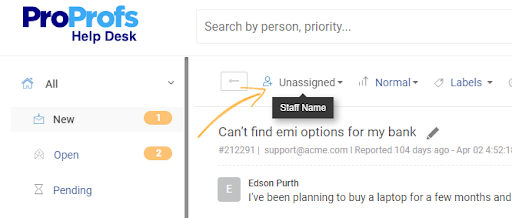
Right now, every subscriber email, chat message, and internal IT request across the telecom support teams I work with lands in one shared queue inside ProProfs Help Desk, instead of six different inboxes. That single point of visibility is the first thing that changes once a team starts using it.
The AI Agent drafts a suggested reply and summarizes a long subscriber thread before an agent even opens it, and requests coming through email, live chat, or a web form all land in the same view, so nobody is switching tools mid-ticket. ProProfs Help Desk brings AI-powered ticketing, a shared inbox, and a built-in knowledge base into one system built for scaling support teams, so a subscriber asking about their plan or an outage can often find the answer before a ticket is even created. Reporting shows a support manager the team’s real response time during an outage spike, tracked automatically instead of pieced together after the fact.
Pros:
- AI Agent drafts replies and summarizes long subscriber threads
- Omnichannel inbox keeps subscriber and internal requests in one place
- Knowledge base lets subscribers find answers to common questions themselves
- Live reports track response time and ticket volume automatically
- Free plan available for smaller telecom teams testing the system
Cons:
- No downloadable or on-premise version
- Dark user interface option not available
Pricing:
A free plan is available for growing teams. Paid plan starts at $19.99 /month.
2. Zendesk – Best for Self-Service Deflection for High-Volume Subscriber Support
A telecom provider’s subscriber volume outgrowing what a shared inbox could handle is what first put Zendesk on my radar. Its help center let subscribers find answers to routine questions, like billing cycles or outage status, without waiting on hold.
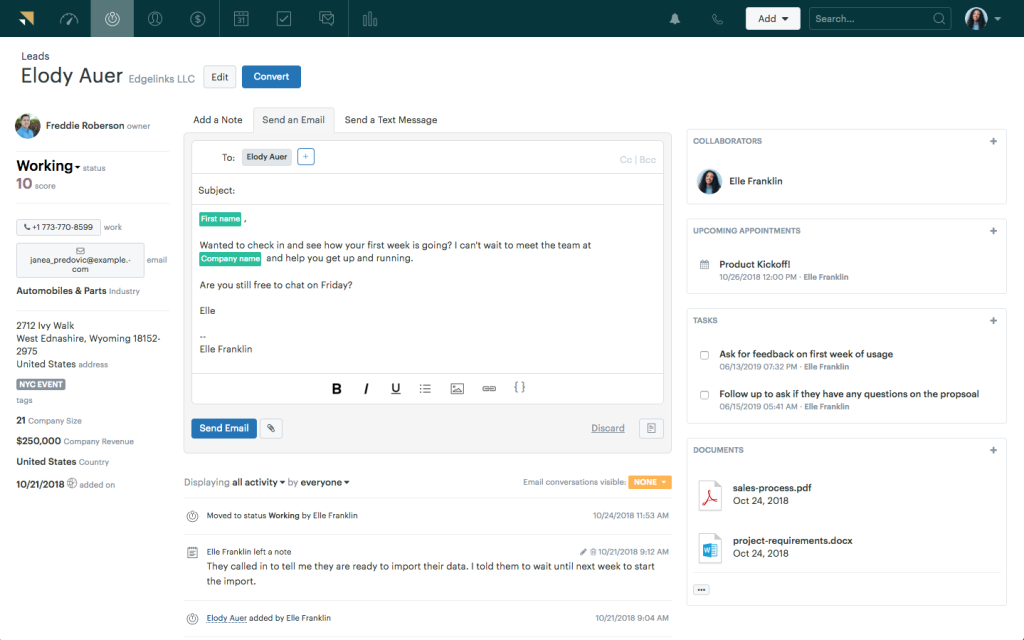
Automation is where it earned its keep day to day. Tickets got assigned automatically by category, and AI-powered article suggestions pointed subscribers to the right help content before a request ever reached an agent. Setup took real time for a team without a dedicated IT resource, and the price climbs quickly once you move past the entry tier.
Pros:
- Self-service help center reduces routine subscriber questions
- AI-powered suggestions help subscribers resolve issues on their own
- Automated ticket assignment keeps ownership clear during spikes
- Scheduled reports keep support leaders updated automatically
Cons:
- Price rises quickly as you add more agent seats
- Setup takes real IT time upfront
Pricing:
Starts at $19/agent/month.
3. Freshdesk – Best for Unified Inbox for Teams Juggling Several Support Channels
Subscriber questions arriving through email, live chat, and phone all at once is exactly the problem Freshdesk was built to solve. Its one inbox pulled every channel into a single view, so nothing got missed just because it came in through a channel nobody was watching closely.
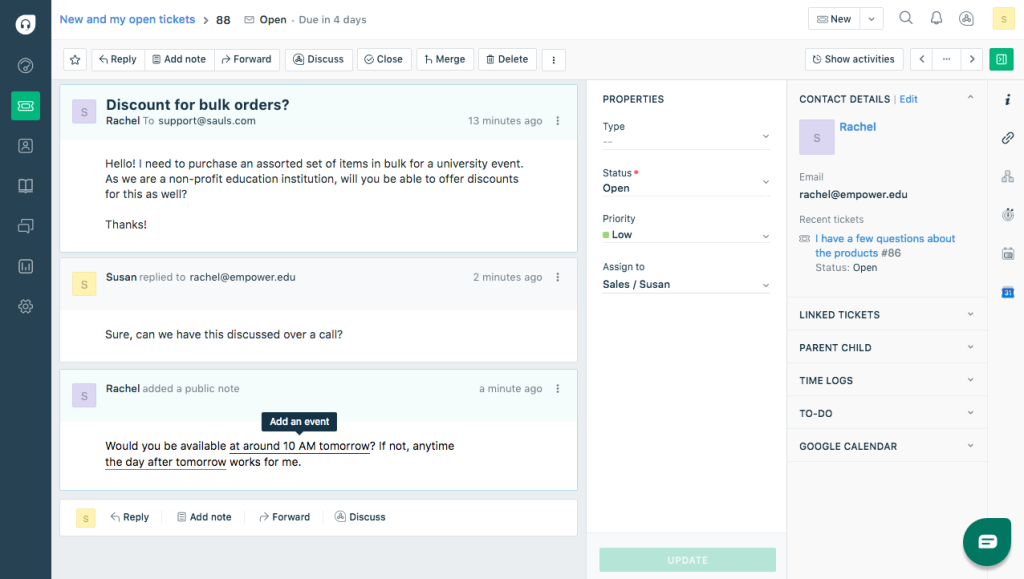
Smart routing did most of the daily work, sending tickets to whichever agent had capacity instead of whoever checked email first. Canned responses kept answers to common billing and outage questions consistent across the team. Some of the more advanced automation sat behind a pricier plan than expected for a mid-size telecom support team’s budget, a real consideration worth weighing.
Pros:
- Unified inbox brings email, chat, and phone requests together
- Smart routing sends tickets based on agent workload
- Canned responses keep answers to billing questions consistent
- More than one agent can share ownership of a complex ticket
Cons:
- Entry plans lack custom roles and skills-based routing
- Advanced automation sits behind pricier plans
Pricing:
Starts at $15/agent/month.
4. Freshservice – Best for Internal IT and Network Operations Ticketing
A telecom company’s IT team needing a system built for password resets, network incidents, and hardware requests, kept separate from anything subscriber-facing, is where Freshservice fits. Keeping internal tickets apart from subscriber matters mattered here for both clarity and workload visibility.
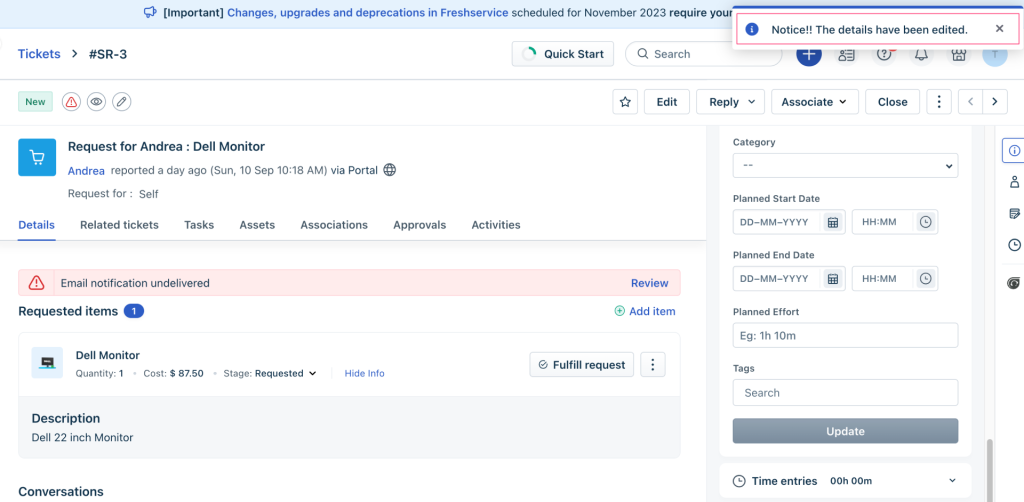
Incident and asset tracking came built in from the start, so IT staff could see which piece of network equipment was tied to which ticket, without a separate spreadsheet. It took relatively little time to set up given how much it covers. That said, it is built mainly for internal IT and ITSM work, so a telecom company without a distinct IT function may not need its full depth, and can browse these Freshservice alternatives built more for subscriber-facing support.
Pros:
- Built specifically for internal IT, kept apart from subscriber requests
- Tickets link directly to specific network equipment or assets
- Strong automation for routing and prioritizing IT requests
- Mobile app lets IT staff manage tickets away from their desk
Cons:
- Not designed for subscriber-facing support on its own
- Deeper ITSM features sit behind higher-priced tiers
Pricing:
Starts at $19/agent/month.
5. Zoho Desk – Best for Multichannel Support Tied Into Zoho CRM Billing Data
A telecom provider that had already built its billing and subscriber records around Zoho CRM, and wanted its support ticketing to plug directly into that data, is the clearest reason to pick Zoho Desk. Subscriber history follows the ticket instead of living in a separate system.
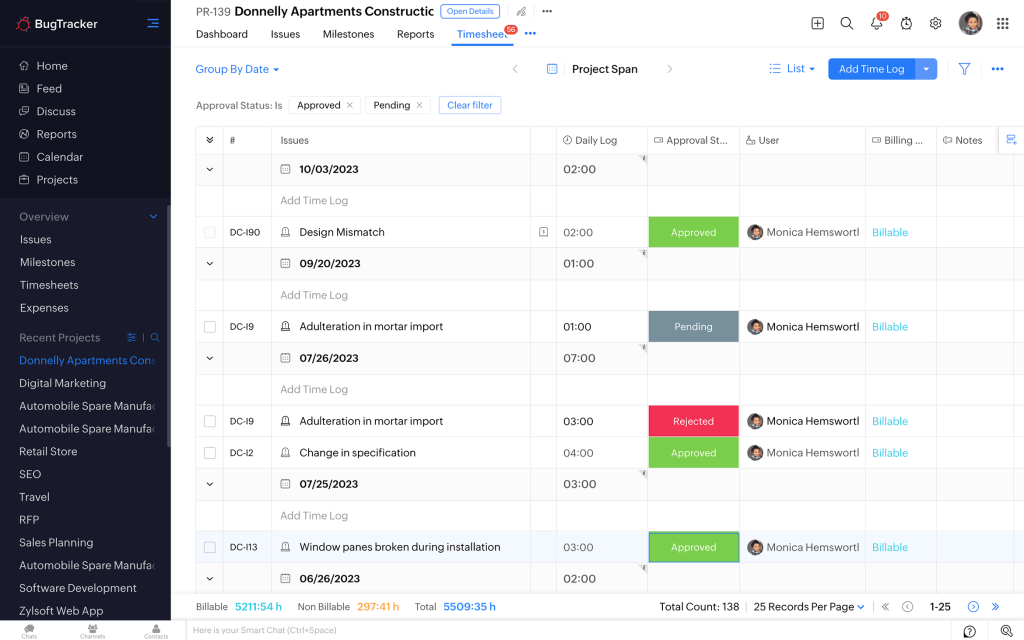
Zia, Zoho’s AI assistant, tags incoming requests automatically, so intake staff are not sorting every message by hand, and email, chat, and phone come together in one queue. The value is strongest for telecom teams already using other Zoho tools. Outside of that, some of its advantages matter less, a tradeoff worth weighing against a simpler standalone tool.
Pros:
- Ties directly into Zoho CRM for full subscriber context
- Zia AI tags and sorts incoming tickets automatically
- Ready-made templates for support forms and email replies
- Real-time chat, email, and phone support in one place
Cons:
- Live chat is only available on the Enterprise plan
- Full value depends on already using other Zoho tools
Pricing:
Starts at $14/user/month.
6. ServiceNow ITSM – Best for Enterprise ITIL-Aligned ITSM for Large Carriers
A national carrier needing incident, problem, and change management processes that meet formal ITIL standards is the level ServiceNow ITSM is built for. Its configuration management database acts as a single source of truth for network infrastructure across IT, operations, and field service.
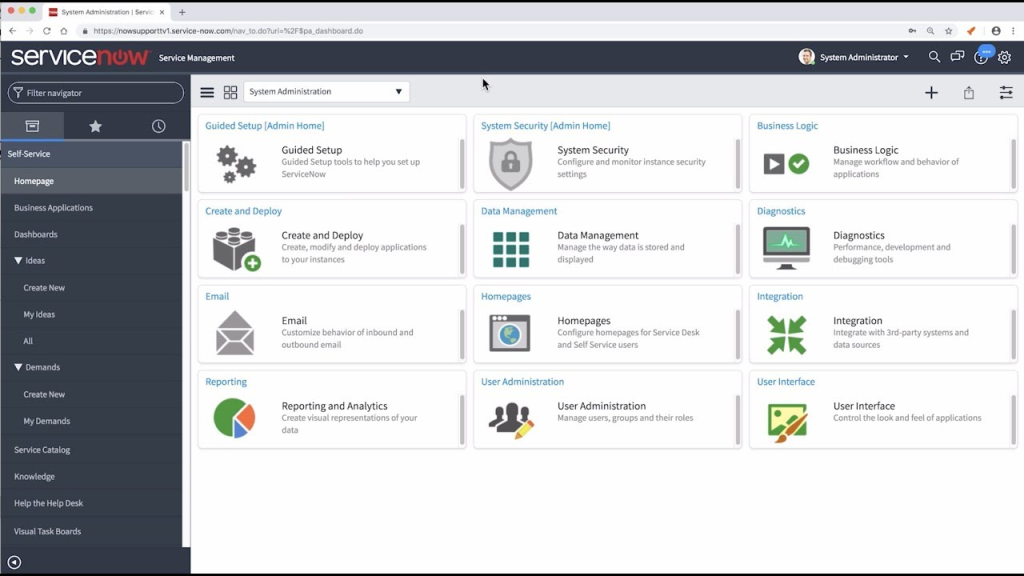
The platform’s depth is real. Flow Designer and IntegrationHub support low-code automation and connections to third-party systems, and its governance controls fit large, complex telecom organizations that need to standardize processes across departments. The tradeoff is just as real: pricing is entirely custom-quoted, typically landing between $70 and $200 or more per fulfiller per month depending on tier, and implementation for a team connecting legacy systems can add significant cost on top of the license.
Pros:
- Full ITIL process coverage across incident, problem, and change management
- Configuration management database centralizes network infrastructure data
- Low-code automation connects to third-party systems at scale
- Enterprise service management extends the same platform to HR and facilities
Cons:
- Pricing is entirely custom-quoted, with no published rate card
- Implementation and integration costs can run into the tens of thousands
Pricing:
Custom pricing.
7. HappyFox Help Desk – Best for Reporting-Heavy Support for Teams Tracking SLAs
A support manager wanting to see exactly how the team performed during the last outage, before deciding whether more staff were needed, is who HappyFox serves best. Its reporting was the first screen worth opening every Monday morning.
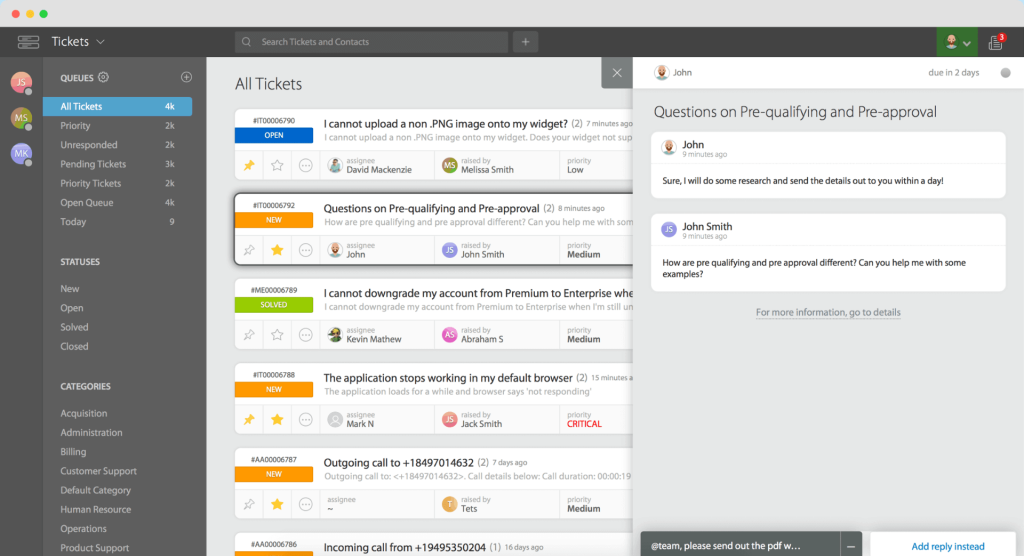
Workflow rules kept both subscriber and internal requests moving to the right queue instead of one inbox becoming a bottleneck, and multichannel support came built in without extra configuration. Customization felt rigid for a team with an unusual intake process, and the knowledge base’s design options were fairly basic, worth checking against your team’s branding needs before committing.
Pros:
- Strong reporting makes bottlenecks easy to spot during high volume
- Workflow rules keep ticket routing consistent
- Categories separate subscriber matters from internal requests
- Good visibility into individual and team-wide performance
Cons:
- Workflow customization feels rigid for unusual processes
- Knowledge base and portal design options are limited
Pricing:
Starts at $24/agent/month.
8. Desk365 – Best for Microsoft Teams-Native Ticketing for Telecom IT Teams
A telecom IT team already living inside Microsoft Teams, wanting ticketing that worked from the same interface rather than a separate app, is exactly who Desk365 was built for. Converting a Teams message into a ticket took no extra training for staff who already used Teams daily.
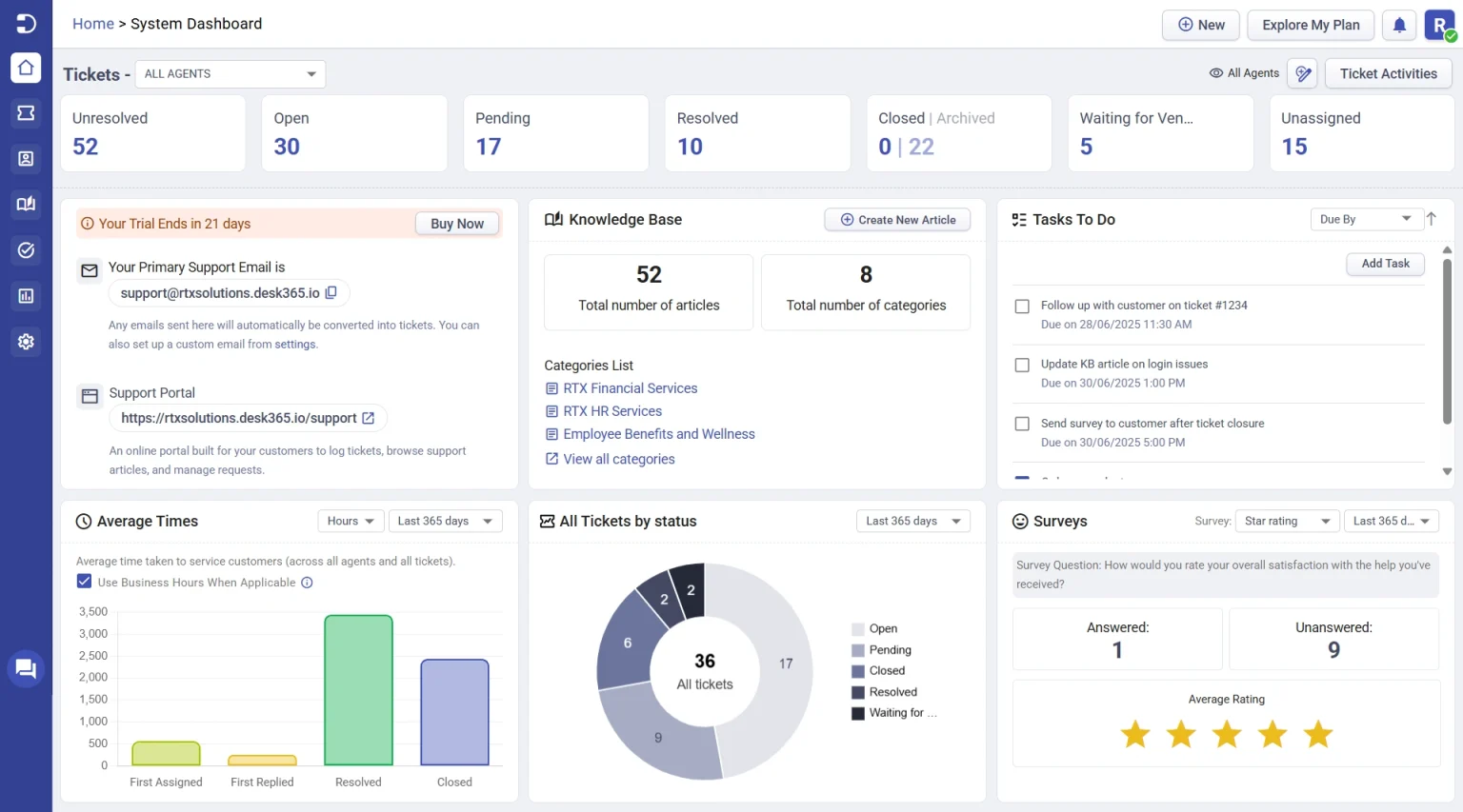
Workflow automation and SLA reminders kept internal requests from slipping through, and AI features like ticket summaries and auto-generated knowledge base articles cut down on repetitive writing. It is a newer product than most others on this list, so some legal-specific or telecom-specific integrations that larger competitors have built up over time are still catching up.
Pros:
- Converts Microsoft Teams messages into tickets with no extra app
- SLA reminders and escalations keep internal requests on track
- AI-generated ticket summaries and knowledge base articles save writing time
- Round-robin and load-based ticket assignment built into paid plans
Cons:
- Smaller integration ecosystem than more established competitors
- Fewer telecom-specific features compared to purpose-built ITSM platforms
Pricing:
Free plan available. Paid plans start at $12/user/month.
Not Sure Which Tool Fits Your Team? Let’s Find out Together
How Did I Evaluate These Help Desk for Telecom?
The evaluation of products or tools chosen for this article follows an unbiased, systematic approach that ensures a fair, insightful, and well-rounded review. This method uses six key factors:
- User Reviews and Ratings: Direct experiences from users, including ratings and feedback from reputable sites like G2 and Capterra, provide a ground-level perspective. This feedback helps identify overall satisfaction and recurring problems.
- Essential Features and Functionality: Evaluate the must-have help desk features and determine how effectively each tool handles the main use cases associated with telecom support, including separating subscriber and internal IT requests.
- Ease of Use: Assess the interface, navigation, setup requirements, learning curve, and day-to-day usability for the intended audience.
- Customer Support: Examine support channels, documentation, onboarding resources, response options, and assistance during setup and ongoing use.
- Value for Money: Compare pricing with features, limits, scalability, and practical value to determine whether the product offers reasonable value for telecom teams of different sizes.
- Personal Experience and Experts’ Opinions: Include observations from practical evaluation where available, along with credible expert commentary and recurring user feedback.
My Top 3 Picks for the Best Telecom Help Desks
Each of these three tools fits a different kind of telecom team. None of them is the universal right answer for everyone.
1. ProProfs Help Desk
ProProfs Help Desk suits a telecom team that wants subscriber support and internal IT requests handled in one system, without an enterprise price tag. Its main differentiator is combining AI-assisted replies with a shared inbox at a price small and mid-size telecom teams can justify from day one, though teams needing on-premise hosting should know it is cloud-only.
2. ServiceNow ITSM
ServiceNow ITSM suits a large carrier that needs formal ITIL processes, a configuration management database, and governance across multiple departments. Its main differentiator is depth, worth shortlisting if your organization already has the team and budget to manage an enterprise ITSM rollout.
3. Freshservice
Freshservice suits a mid-size telecom company with a distinct internal IT or network operations team that needs a system kept completely separate from subscriber support. Its built-in asset and incident tracking make it a strong pick specifically for internal IT ticketing rather than customer-facing support.
FREE. All Features. FOREVER!
Try our Forever FREE account with all premium features!
How Does Help Desk Software Work?
Most help desk software for telecom runs on the same basic loop, whether the request comes from a subscriber or from internal staff:
- A request comes in. A call, an email, a chat message, or a web form turns into a ticket instead of sitting in a personal inbox or a call log.
- The ticket gets a status and an owner. Whoever is responsible for the response becomes visible to the team, not just whoever answered the phone.
- The system routes it to the right team. Billing questions go to support, network issues go to IT or network operations, through automated ticket routing instead of someone manually reassigning every ticket.
- A knowledge base and templates speed up common answers. Routine questions about outages, billing cycles, or plan changes get a consistent answer.
- Reports show what actually happened. Response time, ticket volume during an outage, and team workload become visible facts instead of guesses.
Stop Losing Tickets in Six Different Inboxes During Your Next Outage
What Problems Does It Solve?
A help desk for telecom solves problems that show up constantly in this industry, even when nobody has put a name to them yet.
| Problem | Capability to Look For |
| Ticket volume spikes during outages overwhelm a shared inbox | Automated ticket creation and routing that scales without manual sorting |
| Billing questions and network incidents get mixed into one queue | Separate categories or queues for subscriber support and internal IT |
| Nobody can say how fast the team responded during an outage | Real-time reporting on ticket volume and response time |
| Support requests come in through phone, email, chat, and WhatsApp | Omnichannel intake that captures every channel in one place |
| New field technicians and support staff create access and training gaps | Role-based access with a searchable knowledge base for common issues |
A study by CustomerGauge in 2022 shows that 51% of telecom customers who switched providers did so after having to call more than once to get an issue resolved. That is a support problem before it is a ticket response time problem.
How Should You Choose the Right Tool?
A few practical factors matter more than any single feature on a spec sheet:
- Ticket volume and spikes. Confirm the tool can handle a sudden jump in tickets during an outage without the queue becoming unmanageable.
- Deployment model. Regulated or compliance-heavy telecom environments may need on-premise or hybrid deployment, not a cloud-only product, a distinction covered in more depth in this guide to what an IT service desk typically supports.
- Channel coverage. Check whether the tool captures requests from phone, email, chat, WhatsApp, and Microsoft Teams, not just a web form.
- Separation of subscriber and internal tickets. A tool that mixes both into one undivided queue creates confusion once ticket volume grows.
- Integration with billing or CRM data. Confirm the tool connects to whatever system already holds subscriber account and billing information, since a CRM and a ticketing system solve related but different jobs.
Choose the Right Help Desk to Cut Support Delays
Choosing a help desk for telecom really comes down to one question: which unresolved request is costing your team the most right now, a missed subscriber ticket, a buried IT request, or both at once? Naming that gap clearly matters more than comparing every feature on a list.
The right answer depends on your team’s size, budget, the systems you already use for billing and CRM, and whether subscriber support and internal IT should live in the same system or stay completely separate. A small ISP’s checklist looks nothing like a national carrier’s, and neither should assume the other’s tool is the right starting point.
If your telecom team needs AI-assisted ticketing, a shared inbox, and workflow automation that scales as you add support agents, without an enterprise price tag or a steep setup process, ProProfs Help Desk is worth trying alongside whatever else made your shortlist from this guide.
Frequently Asked Questions
What is help desk software for telecom?
Help desk software for telecom is ticketing software that logs, routes, and tracks subscriber and internal support requests through a shared queue. It replaces scattered call logs and inboxes with one trackable system built to handle high ticket volume.
Is there a free help desk option for telecom teams?
Yes. ProProfs Help Desk and Desk365 both offer a free plan for a single user or small teams, which is enough for a small ISP or startup telecom provider to get started before scaling up.
Do telecom companies need a separate tool for internal IT support?
Many do, especially once network operations tickets start competing with subscriber requests in the same queue. ProProfs Help Desk, Freshservice, and ServiceNow ITSM are both built specifically for internal IT and network operations, separate from customer-facing support.
Which help desk works best for a large telecom carrier?
ServiceNow ITSM is built for large-scale, ITIL-aligned ITSM with a configuration management database, which fits the governance needs of a national carrier better than a general-purpose help desk.
Can help desk software handle a sudden spike in tickets during an outage?
Most cloud-based tools scale automatically, but the ones with strong automated routing and real-time reporting, like ProProfs Help Desk and Freshdesk, make it easier to see and manage a spike as it happens, rather than after the fact.
Is on-premise deployment available for telecom help desk software?
Most tools on this list are cloud-only. Regulated or compliance-heavy telecom environments that require on-premise or hybrid deployment should confirm this directly with the vendor before committing, since not all platforms support it with full feature parity.
FREE. All Features. FOREVER!
Try our Forever FREE account with all premium features!

 We'd love your feedback!
What did you like & how can we make it even better?
 Thanks for your feedback!
 Ask Your Question
Have a question? Get expert help to make your decision easier.