
I once saw a law firm assistant send one client email to three different people, just because nobody knew whose job it was to answer it. That’s when I understood something: help desk for law firms is a real problem, not just a fancy tech term. And that one forwarded email is exactly what a ticketing system is built to fix.
Legal work has its own version of this problem. A client asking about their document is very different from a lawyer locked out of a case file right before a deadline. But both often end up in the same inbox, with no easy way to tell which one is urgent. Most articles that compare help desk tools miss this point completely.
I’ve spent years helping legal teams work through this exact choice. This guide compares 8 tools side by side, so you can see what each one does well and where it falls short, in simple, plain language.
What Is Help Desk Software for Law Firms?
Help desk software for law firms is a tool that logs, sorts, and tracks client and staff requests in one shared queue. It replaces scattered emails, voicemails, and sticky notes with a system where every request gets an owner and a status. This falls under the wider world of help desk software, just aimed at legal work, both for client questions and for internal IT help desk support for law offices, where the person asking is a staff member instead of a client.
A 2020 article from the North Carolina Bar Association’s Center for Practice Management pointed out that poor communication is a common reason behind client complaints, and even disciplinary issues. It suggested that help desk software, already common in IT and customer support, could be a simple fix that firms could borrow from other industries.
What Are the Best Help Desks for Law Firms?
These 8 tools cover everything from a solo attorney’s inbox to internal IT tickets at a mid-size firm. I looked at how clearly each one separates client requests from IT requests, how quickly a non-technical staff member could learn it, and whether the price still makes sense as a firm adds paralegals and associates.
Compare these side by side before you commit to a plan, ideally with a help desk buying checklist in hand, since the right choice depends on whether your biggest gap is client communication, IT support, or both at once.
| Tool | Best For | Pricing | User Rating |
| ProProfs Help Desk | Easiest AI Help Desk for Shared Inboxes, Ticket Workflow Automation, and Scaling Support Teams | A free plan is available for growing teams. Paid plan starts at $19.99/month. | 4.7/5 |
| Zendesk | Self-service help center for high-volume client intake | Starts at $19/agent/month | 4.3/5 |
| Freshdesk | Unified inbox for firms managing several intake channels | Starts at $15/agent/month | 4.4/5 |
| Freshservice | Internal IT ticketing with asset and incident tracking | Starts at $19/agent/month | 4.6/5 |
| Zoho Desk | Ticket history tied directly to Zoho CRM client records | Starts at $14/user/month | 4.4/5 |
| Help Scout | Email-like shared inbox for small firm intake | Free plan for up to 5 users; paid plans start at $25/user/month | 4.4/5 |
| HappyFox Help Desk | Reporting on request volume and staff workload | Starts at $24/agent/month | 4.5/5 |
| Hiver | Gmail-based ticketing for solo practitioners | Free plan available; paid plans start at $25/user/month | 4.6/5 on G2 |
1. ProProfs Help Desk – Easiest AI Help Desk for Shared Inboxes, Ticket Workflow Automation, and Scaling Support Teams
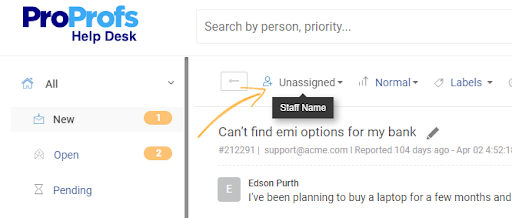
Right now, every client email, intake form, and IT request across the legal teams I support lands in one shared queue inside ProProfs Help Desk, instead of six different inboxes. That is the first thing that changes once a firm starts using it.
The AI Agent writes a suggested reply and sums up a long client email before an assistant even opens it. Requests from email, a web form, or live chat all show up in the same place, so staff do not have to check several apps. ProProfs Help Desk brings AI-powered ticketing, a shared inbox, and a built-in knowledge base into one system built for busy legal teams, so a client asking about their document status can often find the answer before a ticket is even created. Reports show a managing partner the firm’s real average response time, tracked automatically instead of guessed.
Pros:
- AI Agent writes replies and sums up long client emails
- Shared inbox keeps client requests separate from IT tickets
- Knowledge base lets clients find answers themselves
- Live reports track response time with no manual work
- Free plan available for solo attorneys trying it out
Cons:
- No downloadable or on-premise version
- Dark user interface option not available
Pricing:
A free plan is available for growing teams. Paid plan starts at $19.99 /month.
Give Clients the Fast Reply They’re Already Expecting
2. Zendesk – Best for Self-Service Help Center for High-Volume Client Intake
A mid-size firm outgrowing what a shared inbox could handle is what first put Zendesk on my radar. Its help center let clients find answers to simple questions, like retainer basics or document checklists, without waiting for a callback.
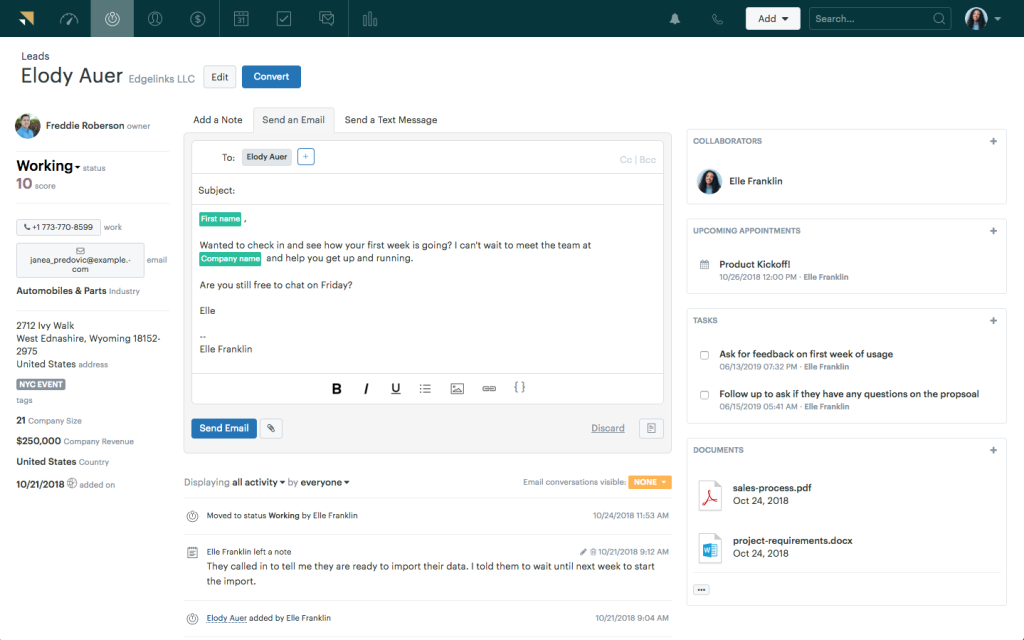
The automation is where it really helped day to day. Tickets got assigned automatically by practice area, and AI suggestions pointed clients toward the right article before a request even reached staff. Setup took longer than expected for a firm without its own IT person, and the price climbs fast once you move past the entry plan, which is worth checking if cost matters most to you.
Pros:
- Self-service help center cuts down on simple, repeat questions
- AI suggestions help clients find answers faster on their own
- Tickets get assigned automatically by practice area
- Scheduled reports keep managing partners in the loop automatically
Cons:
- Price rises quickly as you add more seats
- Setup takes real IT time upfront
Pricing:
Starts at $19/agent/month.
3. Freshdesk – Best for Unified Inbox for Firms Managing Several Intake Channels
Client questions coming in through email, live chat, and phone all at once, for a firm doing both litigation and transactional work, is exactly the problem Freshdesk was built to solve. Its one inbox pulled every channel into a single view, so nothing got missed just because it came in on a channel nobody was watching closely.
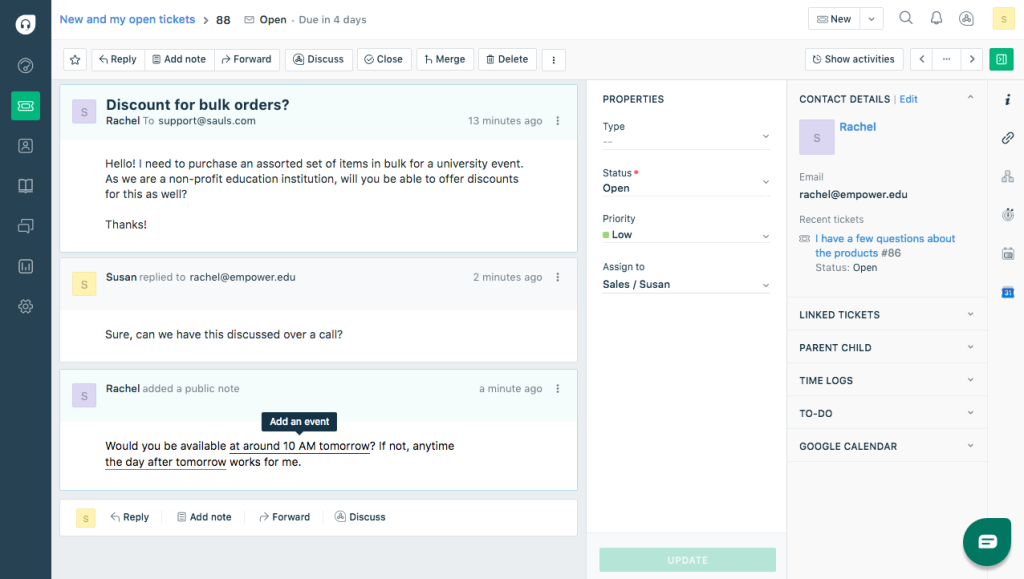
Smart routing did most of the daily work, sending tickets to whichever paralegal or associate had room, instead of whoever checked email first. Canned responses kept answers to common questions consistent across the team.
Pros:
- One inbox brings together email, chat, and phone requests
- Smart routing sends tickets by staff workload
- Canned responses keep common answers consistent
- More than one agent can share ownership of a ticket
Cons:
- Entry plans do not include custom roles or skill-based routing
- Advanced automation sits behind pricier plans
Pricing:
Starts at $15/agent/month.
4. Freshservice – Best for Internal IT Ticketing With Asset and Incident Tracking
A firm’s IT team needing a system built just for password resets, hardware requests, and software access, separate from anything client-facing, is where Freshservice fits. Keeping IT tickets completely apart from client matters mattered here, both for privacy and for staying organized.
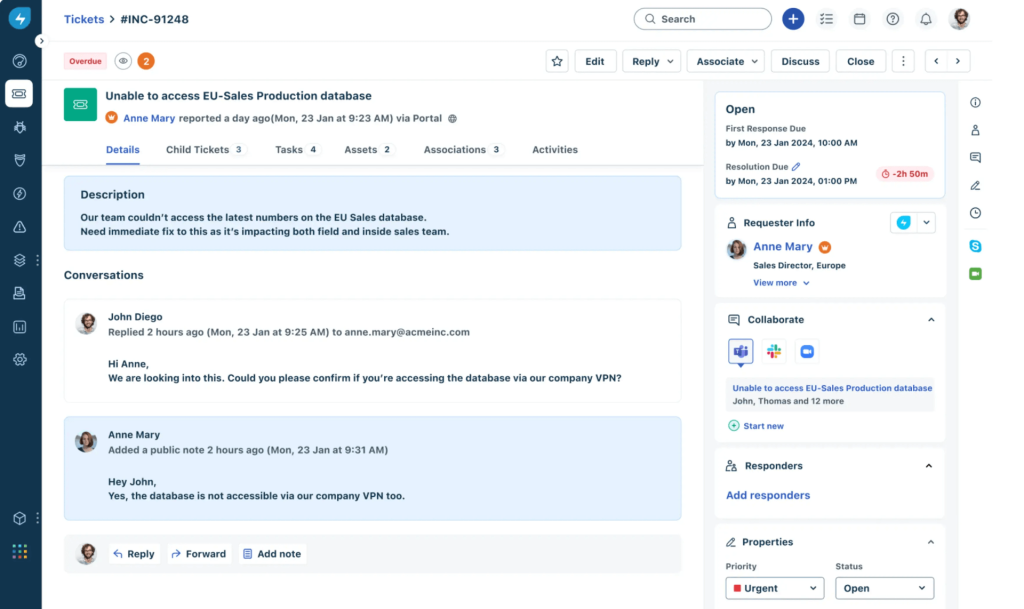
Incident and asset tracking came built in from day one, so IT staff or an outside provider could see which attorney had which hardware issue, without a separate spreadsheet. It took very little time to set up given how much it covers. That said, it is built mainly for internal IT work, so firms without a dedicated IT team may not need all of it.
Pros:
- Built specifically for internal IT, kept apart from client requests
- Fast setup with an easy learning curve for IT staff
- Tickets link directly to specific hardware or software
- Strong automation for routing and prioritizing IT requests
Cons:
- Not built for client-facing legal support on its own
- Deeper IT features sit behind higher-priced plans
Pricing:
Starts at $19/agent/month.
5. Zoho Desk – Best for Ticket History Tied Directly to Zoho CRM Client Records
A firm that had already built its client intake around Zoho CRM, and wanted its ticketing to plug straight into that data, is the clearest reason to pick Zoho Desk. Client history follows the ticket, instead of living in a separate system.
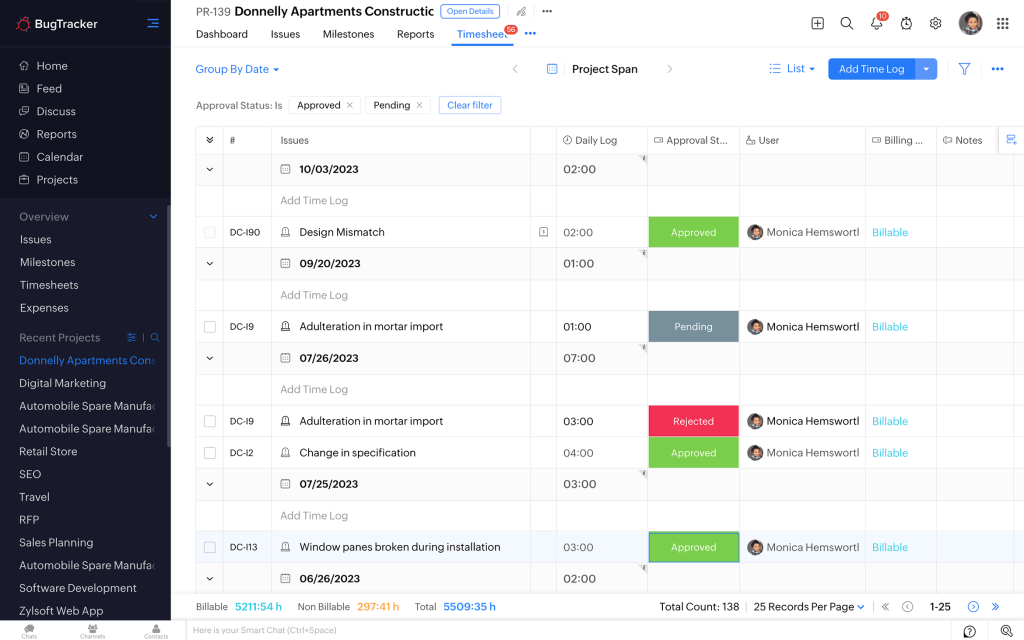
Zia, Zoho’s AI assistant, tags incoming requests automatically, so intake staff are not sorting every email by hand, and email, chat, and phone all come together in one queue. The value is strongest for firms already using other Zoho tools. Outside of that, some of its advantages matter less, which this Zoho Desk vs Zendesk comparison covers in more detail.
Pros:
- Links directly to Zoho CRM for full client context
- Zia AI tags and sorts incoming tickets automatically
- Ready-made templates for intake forms and email replies
- Real-time chat, email, and phone support in one place
Cons:
- Live chat is only available on the Enterprise plan
- Full value depends on already using other Zoho tools
Pricing:
Starts at $14/user/month.
6. Help Scout – Best for Email-Like Shared Inbox for Small Firm Intake
A small firm wanting something that felt like email, not enterprise software, for staff who had never used a help desk before, is exactly who Help Scout is built for. Conversations look and read like a normal inbox, which made it easy for everyone to adopt.
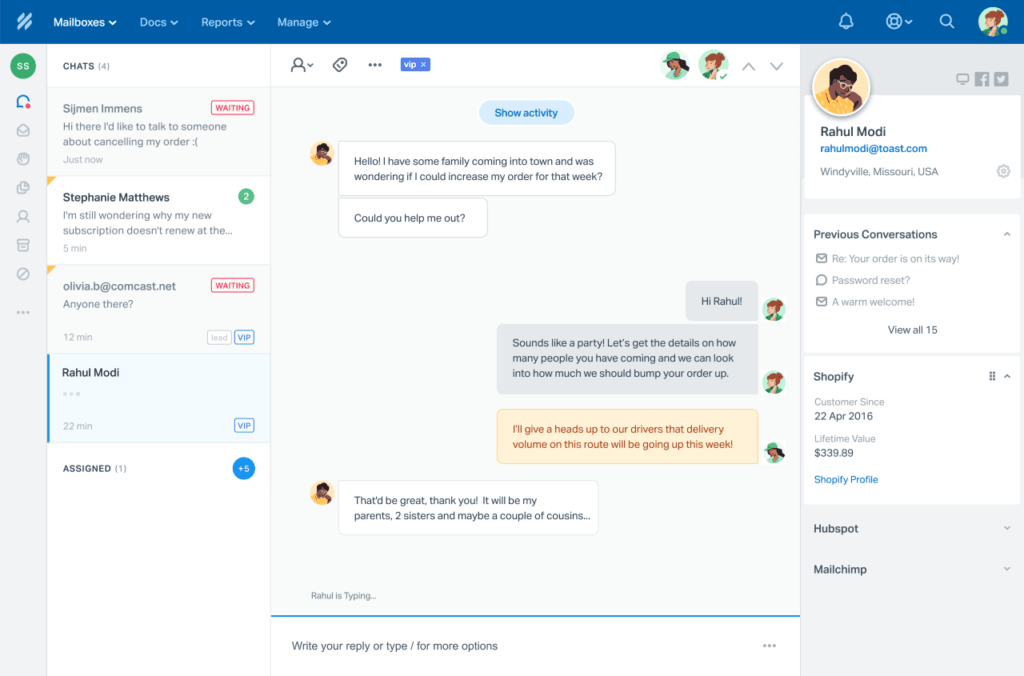
The shared inbox kept ownership clear without extra training, and the built-in knowledge base let the firm publish answers to common questions without a separate tool. Where it falls short is scale: firms that grow past a handful of staff may outgrow its lighter automation, a tradeoff covered in this Help Scout vs Zendesk comparison.
Pros:
- Shared inbox keeps ownership clear on every client thread
- Built-in knowledge base helps clients help themselves
- Custom fields capture case-specific details per conversation
- Browser alerts keep staff quick to respond
Cons:
- Automation is lighter than bigger competitors offer
- Social media channels are missing from the entry plan
Pricing:
Free plan available for up to 5 users. Paid plans start at $25/user/month.
Not Sure What Fits Your Firm? Let’s Find out in Five Minutes
7. HappyFox Help Desk – Best for Reporting on Request Volume and Staff Workload
An office manager wanting to see exactly where requests were piling up, before deciding whether to hire another paralegal, is who HappyFox serves best. Its reports were the first screen worth opening every Monday morning.
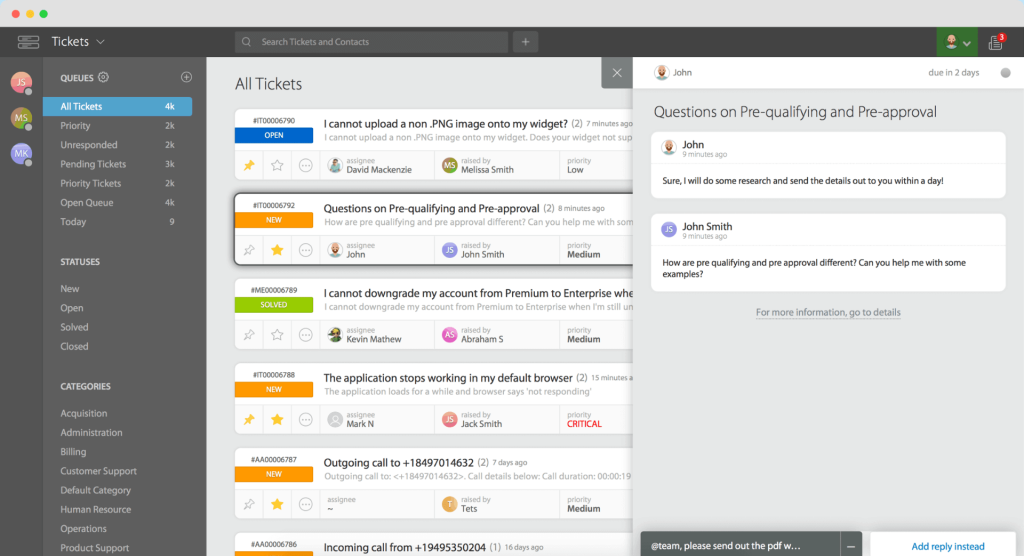
Categories and workflow rules kept both client and internal requests moving to the right place, instead of one inbox becoming a bottleneck, and multichannel support came built in with no extra setup. Customization felt rigid for a firm with an unusual intake process, and the knowledge base’s look and feel was fairly basic.
Pros:
- Strong reports make bottlenecks easy to spot
- Workflow rules keep ticket routing consistent
- Categories keep client matters separate from internal requests
- Solid multichannel support with no extra setup
Cons:
- Workflow customization feels rigid for unusual processes
- Knowledge base and portal design options are limited
Pricing:
Starts at $24/agent/month.
8. Hiver – Best for Gmail-Based Ticketing for Solo Practitioners
A solo attorney running an entire practice out of Gmail, who has no interest in learning a new platform just to track client requests, is exactly who Hiver was built for. It turns an existing inbox into a shared, ticket-aware workspace without changing anyone’s habits.
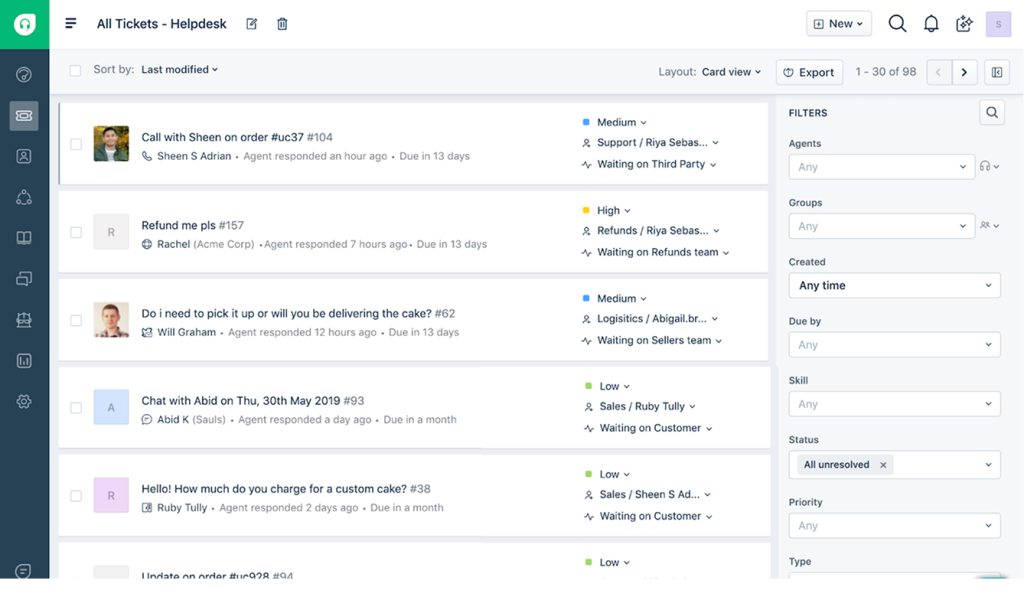
Turning emails into tasks is the feature that matters most day to day, working like a shared to-do list right inside the inbox an attorney already checks constantly, and email reports give a clear read on response times with no second dashboard to check. The obvious catch: a firm not using Gmail gets little value from it.
Pros:
- Turns Gmail into a shared, ticket-aware inbox
- Turning emails into tasks keeps ownership clear for solo staff
- Shared drafts let an assistant help write client replies
- Mobile apps support attorneys working outside the office
Cons:
- Built only for Gmail, so other email tools are locked out
- Round-robin assignment is limited to the priciest plan
Pricing:
Free plan available. Paid plans start at $25/user/month.
How Did I Evaluate These Legal Help Desks?
The evaluation of products or tools chosen for this article follows an unbiased, systematic approach that ensures a fair, insightful, and well-rounded review. This method uses six key factors:
- User Reviews and Ratings: What real users say, including ratings from trusted review sites like G2 and Capterra. This shows what people are genuinely happy or frustrated with.
- Essential Features and Functionality: How well each tool handles what matters most in legal work, including keeping client and IT requests separate. See our guide on must-have help desk features.
- Ease of Use: How simple the interface is to learn and use every day, especially for staff who are not IT specialists.
- Customer Support: How good the vendor’s own support is, including documentation, onboarding help, and how fast they respond when something breaks.
- Value for Money: Whether the price makes sense for what you get, and whether that still holds up as your firm adds staff.
- Personal Experience and Experts’ Opinions: What I noticed firsthand while evaluating each tool, plus real feedback from other users and experts.
My Top 3 Picks for the Best Legal Help Desk Software
Each of these three tools fits a different kind of firm. None of them is the single right answer for everyone.
1. ProProfs Help Desk
ProProfs Help Desk is a good fit if you want client requests and internal IT requests handled in one system, without an enterprise price tag. It combines AI-assisted replies with a client-facing knowledge base at a price small and mid-size firms can justify right away, though firms that need on-premise hosting should know it is cloud-only.
2. Zendesk
Zendesk is a good fit for a bigger firm that wants to push routine questions to self-service at real scale. Its help center and automation go deep, and it is worth a look if cutting down on incoming tickets matters more to you than keeping costs low.
3. Freshservice
Freshservice is a good fit for a firm with its own IT team that needs a system kept completely separate from anything client-facing. Its built-in asset and incident tracking make it a strong pick specifically for IT help desk support for law offices, rather than general client support.
FREE. All Features. FOREVER!
Try our Forever FREE account with all premium features!
How Does Help Desk Software Work?
Most help desk software for legal teams works the same basic way, whether the person asking is a client or a staff member:
- A request comes in. An email, a website contact form, or a phone call turns into a ticket, instead of sitting in someone’s personal inbox.
- The ticket gets a status and an owner. Whoever is responsible for answering it is now visible to the whole team, not just whoever picked up the phone.
- The team works from a shared queue. Attorneys, paralegals, or IT staff all see the same ticket, so nothing gets answered twice or missed.
- A knowledge base and templates speed up common answers. Routine questions about intake, billing, or document status get the same good answer every time.
- Reports show what actually happened. Response time, ticket volume, and workload become visible facts instead of guesses.
Stop Juggling Six Inboxes. Bring Every Request Into One Place
What Problems Does a Legal Help Desk Solve?
A help desk solves problems most firms already deal with, even if they have never put a name to them.
| Problem | What to Look For |
| Client emails and voicemails get missed or passed around | Ticketing that gives every request a clear owner and status |
| The same question gets a different answer depending on who replies | A shared knowledge base and ready-made replies for consistency |
| Nobody knows how fast the firm is actually responding | Built-in reports that track response time automatically |
| IT requests get mixed in with client questions | Separate queues for internal requests and client-facing tickets |
| New hires and staff leaving create gaps in access | A set process for adding and removing access, tied to IT tickets |
A study by Clio in 2024 shows that 79% of legal clients expect a reply within 24 hours. Most firms have no way to check whether they are actually hitting that.
What Should You Consider Before Choosing?
A few practical things matter more than any single feature on a spec sheet:
- Team size and roles. A solo attorney’s needs look nothing like a firm with its own IT staff, front-desk intake, and several practice areas.
- Budget as you grow. Make sure the pricing still works once you go from three people to fifteen, since per-agent pricing can climb faster than you would expect.
- Fit with tools you already use. Check that it works with your practice management software, whether that is Clio, MyCase, or something else, before you commit.
- Client-facing look. Anything a client sees, like a knowledge base or ticket form, should carry your firm’s own branding and customization, not the vendor’s.
- How easy it is to learn. Paralegals and assistants need to be productive within days, not weeks, so weigh simplicity as much as features.
Simplify Client Support for Your Law Firm
Choosing a help desk for law firms really comes down to one question: which unanswered request is costing your firm the most right now, a missed client call, an untracked IT ticket, or both? Naming that problem clearly matters more than comparing every feature on a list.
The right answer depends on your firm’s size, budget, the tools you already use, and whether client support and IT support should live in the same system or stay completely separate. A solo attorney’s checklist looks nothing like a mid-size or small firm’s, and neither one should assume the other’s tool is the right starting point.
If your firm needs AI-assisted client ticketing, a shared inbox, and a client-facing knowledge base, without an enterprise price tag or a steep setup, ProProfs Help Desk is worth trying alongside whatever else made your shortlist from this guide.
See It Handle Your Firm’s Real Ticket Volume, Free
Frequently Asked Questions
What is a help desk for law firms?
A help desk for law firms turns client emails, calls, and web questions into tickets with a clear owner and status. It replaces scattered inboxes with one shared system for both client and internal requests.
Is help desk software the same as legal practice management software?
No. Help desk software tracks and answers requests, while practice management software like Clio manages case files, billing, and time tracking. Many firms use both together, since neither one replaces the other.
How much does help desk software for legal practices cost?
Prices usually range from free for one person to around $25 per agent per month for full-featured plans. Most small firms land between $15 and $25 per agent per month once they add reporting and automation.
Do solo attorneys need a help desk?
Yes. A solo attorney has no backup staff to catch a missed call or email, so a system that logs every request and flags anything unanswered closes a gap that can cost solo firms new clients.
What is IT help desk support for law offices?
It is a separate ticketing system used by a firm's IT staff or an outside provider to handle things like password resets, software access, and hardware problems for attorneys and paralegals, kept apart from client-facing support.
Can a help desk work with case management software?
Many can, though it depends on the vendor. Check that it connects with your specific practice management tool, such as Clio or MyCase, before you commit to a help desk.
Which help desk is best for a small law firm?
Free plans from tools like ProProfs Help Desk, Help Scout, or Hiver are usually enough for a small firm just getting started. ProProfs Help Desk is a strong starting point if you want AI-assisted replies without a steep learning curve.
Is client data safe in a cloud-based legal help desk?
Reputable help desk software encrypts data both while it moves and while it is stored, and offers role-based access controls. If your firm has strict data rules, confirm hosting options and compliance certificates directly with the vendor.
FREE. All Features. FOREVER!
Try our Forever FREE account with all premium features!

 We'd love your feedback!
What did you like & how can we make it even better?
 Thanks for your feedback!
 Ask Your Question
Have a question? Get expert help to make your decision easier.