
I have spent years watching the same pattern play out inside SaaS companies: marketing celebrates a new signup, sales hands the account off, support inherits a stranger, and nobody in the chain has the full picture of who this customer actually is. That handoff gap is where most churn quietly begins, and it is exactly the problem customer lifecycle management was built to close.
Every business I have worked with eventually hits the same wall. They get good at bringing customers in the door, but they lose them somewhere between onboarding and renewal because no single team owns the full journey. Marketing has one view, sales has another, and support is often flying blind with no context at all. That fragmentation is not a people problem. It is a systems problem.
What actually fixes it is treating the customer relationship as one continuous arc instead of three disconnected departments. That is the entire idea behind customer lifecycle management, and in this guide, I will break down what it means, how it actually works stage by stage, and which tools genuinely help you manage it without adding another layer of complexity your team does not need.
What Is Customer Lifecycle Management?
Customer lifecycle management is a structured approach to tracking, analyzing, and acting on customer data across every stage of the relationship, from a prospect’s first interaction to long-term loyalty and advocacy. It brings marketing, sales, and support data into one continuous view instead of three separate silos.
Unlike a single campaign or a single support ticket, customer lifecycle management looks at the entire arc. It asks one consistent question at every stage: what does this customer need right now to move closer to loyalty, and who on our team is responsible for giving it to them?
Most teams searching for this topic are really searching for customer lifecycle management software, the tools that make this tracking possible without a spreadsheet falling apart at scale. We cover the best ones later in this guide.
Top 8 Customer Lifecycle Management Tools
Here are the 8 customer lifecycle management tools worth evaluating in 2026, ranked by how well they support real lifecycle stages rather than by marketing claims. Each one is best suited to a different part of the journey, from first contact to long-term retention.
| Tool | Best For | Pricing | User Rating (G2) |
| ProProfs Help Desk | Easiest AI Help Desk for Shared Inboxes, Ticket Workflow Automation, and Scaling Support Teams | A free plan is available for growing teams. Paid plan starts at $19.99/month. | 4.7/5 |
| HubSpot | Unifying marketing, sales, and service on one lifecycle record | Free plan available / paid tiers vary by hub | 4.4/5 |
| Salesforce | Enterprise-grade customization across complex lifecycles | From $25 per user/month | 4.4/5 |
| Zoho CRM | Budget-friendly lifecycle automation with built-in AI | Free plan available / from $14 per user/month | 4.1/5 |
| Freshsales (Freshworks CRM) | AI-led lead scoring and deal insights | Free plan available / from $9 per user/month | 4.5/5 |
| monday CRM | Visual, no-code lifecycle workflow building | From $12 per seat/month | 4.6/5 |
| Intercom | Full-lifecycle messaging across marketing, sales, and support | From $29 per seat/month (Essential; AI usage billed separately) | 4.5/5 |
| Gainsight | Post-sale customer success and retention analytics | Custom, quote-based pricing | 4.5/5 |
1. ProProfs Help Desk – Easiest AI Help Desk for Shared Inboxes, Ticket Workflow Automation, and Scaling Support Teams
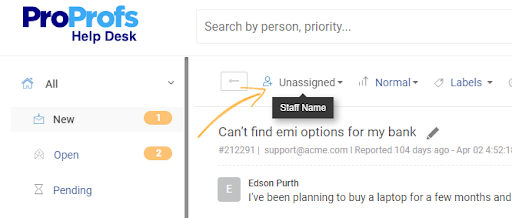
I brought in ProProfs Help Desk when our support inbox had turned into a graveyard of unanswered emails, and it was the first tool that made the retention stage of our lifecycle feel manageable instead of chaotic. The shared inbox gave every agent visibility into who was handling what, which sounds basic until you have lived without it.
What stood out was how the AI features fit into the lifecycle without needing a separate tool. The AI Agent handled routine questions on its own, while decode intent and mood picked up on frustrated customers before they escalated, so agents could prioritize the tickets that actually needed a human touch. Child tickets also made it simple to loop in a billing or engineering team without losing the original conversation thread.
By the time I moved on from that project, our first response time had dropped noticeably, and the team had stopped dreading Monday mornings. For teams that also want a self-service layer, ProProfs Help Desk pairs naturally with a knowledge base to deflect repeat questions, and with live chat for customers who want an answer before they even open a ticket.
Pros:
- AI Agent delivers instant, personalized replies without agent input for common queries.
- Decode Intent & Mood flags frustrated customers based on tone before they escalate.
- Child tickets route cross-team queries without duplicating the original conversation.
- Omnichannel inbox consolidates email, chat, social, and web forms in one place.
- Round-robin assignment and canned responses cut manual ticket handling time.
Cons:
- No downloadable or on-premise version
- Dark mode isn’t available yet
Pricing:
A free plan is available for growing teams. Paid plan starts at $19.99 /month.
2. HubSpot – Best for Unifying Marketing, Sales, and Service Data
I used HubSpot on a team that was tired of marketing and sales working off two different versions of the same customer. Having every lifecycle stage tagged directly on the contact record, from lead to customer to evangelist, changed how we planned outreach.
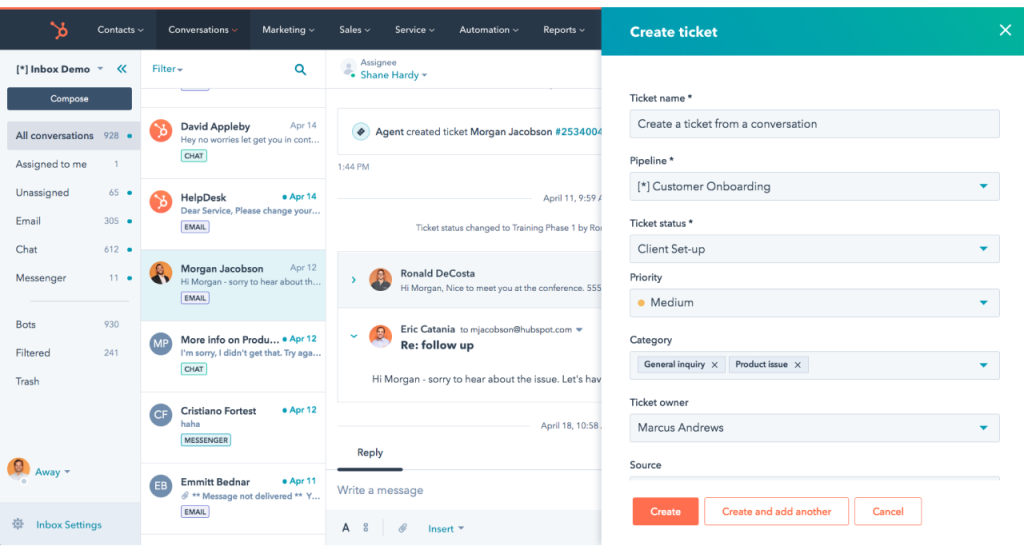
The workflow builder lets us automate a genuinely long lifecycle, triggering a nurture sequence at awareness and a check-in email at the retention stage without a developer touching a line of code. Reporting across hubs also made it obvious where prospects were dropping off between engagement and conversion, which we could never see clearly in our old spreadsheet setup.
The tradeoff showed up at renewal time. Once we needed the deeper marketing and service hubs, the cost climbed fast, and a few smaller clients I later consulted for found the platform more CRM-heavy than their two-person support team actually needed.
Pros:
- Lifecycle stage tagging is native to every contact record out of the box.
- Marketing, sales, and service hubs share one unified customer timeline.
- Workflow automation covers the full journey from lead to loyal customer.
- Reporting dashboards surface drop-off points between lifecycle stages.
Cons:
- Pricing scales up quickly once you need multiple hubs together.
- Can feel more CRM-heavy than smaller teams with simple support needs require.
Pricing:
Free plan available; paid hub pricing varies by seat count and tier.
3. Salesforce – Best for Enterprise-Grade Lifecycle Customization
Salesforce was the system I inherited at a company managing thousands of accounts across multiple regions, and the depth of customization was what made it possible to model a genuinely complex, multi-department lifecycle. Every stage, from lead to renewal to expansion, could be built into a custom object without breaking the rest of the system.
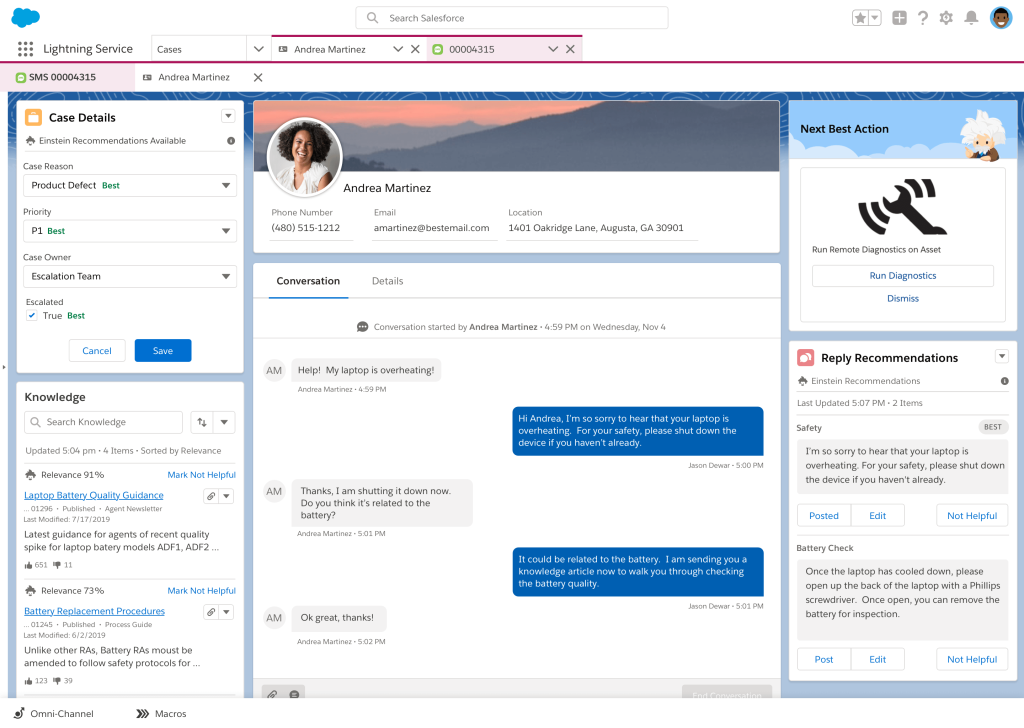
Marketing Cloud’s automation layer lets trigger campaigns based on where a customer sat in their lifecycle, not just their last purchase date. Combined with Service Cloud, support agents saw the same journey view sales had already built, which cut down the “who is this customer again” moments during handoffs.
The learning curve was real. New hires needed weeks, not days, to get comfortable with the platform, and admin overhead meant we eventually needed a dedicated Salesforce administrator just to keep the configuration from drifting.
Pros:
- Deep customization supports complex, multi-department lifecycle mapping.
- Marketing Cloud and Service Cloud share a unified customer journey view.
- AI-powered Einstein features surface predictive lifecycle and churn signals.
- Extensive ecosystem of integrations and third-party apps.
Cons:
- Steep learning curve compared to lighter customer lifecycle management tools.
- Often requires a dedicated administrator to manage configuration.
Pricing:
Starts at $25 per user/month.
4. Zoho – Best for Budget-Friendly Lifecycle Automation
I picked Zoho CRM for a lean team that needed lifecycle automation without an enterprise budget, and it delivered more than expected for the price. Zia, its built-in AI assistant, flagged which leads were most likely to convert based on past engagement, which took a lot of guesswork out of prioritizing follow-ups.
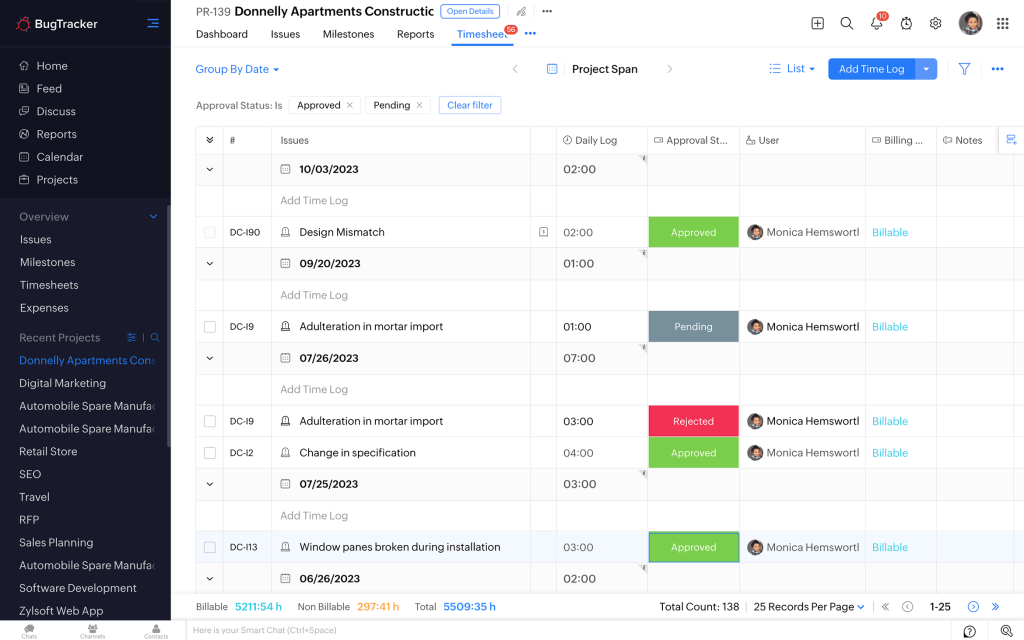
Workflow rules helped build simple stage-based triggers, like an automatic check-in email once a deal moved into the retention stage. Being part of the larger Zoho ecosystem also meant we could connect it to Zoho Desk for support data without a custom integration project.
Customer support response times were the weak spot. A couple of tickets I raised took longer to resolve than I expected for a paid plan, and the interface took new team members longer to feel at home than a simpler tool would have.
Pros:
- Zia AI assistant scores leads and predicts conversion likelihood.
- Workflow automation supports stage-based triggers across the lifecycle.
- Deep integration with the wider Zoho app ecosystem, including Zoho Desk.
- Customizable modules adapt to different lifecycle stages and industries.
Cons:
- Customer support response times lag behind category averages.
- Interface has a steeper learning curve for first-time CRM users.
Pricing:
Starts at $14 per user/month (free plan available for small teams).
5. Freshsales – Best for AI-Led Lead Scoring
I ran Freshsales for a sales team that wanted lifecycle visibility without the setup time larger CRMs demand, and it was live and usable within a day. Freddy AI, the built-in assistant, scored deals and flagged the contacts most likely to convert, which helped reps stop chasing cold leads out of habit.
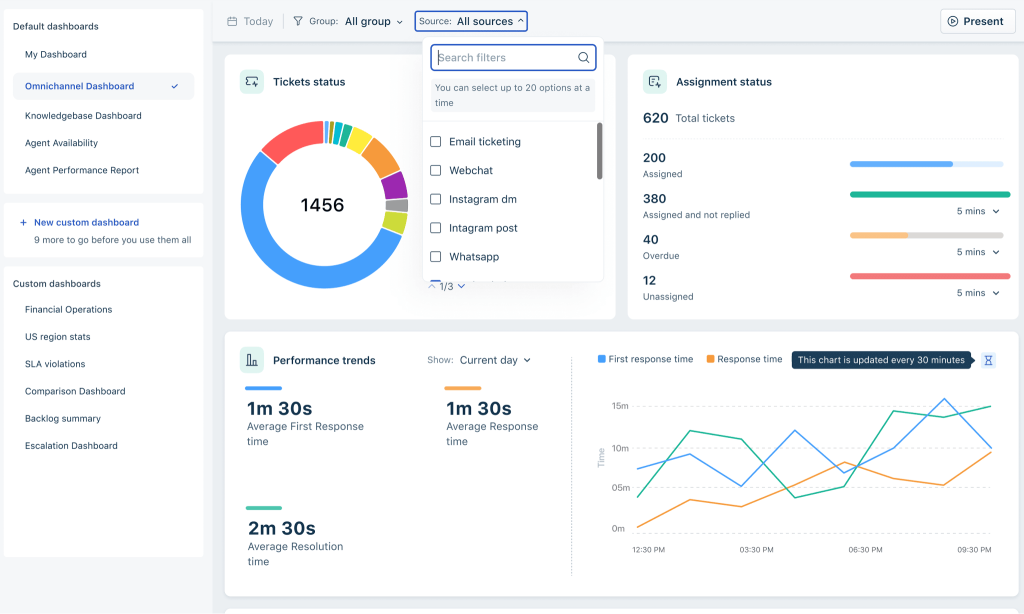
Built-in phone and email tracking meant every touchpoint from first contact through the sales cycle logged automatically, so nothing needed manual entry to stay accurate. The visual pipeline also made it easy to see exactly where a customer sat between engagement and conversion at any given moment.
Where it fell short was on the retention side. Once customers moved past the sales stage, the tool offered less depth for tracking ongoing support or renewal health compared to a dedicated customer success platform.
Pros:
- Freddy AI scores leads and predicts deal outcomes automatically.
- Built-in phone and email tracking logs every touchpoint without manual entry.
- Visual pipeline view makes lifecycle stage tracking intuitive.
- Fast setup time compared to larger enterprise CRM platforms.
Cons:
- Post-sale retention and customer success tracking is comparatively shallow.
- Advanced reporting requires upgrading to a higher-tier plan.
Pricing:
Starts at $9 per user/month (free plan available).
6. monday CRM: Best for Visual, No-Code Lifecycle Workflows
I set up monday CRM for a team that did not want to touch code just to automate a follow-up email, and the board-based layout made lifecycle stages genuinely visual for the first time. Dragging a customer from “onboarding” to “active” felt more intuitive than clicking through a traditional pipeline view.
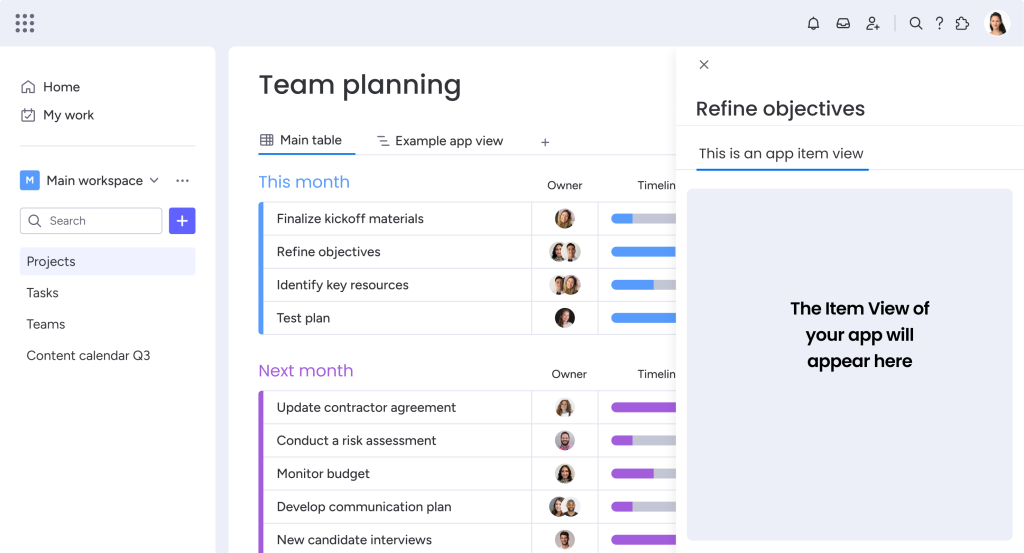
Custom automations let us trigger a Slack alert the moment a customer’s lifecycle stage changed, which kept account owners from missing a status update buried in an inbox. The customization depth also meant we could adapt the board to fit a subscription business model instead of forcing our process into someone else’s template.
The tradeoff was structure. Teams used to a rigid, linear pipeline occasionally found the flexibility disorienting until we locked down a few templates as the default starting point.
Pros:
- Visual board layout makes lifecycle stage tracking easy to understand at a glance.
- No-code automation builder supports custom lifecycle triggers.
- Deep customization adapts to non-linear or subscription-based customer journeys.
- Strong integration marketplace, including Slack and Gmail.
Cons:
- Flexibility can feel unstructured for teams used to rigid, linear pipelines.
- Less purpose-built for support ticketing than dedicated help desk tools.
Pricing:
Starts at $12 per seat/month.
7. Intercom – Best for Full-Lifecycle Messaging
I rolled out Intercom for a team that wanted one messaging layer to follow the customer from a marketing chat on the pricing page all the way through to a support conversation months later. Seeing that full history in one thread made every handoff between sales and support noticeably less awkward for the customer.
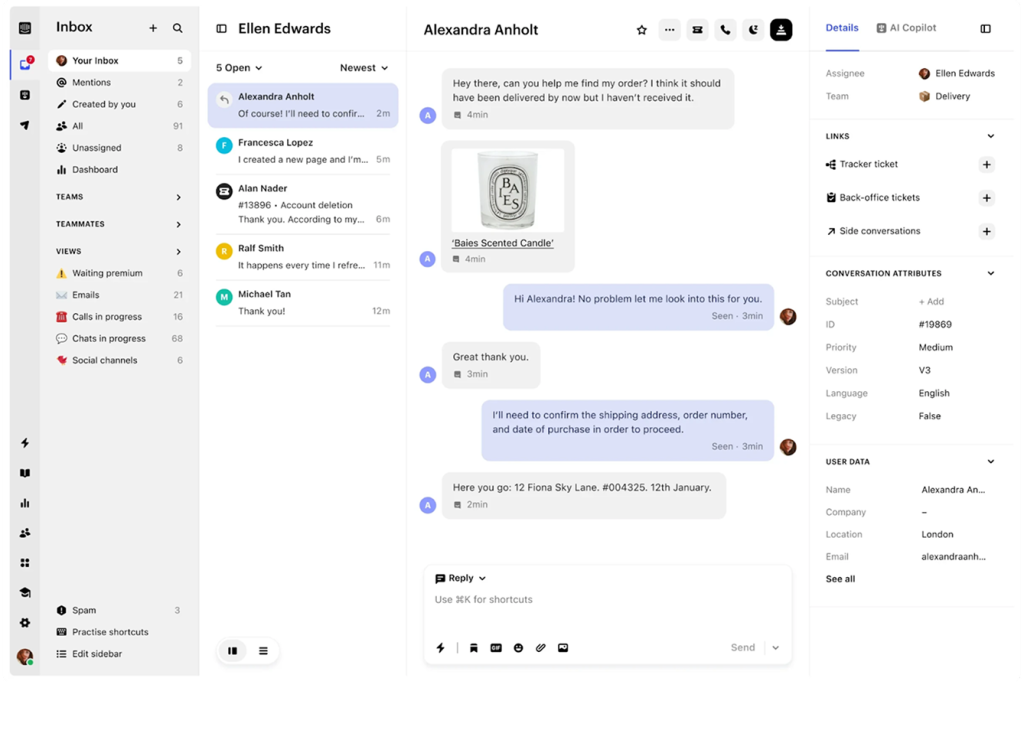
Fin, Intercom’s AI agent, handled a large share of routine support questions on its own, and proactive in-app messages let us reach customers at the engagement and retention stages without waiting for them to file a ticket. The same platform covering marketing outreach, sales chat, and post-sale support meant we were not stitching together three separate tools to track one relationship.
The billing model took some getting used to. Costs are split between a seat price and a per-resolution fee for Fin, so our monthly bill moved with support volume instead of staying flat, and budgeting for a busy month took some trial and error before we got the forecast right.
Pros:
- Fin AI agent resolves routine support conversations without agent involvement.
- Single messaging thread spans marketing, sales, and support touchpoints.
- Proactive, in-app messaging supports engagement and retention stages directly.
- Shared inbox and help center keep self-service and live support connected.
Cons:
- Pricing combines a seat fee with per-resolution AI costs, making bills harder to predict.
- Full setup, including bots and help center content, takes real implementation time.
Pricing:
Starts at $29 per seat/month (Essential plan, billed annually; Fin AI resolutions billed separately).
8. Gainsight – Best for Post-Sale Customer Success and Retention
I brought in Gainsight for a customer success team that needed to move beyond spreadsheets to track renewal risk across hundreds of accounts, and it gave us a single health score view for every customer. Combining product usage, support tickets, and survey data into one dashboard let us spot at-risk accounts weeks before a renewal conversation.
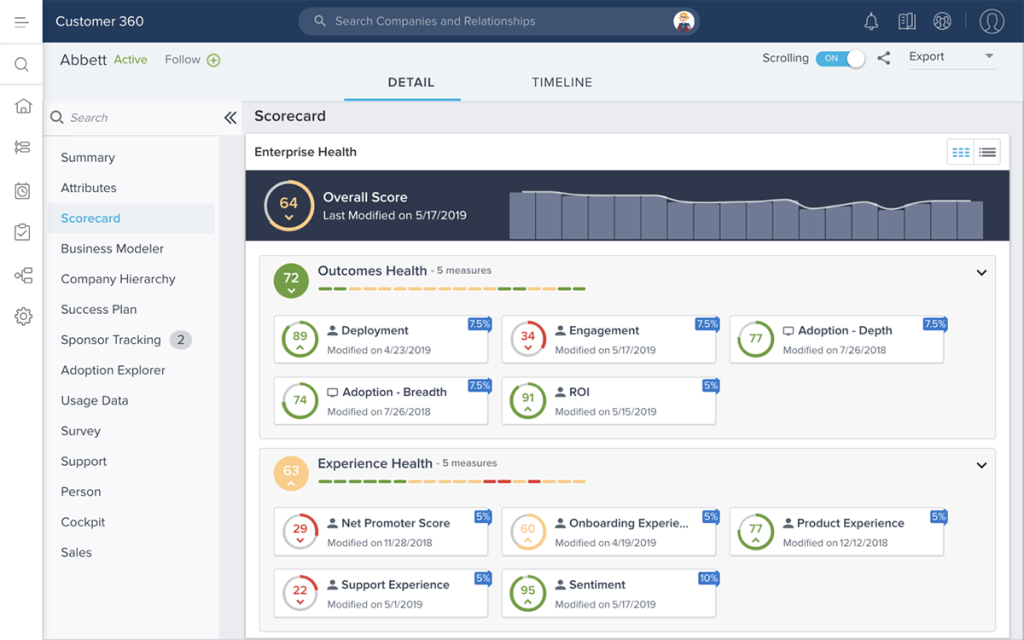
Automated alerts flagged accounts with dropping usage or a spike in support tickets, so customer success managers could step in proactively instead of finding out about churn risk after the cancellation email. The platform’s playbook automation also standardized how the team responded to common risk signals, which cut down on inconsistent manual outreach.
Implementation was the real cost. Getting Gainsight fully configured took considerably longer than any other tool on this list, and the pricing structure made it a stretch for teams below the mid-market size.
Pros:
- Unified customer health score combines usage, support, and survey data.
- Automated playbooks standardize responses to churn and expansion signals.
- Strong fit for enterprise accounts with complex, multi-stakeholder relationships.
- Established community and best-practice resources for customer success teams.
Cons:
- Implementation timelines are considerably longer than lighter lifecycle tools.
- Pricing is quote-based and expensive for teams below mid-market size.
Pricing:
Custom, quote-based pricing
Evaluation Criteria
The evaluation of products or tools chosen for this article follows an unbiased, systematic approach that ensures a fair, insightful, and well-rounded review. This method employs six key factors:
- User Reviews / Ratings: Direct experiences from users, including ratings and feedback from reputable sites like G2, provide a ground-level perspective. This feedback is critical in understanding overall satisfaction and potential problems.
- Essential Features & Functionality: The value of a product is ascertained by its core features and overall functionality. Through an in-depth exploration of these aspects, the practical usefulness and effectiveness of the tools are carefully evaluated.
- Ease of Use: The user-friendliness of a product or service is assessed, focusing on the design, interface, and navigation. This ensures a positive experience for users of all levels of expertise.
- Customer Support: The quality of customer support is examined, taking into account its efficiency and how well it supports users in different phases, setting up, addressing concerns, and resolving operational issues.
- Value for Money: Value for money is evaluated by comparing the quality, performance, and features. The goal is to help the reader understand whether they would be getting their money’s worth.
- Personal Experience / Experts’ Opinions: This part of the evaluation criteria draws insightful observations from the personal experience of the writer and the opinions of industry experts.
My Top 3 Picks for the Best Customer Lifecycle Management Software
If you only have time to shortlist three tools, start here. These three cover the widest range of team sizes and lifecycle stages without forcing you into a platform built for a different kind of business.
1. ProProfs Help Desk
ProProfs Help Desk is my top pick because it solves the stage most teams underinvest in: retention. A support team can be live within a day, the AI Agent and mood detection cut down on escalations before they happen, and the free forever plan means a small team can prove the value before spending a dollar. For any business whose lifecycle breaks down at the support stage, this is where I would start.
2. HubSpot
HubSpot earns the second spot for teams that need marketing, sales, and service working off the exact same lifecycle record. It is the closest thing on this list to a true end-to-end customer lifecycle management system, and the free tier makes it realistic to test before committing to a paid hub.
3. Gainsight
Gainsight rounds out the list for a specific reason: once a business has enough paying customers that renewal risk becomes a real financial line item, nothing else on this list matches its depth for post-sale customer success tracking. It is not the right starting point for a small team, but it is the right endpoint once retention becomes a revenue-critical function.
FREE. All Features. FOREVER!
Try our Forever FREE account with all premium features!
Why Does Customer Lifecycle Management Matter for Your Business?
Customer lifecycle management matters because retaining an existing customer is dramatically cheaper and more profitable than acquiring a new one. Ignoring the lifecycle after the sale is one of the fastest ways to bleed revenue you already earned.
Here is the math that makes this hard to ignore. A study by Bain & Company in 2014 shows a 5% increase in customer retention can increase profits by 25% to 95%. A study by Harvard Business Review in 2014 shows acquiring a new customer typically costs 5 to 25 times more than keeping an existing one.
Retention is not just a support metric either. A study by Zendesk in 2026 shows 64% of customers spend more with a brand when their issues get resolved on the channel they are already using. That single data point captures why lifecycle management cannot live inside one department. It touches billing, it touches support, and it touches how a customer feels every time they reach out.
For a small team, the impact shows up in day-to-day numbers: fewer tickets escalating into refund requests, fewer surprise cancellations at renewal, and a support queue that stops feeling like triage. A well-run customer lifecycle management system turns those wins from lucky accidents into a repeatable process.
How Does Customer Lifecycle Management Work?
Customer lifecycle management works by mapping customers into 5 stages and assigning specific goals, metrics, and tools to each one. Here is how the process runs from start to finish.
- Awareness. The customer discovers your brand through a blog, an ad, a referral, or a search result. The goal here is simply to answer their question well enough that they remember your name.
- Engagement. The customer starts interacting, reading your knowledge base, chatting with a sales rep, or comparing you to alternatives. The goal is to build enough trust that they take the next step.
- Conversion. The customer becomes a paying user. The goal shifts to a frictionless signup or purchase, followed immediately by a clear first-use experience so they do not churn in week one.
- Retention. The customer is now active, and the focus moves to support quality, proactive check-ins, and catching frustration before it turns into a cancellation.
- Loyalty. The customer renews, upgrades, or refers others. At this stage, the goal is to build the kind of brand loyalty that turns a satisfied customer into someone who recommends you without being asked.
Each stage needs a different tool and a different owner. Marketing usually drives awareness and engagement, sales drives conversion, and support and customer success carry retention and loyalty. A customer lifecycle management system is what stitches these handoffs together so no stage operates on guesswork.
What Problems Does Customer Lifecycle Management Solve?
Customer lifecycle management directly addresses the breakdowns that happen when customer data and ownership are scattered across teams. Below are the most common problems it solves, mapped to what actually causes them.
| Problem | What Causes It | How CLM Solves It |
| Customers repeat themselves to every new agent | No shared history across support, sales, and marketing | Centralized customer records and a single shared inbox |
| Renewals get missed or handled reactively | No visibility into usage or health signals before the renewal date | Automated stage-based alerts and follow-up sequences |
| Support feels overwhelmed during volume spikes | Manual ticket assignment with no routing logic | Automated ticket routing and AI-assisted triage |
| Sales and support give conflicting information | Disconnected systems between departments | A unified view of the customer across every touchpoint |
| Loyal customers get treated like new leads | No tracking of lifecycle stage or tenure | Stage-based segmentation and personalized outreach |
How Do You Choose the Right Customer Lifecycle Management Software?
Choosing customer lifecycle management software comes down to matching the tool to the stage where your team currently struggles most, not to the tool with the longest feature list. Ask these questions before you commit to one.
- Which stage is actually broken right now? If support tickets are piling up, you need a help desk with AI-assisted routing before you need a marketing automation suite.
- How many people will actually use it daily? A 12-person support team does not need enterprise-grade CRM complexity built for a 500-person sales org.
- Does it integrate with what you already run? Check for native or Zapier-based integrations with your website, email, and existing support channels before signing anything.
- Can it grow with you without a painful re-platform? Look for a forever-free plan or an entry tier that lets you test real usage before you commit a budget.
- Does it include AI features that save agent time? AI-assisted replies, ticket summarization, and intent detection are no longer optional extras in 2026, they are the difference between a team that scales and one that burns out.
For a longer, more detailed walkthrough of this exact decision, our help desk buying checklist covers the questions worth asking a vendor before you sign anything.
FREE. All Features. FOREVER!
Try our Forever FREE account with all premium features!
Start Managing Your Customer Lifecycle the Smart Way
The businesses that get customer lifecycle management right are not the ones with the biggest tech stack. They are the ones that picked one clear owner for each stage of the journey and gave that owner a tool built for the job instead of a spreadsheet held together with tabs and hope.
Start small. Pick the one stage where your team is losing the most customers right now, whether that is a support queue nobody can keep up with or a renewal process that runs entirely on memory, and fix that stage first. The rest of the lifecycle gets easier to manage once the weakest link is no longer bleeding revenue.
If support and retention are where your lifecycle keeps breaking, a tool like ProProfs Help Desk is worth trying first. It is free to start, it takes a day to set up, and its automation features do a genuine share of the routine work so your team can focus on the customers who actually need a human on the other end.
Frequently Asked Questions
What is customer lifecycle management?
Customer lifecycle management is the process of tracking and guiding a customer through 5 stages: awareness, engagement, conversion, retention, and loyalty, using data and automation to improve retention and lifetime value at each step.
What are the 5 stages of customer life cycle management?
The 5 stages are awareness, engagement, conversion, retention, and loyalty. Each stage has its own goals, owner, and metrics, and businesses typically use different tools for the early stages versus the post-sale stages.
How is customer lifecycle management different from CRM?
A CRM stores customer data and interaction history. Customer lifecycle management uses that data to actively move the customer through defined stages, combining marketing, sales, and support activity into one coordinated process.
What is a customer lifecycle management system?
A customer lifecycle management system is software that centralizes customer data across every touchpoint and automates actions, like follow-ups or ticket routing, based on which lifecycle stage a customer is currently in.
How do you measure customer lifecycle management success?
The core metrics are customer retention rate, churn rate, customer lifetime value, and Net Promoter Score. Tracking these across each lifecycle stage shows exactly where customers are dropping off.
What is the best customer lifecycle management software for a small team?
ProProfs Help Desk is a strong starting point for small teams, since it offers a free forever plan, AI-assisted ticket resolution, and a shared inbox without the setup time larger CRM platforms require.
Can customer lifecycle management reduce customer churn?
Yes. By flagging at-risk accounts early through usage drops or rising support tickets, customer lifecycle management lets teams intervene before churn happens rather than reacting after the fact.
How much does customer lifecycle management software cost?
Pricing ranges widely, from free forever plans on tools like ProProfs Help Desk and Zoho CRM to custom, quote-based pricing on enterprise platforms like Gainsight, depending on team size and feature depth.
FREE. All Features. FOREVER!
Try our Forever FREE account with all premium features!

 We'd love your feedback!
What did you like & how can we make it even better?
 Thanks for your feedback!
 Ask Your Question
Have a question? Get expert help to make your decision easier.