

Your help desk software isn’t just a support system. It’s the moment your entire business gets judged.
I’ve spent a decade in the trenches of customer operations, and if there’s one thing I’ve learned, it’s that a good product is no longer a differentiator; it’s how you treat customers when that “good” product doesn’t work.
In 2026, we are living in the era of the AI help desk. We’ve moved past the clunky, reactive ticketing systems of the 2010s and entered a world where your software needs to be as smart as your best agent and as fast as the wind.
But here’s the challenge: with so many tools claiming to be “the best,” how do you separate real value from clever marketing? That’s exactly why I put this guide together.
In this blog, I’ll walk you through the best help desk software available today based on real-world use, practical features, and what actually makes a difference when the tickets start piling up.
What Is Help Desk Software?
Help desk software is a tool that helps businesses manage, track, and resolve customer or internal support requests in an organized way. Instead of juggling emails, chats, and calls across multiple platforms, it brings everything into a single system, often using tickets, to ensure no query gets missed and every issue is handled efficiently.
It also goes beyond basic ticketing by offering features like automation, knowledge bases, reporting, and collaboration tools. This means teams can respond faster, reduce manual work, and deliver more consistent support experiences while keeping complete visibility into performance and customer needs.
Here’s a short video that explains how a help desk ticketing system works:
Top 11 Help Desk Software: The Big Players
I’ve done thorough research to bring you a list of the best help desk tools. Let’s take a closer look at each tool’s unique features, benefits, drawbacks, and pricing.
| Help Desk Software | Best for | Pricing |
|---|---|---|
| ProProfs Help Desk | Easiest AI Help Desk for Shared Inboxes, Ticket Workflow Automation, and Scaling Support Teams | A free plan is available for growing teams. Paid starts at $19.99/user/month |
| Kayako | AI-powered support and scaling customer service without scaling headcount | Custom pricing |
| SolarWinds Service Desk | Asset Management | Starts at $39/user/month. |
| HubSpot Service Hub | Customer Portal | Starts at $15/user/month. |
| Zendesk | Self-Service | Starts at $55/user/month. |
| Freshdesk | Omnichannel Support | Starts at $15/user/month. |
| Zoho Desk | Social Media Service | Starts at $14/user/month. |
| Azuredesk | An Unlimited Mailbox | Starts at $33/user/month. |
| Vision Helpdesk | Mobile Application | Starts at $12/user/month. |
| TeamSupport | B2B Ticketing System Software | Starts at $29/user/month. |
| Help Scout | Live Chat Support | Starts at $22/user/month. |
1. ProProfs Help Desk – Easiest AI Help Desk for Shared Inboxes, Ticket Workflow Automation, and Scaling Support Teams
ProProfs Desk is the best help desk software I’ve used for over 3 years to streamline ticket management, improve agent efficiency, and deliver delightful customer support. With omnichannel capabilities, I can track tickets from email, live chat, web forms, customer portal, social media, etc., in one place.
I was particularly impressed by the AI-powered help desk features, such as the AI ticket summarization and response suggestions. These features save me time and help me provide accurate and timely customer support. The automated ticket escalation is also a great feature, ensuring that urgent issues are prioritized and resolved quickly.
Now, if I compare ProProfs Desk with other help desk systems in the market, a major difference is the Customer Delight Suite. Under a single roof, you get robust customer service tools like Help Desk, Live Chat, Knowledge Base, Survey Maker, and Qualaroo.
Overall, ProProfs Desk is a valuable tool for improving my productivity and delivering exceptional customer service. I highly recommend it to any business looking for an intelligent help desk solution.
Pros:
- Internal notes to seek advice and discuss complex issues with team members
- AI agent resolves routine tickets automatically, with summarization, response drafting, tone adjustment, and prioritization for the rest
- Shared inbox for managing all customer-facing emails in one place
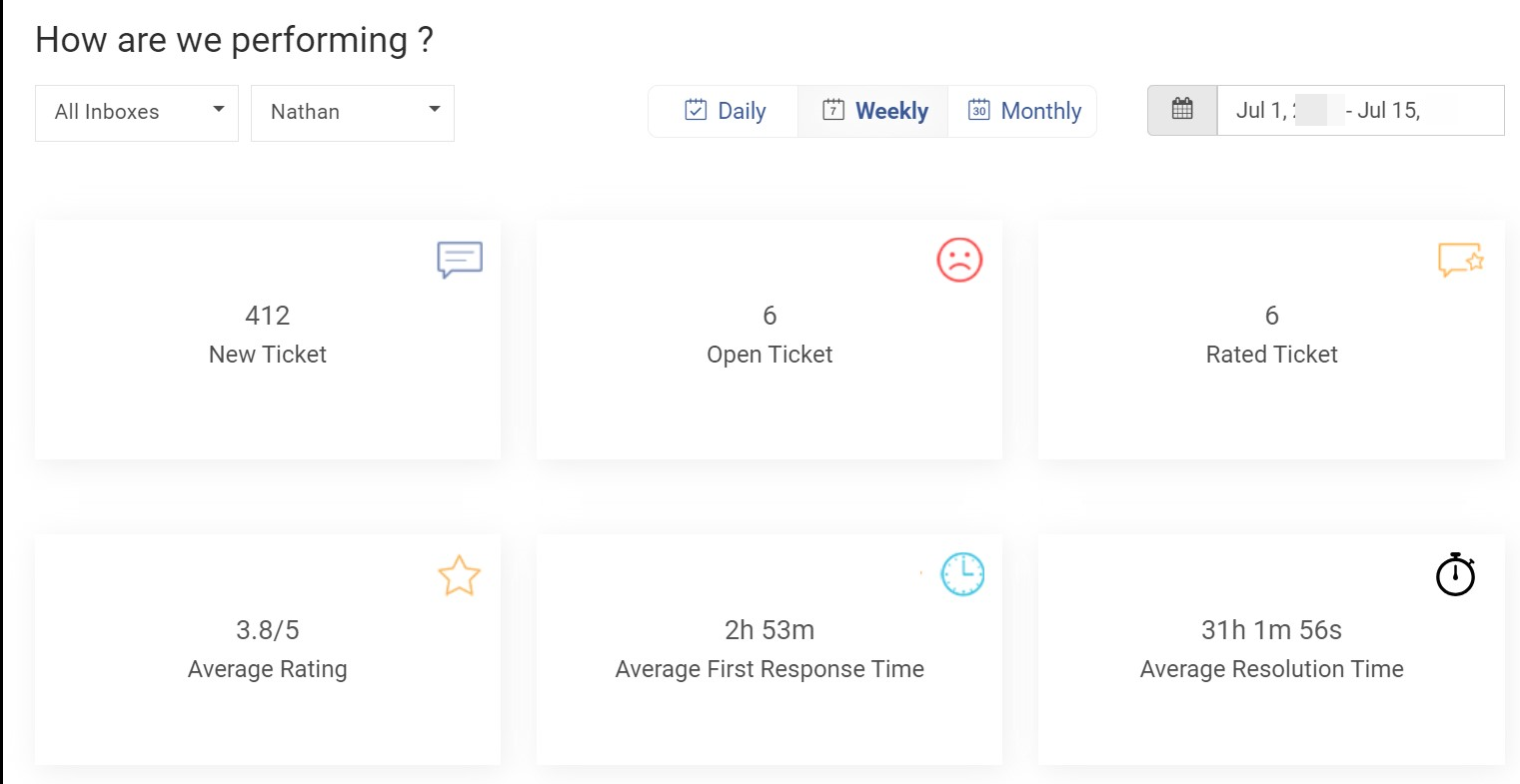
- Track ticket response time, resolution time, agent ratings, and other help desk metrics
- Agent roles and permissions to restrict access to the help desk system
Cons:
- Cloud-only; no on-premise version
- A dark theme option is not available
Pricing:
A forever-free plan is available for growing teams. Paid plans start at $19.99/user/month
2. Kayako – Best for Scaling Customer Support Without Scaling Headcount
Kayako is an AI-powered customer support platform built for growing support teams that need to handle more customer conversations without continually adding headcount. Its AI Help Desk combines ticket management, automation, knowledge, and AI-powered resolution to help support teams clear backlogs and resolve repetitive queries faster.
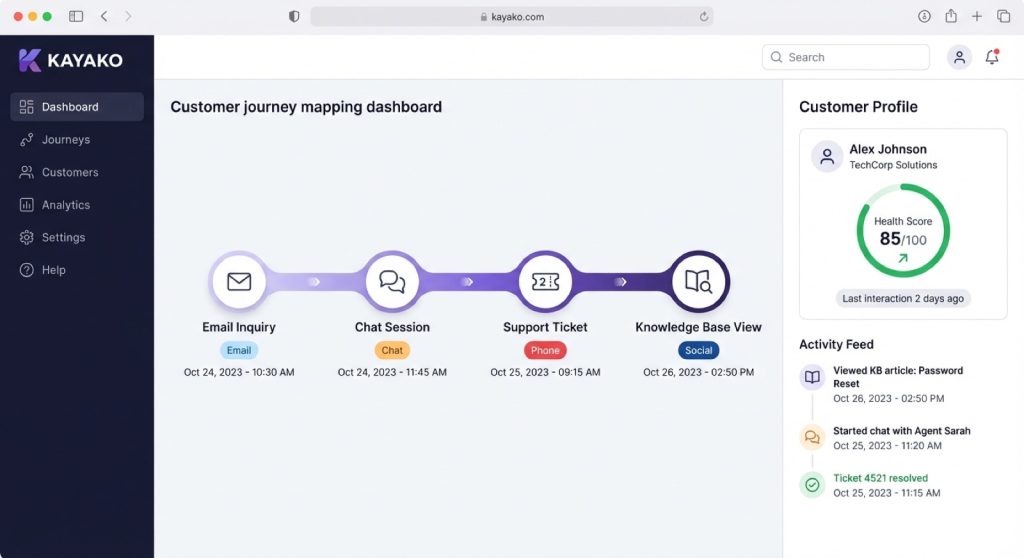
What I particularly like about Kayako is its approach to AI implementation. Instead of requiring businesses to overhaul their entire support operation at once, Kayako can be rolled out one support queue at a time. This gives teams a more controlled way to test AI, measure results, and expand once they have proven the ROI.
Kayako can also work alongside existing help desks, including Zendesk, Freshdesk, and Intercom, allowing businesses to introduce AI without immediately migrating their entire support operation. Its AI can progressively move from intelligent triage and agent assistance to autonomous ticket resolution, depending on how much control the support team wants to give it.
Pros:
- AI can resolve repetitive customer support tickets autonomously instead of simply suggesting responses
- Phased implementation allows teams to start with a single support queue and expand gradually
- Can integrate with existing help desk platforms, reducing migration risk
- Kayako’s expert implementation team helps configure workflows, knowledge, and AI for each customer
Cons:
- Custom implementation and onboarding may make it less suitable for very small support teams. Best for id size and enterprise
- Businesses looking for a completely self-serve AI setup may prefer simpler tools
Pricing:
Custom pricing. Kayako’s AI model is based on $1 per ticket resolved, with a one-time onboarding fee for production deployments.
3. SolarWinds Service Desk – Best for Asset Management
SolarWinds Service Desk is a comprehensive IT service management solution with robust features. If you ask me, my favorite is the IT asset management feature that helped us streamline inventory control, offering us insights into hardware and software assets in use throughout the company.
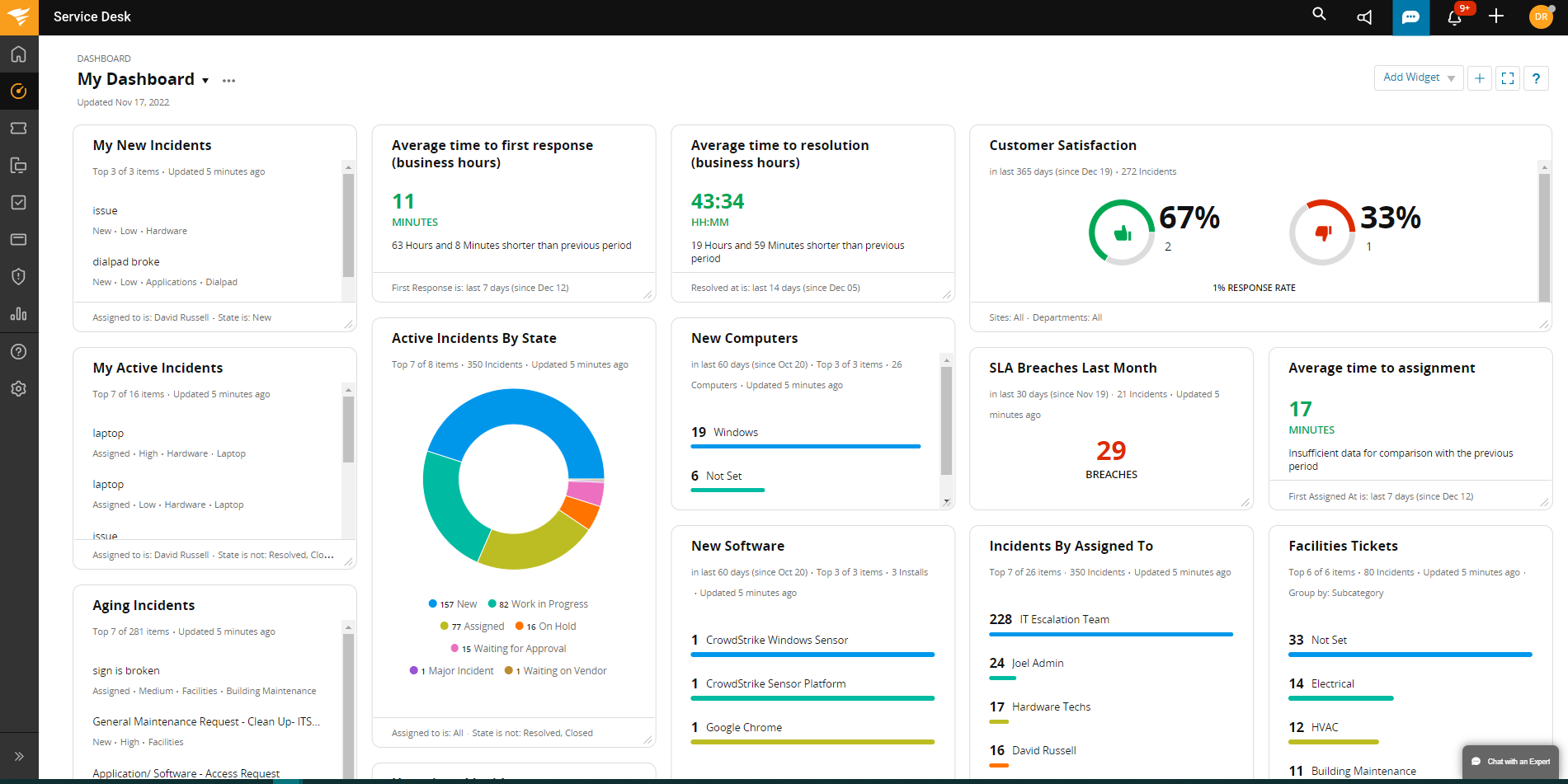
The tool also allows businesses to set up a knowledge base quickly. Whether it’s your internal employees or customers, you can empower end-users with self-help resources, reducing support ticket volume.
On the downside, I find the user interface a bit outdated. If you’re looking for help desk software with a modern, visually appealing design, SolarWinds Service Desk might not be the best fit.
Pros:
- Service catalog to display all the services on offer
- Custom roles to determine who can access what features in the help desk system
- Schedule reports to receive them directly in your inbox
- Multi-factor authentication (MFA) to maximize data security
Cons:
- The UI seems quite outdated and needs improvement
- The company should offer more support materials, like video tutorials, to assist first-time users
Pricing:
Starts at $39/user/month.
4. HubSpot Service Hub – Best for Customer Portal
HubSpot Service Hub has taken our customer support to the next level. Its customer portal feature empowers businesses by providing customers with a centralized platform for seamless interaction. Customers can track support requests, access the knowledge base, and communicate in real-time with personalized access.
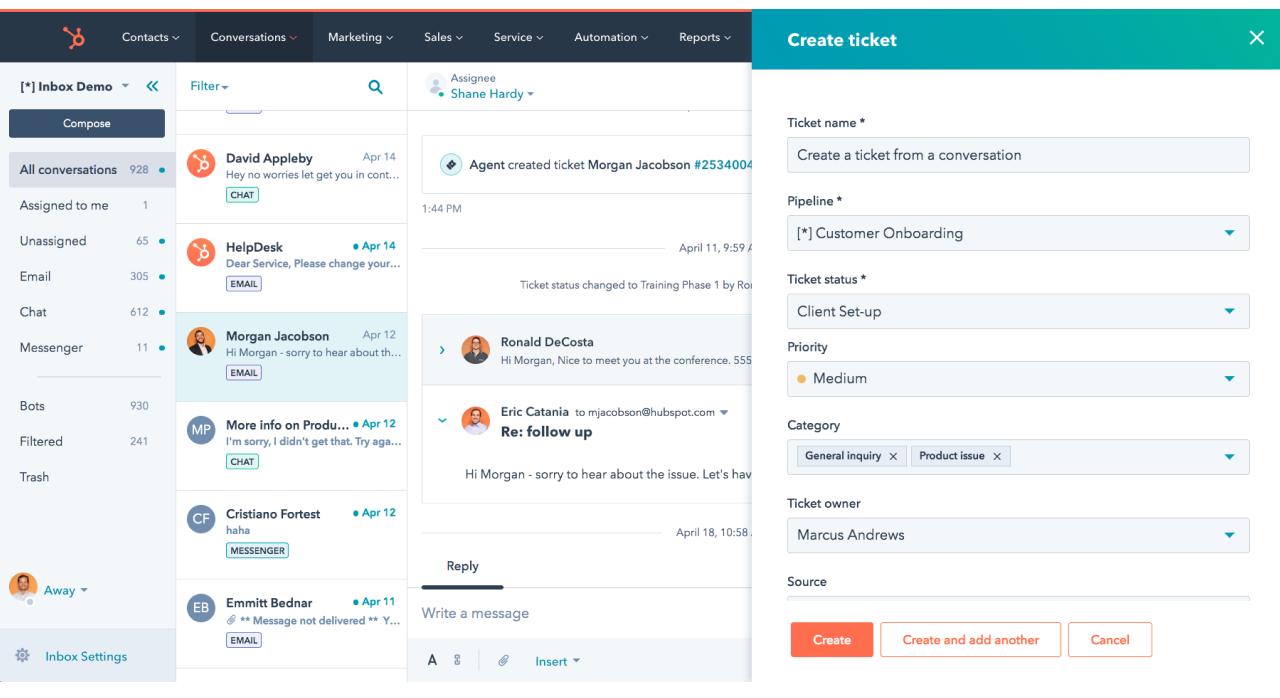
I also liked its conversational inbox feature, which consolidates all communication channels into a single, streamlined view. No more jumping between different platforms! This, combined with the productivity tools like canned responses and saved views, allowed me to resolve issues quickly and efficiently.
Also, the live chat feature allows you to route support inquiries and leads to the right agents or departments. This helps you give adequate attention to each website visitor.
Pros:
- HubSpot CRM integration to access all important customer information in one place
- CSAT and NPS surveys to capture customer service feedback
- Multiple integration options with Mailchimp, Aircall, Google Contacts, etc
- Shared inbox to centralize all inquiries in one place
Cons:
- HubSpot Service Hub’s subscription plans are quite expensive
- The Single Sign-on feature is only available in the Enterprise Plan
Pricing:
Starts at $15/user/month.
5. Zendesk – Best for Self-Service
While looking for a help desk solution to reduce my ticket volume, a close friend recommended Zendesk, and I was quickly impressed by its self-service features. With an online knowledge base, customers can easily find answers in FAQs, articles, or video tutorials, allowing agents to focus on high-priority needs and improve the experience.
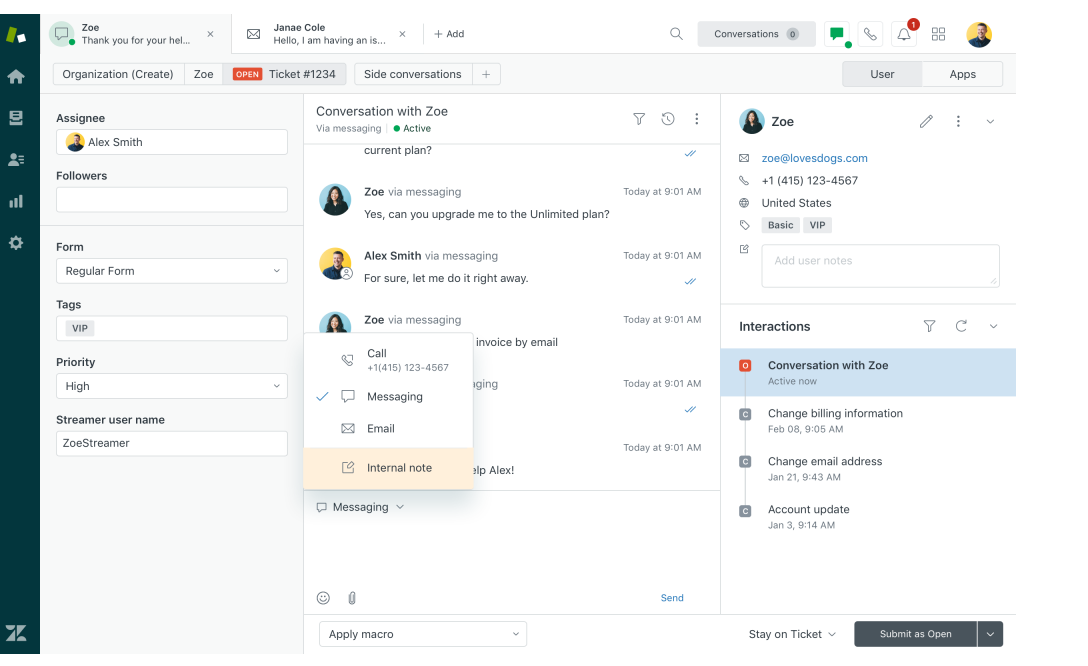
Another aspect I find valuable is Zendesk’s focus on customization. It allows you to tailor the platform to your specific needs, whether it’s creating custom ticket forms, setting up automated workflows, or branding the customer portal. This flexibility ensures that you can deliver a consistent and personalized support experience.
Plus, Zendesk’s reporting and analytics capabilities provided valuable insights into my team’s performance and customer satisfaction. You can track key metrics like resolution times, customer satisfaction scores, and agent productivity, enabling you to identify areas for improvement and optimize your support strategy.
Pros:
- Customer service reports & graphs to track individual and team performance
- Dedicated Android and iOS apps to never miss out on urgent support requests
- AI-powered bots to automate your customer service process
- Pre-chat forms to capture key customer info before the chat starts
Cons:
- Zendesk’s subscription plans are quite expensive, making it an unsuitable option for startups or small businesses
- Ticket file attachment size is limited to just 50 MB
Pricing:
Starts at $55/user/month.
6. Freshdesk – Best for Omnichannel Support
Over time, I’ve noticed that customers have varying preferences when reaching out for support, and Freshdesk has excelled in catering to these needs. It serves as an omnichannel solution tailored to the requirements of small to mid-sized businesses. I used the tool to engage with customers across various channels like email, phone, live chat, social media, etc.
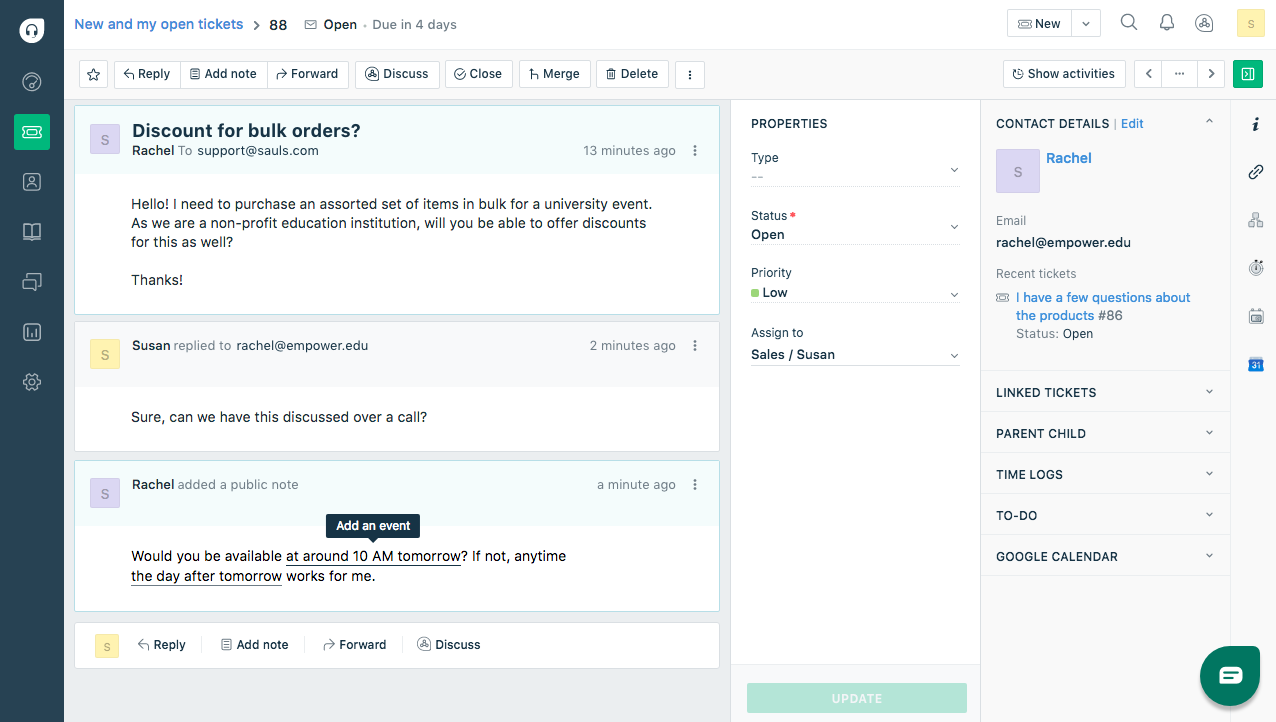
Freshdesk’s automation features are exceptional. Tasks like ticket routing, prioritization, and even responses can be automated, freeing up my time for more complex issues. The Freddy AI chatbot is impressively efficient at handling common queries and resolving simple issues, freeing up your team to focus on more complex requests.
However, I wasn’t particularly impressed with its customer support team. They took longer than expected to address my ticket, which led to a less-than-ideal experience.
Pros:
- Canned responses to share consistent replies to customer emails
- Live chat to offer instant assistance to visitors and existing customers
- SLA management to help you set deadlines for ticket response and resolution
- Automated alerts to keep support reps updated on ticket progress
Cons:
- Many online reviews reveal that Freshdesk’s support team is slow to respond at times
- Attaching images to a help desk ticket can be time-consuming
Pricing:
Starts at $15/user/month.
7. Zoho Desk – Best for Social Media Customer Service
Zoho Desk is a help desk software that streamlines customer support operations. While using Zoho Desk around a year back, I realized it seamlessly combined the leading social media platforms, including Facebook, Instagram, and Twitter, with our conventional customer support channels. This lets us manage calls, emails, and social media from one interface, boosting response times and efficiency.
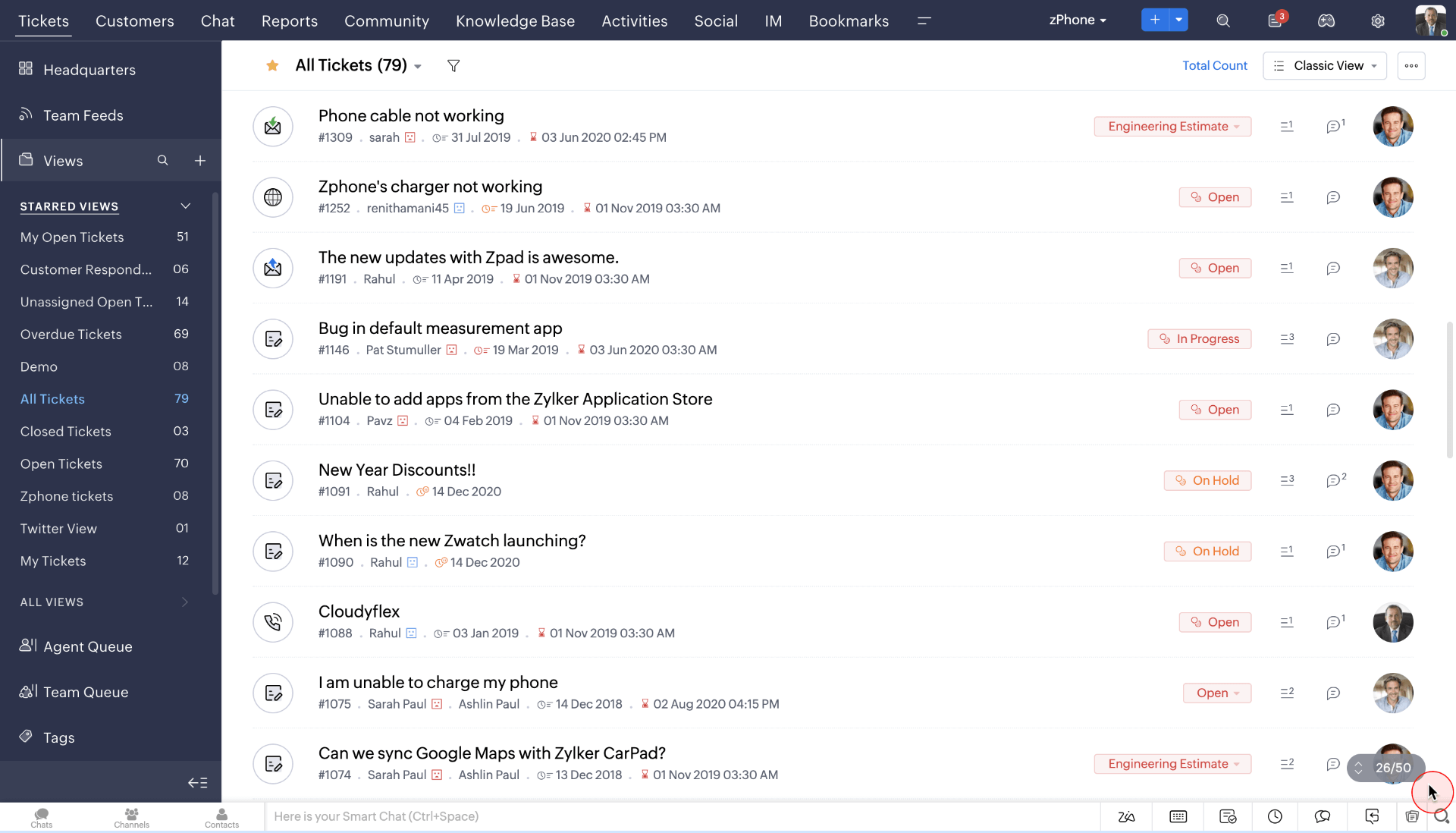
I also found Zia, the AI assistant, particularly useful. It provides helpful suggestions for responses, automates tasks like tagging and routing tickets, and even analyzes customer sentiment to better understand their needs. This level of intelligence elevates the customer service experience.
And let’s not forget about its powerful automation capabilities, such as intelligent routing and escalation rules, that ensure the timely resolution of customer issues. Also, the platform’s reporting and analytics tools offer insights into customer satisfaction and agent performance, helping optimize support strategies.
Pros:
- Custom fields to include additional information on tickets
- Multi-branded help centers to provide dedicated support for each of your brands
- Seamless integration with Zoho CRM to offer personalized assistance
- Time tracking to calculate the time spent on each conversation
Cons:
- Some customization features can be overwhelming for new users
- The live chat feature is exclusively offered in the Enterprise Plan
Pricing:
Starts at $14/user/month.
8. Azuredesk – Best for an Unlimited Mailbox
If your customer service primarily depends on email, you can try AzureDesk Ticketing System Software. You will be surprised to know that AzureDesk offers an unlimited mailbox, which can encompass all your support-related email accounts in one place.
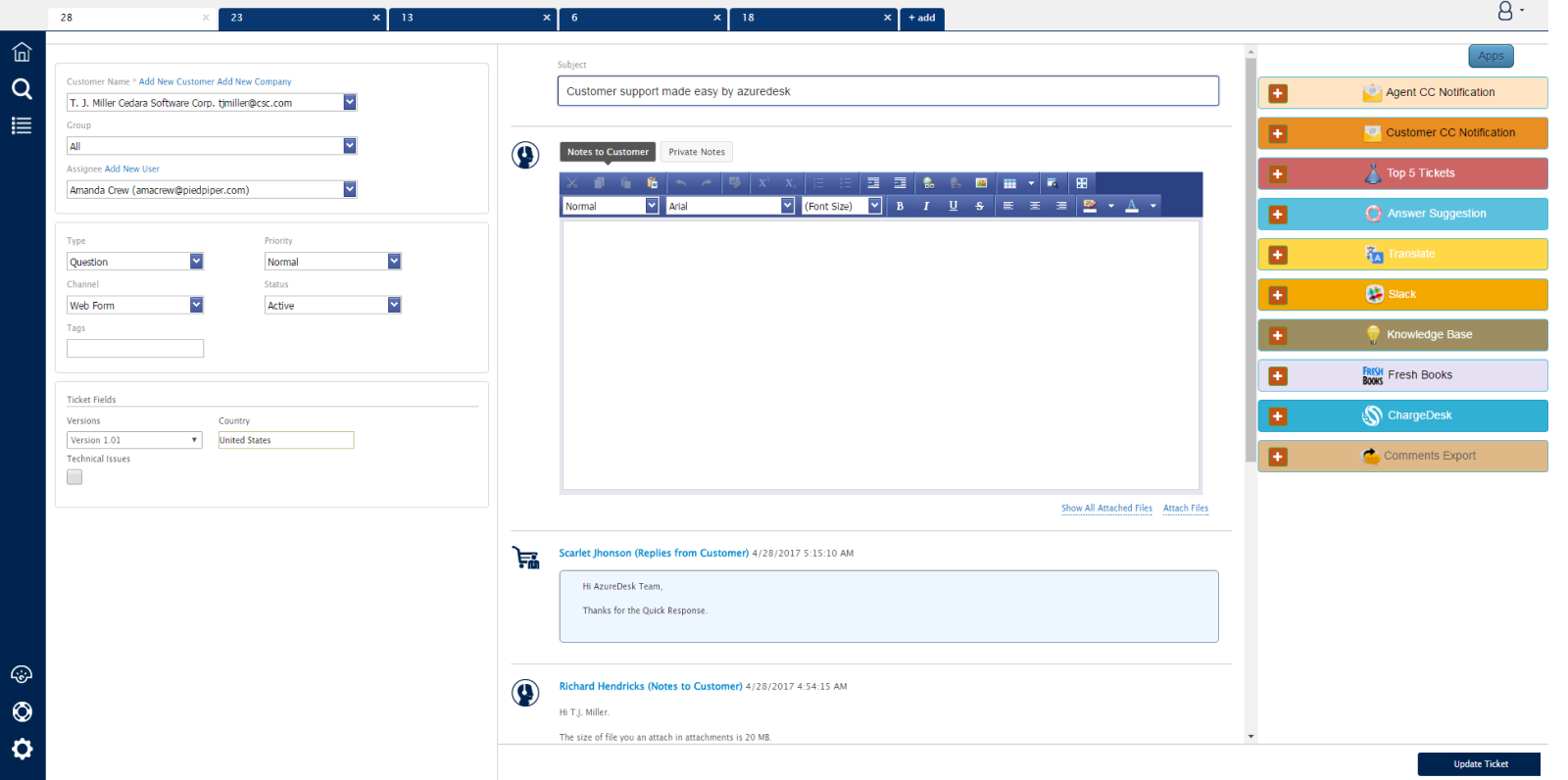
One of the things I appreciate most about AzureDesk is its clean and intuitive interface. I also like how the platform made it easier for my agents to communicate with customers in over 50+ languages. They could quickly translate responses or detect a customer’s language.
A limitation of AzureDesk is its small selection of third-party integrations, which might hinder your ability to connect with some essential business tools.
Pros:
- Customer portal to allow customers to track their requests independently
- Agent signatures to help your team share professional email replies
- Unlimited mailbox to cater to growing support demands
- Ticket tags to easily search and locate the tickets you need
Cons:
- Integration options are limited to just a few tools
- There is no feature to build custom chatbots
Pricing:
Starts at $33/user/month.
9. Vision Helpdesk – Best for Mobile Application
Vision Helpdesk is a powerful and versatile help desk software that has truly impressed me with its comprehensive features and flexibility. It offers a wide range of functionalities, including multi-channel support, asset management, and a self-service knowledge base. I’m quite intrigued by its mobile applications built for different platforms – Android, iOS, and even Windows.
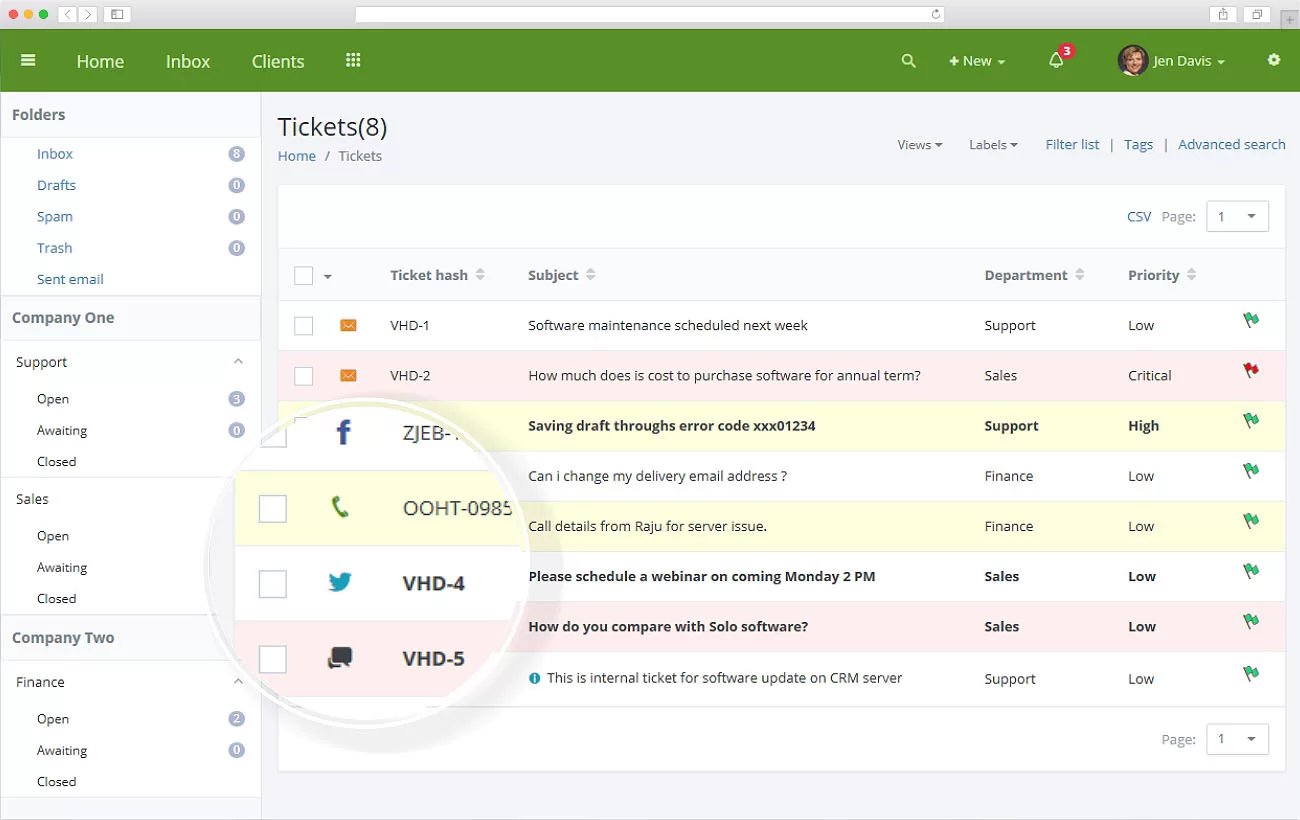
The native mobile apps from Vision Helpdesk will enable your support agents to access and resolve tickets while on the go. Plus, with features like IP restrictions, two-factor authentication, and GDPR compliance, you can be confident that your customer data is protected.
I’m sure you will like the time-tracking feature. Plus, with accurate time-based entries, you can calculate the total time spent resolving issues and charge your customers accordingly.
Pros:
- SLA management to offer consistent quality service to customers
- Automated ticket escalations for timely issue resolution
- Custom email notifications to keep agents and customers updated
- Ticket auto close to automatically close tickets when there is no response from the customer
Cons:
- Vision Helpdesk comes with a steep learning curve
- While there are some options, it’s not that simple to integrate it with other platforms
Pricing:
Starts at $12/user/month.
10. TeamSupport – Best B2B Ticketing System Software
For B2B enterprises, losing even one client can mean a significant financial setback. After using TeamSupport, I’ve found it uniquely suited to the specific needs of B2B firms.
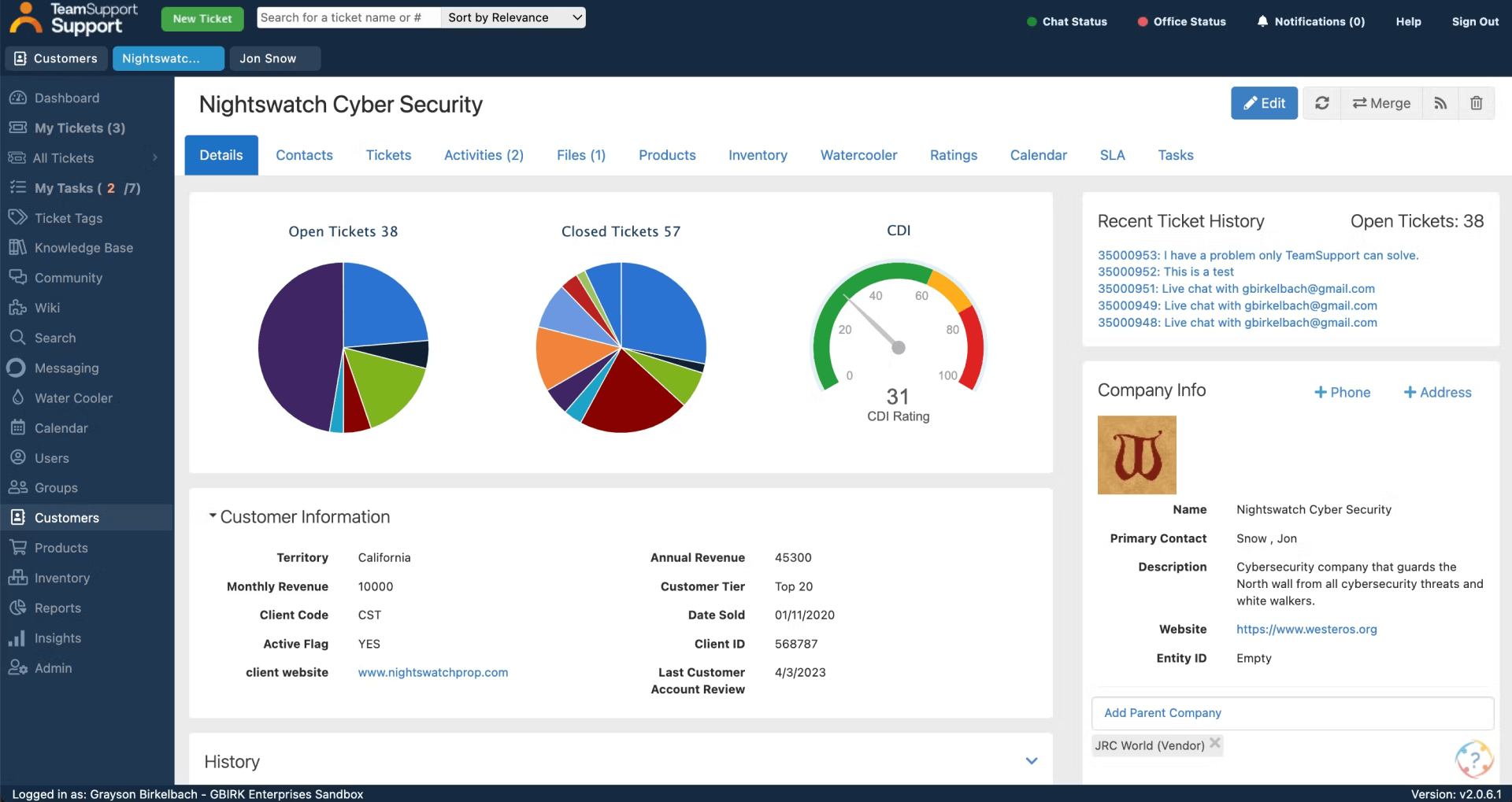
The platform’s B2B ticketing system is its best feature, hands down. It allows me to track and manage customer interactions across different companies and departments, ensuring nothing falls through the cracks. This granular level of organization is invaluable for providing top-notch support to our clients.
Also, the platform offers a comprehensive set of features, including a knowledge base, customer self-service portal, and integrated live chat. I found the workflow automation tools particularly helpful in streamlining my support processes and saving valuable time.
Pros:
- Seamless integration with in-house CRM and other developer tools
- Ticket reminders to help agents avoid sharing late responses with customers
- Monitor Customer Distress Index (CDI) to minimize churn
- Shared calendars to help team members view task assignments and dependencies
Cons:
- The agent collision feature is slow to work at times, leading to duplicate responses
- More designs for the live chat widget should be available for enhanced branding and customization
Pricing:
Starts at $29/user/month.
11. Help Scout – Best for Live Chat Support
Help Scout has been an absolute lifesaver for our customer support team. It’s more than just a ticketing system; it’s a platform designed to build genuine customer relationships. A standout feature for me is the shared inbox. It’s well-organized and makes collaboration effortless.
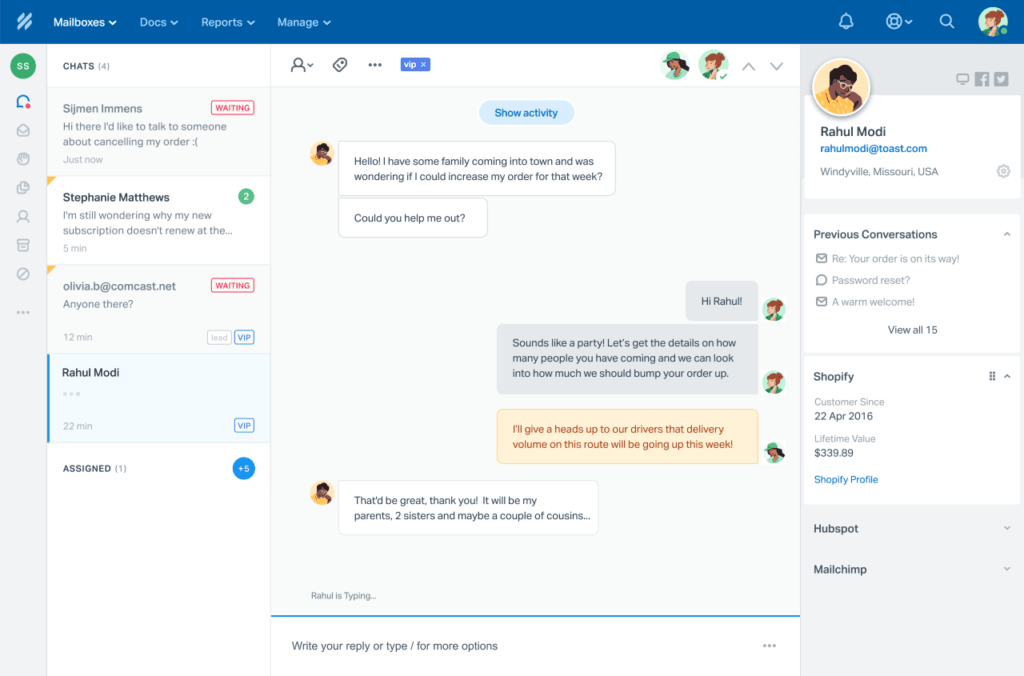
Help Scout’s seamless live chat support enables instant assistance to website visitors. With features like proactive chat and real-time monitoring, we can engage customers at the right moment and guide them to solutions.
Help Scout also offers a fantastic knowledge base feature. We’ve been able to create a comprehensive library of helpful articles and FAQs, empowering our customers to find answers on their own. This reduces ticket volume and allows us to focus on more complex issues.
Pros:
- Tags to categorize tickets or trigger automation
- Saved replies or canned responses to help reduce response times
- Custom fields to add custom data for tickets
- Help Scout’s Android and iOS mobile apps to offer support on the go
Cons:
- The standard plan is limited to just two shared inboxes
- The platform does not offer a chatbot feature
Pricing:
Starts at $22/user/month.
Prefer to watch instead of read? I’ve summed up my top 10 picks in this quick video:
Spotlight on the Top 3 Help Desk Software: A Quick Overview
Still undecided? To help you make the best choice, here are my top 3 recommendations:
1. ProProfs Help Desk
ProProfs Help Desk is a powerful help desk software that streamlines ticket management, boosts agent productivity, and centralizes customer emails. Its AI-driven features, automated ticket assignments, and tool integrations make it an excellent choice for efficient customer support.
2. HubSpot Service Hub
HubSpot Service Hub offers a customer portal for seamless interaction, allowing users to track requests and communicate in real-time. Its conversational inbox consolidates all channels into one view, while productivity tools like canned responses and live chat enhance efficiency.
3. Help Scout
Help Scout is an excellent customer support tool with a well-organized shared inbox for easy collaboration. Its live chat feature allows proactive engagement, while the knowledge base empowers customers to find answers independently, reducing ticket volume and improving efficiency.
What Is the Evaluation Criteria to Select Help Desk Software?
The selected helpdesk software tools are evaluated based on various factors to ensure they effectively meet the needs of businesses. Here are the key evaluation criteria used in the assessment:
- Ease of Use: How user-friendly and intuitive is the software for both agents and customers? A seamless experience is crucial for efficient support management.
- Feature Set: Does the software provide essential tools like ticket management, live chat, knowledge base, and automation features? A robust feature set ensures comprehensive support capabilities.
- Customization Options: How easily can the tool be tailored to fit the specific needs and branding of your business? Customizability ensures a more personalized customer experience.
- Integration Capabilities: Does the software integrate smoothly with other business systems like CRM, email, and social media platforms? Strong integrations enhance workflow and productivity.
- Customer Support: What level of support is offered by the tool provider? Reliable customer support ensures quick resolution of issues and a smoother user experience.
- Pricing: Is the software pricing transparent and cost-effective for businesses of all sizes? Competitive pricing and value for money are essential for choosing the right solution.
FREE. All Features. FOREVER!
Try our Forever FREE account with all premium features!
What Are the Key Benefits of Help Desk Ticketing Software?
Here are five key benefits of help desk software, explained clearly and practically:
1. Faster Response and Resolution Times
Help desk software centralizes all support requests into a single system, so teams don’t waste time switching between tools or searching for information. With features like AI response suggestions, automated ticket routing, canned responses, and priority tagging, agents can respond more quickly and resolve issues faster, leading to improved customer satisfaction and fewer escalations.
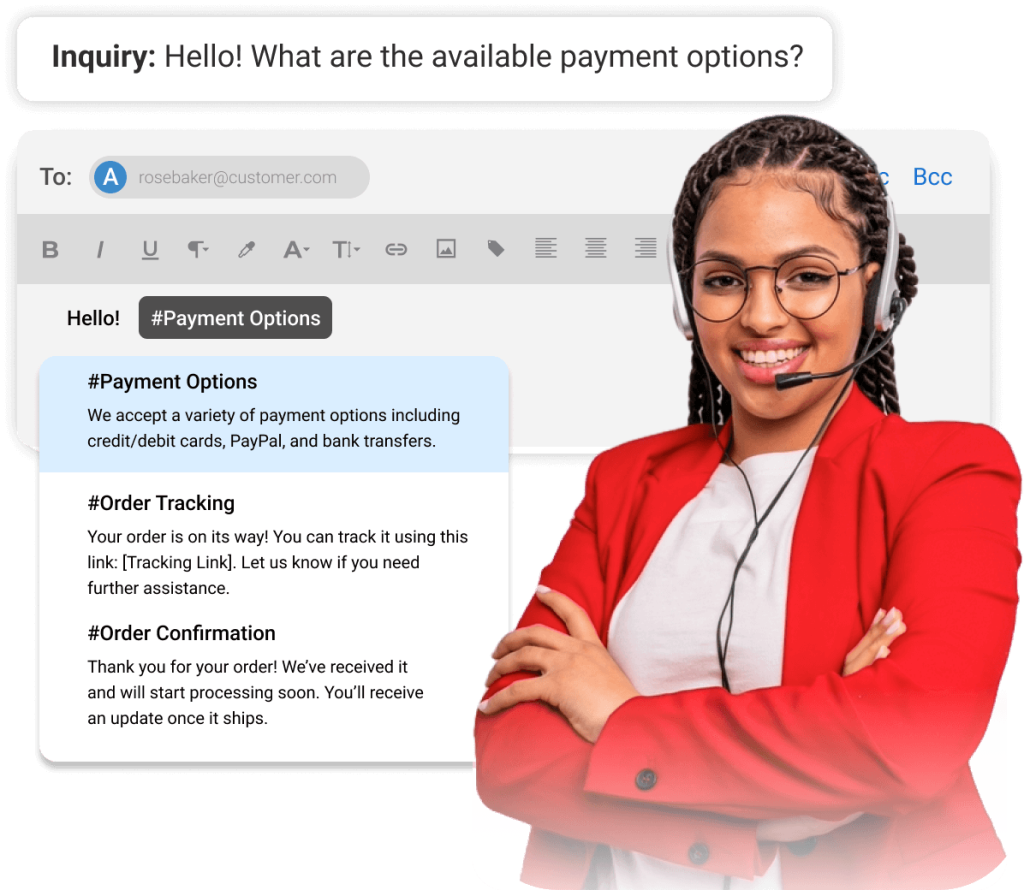
2. Better Organization and Ticket Management
Instead of scattered emails and missed queries, help desk software converts every request into a trackable ticket. This ensures nothing falls through the cracks. Teams can categorize, prioritize, and assign tickets easily, maintaining a clear workflow and complete visibility into who is working on what at any given time.
3. Increased Team Productivity
Automation plays a huge role in boosting efficiency. Repetitive tasks like ticket assignment, follow-ups, and status updates can be handled automatically. This frees up agents to focus on more complex or high-value interactions, helping teams do more with less effort while reducing burnout and manual workload.
4. Improved Customer Experience
With quicker responses, consistent communication, and access to past interactions, agents can deliver more personalized and effective support. Many help desk tools also include self-service options like knowledge bases, allowing customers to find answers on their own, which enhances convenience and overall experience.
5. Actionable Insights and Reporting
Help desk software provides reports on help desk metrics like response time, resolution time, ticket volume, and agent performance. These insights help managers identify bottlenecks, improve processes, and make data-driven decisions to continuously enhance the quality and efficiency of their support operations.
What Are Some Essential Features of Help Desk Software?
The essential features of help desk software to streamline support operations, enhance team productivity, and improve customer satisfaction are as follows:
1. AI-Powered Ticket Management
AI-powered ticket management reduces manual effort by streamlining how support requests are handled. With intelligent ticket summarization, long conversations are condensed into quick overviews, helping agents instantly grasp the issue without reading entire threads.
AI-driven response suggestions recommend accurate, context-aware replies in real time. Agents can use or refine these suggestions to respond faster while maintaining consistency and a professional tone.
2. Multi-Channel Support
One of the most valuable features of help desk software is its ability to integrate multiple communication channels into a single platform. This includes support for email, live chat, social media, phone calls, and even SMS. By consolidating all customer interactions into one interface, support teams can streamline communication and respond promptly, regardless of the contact channel.
This feature not only enhances the customer experience but also ensures no inquiry is missed, improving overall efficiency and customer satisfaction.
3. Ticket Routing and Prioritization
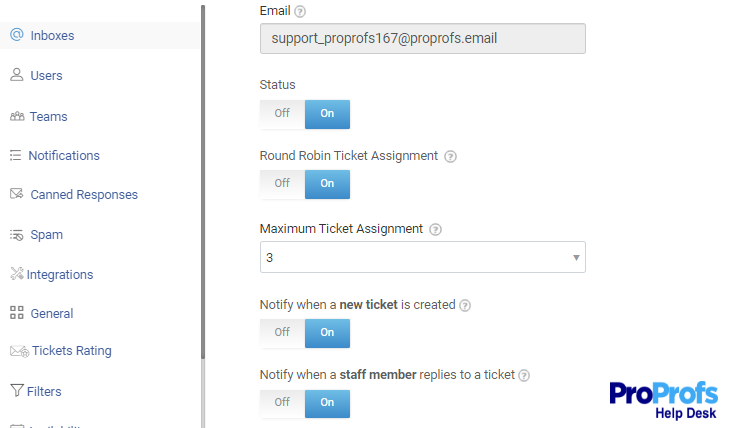
Help desk software often includes advanced ticket routing and prioritization tools, which are essential for managing a high volume of support requests. With intelligent ticket routing, the software automatically assigns tickets to the appropriate support agents based on factors like the issue type, the agent’s skill set, or availability.
Prioritization rules ensure that critical or urgent issues are addressed first, helping to reduce customer wait times and improve the resolution rate. This automated process helps organizations deliver more effective and timely support while minimizing human errors in ticket assignment.
4. Knowledge Base and Self-Service Portal
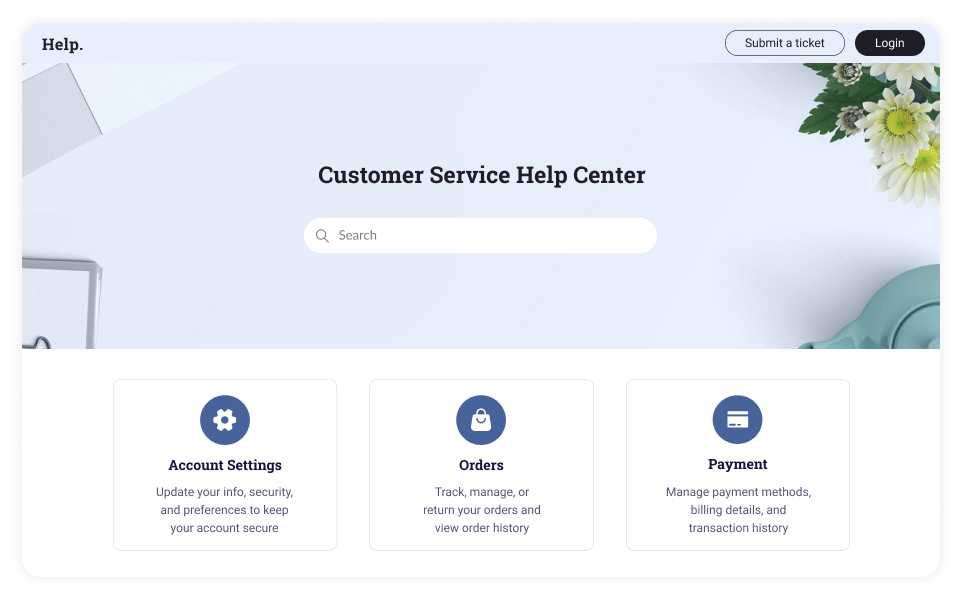
A robust knowledge base is an essential feature of help desk software, enabling businesses to provide customers with access to a wide range of self-help resources, such as FAQs, how-to guides, troubleshooting tips, and product documentation.
This feature allows customers to independently find solutions, reducing support requests and providing immediate assistance anytime. A self-service portal lets users quickly find answers, boosting customer satisfaction and allowing support teams to focus on more complex issues.
5. Automation and Workflow Management
Automation tools within help desk software save valuable time and reduce the risk of human error by automating repetitive tasks such as ticket categorization, assigning tickets to agents, and sending acknowledgment emails to customers.
With help desk automation and workflow management features, businesses can enforce a standardized process for handling customer issues, ensuring that tickets follow a consistent path from initiation to resolution. These automation features improve efficiency, reduce manual intervention, and allow agents to focus their energy on more complex and high-priority tickets.
What Are the Common Challenges with Help Desk Software (& How to Solve Them)
Even the best help desk software isn’t without its challenges. From complex interfaces to limited integrations, these issues can slow teams down and reduce efficiency if left unaddressed.
The good news is that most of these problems can be avoided—or fixed—by choosing the right tool with the right features from the start.
| Help Desk Software Challenges | How to Fix Them |
|---|---|
| Complex UI and steep learning curve | Choose software with an intuitive interface, minimal training requirements, and guided onboarding. Free trials and demos can help validate ease of use before committing. |
| Difficult setup and long implementation time | Opt for cloud-based tools with quick setup, pre-built templates, and minimal IT dependency to get started faster. |
| Limited customization options | Look for tools that allow custom fields, workflows, ticket views, and roles so the system adapts to your process—not the other way around. |
| Poor integration with existing tools | Select help desk software that offers native integrations or APIs to connect with CRM, chat, email, and other essential business tools. |
| High pricing as you scale | Evaluate pricing models carefully. Choose software with transparent, scalable pricing that doesn’t spike drastically as your team or ticket volume grows. |
| Slow performance or lag with high ticket volume | Go for reliable, cloud-based platforms known for performance and uptime, especially if you expect to handle large volumes of tickets. |
| Limited automation capabilities | Ensure the tool supports automation rules, triggers, and AI features to reduce manual effort and improve efficiency. |
| Cluttered or overwhelming dashboards | Use tools with clean, customizable dashboards so agents can focus only on relevant tickets and metrics. |
| Inadequate reporting and analytics features | Choose software with detailed, easy-to-understand reports and real-time insights to track performance and identify bottlenecks. |
| Vendor lock-in or poor data portability | Check if the tool allows easy data export and migration options, so you’re not stuck if your needs change later. |
What Are 3 Types of Help Desk Software?
There are several types of help desk software available to suit different organizational needs and support structures. Here are three common types of help desk software:
1. Cloud-Based Help Desk Software
Cloud-based help desk software is hosted on the cloud and accessed through the internet, allowing businesses to access it remotely from anywhere. Such tools offer high scalability, as businesses can easily adjust their plans and storage capacity as needed.
They are also cost-effective, eliminating the need for expensive infrastructure and maintenance. With automatic updates, security features, and cloud tool integrations, this option is perfect for remote teams seeking flexibility and ease of use.
2. On-Premise Help Desk Software:
On-premise help desk software is installed and operated on a company’s own servers, offering more control over data security and customization. While it provides a high level of security and the ability to customize the software to fit specific needs, it also requires significant investment in hardware, infrastructure, and a dedicated IT team for maintenance.
On-premise solutions are best suited for large businesses or those with specific regulatory or security requirements that necessitate full control over their support systems.
3. Hybrid Help Desk Software
Hybrid solutions combine the best features of both cloud-based and on-premise software. With hybrid help desk software, companies can store some data on-site while leveraging cloud capabilities for other functions, providing flexibility and scalability.
This type of software allows businesses to balance the advantages of cloud accessibility with the security and control offered by on-premise solutions. Hybrid models are well-suited for organizations that require customization and data privacy but also want to benefit from the cloud’s scalability and remote access.
FREE. All Features. FOREVER!
Try our Forever FREE account with all premium features!
Automate Support & Delight Customers With the Best Help Desk Software
The best help desk software can supercharge your support operations—improving efficiency, resolving issues faster, and delighting customers. With a variety of helpdesk tools suited to different needs and budgets, finding the perfect fit is key.
If you’re looking for a help desk software that’s both intuitive and AI-ready, I highly recommend ProProfs Help Desk. It perfectly blends user-friendly design with advanced AI features like customer intent analysis and response suggestions.
Still unsure? Take a free trial or demo of the tool that checks all your boxes. Got more questions? Feel free to go through our interesting FAQ section below.
Frequently Asked Questions

How to choose the right help desk ticketing workflow?
When choosing the right ticketing workflow, consider your team's size, the complexity of issues, and the preferred communication channels. Look for a system that allows for easy ticket categorization, automated routing, and status tracking to streamline the process and enhance customer service.
How are chatbots used for customer service?
Chatbots are used in customer service to automate responses to common inquiries, provide instant assistance, and route complex issues to human agents. They improve efficiency by handling high volumes of queries and offering 24/7 support, allowing teams to focus on more intricate problems.
What is the difference between help desk software and ticketing system software?
Help desk software offers a comprehensive solution that includes ticketing, live chat, knowledge base management, and other support tools. A ticketing system, on the other hand, focuses specifically on tracking, managing, and resolving customer issues through tickets, often with limited functionality beyond that.
How does help desk software enhance customer satisfaction?
Help desk software enhances customer satisfaction by providing faster response times, better ticket management, and more efficient resolution of issues. It enables multi-channel support, self-service options, and personalized interactions, improving the overall customer experience.
Who manages a help desk?
A help desk is typically managed by a team of customer support agents, with a lead or supervisor overseeing operations. In larger organizations, dedicated help desk managers are responsible for ensuring that tickets are resolved efficiently and that the team meets service-level agreements.
FREE. All Features. FOREVER!
Try our Forever FREE account with all premium features!

 We'd love your feedback!
What did you like & how can we make it even better?
 Thanks for your feedback!
 Ask Your Question
Have a question? Get expert help to make your decision easier.