
I go looking for Deskpro alternatives every time a support team tells me the same story: the tool works fine, but something about it, the price, the AI, the admin panel, just isn’t keeping up with how the team actually works day to day. I’ve set up Deskpro for small teams, compared it against a dozen other help desks, and helped teams move off it more than once. So I know exactly where it holds up and exactly where it starts to feel limiting.
Everything on this list comes from actually testing these tools, not just reading pricing pages. I looked at what each one costs at real team sizes, how quickly a new agent could get up and running, and which features actually save time versus which ones just look good in a demo.
Here’s what you’ll get from this guide: 10 real Deskpro alternatives, picked for what matters when you’re the one answering tickets on a busy Monday. ProProfs Help Desk is my top pick, and I’ll explain why shortly. But there’s an option here whether your team has no budget or fifty agents.
What Is Deskpro Used For?
Deskpro is an all-in-one help desk platform that combines ticketing, multi-channel support, automation, and a built-in CRM in one system. Teams use it to centralize customer conversations from email, chat, and social channels, and to route tickets using SLA rules and automated workflows. It’s commonly deployed by IT service desks and customer support teams that want a single system for both internal and external requests.
Why Do Teams Search for Deskpro Alternatives?
Most teams don’t go looking for a new help desk without a reason. Here are the ones that come up most often when support and IT teams start comparing options against Deskpro:
- Reviewers Flag Usability Gaps: According to a study by G2 in 2026, Deskpro trails competitors like Zendesk on usability and meeting requirements, even though it scores higher on ease of setup and ease of admin. Buyers weighing day-to-day usability against admin simplicity often end up looking at both sides of that trade-off.
- Reporting And AI Depth Feel Basic At Scale: Deskpro users on review sites mention ticketing issues and limited features as common critiques, according to the same study by G2 in 2026. Teams that need deeper reporting or AI that goes beyond text generation and summarization often look elsewhere.
- Outgrowing A Crm-Heavy Stack: It’s not just Deskpro users making this move. In our own research with support teams switching tools, one manufacturing company described wanting a “Goldilocks” solution: more capable than a basic shared inbox, but simpler and cheaper than a full CRM platform. That same instinct, wanting a help desk that does exactly what’s needed and nothing more, is a common reason teams shortlist Deskpro alternatives too.
- Pricing That Doesn’t Scale Predictably: Ticket volume swings are hard on flat or per-ticket pricing models. Teams managing unpredictable volume, seasonal spikes, promotions, product launches, want a pricing model that doesn’t punish them for a busy month.
- Forced Migrations From Sunsetting Systems: Some teams aren’t comparing Deskpro by choice. Their current system is being discontinued or sunset without a clear replacement timeline, and they need something they can stand up fast without a long implementation cycle. Having a help desk migration plan ready before the switch makes this kind of move far less stressful.
- AI Is No Longer Optional: A study by Gartner in 2026 found that 91% of customer service and support leaders feel organizational pressure to implement AI, which is a big reason so many teams are comparing AI help desk software with AI built into the core plan rather than sold as an add-on.
Find the Help Desk That Cuts Response Time Without Adding More Work
Which Deskpro Alternatives Should You Consider in 2026?
We’ve narrowed this down to ten tools worth your time, and each one earned its spot by beating Deskpro at something specific, whether that’s price, AI depth, or ease of use. Here’s how they stack up before we get into the details.
| Tool | Best For | Starting Price | Rating |
| ProProfs Help Desk | Easiest AI Help Desk for Shared Inboxes, Ticket Workflow Automation, and Scaling Support Teams | A free plan is available for growing teams. Paid plan starts at $19.99/month. | 4.7/5 |
| Zendesk for Customer Service | Full Omnichannel Support and Enterprise Scale | From $55/user/month | 4.3/5 |
| Freshdesk | Multi-Channel Ticketing and Automation | Free plan available; from $19/user/month | 4.4/5 |
| Jira Service Management | IT Service Management and Ticket Routing | Pricing on request | 4.3/5 |
| Zoho Desk | Budget-Friendly Bundled AI | Free plan for 3 agents; from $7/user/month | 4.4/5 |
| Help Scout | Email-First Shared Inboxes | From $25/user/month | 4.4/5 |
| Freshservice | ITIL-Based Service Desk | From $19/user/month | 4.5/5 |
| LiveAgent | All-Channel Support With Built-In Call Center | Pricing on request | 4.7/5 |
| HubSpot Service Hub | Support Backed by a Full CRM | Free plan available; pricing on request | 4.4/5 |
| Bitrix24 | Free CRM and Ticketing Bundled Together | Free plan available; pricing on request | 4.2/5 |
1. ProProfs Help Desk – Easiest AI Help Desk for Shared Inboxes, Ticket Workflow Automation, and Scaling Support Teams
The first time we set up ProProfs Help Desk, the goal was solving one specific problem: getting AI-assisted replies without paying a separate add-on fee on top of the seat price. Every ticket, whether it came from support@, billing@, or help@, landed in a shared inbox that looked and worked like Gmail, so there was no learning curve for the team.
What changed day-to-day work the most was the AI Agent. It read each incoming message, decoded the customer’s intent and mood, and drafted a personalized reply that agents could send as-is or tweak in seconds. The child ticket feature also got used more than expected, since it let a second team get looped in through team collaboration without losing the original conversation thread.
Setting up help desk automation took less time than budgeted. Round-robin assignment and canned responses were live within an afternoon, and the built-in reporting dashboard made it easy to see exactly where tickets were getting stuck.
Pros:
- AI Agent decodes customer intent and mood before an agent opens the ticket
- Shared inbox consolidates multiple support addresses into a single dashboard
- Child ticket feature enables cross-team collaboration on a single request
- Round-robin assignment and canned responses reduce manual ticket sorting
- Free forever plan includes core ticket management features for single-agent teams
Cons:
- No downloadable or on-premise version
- Dark user interface option not available
Pricing:
A free plan is available for growing teams. Paid plan starts at $19.99 /month.
How Does ProProfs Help Desk Compare to Deskpro?
Deskpro starts around $39 per agent per month, according to pricing data published by Capterra in 2026, with AI limited to text generation and summarization. ProProfs Help Desk starts free and moves to $19.99 per agent per month, with an AI Agent that reads intent and mood and drafts full replies rather than just assisting with wording. For a 10-agent team, that gap adds up fast over a year, with more AI capability included at the lower price.
2. Zendesk for Customer Service – Best for Full Omnichannel Support and Enterprise Scale
Zendesk is the name that comes up most often when a growing team asks what sits above Deskpro in terms of scale. It backs that reputation with deep omnichannel support, skills-based routing, and a full contact center once you reach its higher tiers.
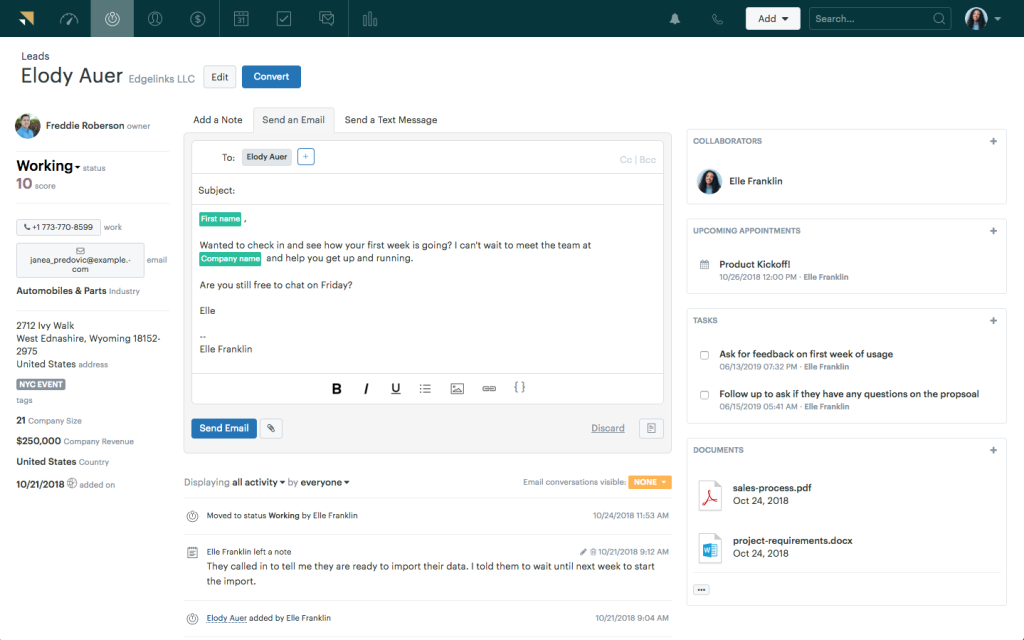
That depth comes at a cost. Suite plans climb well past the entry price once AI features and advanced routing get added, and the jump between tiers isn’t always obvious from the pricing page.
Pros:
- Omnichannel support covers email, chat, voice, and social in one platform
- Large marketplace of integrations and pre-built apps
- Advanced analytics and customizable dashboards
- AI built on billions of customer service interactions
Cons:
- Per-agent cost climbs quickly once Suite and Enterprise features are added
- Steeper learning curve for smaller teams
Pricing:
Starts at $55/user/month.
How Does Zendesk Compare to Deskpro?
Reviewers on G2 rate Zendesk slightly higher than Deskpro on usability and meeting requirements, according to G2’s 2026 comparison data, while Deskpro scores better on ease of setup and ease of admin. Zendesk goes further on channel depth, but teams that only need core ticketing may be paying for capacity they won’t use. If you want the fuller picture, our Zendesk alternatives guide breaks down how it stacks up against the rest of the category.
3. Freshdesk – Best for Multi-Channel Ticketing and Automation
Freshdesk handles the basics of email, chat, and social ticketing without much friction, and the interface feels familiar within a day. Automation rules for assigning tickets by team save agents from manually sorting a shared inbox every morning.
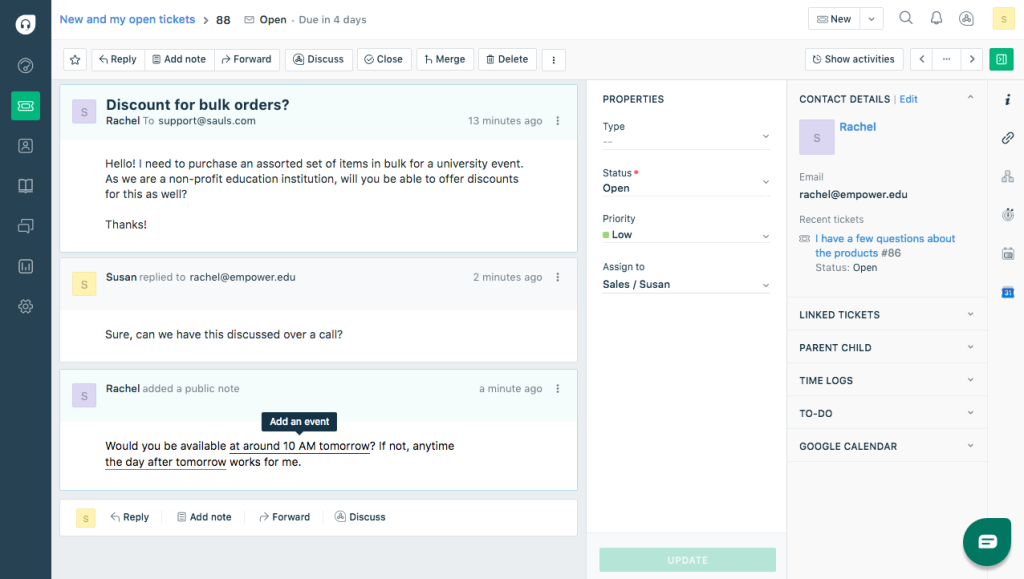
Where things get complicated is cost. AI-assisted replies aren’t included in the base plan, so once a team wants that capability, it’s a separate per-agent fee on top of the core price.
Pros:
- Omnichannel ticketing spans email, chat, and social in one inbox
- Large third-party app marketplace supports deep integrations
- Built-in knowledge base module supports self-service deflection
- Free plan available for small teams
Cons:
- AI features are billed as a separate per-agent add-on
- Broader omnichannel support sits in a separately priced tier
Pricing:
Starts at $19/user/month.
How Does Freshdesk Compare to Deskpro?
Freshdesk’s entry plan is close to Deskpro’s starting price and adds native live chat and social channels. The trade-off is that Freshdesk’s AI comes as an extra line item, similar to how Deskpro keeps its AI capabilities limited across tiers. Our Freshdesk alternatives guide covers what else is worth considering if this is the gap you’re weighing.
4. Jira Service Management – Best for IT Service Management and Ticket Routing
Built on Atlassian’s Jira, Jira Service Management is the pick for IT teams that already live inside the Atlassian ecosystem. It adapts well to internal service desk needs, with fast ticket routing and strong asset and configuration management for technical teams.
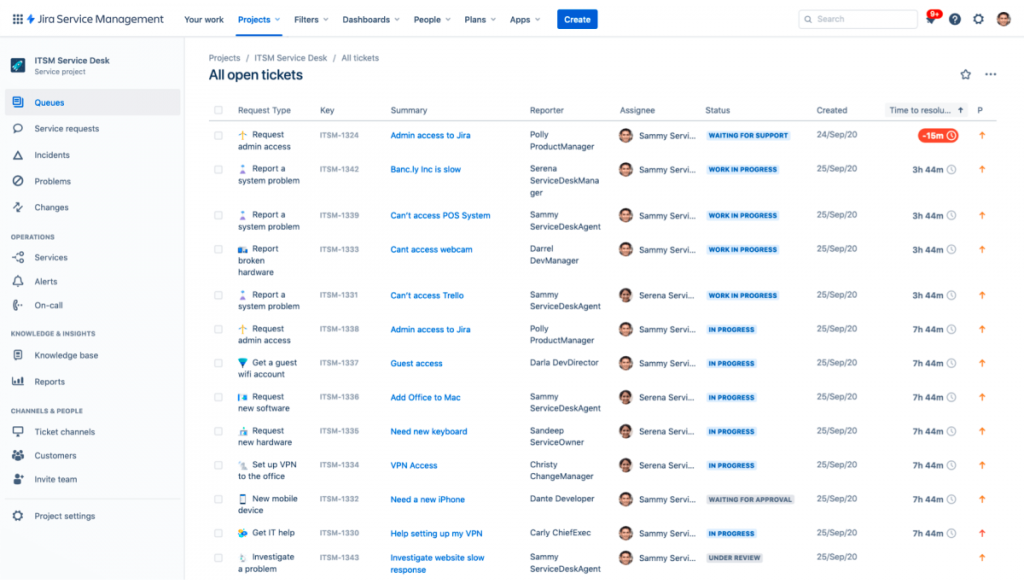
Where it asks more of a team is on the setup side. Getting workflows, SLAs, and queues configured properly takes real Jira admin experience, and customer-facing agents who aren’t already comfortable with Atlassian tools tend to need more ramp-up time than they would on a lighter help desk.
Pros:
- Deep integration with Jira, Confluence, and the wider Atlassian suite
- Strong ITSM capabilities including change and incident management
- Flexible workflow automation for technical support teams
- Built-in asset and configuration management for tracking IT infrastructure
Cons:
- Less intuitive for non-technical, customer-facing support teams
- Setup and configuration can take longer than lighter help desks
Pricing:
Pricing on request.
How Does Jira Service Management Compare to Deskpro?
Reviewers say Jira Service Management is more usable and better at meeting requirements compared to Deskpro, according to G2’s 2026 comparison data. It’s the stronger pick for internal IT service desks, while Deskpro remains lighter for customer-facing support teams.
5. Zoho Desk – Best for Budget-Friendly Bundled AI
Zoho Desk works well for teams already using other Zoho products, since two-way sync with Zoho CRM keeps contact records aligned without a separate connector. The free plan covers three agents with real ticketing features, making it easy to test before committing to a paid tier.
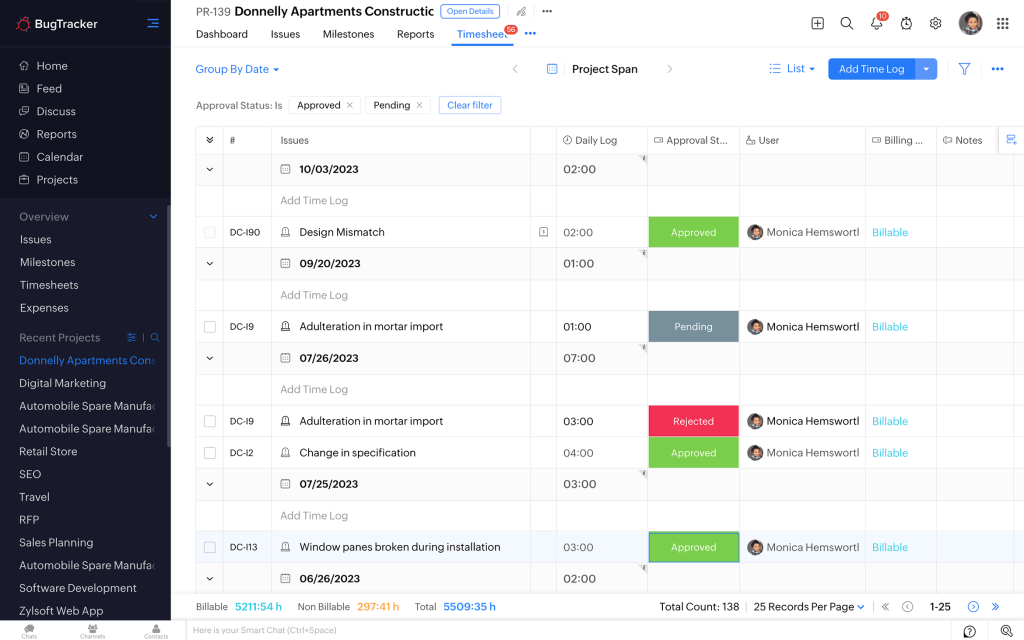
The friction shows up at the top of the pricing ladder. Deeper generative AI features, live chat, and multi-brand portals sit behind the Enterprise plan, which means smaller teams often outgrow the AI capability of their current plan well before they outgrow the seat count. Support during onboarding is solid, but some users note that workflow customization takes longer to get right than the pricing page suggests, especially when blueprints and custom modules are involved.
Pros:
- Two-way sync with Zoho CRM keeps contact records aligned automatically
- Zia AI is bundled into paid tiers rather than sold separately
- Multi-brand help center available on higher tiers
- One of the lowest per-agent entry prices in the category
Cons:
- Deeper AI, live chat, and multi-brand portals require the Enterprise plan
- Interface can feel cluttered next to more focused help desks
Pricing:
Starts at $7/user/month.
How Does Zoho Desk Compare to Deskpro?
Zoho Desk’s top tier still costs less than Deskpro’s starting price, and it includes a genuinely free plan Deskpro doesn’t offer. Deskpro’s built-in CRM is more centralized out of the box, while Zoho Desk asks teams to grow into its deeper features over time.
6. Help Scout – Best for Email-First Shared Inboxes
Help Scout works well for teams moving off a shared Gmail inbox for the first time. Conversations, saved replies, and internal notes work the way agents already expect an inbox to work, so there’s little learning curve.
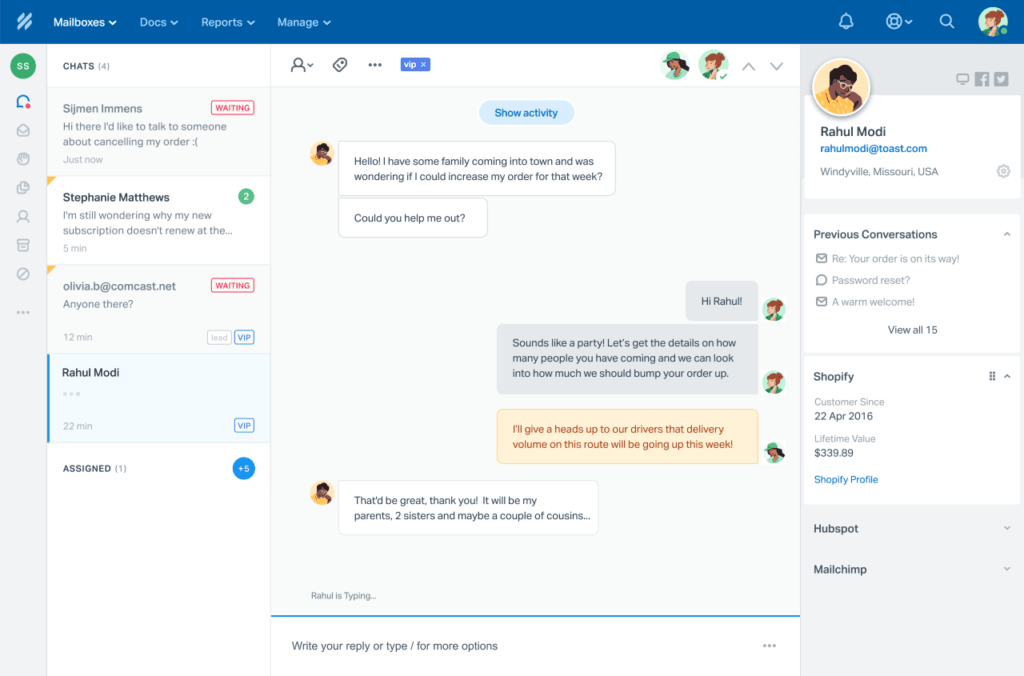
The friction shows up with AI. Help Scout’s AI Answers feature is billed per resolution on top of the seat price, so costs can climb during a busy month even though the base plan itself stays predictable. Teams also mention that reporting is lighter than what dedicated ticketing platforms offer, which matters more once a team grows past a handful of agents and needs to track performance across the board.
Pros:
- Shared inbox is styled like a personal email client, with no learning curve
- AI Answers can auto-resolve repetitive customer questions
- Saved replies and internal notes keep agent collaboration inside the ticket
- Clean, uncluttered interface that new agents pick up quickly
Cons:
- AI Answers is billed per resolution, on top of the seat price
- Higher tiers require a minimum seat count
Pricing:
Starts at $25/user/month.
How Does Help Scout Compare to Deskpro?
Help Scout leans more toward an email-first, human-feeling inbox, while Deskpro centers on structured ticketing with a built-in CRM. Teams that want conversations to feel less like tickets often prefer Help Scout’s approach.
7. Freshservice – Best for ITIL-Based Service Desk
Freshservice is built for internal IT service delivery using ITIL best practices, which makes it a strong fit for teams that need asset management, change management, and incident tracking alongside standard ticketing.
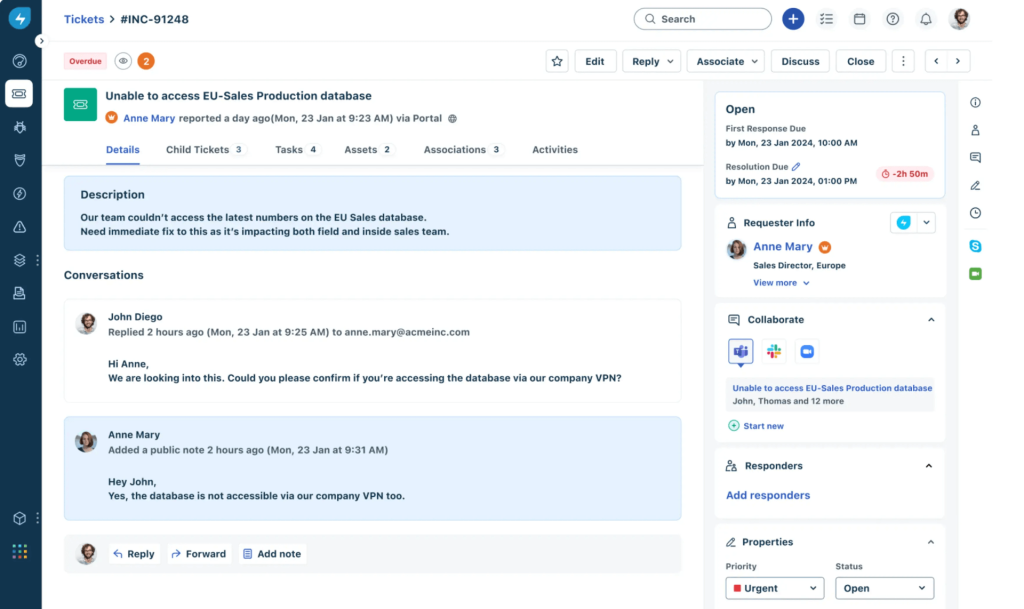
Setup takes a bit more planning than a lighter help desk, since configuring change approval flows and asset discovery properly benefits from having someone on the team who already understands ITIL processes. Once that’s in place, though, the automation handles a lot of the routine incident triage work that would otherwise fall on a human agent.
Pros:
- ITIL-aligned workflows for incident, change, and problem management
- Strong asset and configuration management features
- High marks for ease of use and customer service in review data
- Automated incident triage reduces manual routing work for IT teams
Cons:
- Less suited to pure customer-facing support use cases
- Some advanced ITSM features require higher tiers
Pricing:
Starts at $19/user/month.
How Does Freshservice Compare to Deskpro?
Freshservice focuses more heavily on internal IT service management than Deskpro does, with deeper asset and change management built in. Deskpro remains the more general-purpose option for teams mixing customer support with internal requests. Our Freshservice alternatives guide is worth a look if pure ITSM depth isn’t the priority.
8. LiveAgent – Best for All-Channel Support With Built-In Call Center
LiveAgent stands out for bundling live chat, ticketing, and a built-in call center into one platform, which is useful for teams that need phone support alongside email and chat.
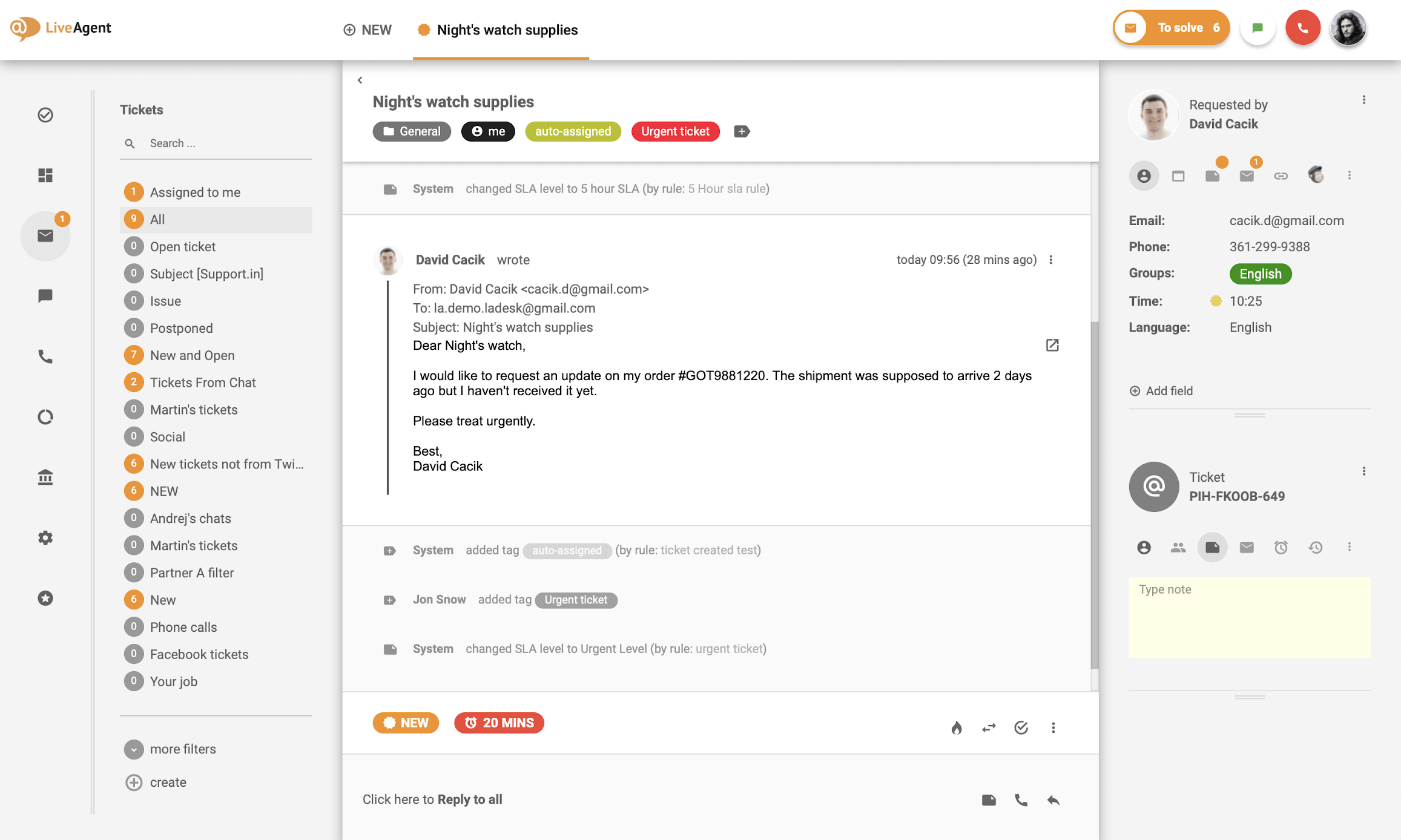
This all-in-one approach saves teams from stitching together separate tools for chat widgets, phone lines, and a ticketing system. Getting the call center piece configured with call routing, IVR menus, and recording takes more setup time upfront than a pure email-based help desk, but it removes the ongoing cost and hassle of managing a separate phone support vendor.
Pros:
- Built-in call center removes the need for a separate phone support tool
- Strong AI feature set for its price point
- High review volume and consistently strong ratings
- Wide native channel coverage reduces the need for third-party add-ons
Cons:
- Interface can feel busier than more minimal help desks
- Call center setup takes more configuration time upfront
Pricing:
Pricing on request.
How Does LiveAgent Compare to Deskpro?
LiveAgent goes further than Deskpro on channel coverage by including a native call center, which Deskpro doesn’t offer out of the box. Teams that need phone support as a core channel often lean toward LiveAgent for that reason. See our LiveAgent alternatives breakdown if call center features aren’t a must-have for your team.
9. HubSpot Service Hub – Best for Support Backed by a Full CRM
HubSpot Service Hub makes sense for teams that want support tickets tied directly to a full CRM record, with health scores and usage analytics to help agents understand the customer’s full history.
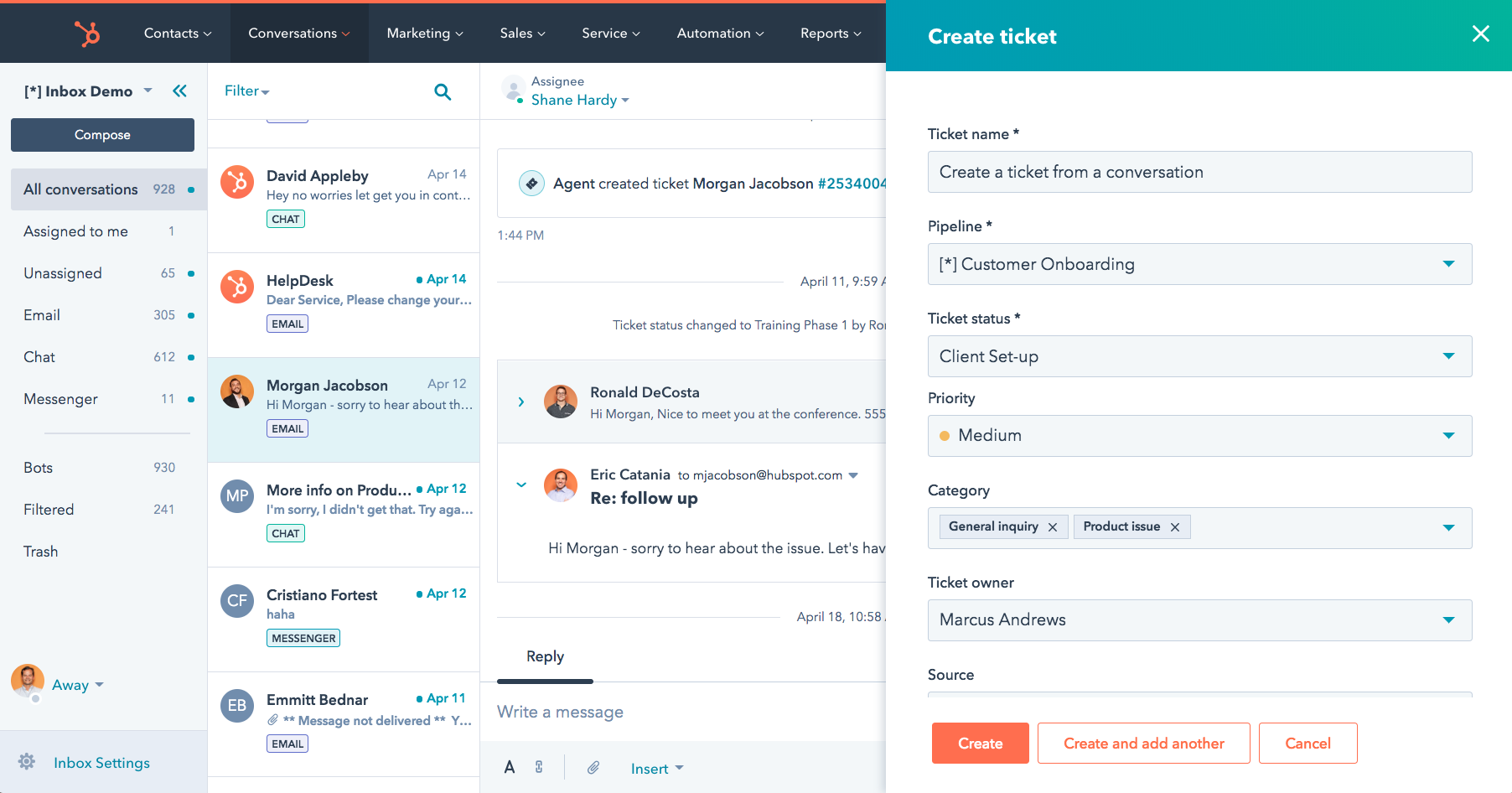
Because Service Hub sits inside the broader HubSpot ecosystem, agents can see marketing and sales activity right alongside a support ticket, which is genuinely useful for account-based teams where support, sales, and success all touch the same customer. The tradeoff is that a lot of that value depends on the rest of the organization also being on HubSpot, so a support team adopting it in isolation may not see the full benefit right away.
Pros:
- HubSpot Smart CRM gives customer-facing teams unified data automatically
- AI-powered knowledge base identifies content gaps
- Proactive tools like health scores support retention-focused teams
- Support data stays connected to marketing and sales activity in one record
Cons:
- Full value depends on adopting the wider HubSpot ecosystem
- Can feel like more CRM than a support team actually needs
Pricing:
Free plan available; paid pricing on request.
How Does HubSpot Service Hub Compare to Deskpro?
Both tools bundle a CRM with their ticketing system, but HubSpot’s CRM is deeper and more central to the platform. Teams that specifically want a lighter CRM footprint, the reason many teams consider Deskpro alternatives in the first place, may find HubSpot’s depth is more than they need. Our HubSpot alternatives guide covers lighter-weight options in more detail.
10. Bitrix24 – Best for CRM and Ticketing Bundled Together
Bitrix24 bundles CRM, ticketing, task management, and team collaboration into one platform, with a genuinely free tier that covers a surprising amount of ground for small teams.
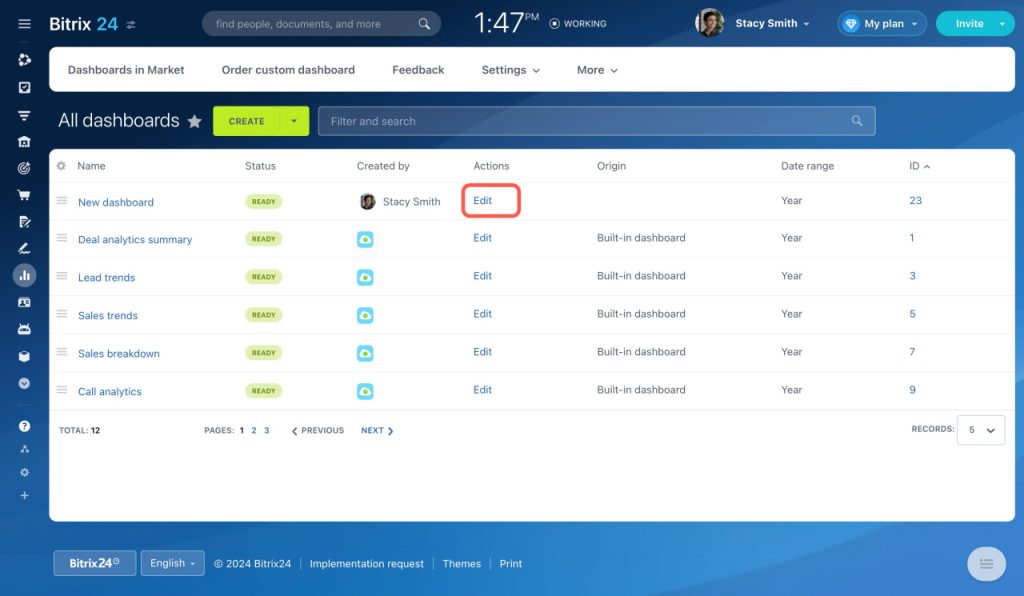
Because the free plan isn’t a stripped-down trial, teams can actually run day-to-day support on it without hitting a paywall for basic ticketing functions. The catch is that with so many modules in one product, support-specific features don’t always get the same depth of attention as a dedicated help desk would give them.
Pros:
- Free plan includes CRM, ticketing, and collaboration tools together
- Wide feature set beyond just support, including project management
- No per-agent cost on the free tier
- Consolidates several tools into one platform for teams outgrowing spreadsheets
Cons:
- Breadth of features can mean less depth in pure help desk functionality
- Interface has a learning curve given how much it covers
Pricing:
Starts at $0/user/month.
How Does Bitrix24 Compare to Deskpro?
Bitrix24 offers a free entry point that Deskpro doesn’t match, though Deskpro’s help desk features are more purpose-built for ticketing specifically. Bitrix24 suits teams that want support bundled with broader business tools.
Fast-Track Your Ticket Resolution Starting Today
Evaluation Criteria
Whenever we put together a list like this one, every tool runs through the same process so the ranking reflects real usability, not just which vendor has the flashiest pricing page. If you want to run this same process yourself, our help desk checklist walks through it step by step. Here are the six factors weighed for every Deskpro alternative above:
- User Reviews and Ratings: Reading what real users say on G2 and Capterra tells us more about day-to-day friction than any spec sheet.
- Essential Features and Functionality: Looking past the marketing page to see what each tool’s ticketing, automation, and AI features actually do in practice.
- Ease of Use: Paying attention to how quickly a new agent gets productive, since a clean interface saves real onboarding time.
- Customer Support: Checking how each vendor’s own support team performs during setup and once the product is in daily use.
- Value for Money: Comparing what each tool delivers against its price at real team sizes, not just the cheapest entry-level tier.
- Hands-On Testing: Running actual tickets through each platform rather than relying on demos alone.
FREE. All Features. FOREVER!
Try our Forever FREE account with all premium features!
My Top 3 Picks for the Best Deskpro Alternative
If you only read one section of this guide, read this one. These three tools cover the most common reasons teams go looking for a Deskpro alternative in the first place.
1. ProProfs Help Desk
ProProfs Help Desk is the top pick for teams that want AI-powered ticket resolution without paying extra for every capability. The AI Agent decodes customer intent and mood, drafts personalized replies, and the shared inbox setup takes minutes, not days. Start with the free plan and upgrade only once your team actually needs more seats.
2. Zoho Desk
Zoho Desk is the pick for teams that want the lowest possible entry price and are willing to grow into higher tiers for deeper AI and multi-channel features. Its free plan and bundled generative AI make it a genuinely budget-friendly starting point, especially if you’re already using other Zoho products.
3. Freshdesk
Freshdesk rounds out the top three for teams that need solid multi-channel ticketing with a large integrations marketplace, without a steep learning curve for new agents.
Choose the Platform That Helps Your Team Resolve More Tickets Faster
Switch to a Deskpro Alternative That Simplifies Support
Switching away from Deskpro usually comes down to wanting more from your help desk without adding more complexity to manage, whether that’s a smarter AI agent, simpler pricing, or a tool that doesn’t require a learning curve for every new hire. Map your current ticket volume, the channels your customers actually use, and how much AI matters to your workflow before you commit to anything.
No single tool on this list is the right fit for every team, and that’s really the point. A five-person startup replacing a shared inbox has different priorities than a 200-agent IT desk running change management workflows, so the “best” Deskpro alternative depends entirely on which problems are actually slowing your team down today. Use the evaluation criteria and the decision questions above as a starting filter, then shortlist two or three tools and test them with your own tickets before committing to anything long-term.
If AI-powered replies, a shared inbox, and pricing that doesn’t punish you for growing sound like what your team needs, ProProfs Help Desk is worth trying free before you look at anything else on this list.
Frequently Asked Questions
What is the best free alternative to Deskpro?
Bitrix24 offers a genuinely free plan that bundles CRM and ticketing together. ProProfs Help Desk also offers a forever-free plan for single-agent teams with real AI features included. See our full free help desk software list for more options.
Is ProProfs Help Desk cheaper than Deskpro?
Yes. ProProfs Help Desk starts free for one agent and moves to $19.99 per agent per month, compared to Deskpro's pricing which starts around $39 per agent per month according to Capterra's 2026 listing.
Does Deskpro have AI features?
Deskpro includes AI capabilities such as text generation and summarization. It doesn't include an AI agent that decodes customer intent and mood or drafts full replies the way some newer alternatives do.
Can I migrate my tickets from Deskpro to another help desk?
Most help desk platforms, including ProProfs Help Desk, Freshdesk, and Zoho Desk, support ticket imports through CSV or API. Read through a help desk migration checklist and back up your Deskpro data before starting.
Which Deskpro competitor is best for small teams?
ProProfs Help Desk fits small teams well since its free plan supports a single agent with real ticketing and AI features included. For a broader comparison, our best help desk software for small businesses guide covers more options.
Is Deskpro good for IT service desks?
Deskpro works for IT service desks that need centralized ticketing and a built-in CRM. Teams needing deeper ITSM features like change management may prefer Jira Service Management or Freshservice.
How much do Deskpro alternatives cost per agent?
Pricing ranges from free for tools like Bitrix24 and ProProfs Help Desk's entry tier, up to over $100 per agent per month for Zendesk's higher tiers.
What's the main difference between Deskpro and Zendesk?
According to G2's 2026 comparison data, Zendesk scores higher on usability and meeting requirements, while Deskpro scores higher on ease of setup, ease of admin, and support. Zendesk also offers broader omnichannel and enterprise-scale features.
FREE. All Features. FOREVER!
Try our Forever FREE account with all premium features!

 We'd love your feedback!
What did you like & how can we make it even better?
 Thanks for your feedback!
 Ask Your Question
Have a question? Get expert help to make your decision easier.