
An automotive service advisor closing out a repair order is not just finishing a job. They are creating a record that a customer may dispute, a warranty team may audit, and a service manager may use to evaluate technician performance next quarter. That is why choosing the best help desk for automotive means looking beyond fast responses to connected ticket workflows, customer communication history, and service accountability across departments.
According to a study by J.D. Power in 2026, dealership service satisfaction averaged 868 out of 1,000, rising to 979 when all 10 key service practices were met. Its 2025 study found that 12% of repairs were not completed correctly on the first visit. Communication matters alongside repair quality.
For this list, I focused on what matters to automotive teams: Can it manage shared inboxes across service, parts, sales, and warranty? Automate follow-ups that advisors forget? Connect to existing automotive CRMs and dealer management systems? I compared pricing, product documentation, and user feedback on G2 to assess the practical differences.
What Is Help Desk Software for Automotive?
Help desk software for the automotive industry turns service inquiries, parts questions, warranty concerns, and complaints into tickets with a clear owner and a conversation history. It helps teams coordinate replies and follow-up across departments.
An independent repair shop may need to track inquiries between jobs. A dealership group may need separate inboxes for service, parts, and customer relations. An automaker’s warranty team may need response deadlines, escalation rules, and searchable records.
The dealer management system, or DMS, still holds repair orders and operational records. The help desk organizes the related customer communication. Supported connections can share information with one another, while customer service analytics help managers spot recurring questions, delayed replies, and unresolved issues.
10 Best Help Desk Software for Automotive to Check
A few of these genuinely surprised me once I looked past the feature page, and a few serve a narrower automotive use case than others. That gap between what a generic ticketing tool delivers and what an automotive support operation actually needs is exactly what this breakdown is built to close.
Here is a quick look at how these help desk tools for automotive stack up before the full breakdown:
| Tool | Best For | Pricing |
| ProProfs Help Desk | AI-Powered Shared Inboxes, Ticket Workflow Automation, and Scaling Support Teams | Free plan available. Paid plan starts at $19.99/month |
| BoldDesk | OEMs and multi-brand dealer groups need an automotive-specific support platform | Starts at $12/user/month |
| Hiver | Small dealerships and service shops are already on Google Workspace | Starts at $19/user/month |
| LiveAgent | Dealerships needing omnichannel support with live chat and calling included | Starts at $15/user/month |
| Front | Dealer groups managing multi-department and multi-location support | Starts at $25/seat/month |
| Freshdesk | High-volume dealerships and automotive parts retailers need proven automation | Free plan available |
| Zendesk | Enterprise OEMs and large automotive manufacturers need enterprise-grade scalability | Starts at $55/agent/month |
| Help Scout | Independent repair shops and small automotive businesses need a clean, simple inbox | Starts at$25/user/month |
| Zoho Desk | Automotive businesses already using Zoho CRM for sales | Starts at$14/user/month |
| HubSpot Service Hub | Dealerships using HubSpot CRM for sales and marketing | Starts at $20/seat/month |
Now, here is how each one actually holds up:
1. ProProfs Help Desk – Best for AI-Powered Shared Inboxes, Ticket Workflow Automation, and Scaling Support Teams
ProProfs Help Desk stands out to me for keeping service, parts, sales, and warranty conversations organized with clear ownership. When several advisors share a generic email inbox, tickets can fall through the cracks, and customers end up repeating their issues. Its help desk automation routes inquiries, sends notifications, and alerts teams before response targets are missed.
AI summaries help advisors pick up long conversations, while response suggestions and sentiment analysis support replies. Staff still review repair commitments and warranty decisions; availability depends on the plan.
The built-in Knowledge Base gives customers a self-service portal for common questions about service schedules, warranty terms, and parts availability, reducing ticket volume from repeat inquiries. Apart from the knowledge base, it also integrates with ProProfs Live Chat, which provides real-time support for customers seeking immediate answers during business hours without calling the service desk.
CSAT surveys and performance reports reveal slow replies and recurring issues. Supported integrations can extend the workflow, but a DMS-triggered update needs a confirmed event and a configured connection.
Pros:
- AI ticket summaries, response suggestions, and sentiment analysis help advisors handle returning customers’ questions with context.
- Auto-routing, triggers, macros, canned responses, SLA alerts, and notifications support consistent departmental handoffs.
- Connected Knowledge Base provides 24/7 self-service for maintenance guidance, policies, and common service questions.
- Shared inboxes organize service, parts, sales, warranty, and other addresses into a single dashboard.
- Native Live Chat connects website visitors with support and carries unresolved inquiries into ticket workflows.
- CSAT surveys, agent reports, response and resolution tracking, and team analytics reveal recurring communication gaps.
Cons:
- No downloadable or on-premise version
- Dark user interface option not available
Pricing:
A free plan is available for growing teams. Paid plan starts at $19.99/month.
Here’s how Steve Organek, founder of Shaver Shebang, described his experience with ProProfs Help Desk –
Steve Organek, founder of Shaver Shebang, adopted ProProfs Help Desk to organize customer inquiries and respond away from his desk. The story describes mobile access, clearer conversation tracking, and improved flexibility in responses. For service advisors moving between the desk and the service floor, the transferable lesson is to keep customer context accessible, not to promise a CSI increase.
2. BoldDesk – Best for Dealer Groups Evaluating Multi-Brand Support
In my comparison, BoldDesk stood out for separating dealership brands and locations while keeping support visible centrally. Its automotive materials described vehicle-related inquiries, recall outreach, and departmental handoffs.
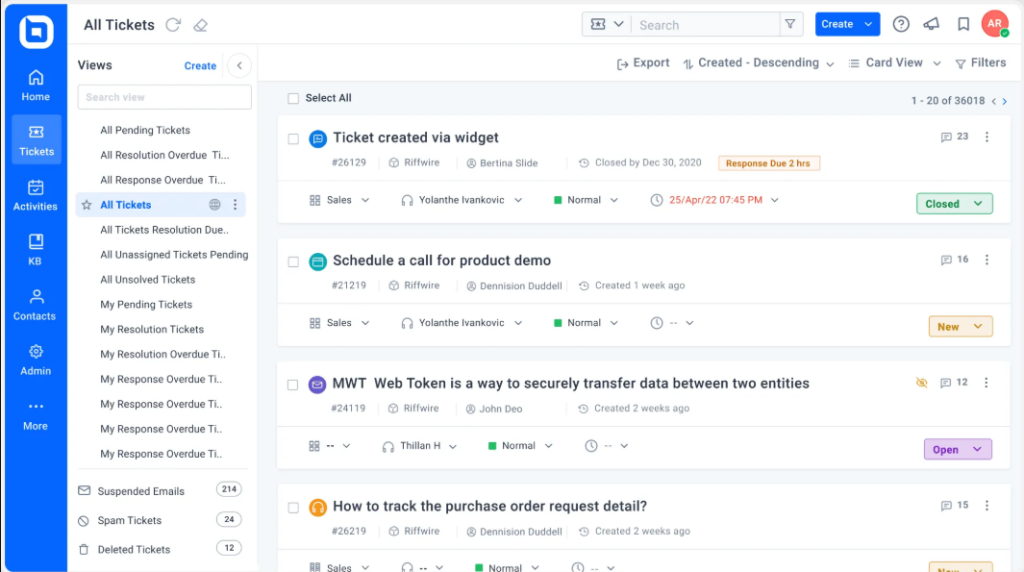
For dealer groups, I focused on how routing and ownership could keep a service inquiry moving when another team became involved. Multi-brand support was the main reason I included it.
The automotive positioning did not establish a ready-made connection to every DMS. Before choosing it, ask the vendor to demonstrate your exact system, available fields, and update direction. Compare the configured workflow with the features included in your quote.
Pros:
- Multi-brand support can separate dealership identities, workflows, and customer-facing experiences.
- Automotive examples address vehicle-related inquiries, recalls, and distributed support operations.
- AI assistance and knowledge content can support advisors handling repetitive questions.
- Centralized reporting helps managers compare support activity across configured brands and teams.
Cons:
- Automotive positioning does not establish a native connector for your exact DMS.
- AI-credit usage adds a cost variable beyond the included human-agent allowance.
Pricing:
Starts at $12/user/month, billed annually. 15-day free trial available.
3. Hiver – Best for Service Teams Working in Gmail
What stood out in my review of Hiver was its Gmail-based approach. Advisors could assign emails, leave internal notes, and track unresolved conversations in the inbox they already use. For a small service desk, that familiarity was its clearest advantage.
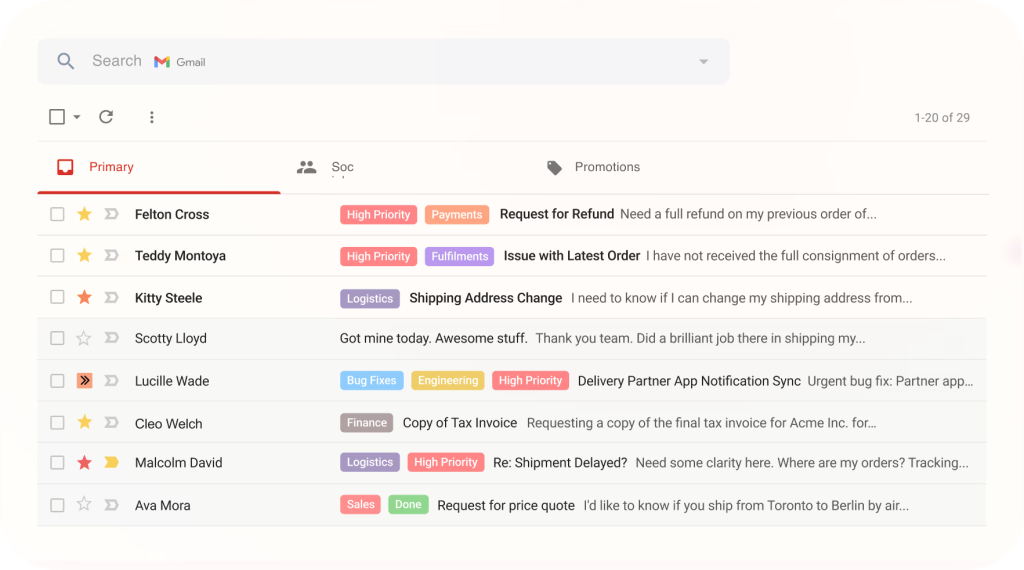
I also distinguished Hiver in Gmail from its separate Omni workspace. The product and tier determine the available interface, channels, and reporting.
For an automotive team, I would start with a shared service address and check assignments, duplicate-reply prevention, permissions, and conversation history. Familiar email habits still need clear ownership when an advisor is absent.
Pros:
- Gmail-based collaboration keeps assignments and internal discussions close to advisors’ existing email habits.
- Shared ownership and collision alerts help avoid conflicting replies to the same customer.
- Analytics make response times and unresolved conversations easier for managers to review.
- Omni provides a separate option when support needs extend beyond the Gmail interface.
Cons:
- Gmail and Omni are different products; evaluate the workspace you actually intend to use.
- Advanced reporting, CSAT, SLAs, and integrations depend on the selected tier.
Pricing:
Starts at $19/user/month, billed annually. 7-day free trial available.
4. LiveAgent – Best for Dealerships Combining Phone, Chat, and Email
LiveAgent caught my attention for dealerships where a service update starts over the phone and continues via email. In my comparison, its call routing, recording, and ticketing options were the main reasons to consider it for phone-heavy support.
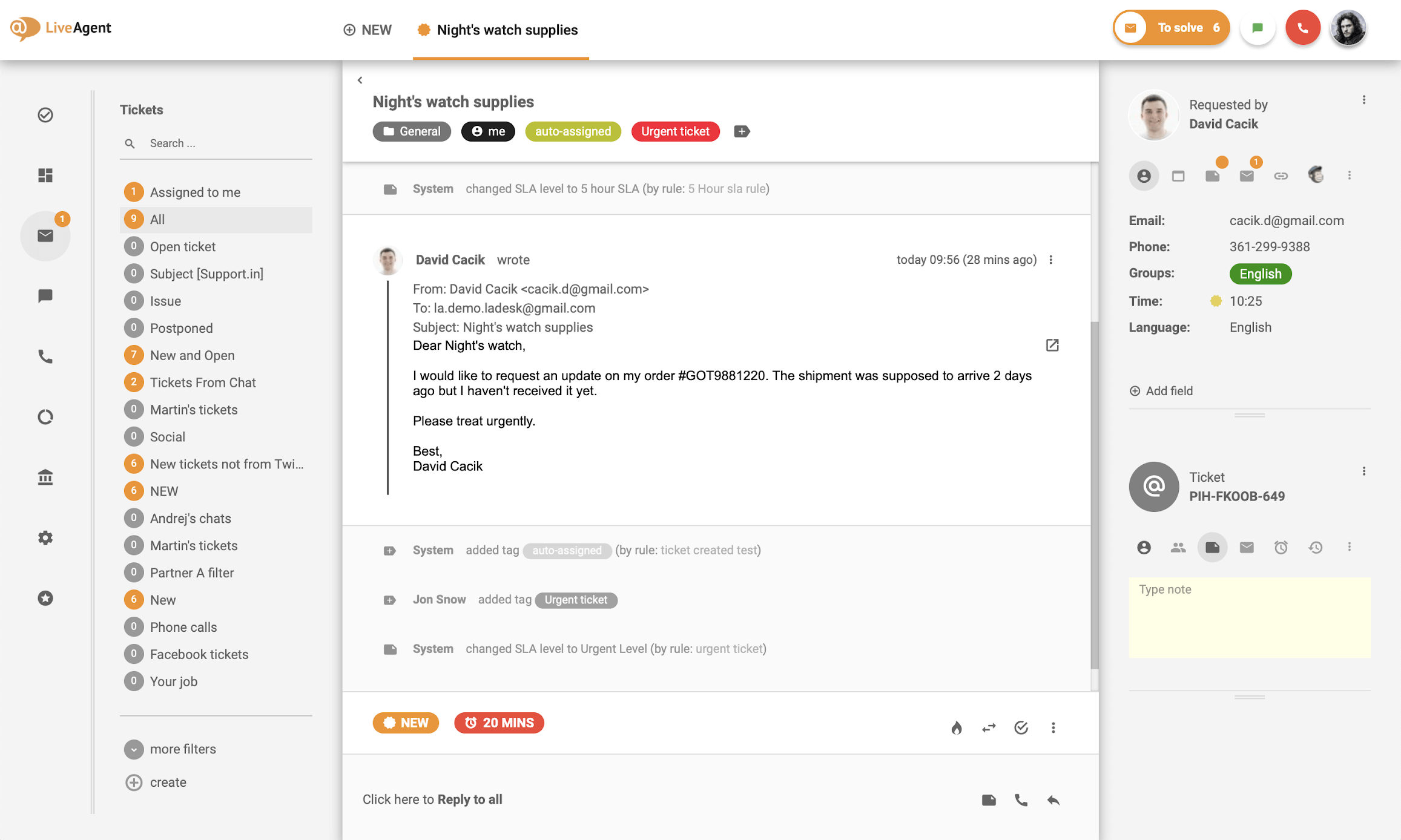
The package mattered. Starter covered email and chat, while Team added call-center and social channels. The starting price, therefore, did not represent every feature described here.
For a service department, I would compare how call notes, customer details, and follow-up ownership are carried across channels. Include phone provider charges and AI setup when calculating the total cost.
Pros:
- Email, chat, phone, and supported messaging channels can share a support environment.
- Call-center features help teams route calls and retain relevant conversation records.
- Departments and ticket ownership support service, parts, and customer relations separation.
- Knowledge content and AI options can assist with routine customer questions.
Cons:
- Starter does not include the phone and social capabilities central to this recommendation.
- AI requires a supported provider account, with usage billed by that provider.
Pricing:
Starts at $15/user/month, billed annually. 30-day free trial available.
5. Front – Best for Dealer Groups Coordinating Departmental Support
I included Front for its approach to shared customer conversations. Internal comments let colleagues discuss an issue without adding that discussion to the customer’s reply. That was particularly relevant to a warranty question needing input from an advisor, parts coordinator, and manager.
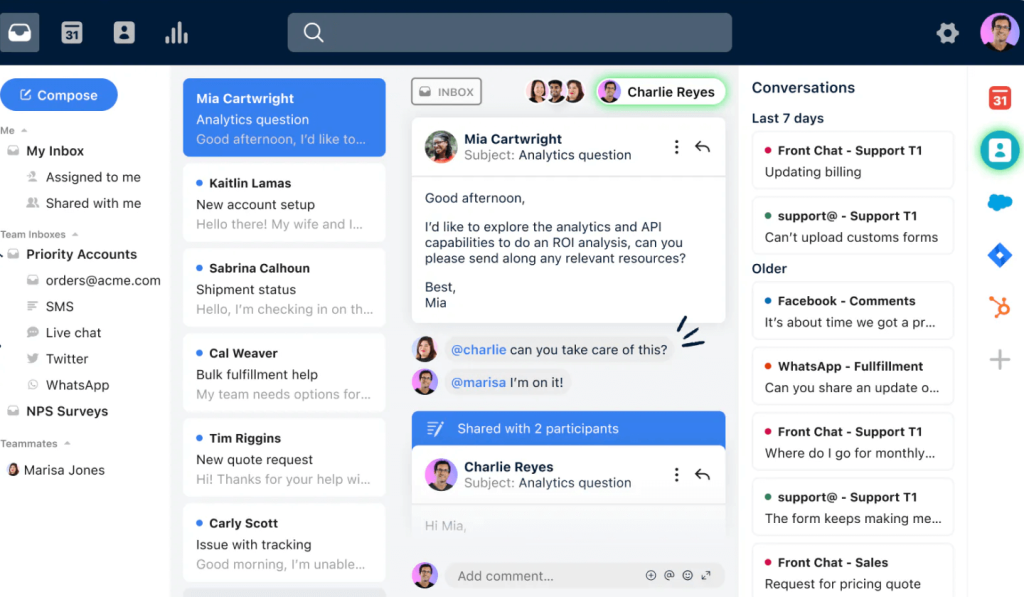
Routing rules were another useful part of the comparison. They could help direct inquiries while keeping one person responsible for the response.
For a multi-location group, I would check permissions as carefully as assignments. Staff need sufficient context to help, while customer records remain limited to those who should access them.
Pros:
- Internal comments keep departmental discussion separate from customer-facing messages.
- Shared conversations let several colleagues contribute while maintaining a designated owner.
- Rules support routing and repeatable handling of service, parts, and warranty inquiries.
- Integrations can bring CRM and collaboration context into the support process.
Cons:
- Phone handling uses integrations, with related service costs to evaluate.
- Seat costs, AI add-ons, and onboarding requirements can affect the complete quote.
Pricing:
Starts at $25/seat/month, billed annually. 7-day free trial available.
6. Freshdesk – Best for Dealerships and Parts Retailers With Growing Email Queues
Freshdesk stood out in my comparison for organizing recurring inquiries through routing and automation rules. That approach was relevant to departments handling growing volumes of parts questions, warranty requests, and service follow-ups.
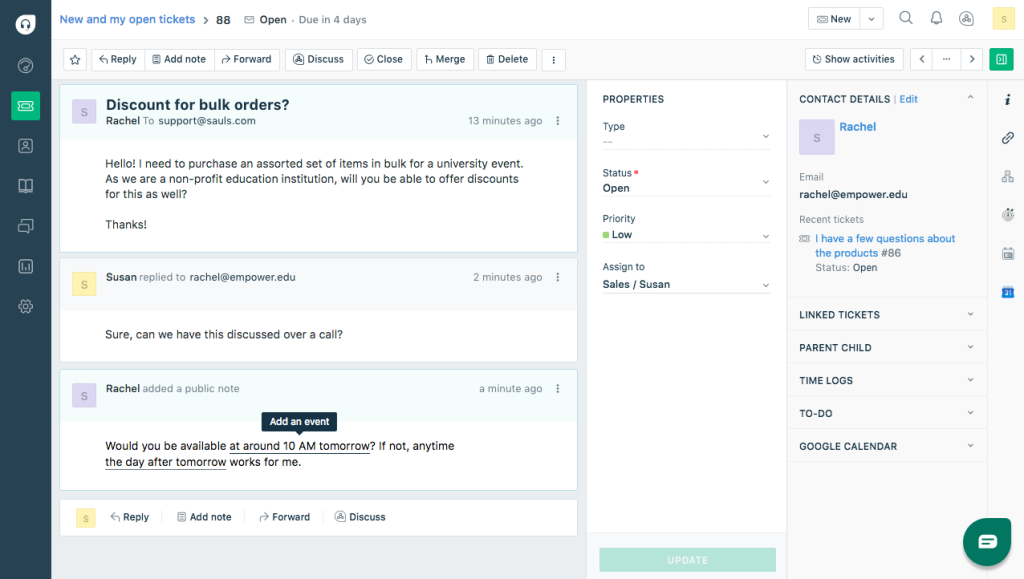
I focused on shared inboxes, ticket ownership, the customer portal, and knowledge content. Together, those features offered a practical starting point for making unresolved work easier to find.
The buying decision still depended on packaging. Broader channels, advanced automation, and AI allowances required a closer comparison of plans. It’s a limited-free program with conditions, so I would separate permanent access from temporary offers.
Pros:
- Rules can route and organize recurring service, parts, and warranty inquiries.
- Shared inboxes and ticket ownership make department backlogs easier to manage.
- A portal and knowledge base give customers options beyond contacting an advisor.
- Marketplace connections can extend workflows into supported CRM and business tools.
Cons:
- The limited free program has eligibility and duration conditions.
- Omnichannel coverage and advanced features require careful selection of products and tiers.
Pricing:
Free plan available for up to two agents. Paid plans start at $19/agent/month, billed annually.
7. Zendesk – Best for OEMs and Dealer Networks With Complex Support Operations
In my review, Zendesk was most relevant to automotive operations with several teams, routing rules, and escalation paths. An automaker’s warranty department or connected-vehicle business could have very different responsibilities within the same support organization.
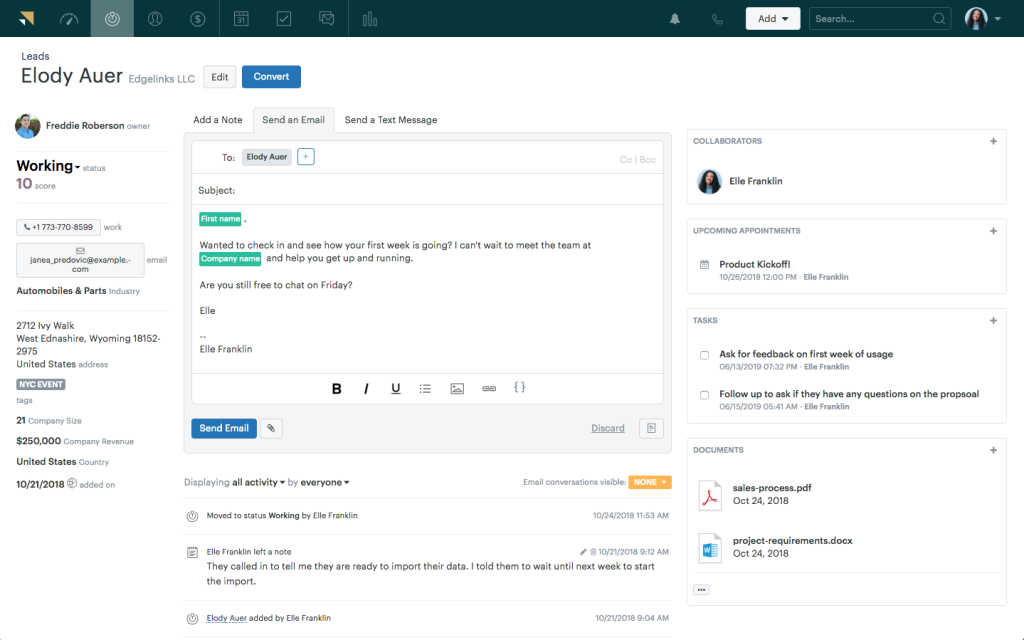
Configurable queues and reporting were the main reasons I included it. Company size alone was not enough to justify the additional setup.
For recalls or multi-market programs, I would compare permissions, exports, retention, and escalation history on the proposed plan. Ticket records can support documentation, but the organization still needs to confirm its own audit and warranty requirements.
Pros:
- Configurable queues, routing, and escalation support complex departmental responsibilities.
- Suite plans bring additional customer channels into the support environment.
- Reporting options help larger teams review workloads, response times, and service patterns.
- A broad marketplace supports business-system connections, subject to individual app scope.
Cons:
- Advanced routing, governance, and analytics are not all included at the entry price.
- Implementation needs time for permissions, workflows, data, and staff adoption.
Pricing:
Starts at $55/agent/month, billed annually. 14-day free trial available.
8. Help Scout – Best for Independent Shops Wanting an Approachable Shared Inbox
Help Scout appealed to me as a straightforward way to organize customer conversations. Its shared inbox, assignments, and internal notes were relevant to an owner who also handled service advice and parts questions between jobs.
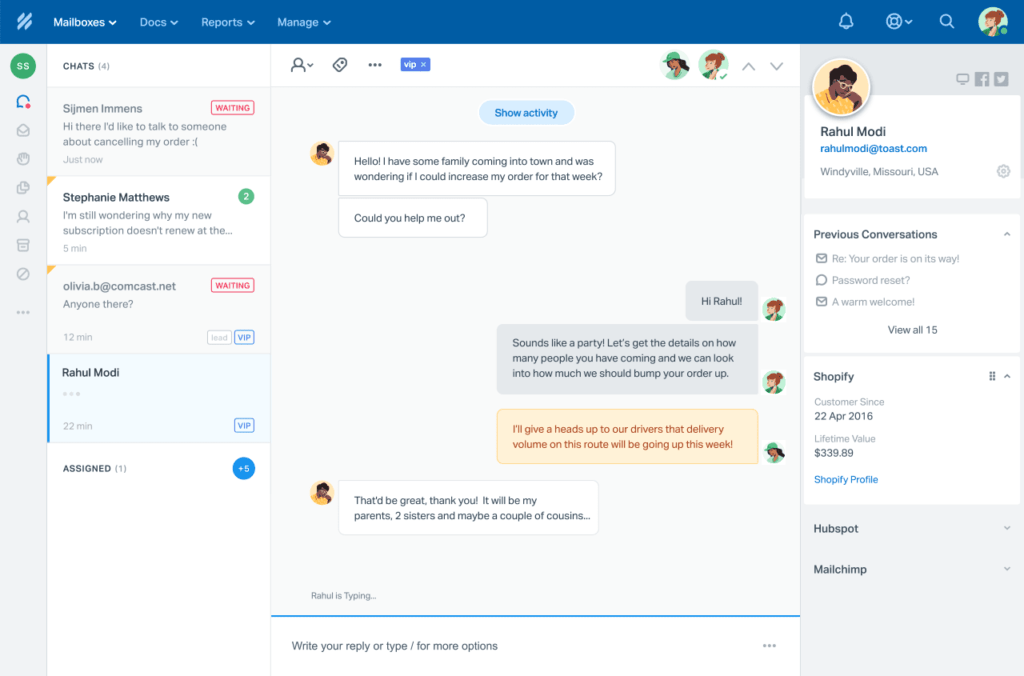
I also considered its knowledge content, workflows, AI options, and website contact tools. Describing it as email-only would have missed part of the offering.
For a small shop, I would begin with the simplest setup that covers daily inquiries. Then, compare the limits on inboxes, contacts, and additional features before deciding whether a paid package adds enough value.
Pros:
- Shared inboxes make assignment and unresolved customer conversations visible to the team.
- Internal notes let colleagues exchange context without exposing the discussion to customers.
- Docs and Beacon support self-service and website-based customer contact.
- A free plan offers a limited set of features until you upgrade to paid features.
Cons:
- The free plan limits the number of inboxes, Docs content, and monthly contacts.
- Additional inboxes, Docs sites, and AI resolutions can add charges.
Pricing:
Starts at $25/user/month, billed annually. 15-day free trial available.
9. Zoho Desk – Best for Automotive Teams Already Using Zoho CRM
Zoho Desk made the most sense in my comparison when the business already used Zoho CRM. The connection between customer and support records was the main reason I included it for automotive teams working in that ecosystem.
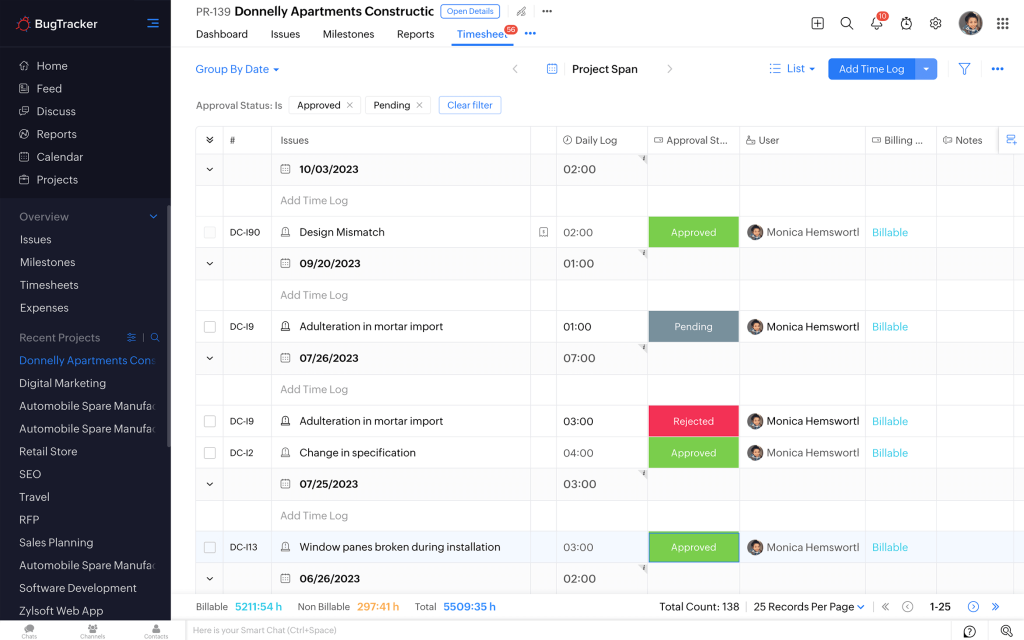
That connection could reduce repeated questions, but it did not mean vehicle purchases, financing details, or repair history would appear automatically. The information still needed to exist, be mapped, and be available to the advisor.
I would define which system owns each record before adding automation. Compare Desk and CRM licensing separately, along with the required channels and department features.
Pros:
- Native Zoho CRM integration can reduce the need to switch between customer and support records.
- Multiple pricing tiers let smaller shops begin with a narrower feature set.
- Workflows, knowledge content, and AI options support increasingly structured support operations.
- Higher tiers add department, telephony, and broader customer-channel capabilities.
Cons:
- Zoho CRM licensing is separate from the Desk subscription, where required.
- Advanced channels, department features, and Zia capabilities depend on edition and availability.
Pricing:
Starts at $14/user/month, billed annually. 15-day free trial available.
10. HubSpot Service Hub – Best for Dealerships Keeping Service Alongside HubSpot Sales Records
I included HubSpot Service Hub for dealerships already keeping contacts and sales activity in HubSpot. Connecting later service inquiries with that relationship history was its clearest advantage in my comparison.
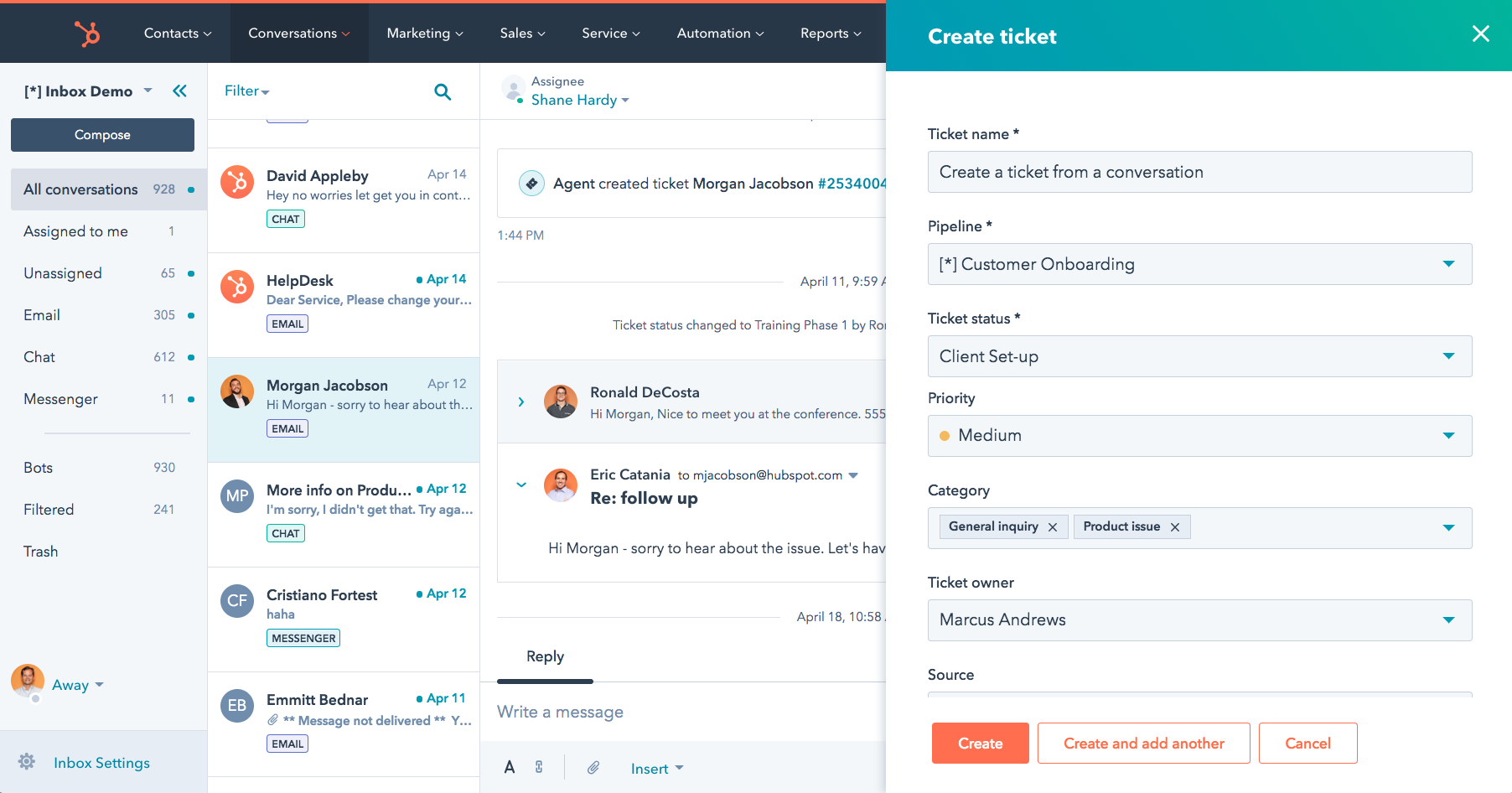
Vehicle details and repair history still require populated fields or supported connections. A shared CRM did not replace the DMS.
I also separated basic ticketing from the dedicated help desk workspace, knowledge base, portal, and advanced workflows available in relevant paid editions. For a dealership, I would compare the information that sales and service genuinely need to share before choosing the package.
Pros:
- Contact and deal context can connect sales conversations with later service inquiries.
- Free tools provide basic ticketing and customer communication capabilities.
- Higher editions add a dedicated help desk, knowledge base, portal, and reporting options.
- Workflows can support follow-up when the necessary events and properties are configured.
Cons:
- Advanced features, AI credits, onboarding, and seats can raise the total commitment.
- Vehicle and repair-order context still requires an appropriate data source and configuration.
Pricing:
Free plan available with basic ticketing. Paid plans start at $20/seat/month, billed annually.
Bring Service Requests Together. Give Each One a Clear Owner
My Evaluation Criteria
The comparison uses published product capabilities, pricing information, and review sources. Automotive examples illustrate workflows to validate; they do not imply hands-on testing, an automotive-only review sample, or a measured CSI improvement.
- User Reviews and Ratings: G2 and Capterra provide independent user perspectives. Where a reviewer’s industry is unclear, their experience should not be presented as dealership-specific evidence.
- Essential Features and Functionality: Shared inboxes, ownership, follow-up rules, CSAT, and reporting matter across service, parts, and warranty teams. The comparison distinguishes internal response targets from manufacturer warranty obligations.
- Ease of Use: The relevant buying checklist includes setup, daily assignment, mobile access, and the effort needed to find a returning customer’s conversation. Validate these during a trial.
- Customer Support: Published onboarding and support routes matter when routing fails during a busy service period. Availability is different from measured responsiveness; no response-speed benchmark is claimed here.
- Value for Money: Compare the applicable tier, seats, channels, AI allowances, and implementation costs. A repair shop and an OEM warranty operation should not be priced as if they need the same package.
- Industry Analysis & Expert Commentary: Independent research and expert commentary on automotive customer service, dealership operations, and help desk software, used to assess vendor claims against the needs of service, parts, and warranty teams.
My Top 3 Picks for the Best Help Desk Software for Automotive Service Teams
The right choice depends on where your team’s conversations get stuck. These three tools address different starting points.
1. ProProfs Help Desk
The clearest choice for automotive businesses that need AI-powered shared inboxes, post-service follow-up automation, and team analytics without the complexity or cost of enterprise platforms, at a free entry point that smaller shops can use without a subscription commitment.
2. BoldDesk
The right call for OEMs, multi-brand dealer groups, and automotive businesses that need VIN-level case tracking and pre-built automotive workflows that a general help desk would take months to replicate.
3. Hiver
The honest pick for small dealerships and independent repair shops already running on Google Workspace, where the fastest path to a working help desk is turning the Gmail inbox the team already uses into a structured, accountable support operation without adopting a new system.
FREE. All Features. FOREVER!
Try our Forever FREE account with all premium features!
Which Channel Fits the Service Update?
Some updates need a conversation. Others need a document or a quick confirmation. Ask customers how they prefer to hear from you, and keep the details together when they switch channels.
According to a study by J.D. Power in 2025, 56% of tire-replacement customers and quick-oil-change customers preferred text messages for work updates. That finding supports asking about preferences rather than assuming everyone wants a phone call.
| Situation | Useful Channel | What to Keep in the Ticket |
| A customer needs an urgent update or an explanation | Phone, using the agreed callback number | Call notes, promises made, who will follow up, and when |
| An advisor sends a service summary or warranty document | Email or a secure document-sharing option | The document, recipient, conversation history, and who can access it |
| A vehicle is ready, or an appointment changes | Text or messaging, if the customer agreed to it | Confirmation that the update is correct, whether it was delivered, and a way to reply |
| A website visitor asks about service availability | Live chat or a contact form | Contact details, the question, and who will respond |
Your support-channel plan should reflect customer preferences and the channels your team can reliably manage. Confirm contact details before sending updates.
Keep the next action visible. An unanswered chat needs someone to follow up, and any promise made over the phone should remain on the ticket after the call ends.
What Should Advisors Test?
These are the specific checks worth running during a trial period before committing to a platform. Use examples your advisors handle every day, including a parts delay, a warranty question, and a customer waiting for an update.
Check Ticket Routing and Ownership
Create service, parts, and warranty inboxes. Send a test inquiry to each, then transfer one between departments. Check that it reaches the right team, retains its history, and assigns one person to the next reply. Use a documented escalation process so overdue inquiries reach the right manager.
Test Service Follow-Up Messages
Test ticket resolution and service completion separately. Closing a parts question does not mean the repair is finished. Use a confirmed DMS update or a verified staff action to trigger the message. Check that it arrives at the intended time, contains current information, and is not sent twice after reopening or rescheduling.
According to a study by J.D. Power in 2026, 64% of customers wanted photo or video evidence with their inspection results. Include an attachment or secure document link in your test, and check that the customer can open it.
Follow Up on Customer Feedback
Send a CSAT survey after the relevant interaction. Check that a low rating links to the ticket, advisor, and issue, with someone responsible for following up.
The survey is useful when feedback leads to a clear action, such as explaining a charge, answering an unresolved question, or reviewing a delayed reply.
Test Mobile Ticket Handling
Open a ticket on a phone or tablet, review its history, add a note, and reassign it. Check that the right advisor receives the notification, and staff can access only the information they need.
The test passes when staff can complete the handoff without returning to a desktop.
Test Your Help Desk Migration
Import a small sample of tickets with attachments, dates, owners, and unresolved conversations. Check that everything transfers correctly and can be exported.
Your migration plan should explain how to restore the previous setup if needed, keep old records accessible, and name who will check the tickets on the first day.
Improve Automotive Support With the Right Help Desk
Choose the conversation your team most often loses: a delayed part, a warranty update, or a post-service check-in. Give it an owner, a dependable trigger, and a visible next step. Better complaint handling starts there.
The next advisor should know what was promised without having to ask the customer to repeat it. Managers should be able to spot an overdue update before it becomes another complaint.
ProProfs Help Desk covers the core workflow that every automotive business needs: shared inboxes for the service, parts, and warranty departments; automated post-service follow-ups; CSAT tracking; AI-assisted ticket summarization; and a free plan for smaller shops that want to get started without a financial commitment.
Frequently Asked Questions
Can a Help Desk Track Repeat Repair Inquiries?
Yes. ProProfs Help Desk and other ticketing tools can preserve related conversations, notes, and ownership. Record the appropriate customer, vehicle, and repair order references, then determine when to reopen, link, or create a ticket. Investigating the underlying cause of the repair remains the service team’s responsibility.
Which Help Desk Fits a Small Independent Repair Shop?
ProProfs Help Desk is worth testing for a solo advisor who wants shared inbox organization and a free starting point. Help Scout also offers limited free access, while Hiver is better suited to Gmail-based work. Compare current allowances, handoff ease, and the paid features your shop actually needs.
Can These Tools Connect to CDK or Reynolds and Reynolds?
Only assume a connection when the vendor documents your exact system and required fields. ProProfs Help Desk can manage communication alongside a DMS, but native access should not be inferred. Validate identifiers and permissions, confirm update direction, and handle failures before relying on automated service messages.
Can Help Desk Software Improve CSI Scores?
It can support timely updates, ownership, and follow-up, but no increase in score is guaranteed. J.D. Power evaluates the wider service experience, including repair quality. Use customer satisfaction measures to monitor your own operation without treating internal CSAT as the manufacturer’s CSI result.
What Is a Useful Free Help Desk Option for Automotive Teams?
ProProfs Help Desk offers a free single-user plan; check the current ticket and feature allowances. Help Scout and HubSpot also provide limited free tools. Freshdesk’s advertised free program has conditions and a time limit. Compare what remains available after any trial before making a choice.
Which Help Desk Fits a Multi-Location Dealership Group?
ProProfs Help Desk, Front, and BoldDesk are worth evaluating for departmental collaboration. Test location-level permissions, transfers, reporting, and your DMS handoff rather than selecting by brand alone. Clear agent collaboration needs defined ownership whenever an inquiry moves between sites.
FREE. All Features. FOREVER!
Try our Forever FREE account with all premium features!

 We'd love your feedback!
What did you like & how can we make it even better?
 Thanks for your feedback!
 Ask Your Question
Have a question? Get expert help to make your decision easier.