

Digital transformation in customer service is starting to feel less like a strategy and more like survival. I’ve seen support teams go from handling a few predictable tickets a day to managing nonstop requests across live chat, social messages, self-service portals, and AI-driven conversations, all at once.
Customers don’t care what’s happening behind the scenes. They just want help that feels quick, smooth, and effortless.
What’s fascinating is that the digital shift isn’t being led by tools first. It’s being led by customer behavior. People now expect support to feel like sending a message to a friend, not like opening a ticket and waiting in line.
In 2026, the trends shaping customer service are basically the new baseline. In this guide, I’ll walk you through the top digital transformation trends support teams can’t ignore, and what they actually change for your customers and your day-to-day operations.
What Digital Transformation in Customer Service Really Means
Help desk digital transformation means upgrading your support operations with modern technology so customers get faster, easier, and more consistent help.
In simple terms, it looks like:
- Cloud-based ticketing instead of spreadsheets
- Omnichannel support instead of siloed inboxes
- Automation instead of repetitive manual work
- AI chatbots for instant answers
- Real-time reporting instead of guesswork
The goal is not technology for the sake of technology. The goal is better support.
A Simple Before-and-After Example
Here’s how helpdesk digital solutions change everyday support.
Before Digital Transformation
A customer emails support.
The agent replies 8 hours later.
The issue gets forwarded between teams.
No one knows the status.
The customer follows up twice and leaves frustrated.
After Digital Transformation
The customer starts a live chat.
A chatbot answers basic questions instantly.
A ticket is automatically assigned to the right agent.
The agent resolves it within an hour.
The customer receives a follow-up survey.
That’s the real impact of service desk transformation.
Why Digital Transformation in Customer Service Is Now Essential for Help Desk Teams
Customers have completely changed how they communicate.
They use:
- Live chat
- Social media
- Messaging apps
- Online communities
So they expect businesses to meet them there.
If your help desk still relies on outdated processes, you’ll likely face:
- Longer response times
- Higher ticket backlogs
- Burned-out agents
- Poor customer satisfaction
That’s why digital transformation for IT support is no longer optional. It’s essential for growth.
Top Trends Shaping Digital Transformation in Customer Service
Modern support teams are not just adding new tools. They are changing how they work so customers get faster answers, fewer handoffs, and a smoother experience across every channel.
1. Moving Customer Support to the Cloud
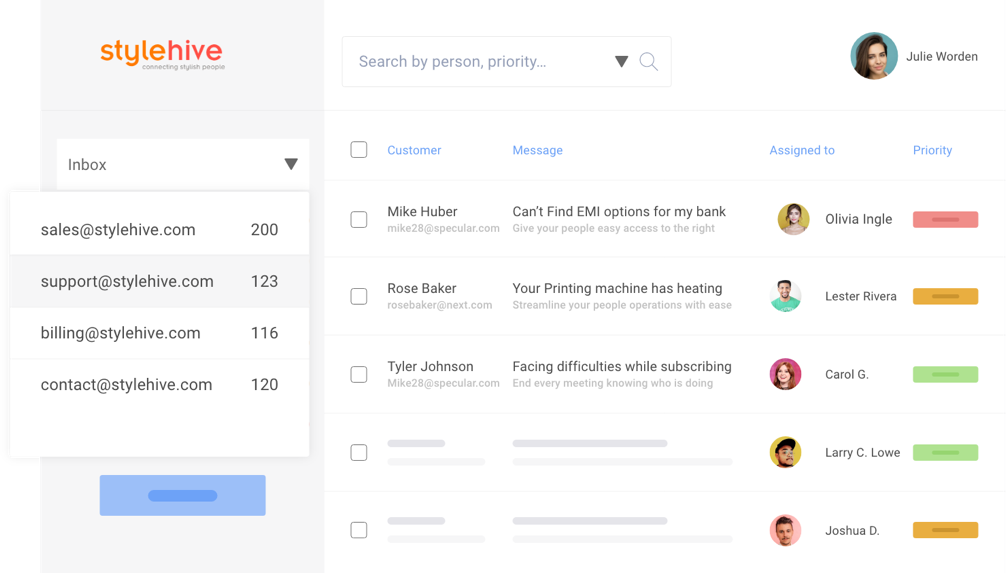
If your support data is still spread across tools, inboxes, and shared folders, your team ends up wasting time just trying to find context. Cloud-based help desks fix that by keeping everything in one place, so agents can pick up any conversation quickly, even when teams are remote or working across shifts.
Cloud-first platforms also reduce the usual IT friction. You get automatic backups, easier updates, and the flexibility to scale when ticket volume spikes. Tools like ProProfs Help Desk help centralize support without heavy setup, so teams can get organized without turning this into a long project.
What to do next:
- Move ticket history and customer details into one cloud platform
- Enable secure access across devices for agents and managers
- Turn on automatic backups
KPIs to track:
- Ticket volume
- Ticket deflection rate
- Pending and in-progress tickets
2. Managing Multiple Digital Channels in One Place
Customers do not think in channels. They just want help, and they will reach out wherever it feels easiest at the moment. That might be email today, live chat tomorrow, and a follow-up message later from a different place entirely.
When support conversations live in separate systems, things get missed. Customers repeat themselves. Agents lose context. An omnichannel help desk brings email, live chat, help center requests, internal tickets, and other inquiries into one workflow so every conversation stays connected.
What to do next
- Identify the top channels your customers actually use most
- Bring those channels into one ticketing workflow
- Set expectations and response standards for each channel
KPIs to track
- Response time by channel
- Ticket volume per channel
3. Automating Manual Tasks
Many support teams still spend a surprising amount of time on admin work like assigning tickets, tagging priority, sending routine updates, and writing the same replies again and again. That slows your response times and increases errors, especially when volume rises.
Automation helps your team move faster without lowering quality. Even a few simple workflows like auto-routing and SLA reminders can remove hours of repetitive work each week. And it is worth calling out the common concern here: automation is not about replacing agents. It is about removing the busywork so they can focus on real customer conversations.
What to do next
- Start with 1–2 simple automations (ticket routing, tagging, SLA reminders)
- Involve agents early so workflows fit real support situations
- Expand only after you see clear wins
KPIs to track
- Reduction in manual tasks
- Ticket response time
- Tickets resolved per agent
4. Using AI Chatbots for Instant Customer Support
Chatbots are showing up everywhere because customers like instant answers. When used well, they can handle repetitive requests such as FAQs, order tracking, appointment scheduling, and password resets. That means customers get help right away, and your agents get fewer low-value tickets.
The best results come from balance. Let bots take the simple, high-volume questions. Let humans handle complex issues, sensitive cases, and anything that needs judgment or empathy. A smooth handoff from bot to agent matters more than having a “smart” bot.
What to do next
- List your most common repetitive questions
- Use a chatbot to answer those consistently
- Make the handoff to an agent easy and fast
KPIs to track
- Ticket deflection rate
- Chatbot resolution percentage
5. Tracking Support Performance With Real-Time Data
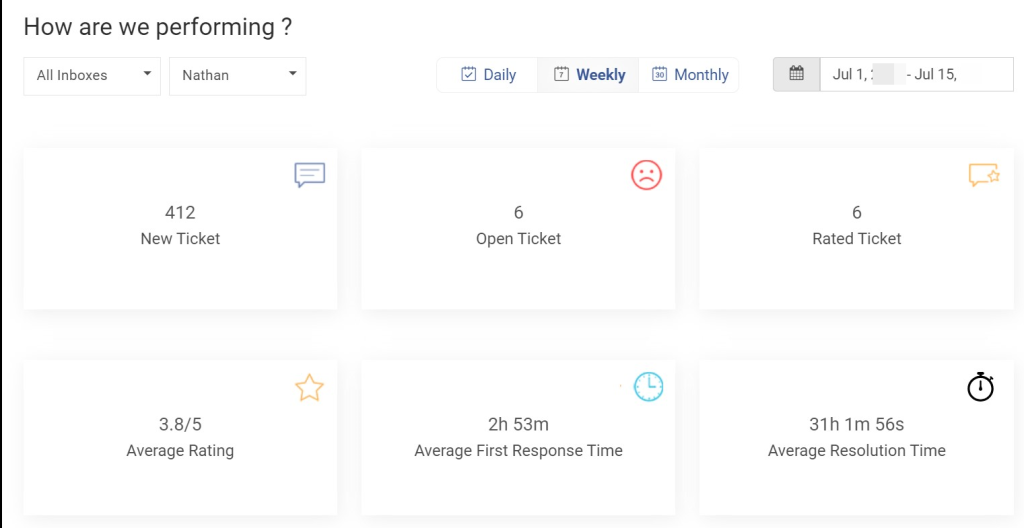
Support transformation breaks down quickly when teams rely on guesswork or manual reporting. If you want to improve response and resolution, you need visibility into what is happening right now, not what happened last month.
Modern help desks provide real-time dashboards for first response time, resolution time, agent workload, and customer satisfaction. This helps leaders spot bottlenecks early and coach teams with specific, practical insights instead of vague feedback.
What to do next
- Set clear benchmarks for response time, resolution, and CSAT
- Review performance weekly and look for patterns, not one-off dips
- Share insights with agents so improvement feels collaborative
KPIs to track
- CSAT score
- First contact resolution rate
FREE. All Features. FOREVER!
Try our Forever FREE account with all premium features!
Step-by-Step Roadmap for Help Desk Digital Transformation
If you want digital transformation to actually stick, you need a roadmap that feels practical for your team and noticeable for your customers. The idea is simple: fix the basics first, then layer on automation, AI, and continuous improvement.
Stage 1: Assess Your Current Support Setup
Before you change anything, get clear on what is happening today. Where are requests coming from, what gets missed, and where are your agents spending unnecessary time? This stage is about spotting gaps that are hurting customers, like slow replies, repeated follow-ups, or tickets that bounce between people.
You also want to identify what is still manual. If your team is copying details across tools, manually assigning tickets, or chasing updates, that is usually your first big opportunity.
What to do next
- Audit where tickets come from and how they enter your system
- Identify unmanaged channels and repeated issues customers report
- Map your current workflow from “request received” to “issue resolved”
Stage 2: Build a Strong Digital Ticketing Foundation
Once you know the pain points, set up a solid foundation where every request is captured, organized, and easy to act on. Your help desk should become the single place your team uses to manage support, so nothing gets lost and customers get consistent responses.
This is also where you create a structure that helps customers behind the scenes. Clear categories, priority rules, and escalation paths reduce delays and prevent urgent issues from getting stuck.
What to do next
- Choose one unified platform to act as your support hub
- Define ticket categories, priorities, and ownership clearly
- Set escalation rules so urgent issues move fast
Stage 3: Introduce Automation Gradually
Automation works best when you start small and prove value quickly. Pick repetitive tasks that frustrate agents and slow customers down, then automate those first. The goal is not to automate everything. It is to remove the busywork that blocks faster support.
When agents see that automation helps them focus on real conversations, adoption becomes much easier.
What to do next
- Auto-assign tickets based on topic, priority, or customer type
- Add canned responses for common questions, with room to personalize
- Trigger alerts for overdue tickets or breached SLAs
Stage 4: Expand Into AI and Self-Service
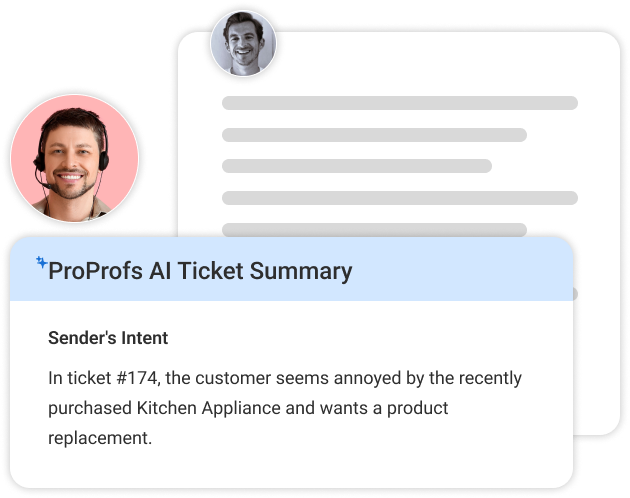
Once your ticketing and workflows feel stable, you can add self-service and AI in a way that actually improves the customer experience. A well-built knowledge base or customer portal helps customers get quick answers without waiting, and chatbots can handle simple, repetitive requests instantly.
The key is to keep it customer-friendly. Self-service should be easy to find and easy to use. And if a bot cannot solve it, the handoff to a human should be smooth.
What to do next
- Publish answers for your top FAQs and recurring issues
- Enable a customer portal so people can track requests easily
- Add chatbot support for simple questions with a clear handoff option
Stage 5: Optimize With Continuous Improvement
Digital transformation is not a one-time setup. Customer expectations change, products change, and support volume shifts. This stage is about building a habit of improving the experience every month, based on real patterns.
Keep asking what issues repeat most, where customers struggle, and what slows agents down. Small improvements here add up fast, especially when they reduce customer effort.
What to do next
- Review results monthly and identify the biggest bottleneck
- Update workflows, categories, and responses based on trends
- Collect customer feedback after key interactions and act on it
Next Steps for Leaders, Managers, and Support Agents in Customer Service Transformation
To keep digital transformation moving, every role needs a clear focus. Here are the simplest next actions for each group, without overcomplicating it.
1. For Leaders (CIOs, CTOs, Ops Heads)
Align help desk transformation with business goals like retention, faster resolution, and better customer experience, then invest in scalable support systems that keep conversations and context in one place so growth does not create chaos.
2. For Support Managers
Fix workflows first and roll out changes gradually through practical training, so your team builds confidence step by step and performance improves in a steady, sustainable way.
3. For Support Agents
Learn the automation features early, use templates and knowledge resources to respond faster, and share customer feedback regularly because those daily insights are often the quickest way to improve support.
Kickstart Your Customer Service Digital Transformation Journey
Digital transformation in customer service is really about making support easier, faster, and more consistent for customers across every channel. It’s not just a technology shift, but a smarter way to reduce friction and deliver better experiences.
The strongest service desk transformation efforts start with small, practical improvements, like centralizing requests, automating repetitive tasks, and giving support teams the tools they need to respond with confidence.
If you’re beginning this journey, a cloud-based help desk solution such as ProProfs Help Desk can help you organize workflows and take the first step toward a more modern, customer-focused support experience.
FREE. All Features. FOREVER!
Try our Forever FREE account with all premium features!

 We'd love your feedback!
What did you like & how can we make it even better?
 Thanks for your feedback!
 Ask Your Question
Have a question? Get expert help to make your decision easier.