

I’ve spent over a decade helping companies fix their customer service operations, and here’s the pattern I keep seeing: when it comes to internal and external customer service, businesses that consistently fail their external customers almost always have a broken internal service culture first.
The clearest example? A SaaS company I worked with had skilled agents and initially strong CSAT scores, but those numbers started slipping as internal bottlenecks piled up. Support agents had to wait 3–5 days for IT to resolve basic laptop issues and received delayed, generic responses from HR on critical queries. What broke inside didn’t stay inside and customers paid the price.
In this guide, I’ll walk you through what internal and external customer service really mean, how they differ, why both matter, and how to build a strategy that takes care of both so neither your employees nor your customers are ever left waiting.
What Is Internal Customer Service?
Internal customer service is the support that employees receive from other departments or teams within the same organization. Think of it this way: when a sales rep’s laptop crashes and they call IT, they’re an internal customer. When a new hire reaches out to HR about their benefits, they’re an internal customer.
Internal customer service covers all the behind-the-scenes support that keeps your business running. It’s typically handled by:
- IT departments — resolving hardware, software, and technical support issues (also called business IT support or IT help desk)
- HR departments — handling onboarding, payroll, leave requests, and employee queries (teams that often benefit from a dedicated HR ticketing system
- Finance teams — managing expense claims, reimbursements, and budget queries
- Facilities teams — managing office needs, equipment, and workspace issues
The primary goal of internal customer service is simple: give employees everything they need to do their jobs well. When internal service is fast, responsive, and empathetic, employees feel valued and supported — and that directly shapes how they treat your paying customers. This is the core reason why internal and external customer service must be managed as a connected system, not two separate silos.
What Is External Customer Service?
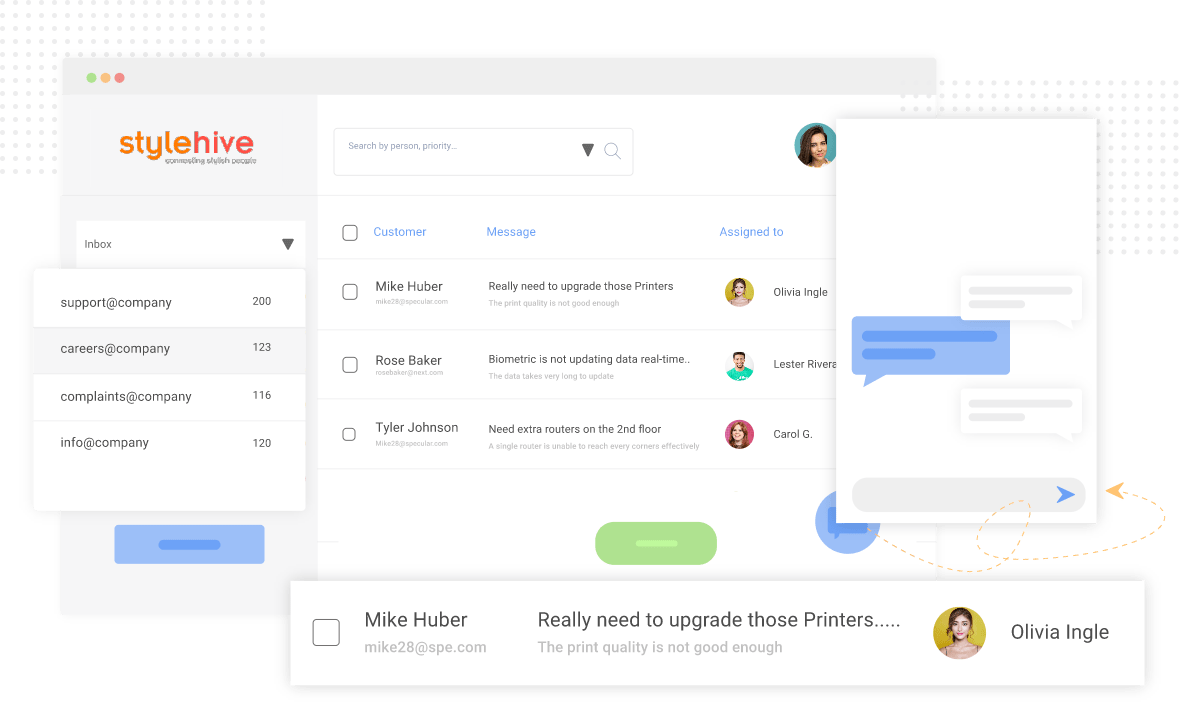
External customer service is the support a business provides to its paying customers: the people who buy your products or use your services. This is the more familiar face of customer service. Your support team, live chat agents, help desk staff, and service desk representatives are all delivering external customer service.
Your support team delivers external customer service when they:
- Answer product or billing questions
- Resolve complaints and technical issues
- Handle returns, refunds, or cancellations
- Provide onboarding and how-to guidance
- Follow up after a service interaction
The goal of external customer service is to build loyalty, reduce churn, and create customers who come back and bring others with them.
ProProfs Help Desk powers both internal IT support and external customer service from one platform.
What Is the Difference Between Internal and External Customer Service?
The core difference is who you’re serving: employees inside the organization (internal) versus paying customers outside it (external). But the differences run deeper than the audience. Here’s the full breakdown:
| Factor | Internal Customer Service | External Customer Service |
|---|---|---|
| Who is served | Employees, managers, internal stakeholders | Paying customers, clients, end-users |
| Primary goal | Boost employee productivity and satisfaction | Drive loyalty, retention, and revenue |
| Managed by | IT, HR, Facilities, Finance | Customer support, CX, service desk teams |
| Relationship type | Ongoing, employment-based | Transactional or ongoing purchase-based |
| Communication tone | Informal, collegial | Professional, brand-aligned |
| Key tools | Internal help desk, IT ticketing, knowledge base | External help desk, live chat, email support |
| Success metrics | ESAT, resolution time, SLA compliance | CSAT, NPS, first response time, churn rate |
| Accountability | Direct — same organization | Indirect — customer can leave at any time |
| Common examples | IT help desk, HR support, facilities requests | Product support, billing help, complaints |
One important distinction: internal customers are often more vocal about poor service but less likely to be prioritized. External customers vote with their wallets. Both deserve your best effort.
Why Does Internal Customer Service Matter for External Customer Service?
The link most businesses miss: how well you serve your employees is a direct predictor of how well they’ll serve your customers.
This isn’t just intuition, as the data is definitive. Contact center research shows that improving agent job satisfaction alone can increase CSAT scores by 62% and boost operational efficiency by 56% (AmplifAI, 2025). That’s an enormous return from something that costs nothing but attention and process.
Customer service expert Micah Solomon, author and Forbes contributor, puts it plainly: “internal customer service is ‘no less essential’ than external customer service, and organizations that treat it as secondary are building their customer experience on a cracked foundation.”
When your internal IT support is slow, and employees can’t get their tools to work, they’re frustrated before the first customer call even happens. When HR takes two weeks to respond to a leave query, that employee feels undervalued. And undervalued employees do not go the extra mile for your customers.
Here’s how the service chain actually works:
- Employee has a problem → reaches out to internal support
- Internal support responds quickly with empathy and a solution
- Employee feels supported, focused, and respected
- Employee engages positively and productively with external customers
- Customer has a great experience → stays loyal → refers others
Break any link in that chain, and the whole thing collapses.
FREE. All Features. FOREVER!
Try our Forever FREE account with all premium features!
What Are the Key Similarities Between Internal and External Customer Service?
Despite their differences, internal and external customer service share six foundational principles:
- Both require fast response times. Nobody, whether employees or paying customers, wants to wait for help. Speed matters on both sides, and slow response times destroy trust in both directions.
- Both rely on clear communication. Ambiguous, incomplete answers create frustration, whether you’re a customer or a colleague. Clarity is a service standard, not a bonus.
- Both benefit from self-service options. A well-built knowledge base reduces ticket volume for IT and HR teams just as effectively as it does for customer support teams.
- Both must be measured. You track CSAT for customers — you should track ESAT (Employee Satisfaction) for internal teams too. What gets measured gets managed.
- Both need SLAs. Service level agreements are not just for external customers. Internal teams should commit to defined response and resolution timeframes — and be held accountable to them.
- Both create loyalty. Employees who feel well-served are loyal to the company. Customers who feel well-served are loyal to the brand. Loyalty is built through consistent, quality service.
What Are Real-World Examples of Internal Customer Service?
Understanding internal customer service is easier with concrete scenarios:
1. IT Help Desk Support
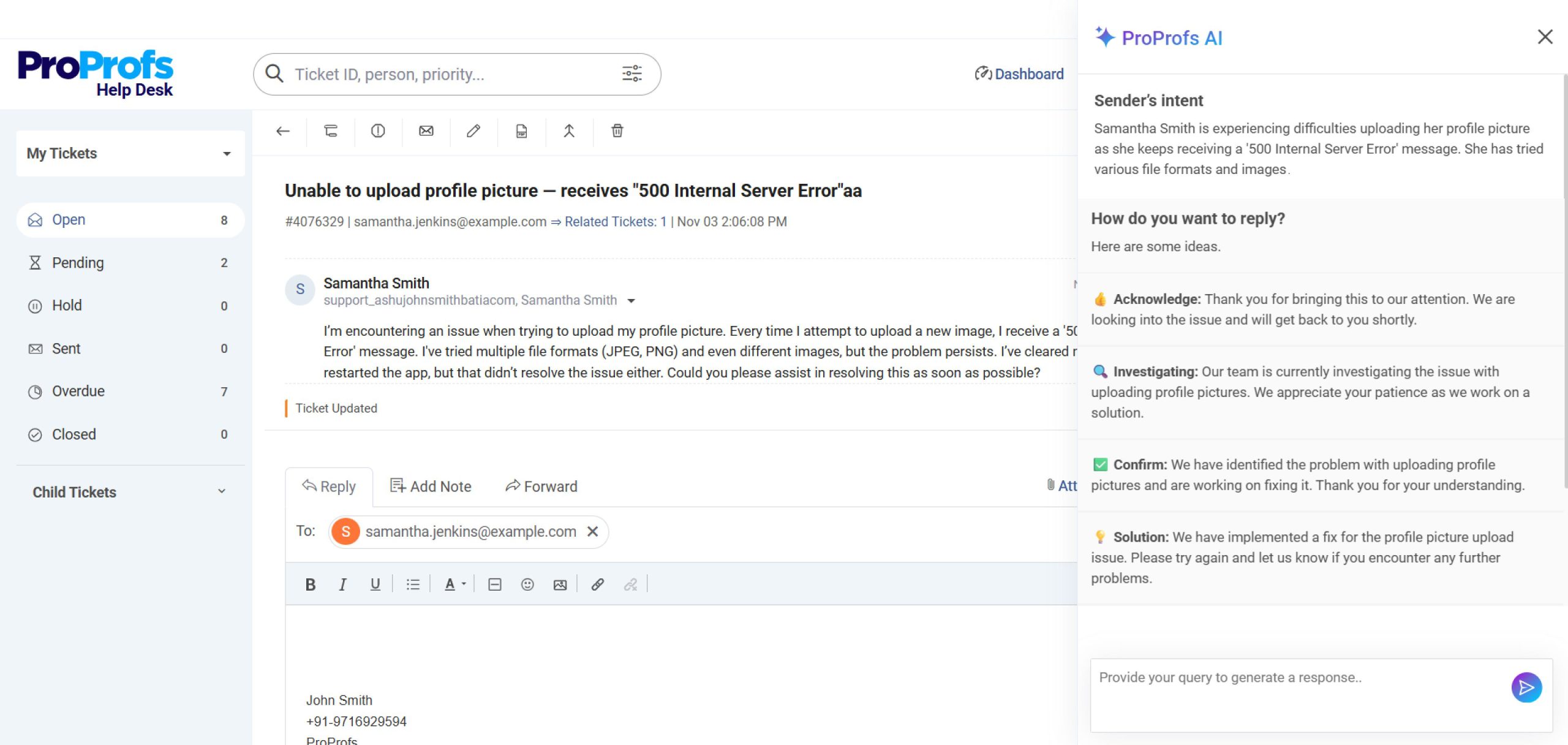
A marketing manager can’t upload their profile picture to the company’s training portal. She raises a ticket with the IT help desk.
The IT agent uses ProProfs Help Desk’s AI ticket summary and response suggestions, shares the required steps, and adds the fix to the internal knowledge base — so the next employee can self-serve. That’s business IT support working the way it should.
2. HR Query Management
A new employee has a question about the company’s parental leave policy. He submits a query via the HR help desk portal. HR responds within 24 hours with a clear, empathetic explanation and a direct link to the employee handbook.
The ticket is tagged, tracked, and logged for SLA reporting. That’s internal HR customer service done right.
3. Cross-Department Requests
The sales team needs updated product collateral from marketing before a major pitch. Marketing treats the request like a customer order — acknowledges it, sets a delivery date, and delivers on time with a brief handoff note. Both teams have treated each other as internal customers.
4. Finance Support (Service Recovery Example)
An employee submits an expense claim and hasn’t heard back in two weeks. She escalates via the help desk.
Finance acknowledges the delay, apologizes, processes the claim within 48 hours, and sends an ESAT survey to close the loop. That’s internal service recovery — and it matters.
What Are Real-World Examples of External Customer Service?
External customer service shows up everywhere your business touches its customers:
1. AI-Powered Help Desk Support
A customer emails your support team because a feature isn’t working as expected. Your agent uses AI help desk software like ProProfs Help Desk to get a ticket summary and response suggestions to resolve the issue in minutes. The agent can also leverage AI to change the tone of the message or prompt it to include additional details.
Watch this short video to see how AI help desk software works and helps you automate support:
2. Live Chat Support
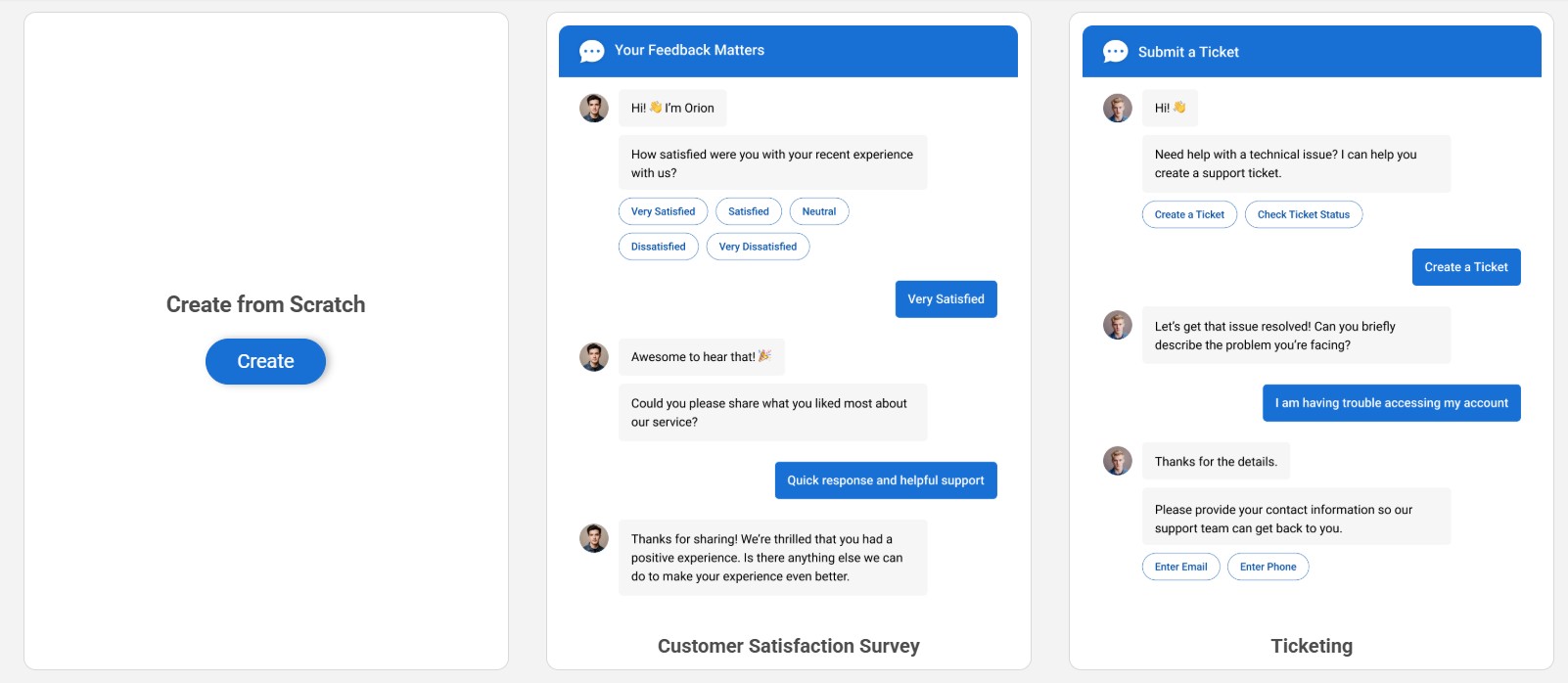
A website visitor asks a pre-sales question via live chat. A trained agent or chatbot answers the query in under a minute and moves them closer to a purchase decision. That’s external service actively supporting revenue.
3. Complaint Handling
A customer posts a negative review about a bad experience with your product. Your support team responds publicly within the hour with empathy, a direct solution, and a follow-up in private. That’s external service protecting your brand reputation.
4. Proactive Support
Your team identifies a recurring issue affecting a subset of customers after a product update. Instead of waiting for tickets to pile up, they send a proactive heads-up email with a solution before customers even notice the problem. That’s external service at its proactive best.
How Does a Help Desk Support Both Internal and External Customer Service?
A help desk is the operational core of both types of customer service. It’s where all requests arrive, get tracked, get resolved, and get measured — whether from an employee or a paying customer.
Here’s how a Help Desk handles both:
For Internal Customer Service (IT & HR Support):
- Employees submit tickets for IT issues, HR queries, or facilities requests via email, a portal, or embedded forms
- Tickets are automatically routed to the right team using smart rules and priority tags
- Agents see full ticket history and context — no repeated explanations from the employee
- An AI-powered internal knowledge base lets employees self-serve before raising a ticket
- SLA timers track response and resolution times for every internal request
- ESAT surveys are sent automatically after ticket resolution to measure employee satisfaction
- Managers access real-time reports on resolution speed, backlog, and team performance
For External Customer Service:
- Customers contact your team via email, live chat, web form, or social media
- All conversations land in a shared inbox — nothing falls through the cracks
- AI-suggested replies help agents respond faster to common questions
- Canned responses and templates ensure consistent, on-brand communication
- CSAT surveys are triggered automatically post-resolution
- Escalation rules route complex tickets to senior agents or specialist teams
- Reports track first response time, resolution rate, SLA compliance, and customer satisfaction
The single biggest advantage of using one platform like ProProfs Help Desk for both internal and external support is consistency. The same workflows, same reporting, same quality standards — whether you’re serving an employee with a laptop issue or a customer with a billing complaint.
FREE. All Features. FOREVER!
Try our Forever FREE account with all premium features!
What Is the Difference Between a Help Desk and a Service Desk?
A help desk focuses on reactive support — resolving issues as they arise. A service desk is broader — it covers proactive IT service management, change requests, and infrastructure planning.
For most small and mid-sized businesses, the two terms are used interchangeably. Both exist to keep employees and customers productive. The key difference is scope:
| Help Desk | Service Desk | |
|---|---|---|
| Focus | Break-fix, reactive | End-to-end IT service management |
| Users served | Employees, sometimes customers | Primarily internal employees |
| Processes | Incident management, ticket resolution | Incident, change, problem, asset management |
| Framework | Ad-hoc or ITIL-lite | Formal ITIL alignment |
| Best for | SMBs, customer support teams | Enterprise IT departments |
The key difference is scope, and if you want a deeper breakdown, this comparison of help desk vs. service desk covers it thoroughly.
For businesses managing both internal IT support and external customer service, a help desk like ProProfs Help Desk provides the flexibility to operate as both — without the complexity of a full ITSM platform.
What Are the Best Practices for Internal Customer Service?
Good internal customer service doesn’t happen by accident. These are the practices that actually move the needle.
1. Set Clear SLAs for Internal Teams
Just as your customer support team has response time targets, your IT and HR teams need them too. If an employee submits a ticket, they should know exactly when to expect a response — not be left guessing for days. Define SLAs by ticket priority (critical, high, medium, low) and enforce them through your help desk.
If you’re setting these up for the first time, this guide to SLA management covers exactly how to structure them.
2. Build an Internal Knowledge Base
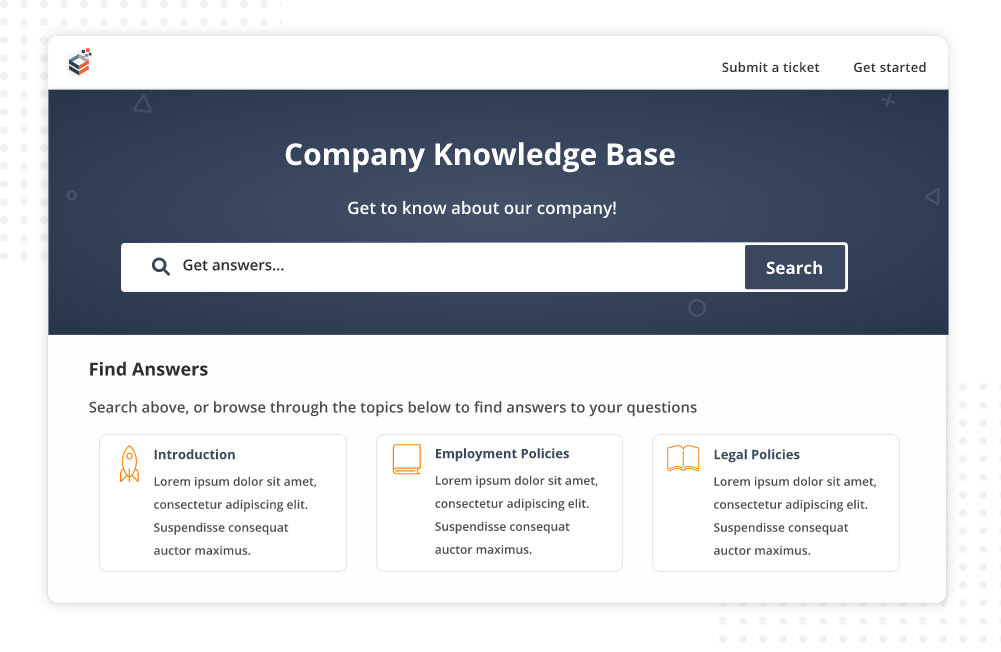
Most internal tickets repeat the same issues: password resets, leave policy questions, VPN setup, expense submission steps. Document all of it in an accessible internal knowledge base.
When employees can self-serve, ticket volume drops and resolution time improves for the issues that genuinely need human attention.
3. Apply the Same Empathy Standards You Use for Customers
This is where internal service most often fails. Internal teams get dismissive because there’s no “customer leaving” consequence. But there is a consequence — disengaged employees. Treat every internal request with the same respect and urgency you’d give a paying customer.
4. Measure Employee Satisfaction (ESAT)
You can’t improve what you don’t measure. Run pulse surveys quarterly, send ESAT scores after ticket resolutions, and use anonymous feedback channels to understand how your employees actually feel about internal support quality.
5. Use One Platform for Both Internal and External Support
When your IT team and your customer support team operate from the same help desk, you reduce training overhead, standardize reporting, and make cross-team knowledge sharing effortless.
6. Build the Service Culture From the Top Down
Internal customer service becomes a priority only when leadership models it. When managers respond quickly, acknowledge requests promptly, and treat colleagues with genuine respect, the entire organization follows. Culture change starts with behavior at the top — not policy documents.
What Are the Best Practices for External Customer Service?
Great external customer service comes down to being fast, empathetic, consistent, and proactive. Here’s how to execute on each:
1. Improve Your First Response Time
You don’t need to resolve the issue in the first response, but you must acknowledge it quickly.
A well-timed auto-response followed by AI features like ticket summarization and response suggestions can help you meet your SLA targets. The response window makes a significant difference in how customers perceive you.
Here’s a table showing the average vs expected first response time across popular support channels.
| Customer Service Channel | Average First Response Time | Ideal First Response Time |
|---|---|---|
| Email Support | 12–24 hours | 1–4 hours |
| Live Chat | 2–5 minutes | Under 1 minute |
| Phone Support | 1–5 minutes (hold time) | Under 1 minute |
| Social Media | 1–6 hours | Within 1 hour |
| Support Tickets / Help Desk | 6–24 hours | 1–2 hours |
| Messaging Apps (WhatsApp, Messenger) | 15–60 minutes | Under 10 minutes |
2. Empower Agents With the Right Tools
Agents switching between five different systems to answer one question are both inefficient and frustrated.
Give your team an omnichannel help desk software that unifies emails, chats, social media messages, web forms, and other channels so they spend less time hunting and more time helping.
3. Build a Customer-Facing Knowledge Base
A well-structured external knowledge base with how-to articles, FAQs, and troubleshooting guides reduces inbound ticket volume while improving the customer experience.
4. Set and Communicate Response Time Expectations
Use auto-responses to set realistic expectations the moment a customer reaches out. If your SLA is 4 hours, tell them. If you’re running behind, communicate proactively.
Customers can tolerate waiting. But they cannot tolerate being ignored or misled.
5. Collect and Act on Feedback Consistently
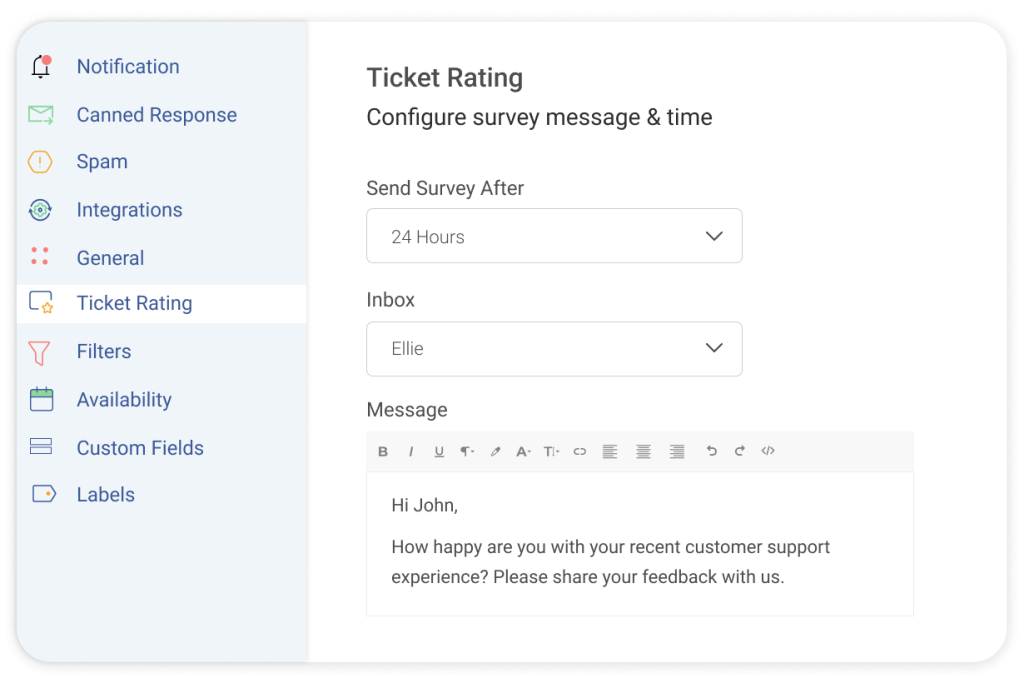
Send help desk CSAT surveys after every resolved ticket. Review NPS quarterly. Read every comment. And — critically — act on what customers tell you.
According to a study by Forrester in 2024, organizations that are genuinely customer-obsessed achieve 49% faster profit growth and 51% better retention than their peers. The data for acting on feedback is overwhelming.
6. Train Your Team Regularly
The best tools available won’t overcome an undertrained team. Regular sessions on product knowledge, empathy and communication skills, escalation procedures, and de-escalation techniques are not optional — they’re the foundation of consistent external service quality.
What Tools Help Manage Internal and External Customer Service?
The right technology stack makes the difference between a reactive, overwhelmed support operation and a proactive, scalable one. Here are the core categories every service-driven organization needs:
1. Help Desk Software
The operational hub of all service activity. A strong help desk gives you a shared inbox, ticket management, SLA tracking, AI-suggested summaries & replies, canned responses, and reporting dashboards. Tools like ProProfs Help Desk are specifically designed to handle both internal (IT/HR) and external (customer service) support in one place.
With AI features that reduce resolution time for both teams. It’s equally effective whether your support operation is fully in-house, running on outsourced IT support, or a hybrid of both.
2. Knowledge Base Software
Empowers self-service for employees and customers alike. Reduces ticket volume. Speeds up resolutions. ProProfs Knowledge Base integrates natively with ProProfs Help Desk — so when self-service doesn’t solve the problem, it escalates seamlessly to a support ticket.
3. Live Chat
The fastest channel for real-time external support. Lets customers get answers without waiting on hold. When powered by AI (as in ProProfs Chat), it handles routine queries automatically and escalates complex ones to human agents — available 24/7.
For teams considering helpdesk outsourcing or technical support outsourcing, live chat is often the first channel external providers manage on your behalf.
4. CSAT and ESAT Survey Tools
Post-resolution surveys close the feedback loop on both the employee and customer side. Track satisfaction after every interaction. Use the data to identify specific improvement opportunities. ProProfs Help Desk includes built-in CSAT and ESAT survey automation.
5. Reporting and Analytics
Without data, everything is guesswork. A help desk that surfaces out-of-the-box reports on response times, resolution rates, SLA compliance, agent performance, and satisfaction scores gives you the visibility needed to manage and continuously improve both service streams.
FREE. All Features. FOREVER!
Try our Forever FREE account with all premium features!
Delight Internal Employees & External Customers with the Right Tool
If there’s one thing I want you to take away from this guide, it’s this: internal and external customer service are not separate strategies. In fact, they’re two halves of the same commitment to people.
Your employees are your first customers. Serve them well, and they’ll serve your customers better. Neglect them, and even the most polished CX strategy will fall short — because the people executing it won’t be at their best.
The good news? You don’t need two separate systems, two different teams, or two distinct budgets to manage both. ProProfs Help Desk is built to handle internal support (IT and HR teams) and external customer service from one unified dashboard — with AI features that help both teams resolve faster, measure satisfaction, and continuously improve.
Frequently Asked Questions

Why is internal customer service important for business growth?
Internal customer service directly affects external CX quality. When employees receive fast, responsive support from IT and HR, they stay productive, engaged, and motivated to go above and beyond for customers. Businesses that prioritize internal service grow faster because their people perform better.
Can the same help desk software manage both internal and external customer service?
Yes. Modern help desk platforms like ProProfs Help Desk are built to handle internal support (IT help desk, HR queries) and external support (customer service, billing, complaints) from one platform. This reduces tool complexity, standardizes workflows, and gives managers unified visibility across both service streams — with AI features that work across both audiences.
What are examples of internal customers in a company?
An employee who contacts the IT department about a software issue is an internal customer. A new hire who asks HR about their benefits is an internal customer. A sales team that relies on marketing for content is an internal customer of the marketing team. Any employee who depends on another department to do their job is, by definition, an internal customer of that department.
How do you measure the quality of internal customer service?
The most effective method is Employee Satisfaction (ESAT) surveys sent automatically after ticket resolutions — similar to how CSAT surveys work for external customers. You can also track SLA compliance rate, average resolution time, first contact resolution rate, ticket backlog size, and repeat ticket rates by issue type. ProProfs Help Desk includes built-in reporting for all of these metrics.
What happens when internal customer service breaks down?
When internal service fails, employees spend time waiting for help instead of doing their jobs. They feel frustrated, undervalued, and disengaged — and that disengagement directly shows up in external customer interactions. Research shows contact centers lose 30–45% of their workforce annually due in part to poor internal support and employee experience (AmplifAI, 2025), each replacement costing $10,000–$20,000 in rehiring and retraining.
How does outsourced IT support affect internal customer service?
Outsourced IT support can significantly improve internal customer service when it's structured with clear SLAs, defined escalation paths, and a customer-first approach. Employees get access to specialist IT expertise without the cost of a full in-house team. Without clear accountability, outsourced support creates communication gaps and slower resolutions. Using a centralized help desk like ProProfs ensures full ticket visibility and SLA tracking — regardless of whether IT support is in-house, outsourced, or remote.
FREE. All Features. FOREVER!
Try our Forever FREE account with all premium features!

 We'd love your feedback!
What did you like & how can we make it even better?
 Thanks for your feedback!
 Ask Your Question
Have a question? Get expert help to make your decision easier.