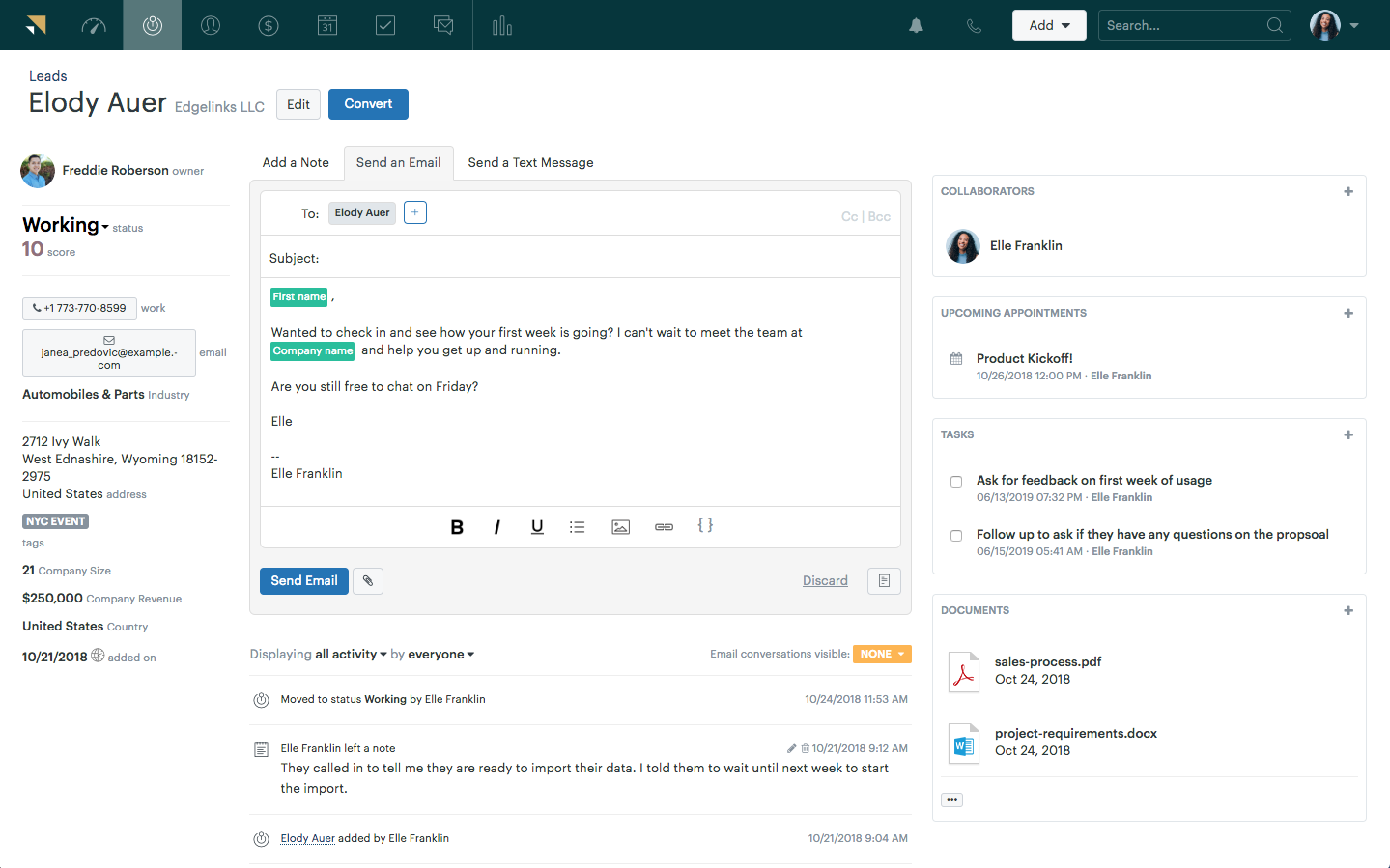

An automated ticketing system is a support tool that helps businesses manage, organize, and resolve customer queries without relying heavily on manual effort. Instead of agents sorting, assigning, and responding to every ticket from scratch, the system uses predefined rules, workflows, and AI to handle repetitive tasks—like categorizing tickets, routing them to the right team, or drafting accurate responses.
Your human agents aren’t designed for high ticket volumes. Let automation handle it.
I’ve seen support teams collapse under the weight of tickets: not because the people were inadequate, but because the system was. After a decade deploying automated ticketing systems across industries, I can tell you the result looks the same every time: Faster responses —> happier customers.
Ticket automation helps your team tackle the 2 a.m. inquiry, the duplicate request that eats an agent’s morning, or the urgent escalation buried under 300 routine emails.
Whether you are looking to automate some areas of your support process or go full AI mode, this blog will help you:
- Discover the top 10 automated ticketing systems (built for faster support)
- Explore the most in-demand AI and automation features
- Automate your support using ProProfs Help Desk (simple tweaks, maximum output)
Let’s start!
What Are the 10 Best Automated Ticketing Systems of This Year?
Choosing the right automation tools can make or break your support operations, especially when speed, consistency, and customer experience are on the line.
To help you cut through the noise, I’ve put together a list of the 10 best automated ticketing software this year, based on real-world usability, features, and scalability.
Here’s a small comparison table:
| Tool | Best For | Pricing |
|---|---|---|
| ProProfs Help Desk | AI-Assisted Help Desk for Customer Delight | A free plan is available. Paid plans start at $19.99/user/month |
| HubSpot Service Hub | HubSpot Users | Starts at $15/user/month |
| LiveAgent | Real-Time Support | Starts at $10/user/month |
| Help Scout | Email-Based Support | Starts at $25/user/month |
| Zendesk | Advanced Automation & Customization | Starts at $49/user/month |
| Zoho Desk | Zoho Ecosystem Users | Starts at $14/user/month |
| Freshdesk | Scalable Automation | Starts at $19/user/month |
| HappyFox | Structured Workflows & Reporting | Starts at $24/user/month |
| Jira Service Management | Automated IT Support | Starts at $20/user/month |
| Kayako | Personalized, Conversational Support | Custom pricing |
1. ProProfs Help Desk – Best for AI-Assisted Help Desk for Customer Delight
I would recommend ProProfs Help Desk to teams that want to resolve tickets faster and also deliver genuinely delightful customer experiences at scale. What I’ve found particularly impressive is how thoughtfully it blends simplicity with smart automation, making it easy for teams to stay efficient without feeling overwhelmed.
The AI help desk capabilities are where it really starts to shine. Features like AI-powered ticket summaries and response suggestions help me and my team understand issues faster and respond more accurately. On top of that, automation features like ticket routing, canned responses, and escalation workflows ensure that nothing falls through the cracks and every query reaches the right person at the right time.
What I also appreciate is how seamlessly it supports self-service. With a built-in knowledge base, your team can deflect repetitive queries by giving customers instant access to helpful resources, reducing ticket volume while improving overall satisfaction.
Pros:
- Offers a clean and intuitive interface that minimizes agent training time
- Shared inbox for better team collaboration and visibility
- Omnichannel ticketing capabilities (email, live chat, web forms, social media, etc.)
- Combine help desk, live chat, knowledge base, and surveys with the Customer Delight Suite
Cons:
- Cloud-based version only; no on-premise
- A dark theme mode option isn’t available
Pricing:
A free plan is available for growing teams. Paid plans start at $19.99/user/month
2. HubSpot Service Hub – Best for HubSpot Users
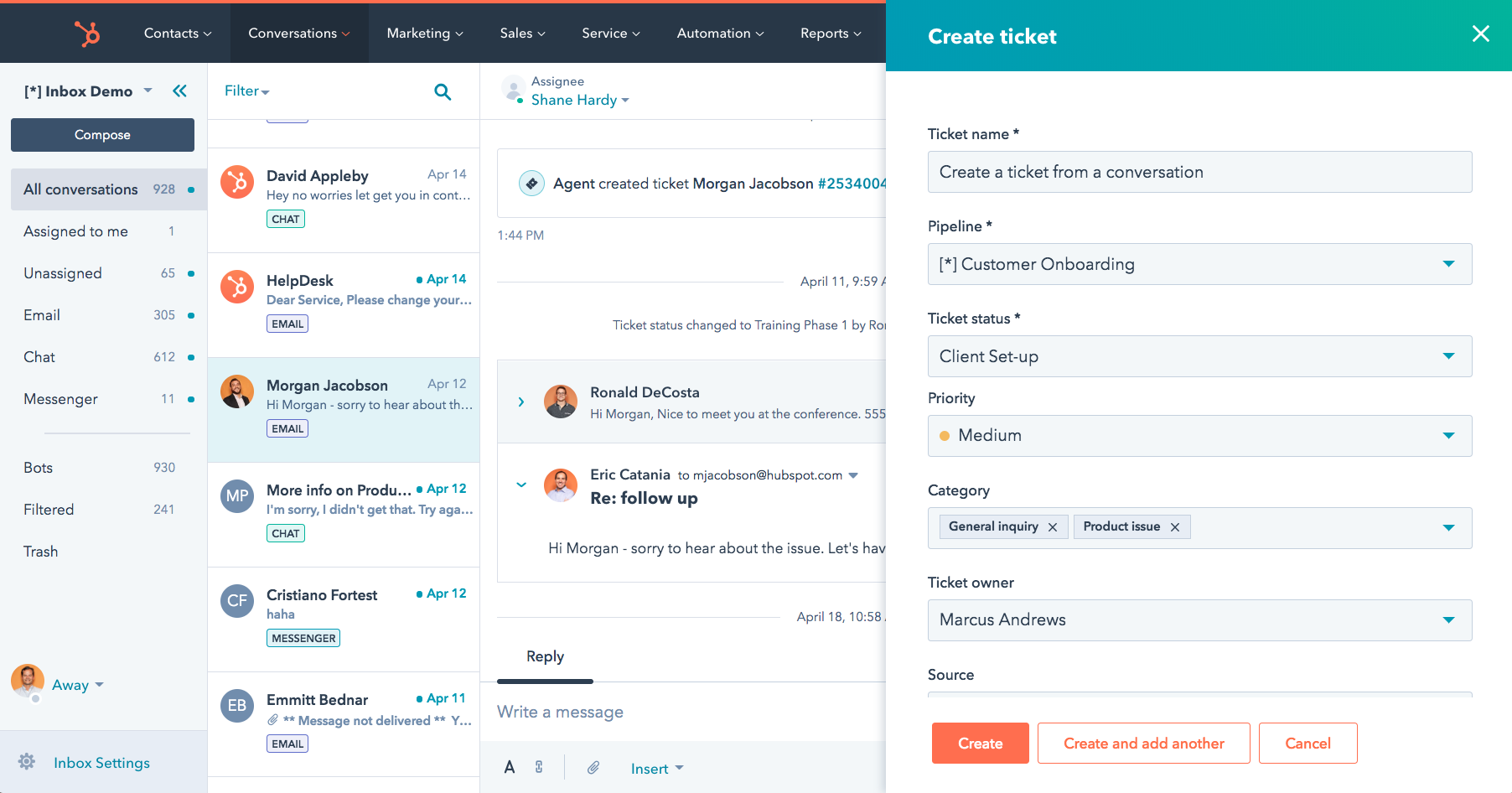
From my experience, HubSpot Service Hub feels like a natural extension if you’re already in the HubSpot ecosystem. I’ve found its ticketing automation and CRM integration especially useful for keeping customer context front and center. It simplifies workflows without making things overly technical.
What stood out to me is how easy it is to set up automation—things like ticket routing, email triggers, and knowledge base suggestions just work without much friction. It’s clearly designed for teams that want structure without a steep learning curve.
That said, I’ve noticed that as your support needs grow more complex, some advanced features can feel locked behind higher-tier plans. It’s great to start with, but scaling can get expensive.
Pros:
- Seamlessly connects support with CRM data for better context
- Makes automation setup simple, even for non-technical teams
- Canned snippets and templated responses for faster replies.
- Live chat, chatbot automation, and knowledge base integration.
Cons:
- Gets expensive quickly as you unlock advanced features.
- Offers limited flexibility in lower-tier plans
Pricing:
Starts at $15/user/month
3. LiveAgent – Best for Real-Time Support
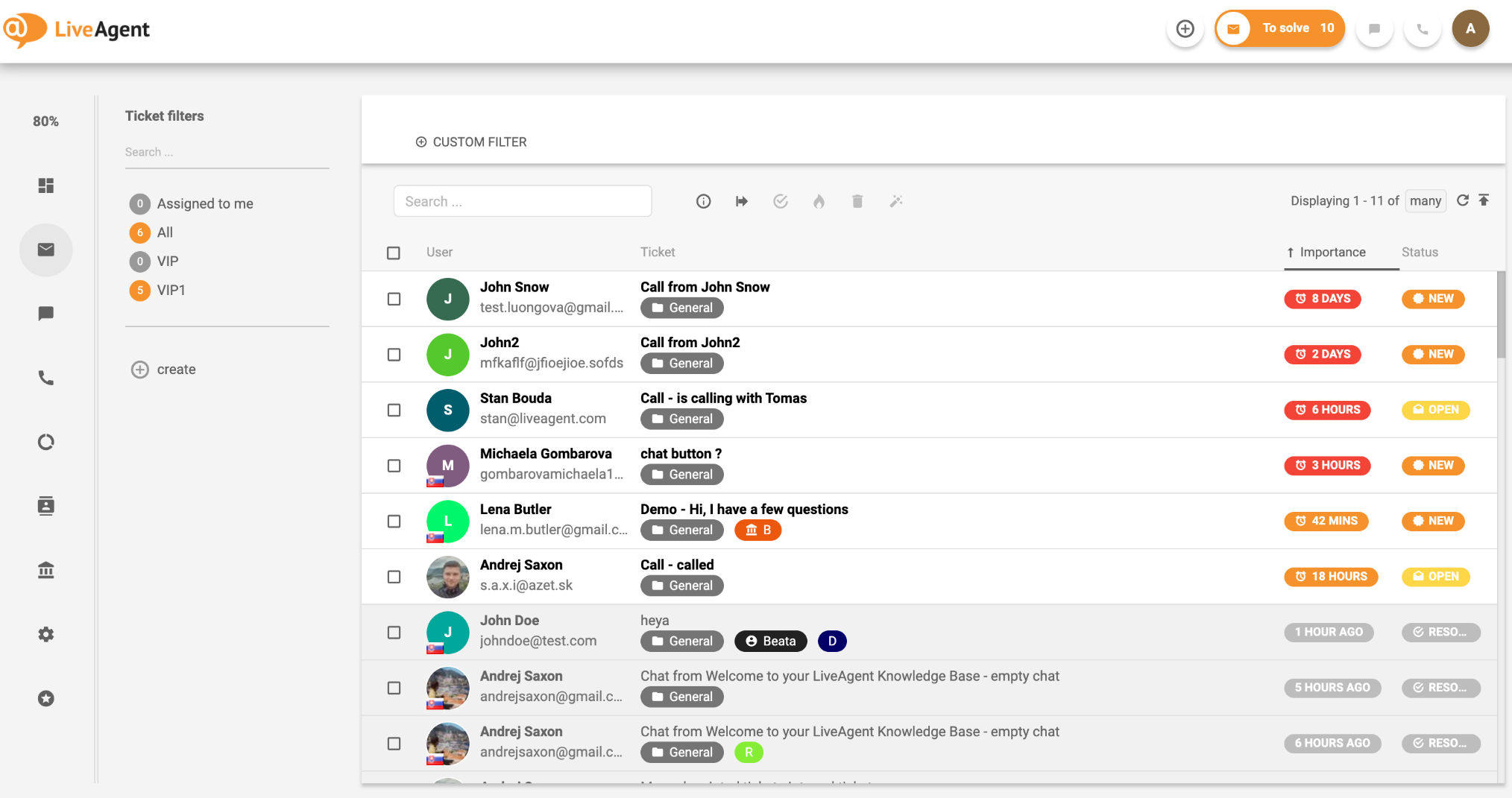
LiveAgent, in my experience, shines when it comes to real-time support. I’ve used it in environments where live chat and quick responses are critical, and it handles multi-channel communication really well.
I especially like its universal inbox—it pulls in emails, chats, and social messages into one place, which makes managing conversations far less chaotic. It’s a solid option for teams juggling multiple communication channels.
However, I’ve found the interface a bit overwhelming at times. With so many features packed in, it can take a while for teams to fully get comfortable navigating it.
Pros:
- Multiple support channels can be handled efficiently in one place.
- Delivers strong real-time chat performance
- AI-powered chatbots and proactive live chat triggers
- SLA management and workflow automation for faster resolution
Cons:
- Interface can feel cluttered and overwhelming.
- Setup and onboarding take time to master
Pricing:
Starts at $10/user/month
4. Help Scout – Best for Email-Based Support
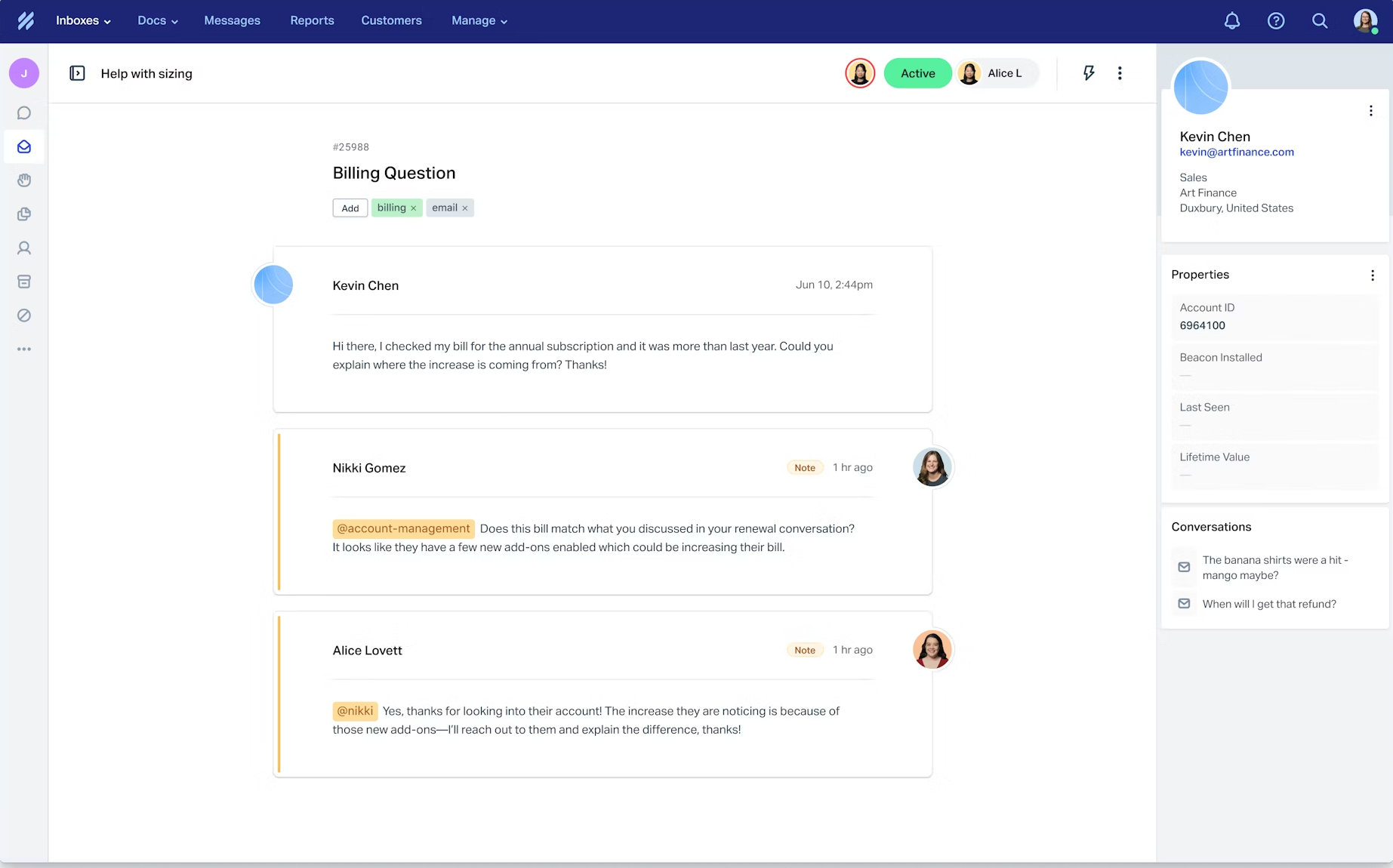
Help Scout feels refreshingly simple. In my experience, it’s one of those tools that doesn’t try to do everything—but what it does, it does really well. It’s particularly great for teams that want a clean, email-like support experience.
I’ve appreciated how it keeps things human. Features like shared inboxes and collision detection make collaboration smooth without overwhelming agents with unnecessary complexity.
That said, I’ve noticed it may not be ideal for teams needing deep automation or highly customized workflows. It leans more toward simplicity than power.
Pros:
- Clean, email-like interface that’s easy to use
- Integrated knowledge base for self-service.
- Strong workflow automation for ticket routing and prioritization
- Keeps team collaboration simple and intuitive
Cons:
- Lacks advanced automation capabilities.
- Not ideal for highly complex support workflows
Pricing:
Starts at $25/user/month
5. Zendesk – Best for Advanced Automation & Customization
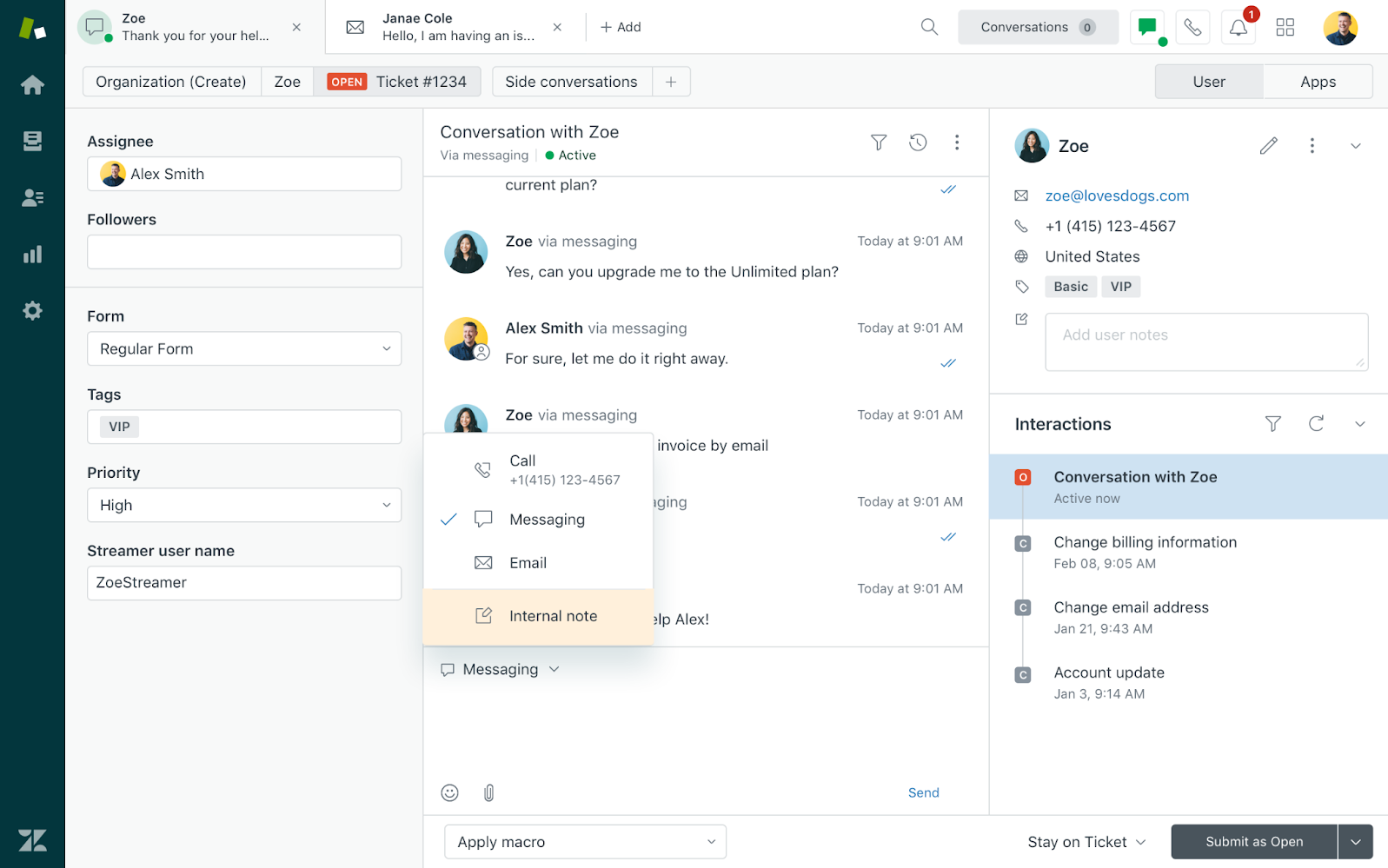
Zendesk, from what I’ve seen, is one of the most powerful ticketing platforms out there. I’ve worked with teams that rely on it for large-scale operations, and its flexibility is hard to match.
Its automation capabilities, reporting, and integrations are incredibly robust. You can customize workflows deeply, which makes it suitable for enterprise-level support environments.
But with that power comes complexity. In my experience, it can feel overwhelming to set up and manage, especially for smaller teams without dedicated admins.
Pros:
- Provides powerful customization for large-scale support needs
- Customizable workflows and macros for better ticket resolution efficiency
- Seamless integration with many popular apps and CRM tools
- Delivers robust automation and analytics features
Cons:
- Comes with a steep learning curve
- Pricing can be high for smaller teams
Pricing:
Starts at $49/user/month
6. Zoho Desk – Best for Zoho Ecosystem Users
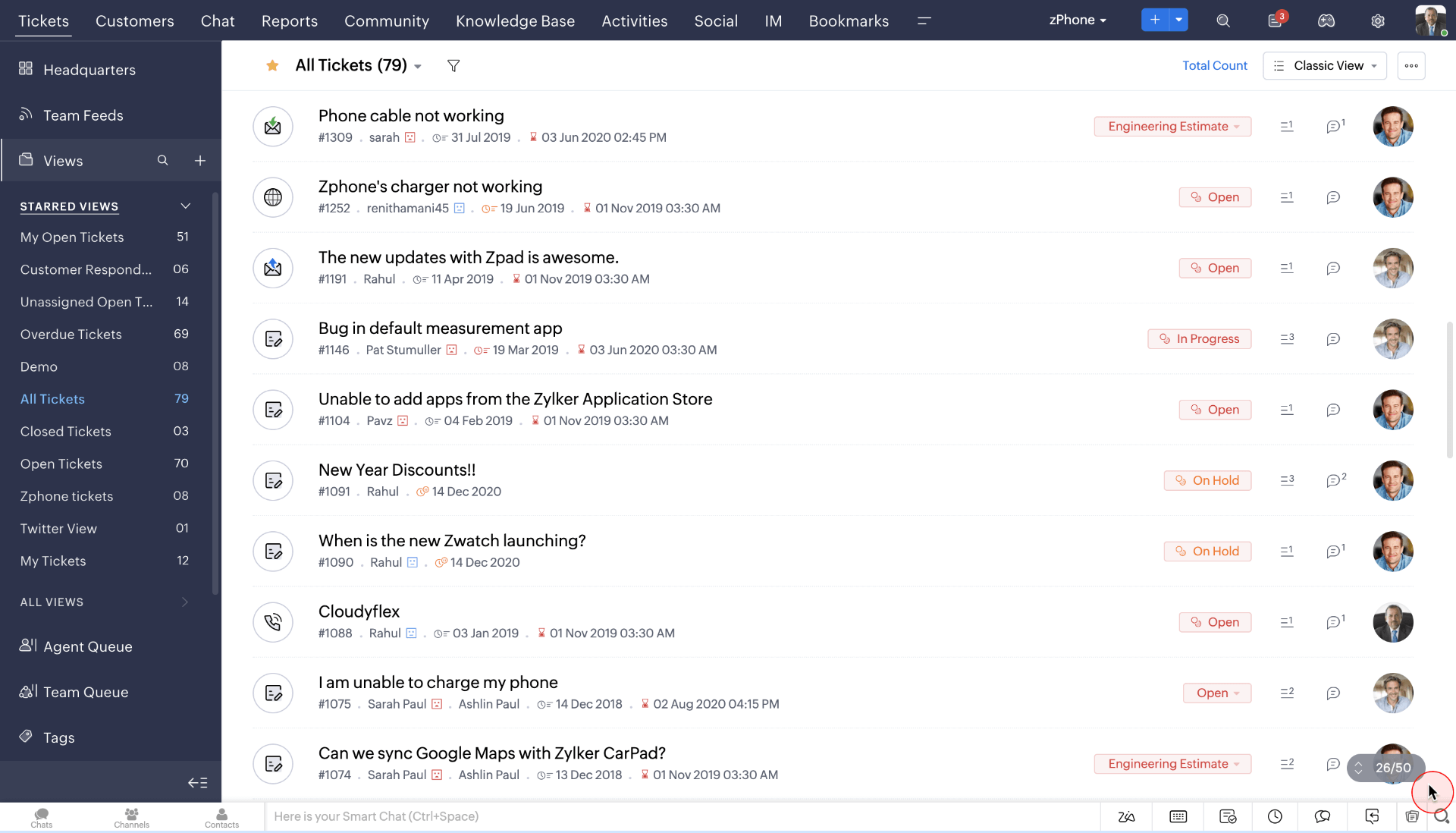
Zoho Desk has always struck me as a practical, budget-friendly option. I’ve used it in setups where cost mattered, and it still delivered solid ticketing and automation features.
I like how it integrates well with the Zoho ecosystem and offers context-aware support, helping agents see the bigger picture without constantly switching tools.
However, I’ve found that its UI and performance can occasionally feel a bit dated or slow compared to more modern tools, which can impact user experience over time.
Pros:
- Offers strong features at a budget-friendly price
- Self-service options with an integrated knowledge base
- Affordable pricing compared to competitors
- Integrates smoothly with the Zoho ecosystem
Cons:
- Interface feels slightly outdated
- Performance can occasionally lag
Pricing:
Starts at $14/user/month
7. Freshdesk – Best for Scalable Automation
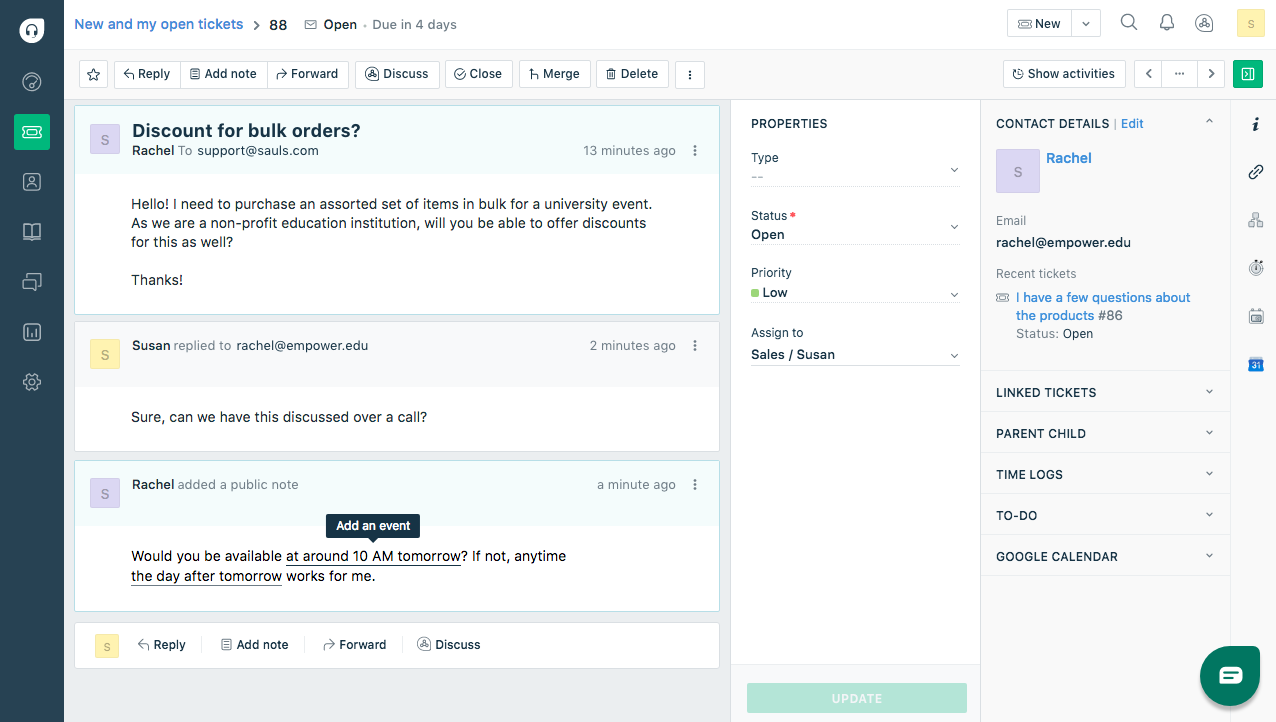
Freshdesk strikes a nice balance between usability and functionality. It’s easy to get started with, yet it still offers strong automation and AI-driven features as you scale.
I’ve found its ticketing system intuitive, and features like Freddy AI and automation rules help reduce manual workload significantly.
That said, I’ve noticed that some advanced features are gated behind higher plans, which can limit its full potential unless you’re willing to invest more.
Pros:
- AI-powered ticket automation with Freddy AI
- Easy to set up and use for growing teams
- Customizable workflows and SLA tracking
- Includes useful automation and AI features
Cons:
- Key features are locked behind higher plans
- Customization is limited in basic tiers
Pricing:
Starts at $19/user/month
8. HappyFox – Best for Structured Workflows & Reporting
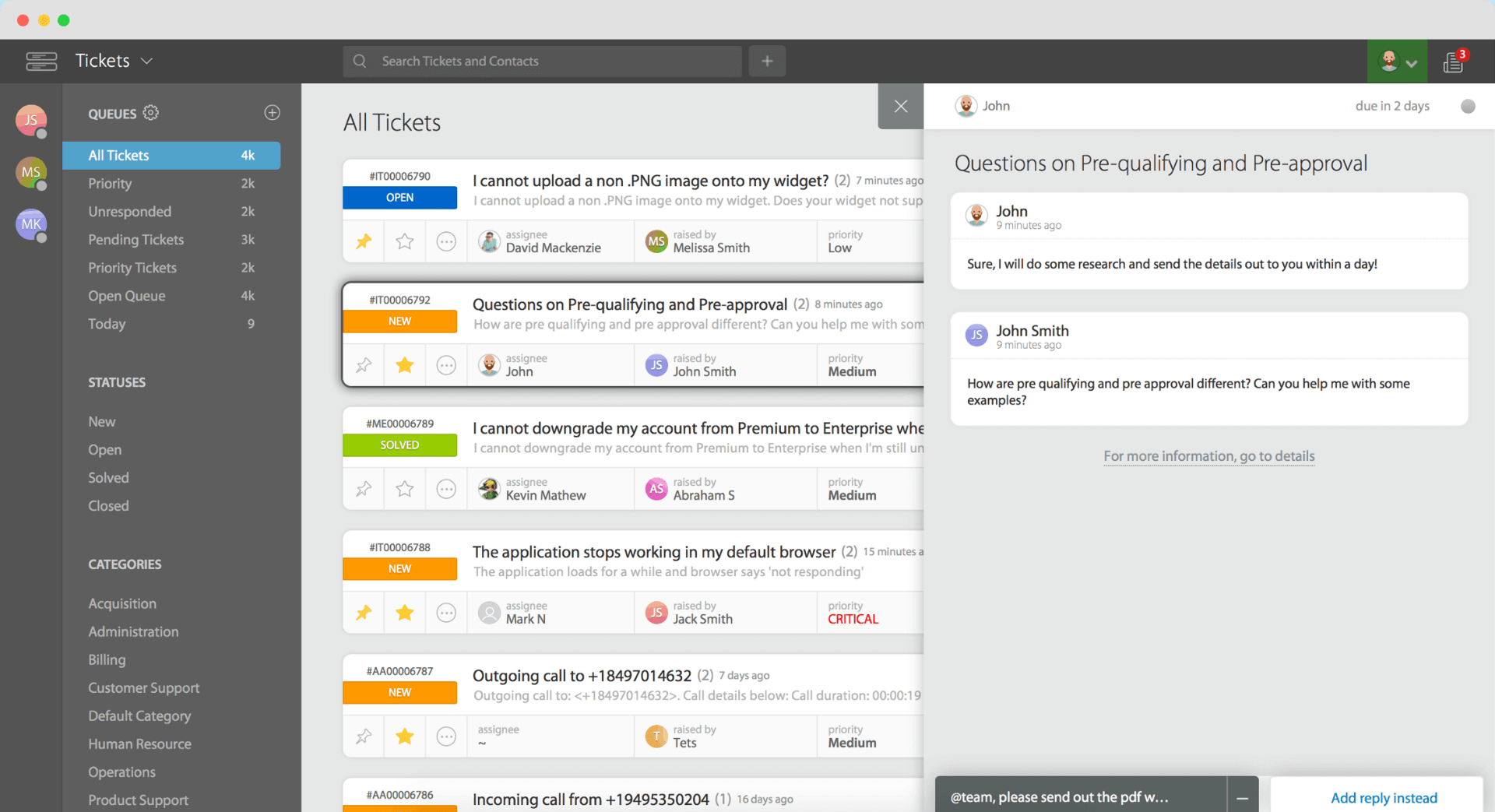
HappyFox has impressed me with how structured and organized it feels. I’ve used it in teams that needed strict ticket management and accountability, and it delivers well on that front.
Its automation and reporting tools are quite capable, and I’ve found it helpful for teams that want detailed insights into performance and workflows.
However, one thing I’ve noticed is its pricing—it can be on the higher side, especially for smaller teams, which might make it less accessible.
Pros:
- Keeps ticket management structured and organized
- AI-powered chatbots and automation for ticket resolution
- Omnichannel support covering email, chat, social, and phone
- Provides detailed and actionable reporting
Cons:
- Pricing is on the higher side
- Entry-level plans lack flexibility
Pricing:
Starts at $24/user/month
9. Jira Service Management – Best for Automated IT Support
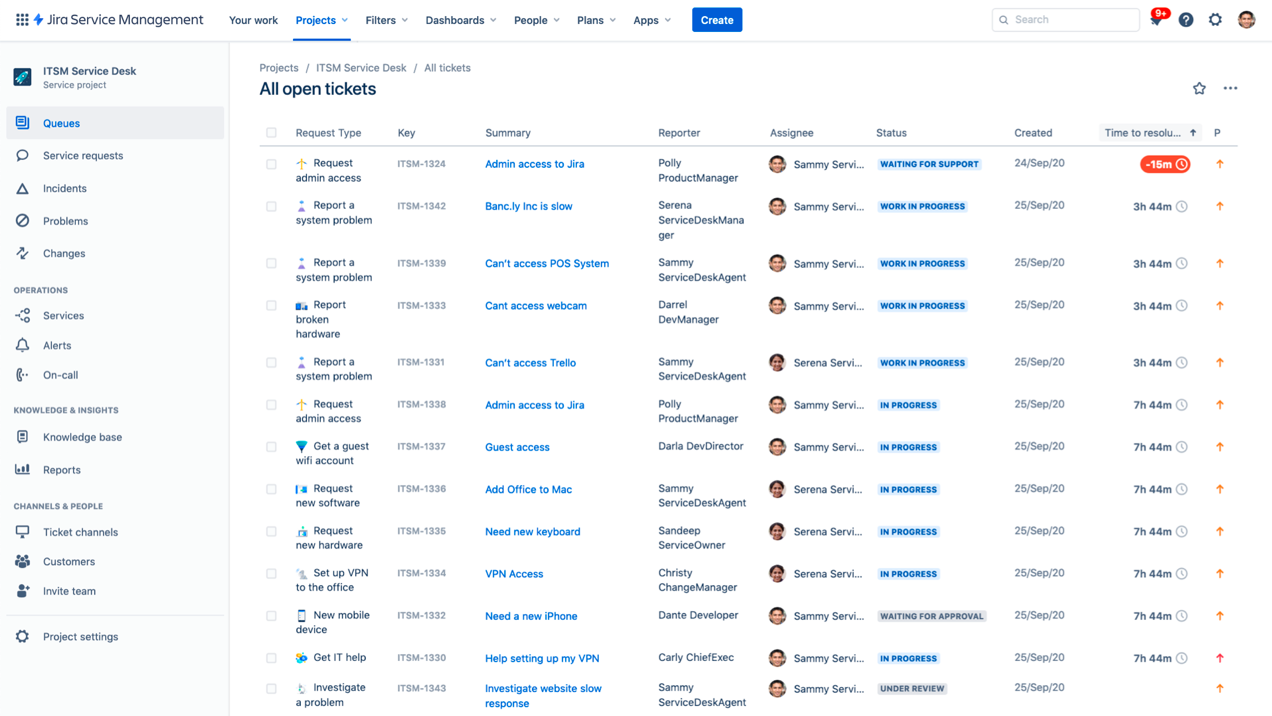
Jira Service Management, in my experience, is a go-to choice for teams already working within the Atlassian ecosystem. I’ve seen it work particularly well for IT and engineering-focused support environments where workflows need to align closely with development processes.
What I like most is its flexibility—it allows deep customization of workflows, SLAs, and automation rules. It’s especially powerful when you need to connect support tickets directly with engineering tasks.
However, I’ve noticed that it can feel overly complex for non-technical teams. If you’re not familiar with Jira, there’s definitely a learning curve involved.
Pros:
- Deeply integrates with development and IT workflows
- Incident and asset management features for IT teams.
- AI-powered automation for issue classification and prioritization
- Offers highly customizable automation and processes
Cons:
- Has a steep learning curve for non-technical users
- Can feel overly complex for simple support needs
Pricing:
Starts at $20/user/month
10. Kayako – Best for Personalized, Conversational Support
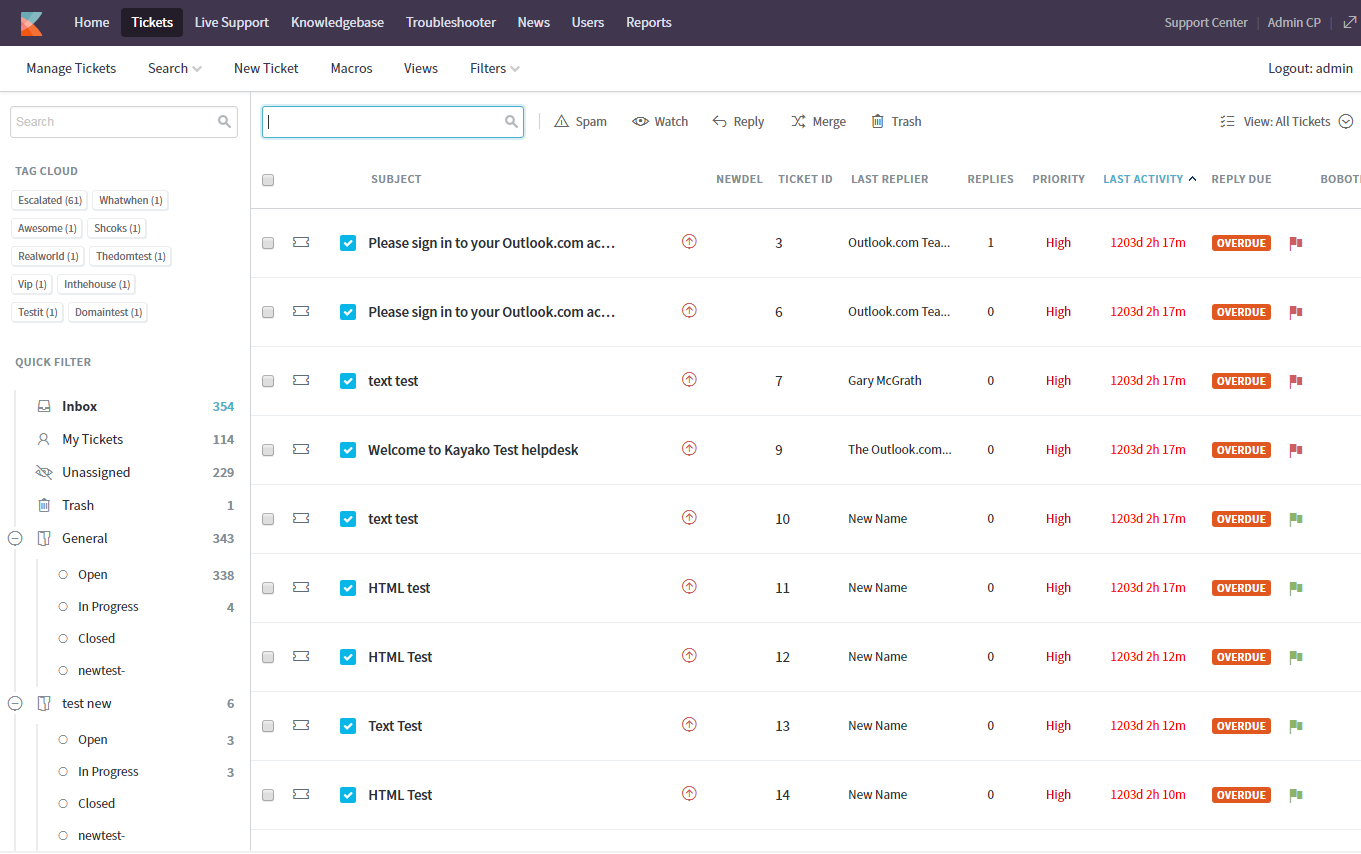
Kayako focuses heavily on delivering a more personal customer support experience. I’ve used it in setups where maintaining conversation context across channels was a priority, and it does a good job of keeping interactions unified.
I appreciate its shared inbox and customer journey tracking—it gives agents a clear view of past interactions, which helps in delivering more thoughtful responses.
That said, I’ve found that its feature set isn’t as extensive as some competitors. For teams needing advanced automation or scalability, it can feel somewhat limited.
Pros:
- Keeps customer conversations unified across channels
- Internal collaboration tools for multi-agent responses.
- Customizable ticket routing and prioritization workflows
- Provides strong context with customer journey tracking
Cons:
- Lacks some advanced automation features
- May not scale well for complex support operations
Pricing:
Custom pricing.
How to Automate Support with an Automated Ticketing System
Here’s a step-by-step guide to help you maximize AI and automation in ticket management using ProProfs Help Desk:
1. Configuring Ticket Auto Assignment
Manually assigning tickets can slow response times and create uneven workloads among agents. With AI-driven auto-assignment, tickets are automatically routed based on agent availability, workload, and predefined business rules.
Step 1: Set Agent Availability
First, set up each agent’s working hours and availability to ensure tickets are only assigned when they’re active.
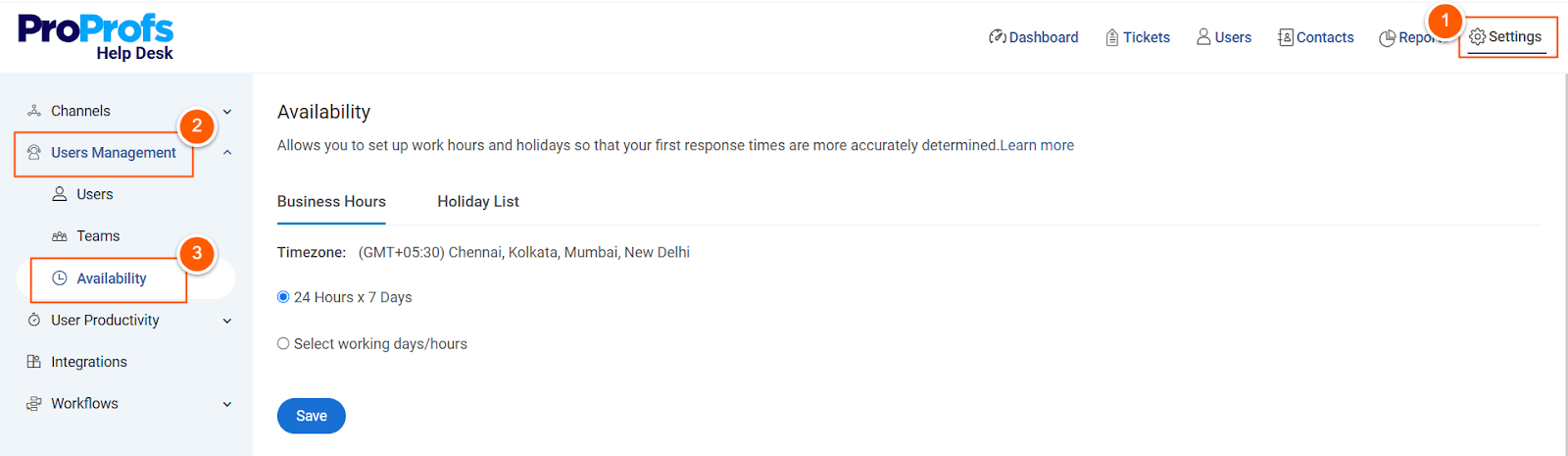
- Navigate to Settings → User Management → Availability
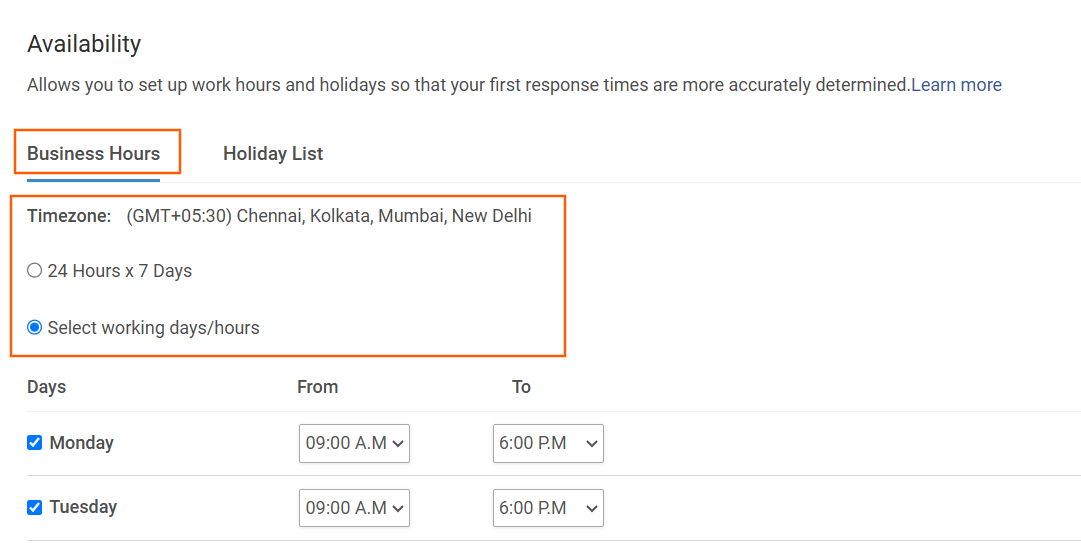
- Define business hours, selecting specific working days and times
- Add company holidays to prevent tickets from being assigned when agents are off-duty
- Click Save to apply changes
Step 2: Enable Auto Assignment for Inboxes
Next, configure your inboxes to distribute tickets automatically among available agents.
- Go to Settings → Channels → Inboxes
- Click Edit for the inbox you want to enable auto-assignment for
- Enable Round-Robin Ticket Assignment to distribute tickets evenly
- Set a Maximum Ticket Limit per agent to prevent overload
- Click Save to finalize the settings
Step 3: Adjust Auto Assignment Preferences for Agents
You can also customize auto-assignment settings for each agent based on their capacity.
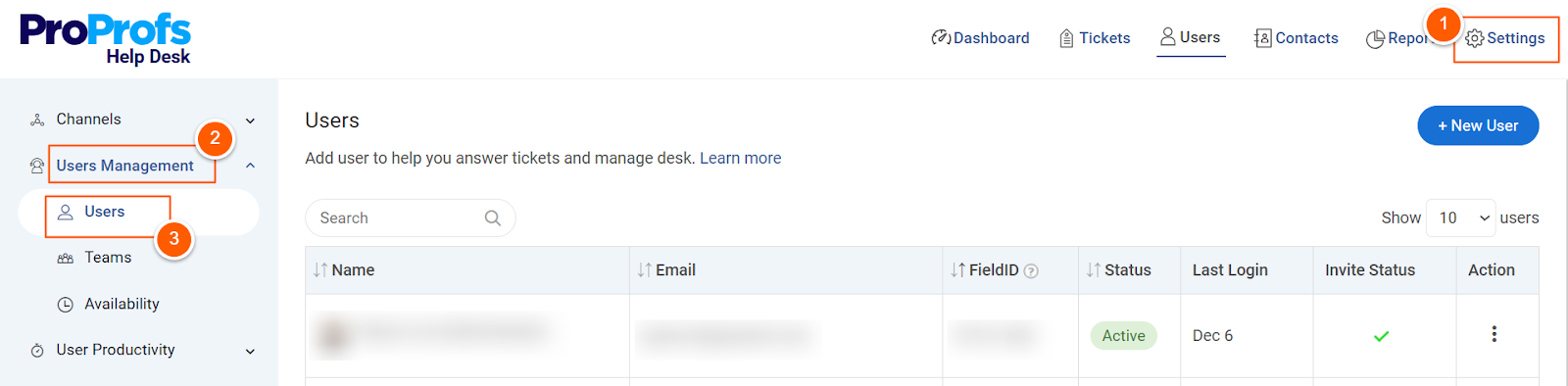
- Navigate to Settings → User Management → Users
- Enable “Assign Tickets Automatically” for selected agents
- Set a Max Open Ticket Limit to define the number of tickets an agent can tackle at a time
- Click Save to confirm the settings
Now, tickets will be assigned efficiently, ensuring balanced workloads, faster responses, and higher customer satisfaction.
2. Responding to Support Tickets Using AI
Handling a high volume of support tickets manually can be exhausting, but AI-powered response suggestions simplify the process. ProProfs Help Desk’s AI assists in analyzing customer queries and suggesting thoughtful responses to improve accuracy and efficiency.
Step 1: Open the Ticket Interface
- Navigate to the ticket queue in the ProProfs Help Desk
- Click on the ProProfs AI icon to generate a quick ticket summary and AI-powered response suggestions
Step 2: Review AI-Suggested Responses
ProProfs AI categorizes responses into different sections to ensure relevant replies:
- Acknowledge – Apologize for any inconvenience and assure customers their issue is being handled
- Confirm – Provide status updates and confirm receipt of their query
- Request – Ask for additional details if needed to resolve the issue
- Apologize – Offer a formal apology along with an explanation
- Update – Share the latest progress on their request
Step 3: Customize and Send Responses
- Click Insert to add a suggested response
- Edit the response or prompt AI to improve the response based on your needs
With AI-generated responses, support teams can resolve tickets faster, improve accuracy, and enhance the overall customer experience.
10 Key Features to Look for in an Automated Ticketing System
A great automated ticketing system isn’t just about logging issues—it’s about making support smoother, faster, and more efficient. The right features can take your customer service from chaotic to seamless. Here are the must-haves:
1. Automated Ticket Routing
With automated ticket routing there is no need for manually sorting through requests. Incoming tickets are automatically categorized and assigned to the right agent or team based on pre-set rules, like urgency, department, or keywords. This means faster resolutions and no misplaced tickets.
2. Ticket Summarization & Response Suggestions
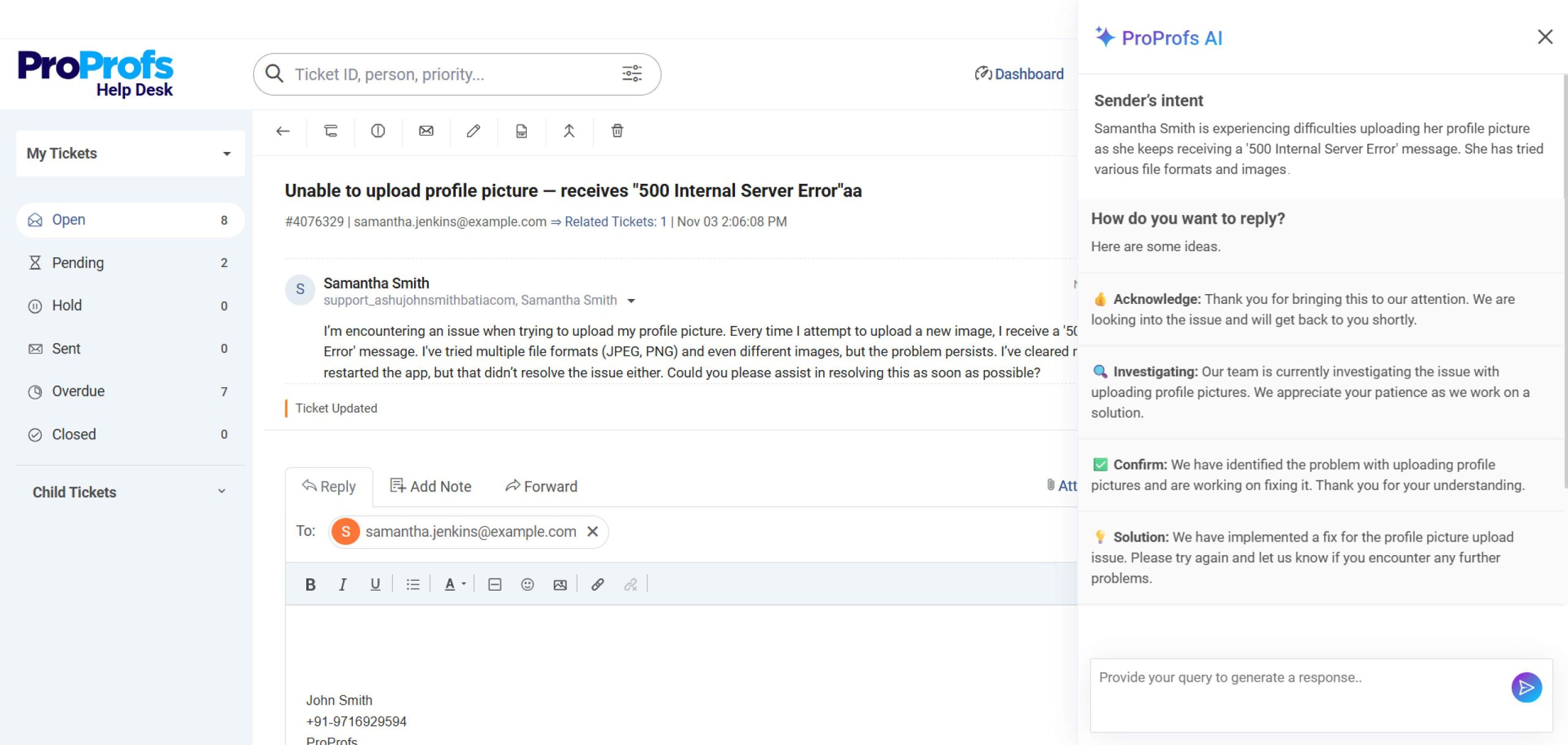
AI-powered help desk tools help speed up responses by summarizing key ticket details and suggesting replies based on past interactions. This makes handling repetitive queries quicker and more efficient.
3. Ticket Prioritization & Escalation
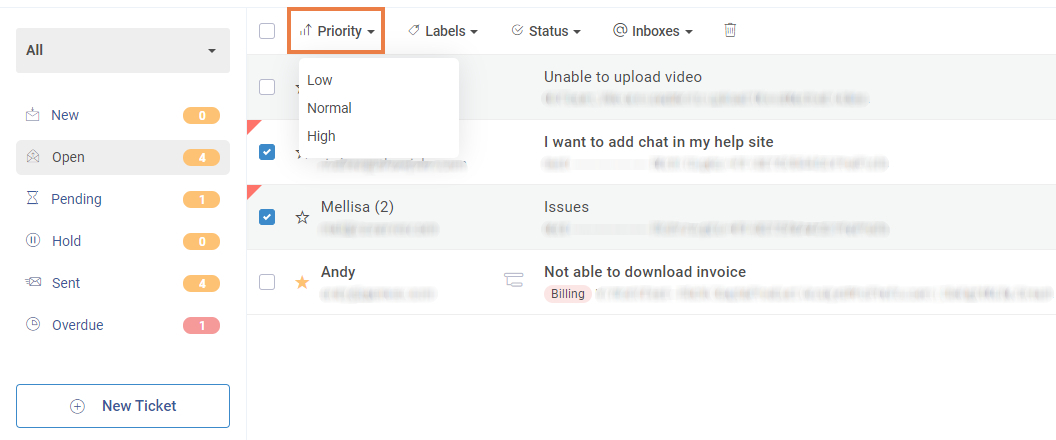
Not all issues are equal. Critical tickets should be prioritized and escalated automatically to ensure they aren’t buried under minor requests. Built-in workflows can route high-impact problems straight to senior agents for immediate attention.
4. Omnichannel Support
Customers reach out from everywhere—email, chat, web forms, and social media. A strong system centralizes all interactions in one place, so agents always have the entire conversation history and don’t need to jump between tools.
5. Customer Self-Service Portal
Many customers prefer solving issues themselves. A sound ticketing system includes a self-service portal with FAQs, tutorials, and a help center so users can find answers without waiting for an agent
6. Collaboration Tools
Sometimes, solving a ticket requires input from multiple teams. Internal notes, agent tagging, and shared workspaces allow seamless collaboration so issues get resolved without endless email chains.
7. Keyword Shortcuts
Save time by using shortcuts for canned responses. Instead of typing out standard replies every time, agents can insert them instantly with a simple command, keeping responses consistent and speeding up resolutions.
8. Report Scheduling & Analytics
Track performance with real-time reports on response times, resolution rates, customer satisfaction, and agent workload. Automated reports ensure managers always have the latest insights to refine processes.
9. Surveys & Feedback Collection
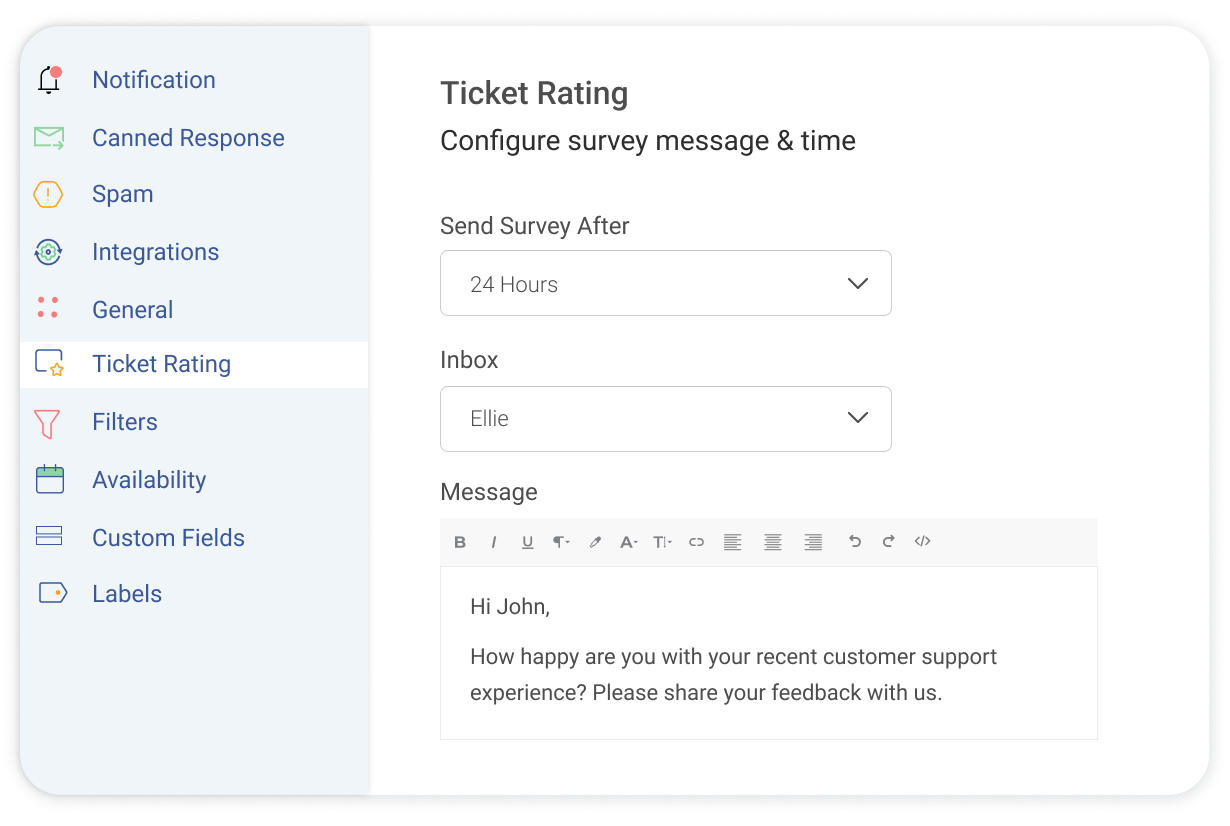
A quick follow-up survey gathers insights into the customer experience once a ticket is resolved. This helps fine-tune the support process and improve satisfaction.
10. Integrations with CRM & Other Tools
A ticketing system should work with the tools your team already uses. Whether syncing with a CRM, connecting to communication apps, or integrating with project management software, everything should work together for a smoother workflow.
Why Do Businesses Need an Automated Ticketing System?
The impact goes beyond just organizing tickets—it’s about enhancing productivity, customer satisfaction, and decision-making. Here’s why businesses are turning to automated ticketing solutions:
1. Efficiency & Productivity Boost
With AI ticketing, support teams have to waste less time on administrative tasks and more on actual problem-solving. Automation handles everything, ensuring requests get to the right person without delays.
Agents can focus on resolutions instead of sorting through backlogs, and streamlined workflows keep everything moving. With intelligent routing, tickets aren’t just assigned randomly—they go to the most qualified and available agent.
2. Improved Customer Experience
Speed matters in customer support, and automation ensures faster responses and resolutions. When tickets are handled promptly, frustration levels drop, and satisfaction skyrockets.
AI-powered tools can even personalize responses, making interactions feel less robotic. Plus, with 24/7 availability through automated systems and chatbots, customers don’t have to wait for business hours to get help—they get instant support whenever needed.
3. Better Ticket Organization & Tracking
With everything centralized in one place, no request gets lost in an overflowing inbox. Automated systems keep support requests neatly organized, categorized, and tagged for easy tracking.
Every ticket has a clear history, so agents can see previous interactions and offer more informed assistance. This also improves customer service team collaboration—multiple agents can access ticket histories, reducing back-and-forth and making problem resolution more seamless.
4. Data-Driven Insights for Smarter Decisions
Support shouldn’t just be reactive—it should be proactive. Automated ticketing systems generate detailed reports on key help desk metrics like response times, resolution rates, and customer satisfaction.
These insights help businesses spot trends, identify bottlenecks, and fine-tune processes for better efficiency. Instead of guessing where improvements are needed, teams can make data-backed decisions that optimize support operations.
5. Cost Savings & Resource Optimization
Automation reduces the need for manual work, cutting down on labor costs while increasing output. Efficient ticket routing ensures that issues are handled by the right person without unnecessary escalations, saving time and resources.
And because happy customers are more likely to stick around, better support leads to higher retention and fewer costs associated with customer churn.
6. Scalability & Flexibility
As businesses grow, so do support requests. An automated ticketing system scales effortlessly, handling an increasing volume of tickets without breaking a sweat.
Flexible workflows mean businesses can tailor processes to their needs, and integrations with other tools—like CRM or project management software—ensure smooth data flow across departments. Running a small team or managing enterprise-level support, automation adapts to your needs.
FREE. All Features. FOREVER!
Try our Forever FREE account with all premium features!
What Are the Challenges of Traditional Ticketing Systems (Without AI)?
Conventional ticketing systems have too many inefficiencies to meet modern customer expectations. Here are a few challenges of working with traditional ticketing systems:
1. Difficulty in Classifying and Assigning Tickets
Without AI, agents manually review and categorize each ticket before assigning it to the right person or team. This process is slow, inefficient, and prone to human error. Misrouted tickets can cause unnecessary delays, while the lack of context forces agents to spend extra time piecing together customer history before they can even begin working on a solution.
2. Lack of Personalization
Traditional ticketing systems struggle to deliver a personalized experience. Agents often rely on generic templates, making responses feel robotic and impersonal. Without AI-driven insights, there’s no easy way to tailor responses based on past interactions, leading to repetitive explanations and frustrated customers. This lack of personalization makes it harder to build meaningful customer relationships.
3. Repetitive Tickets Drain Productivity
Support teams frequently deal with repetitive tickets, such as password resets or order status inquiries. Manually handling these requests wastes valuable time and leads to agent burnout. Instead of focusing on complex issues that require human expertise, agents are stuck responding to the same questions over and over again, reducing overall efficiency.
4. Limited Insights into Ticket Trends
Traditional ticketing systems don’t provide real-time analytics, making it difficult to identify patterns and recurring customer issues. Support teams often take a reactive approach, only addressing problems after they escalate. Without data-driven insights, businesses struggle to track key performance metrics like resolution times, agent efficiency, and customer satisfaction.
5. Inconsistent Brand Voice
Maintaining a consistent brand voice becomes a challenge with multiple agents handling customer inquiries. Responses can vary significantly depending on who handles the ticket, leading to a disjointed customer experience. New agents, in particular, may struggle to match the company’s communication style, which can weaken trust and brand identity.
6. Lack of Proactive Problem-Solving
Traditional systems don’t analyze past interactions to predict potential issues. Businesses are left waiting for customers to report problems instead of proactively addressing them. This reactive approach leads to larger-scale complaints that could have been prevented with early detection and intervention.
Real-World Use Cases of AI-Powered Ticketing Systems
AI ticketing systems aren’t just for IT or customer service—they’re transforming how businesses across industries handle support requests, streamline workflows, and improve efficiency. Here’s how different industries are leveraging AI-driven ticketing solutions:
1. Insurance: Faster Claims & Policy Management
Insurance companies handle an overwhelming number of claims, policy requests, and customer inquiries daily. AI-powered ticketing automates claim submissions, routes requests to the right department, and provides instant policy information through self-service portals.
2. Travel & Hospitality: Managing Bookings & Guest Support
From flight changes to hotel reservations, AI ticketing systems help automate customer support for booking modifications, cancellations, and special requests. Chatbots can handle queries like baggage policies or check-in details, freeing up agents for more complex customer needs.
3. Healthcare: Patient Support & Appointment Scheduling
Hospitals and clinics use AI-driven ticketing to manage patient inquiries, appointment bookings, and medical record requests. AI can also assist with insurance verification, reducing administrative burdens on healthcare staff and improving patient experience.
4. Education: Student & Faculty Support
Universities and online learning platforms use AI ticketing for student inquiries, course registration, and tech support. AI-powered systems categorize and prioritize issues, ensuring students and faculty get timely assistance without overwhelming administrative staff.
5. Retail & E-Commerce: Order Management & Customer Queries
Retailers and e-commerce brands rely on AI ticketing to handle product inquiries, track orders, process returns, and resolve payment issues. AI-driven chatbots can provide real-time order updates, reducing pressure on customer service teams and improving the shopping experience.
6. Recruitment & Human Resources: Automating Employee Requests
HR teams use AI ticketing to manage job applications, onboarding queries, payroll concerns, and employee benefits requests. Automation ensures that HR professionals can focus on strategic hiring and employee engagement rather than getting swamped with administrative tasks.
7. Marketing: Handling Campaign & Lead Inquiries
Marketing teams use AI ticketing to track lead inquiries, manage campaign requests, and respond to customer engagement questions. AI categorizes requests, prioritizes urgent ones, and ensures leads are directed to the right team for follow-up.
8. Customer Service: 24/7 Automated Support
Customer support is where AI ticketing shines the most, automating responses, categorizing tickets, and routing them to the right agents. Be it high-volume support during peak seasons or providing multilingual support, AI ensures faster resolutions and better customer experiences.
AI-Powered Ticketing Is the Future of Automated Support
AI-powered ticketing isn’t just a trend—it’s the future of efficient, scalable, and customer-centric support.
Of course, implementing AI-driven automation comes with its own challenges. Still, with the right approach—structured data, seamless integration, and a balance between AI and human touch—these hurdles become stepping stones toward a more streamlined and effective support system.
ProProfs Help Desk makes this transition easier by offering AI-powered automation that improves without overcomplicating. Now’s the time to embrace AI, optimize workflows, and redefine customer service. The businesses that adapt today will be the ones leading tomorrow.
Frequently Asked Questions

Can a small business benefit from an automated ticketing system?
Absolutely. Even small teams handling 20 to 30 tickets a day waste significant time on manual sorting and follow-ups. Automation removes that overhead immediately, letting a lean team punch well above its weight in terms of response speed.
How long does it take to set up an automated ticketing system?
Most modern tools are up and running within a day. Cloud-based options like ProProfs Help Desk are designed for fast onboarding, so teams can start managing tickets without lengthy implementation or technical setup.
Do automated ticketing systems work across email, chat, and social media?
Yes. Most modern systems support omnichannel ticketing, pulling requests from email, live chat, web forms, and social media into a single inbox so agents never have to switch between platforms to stay on top of incoming issues.
How does automation help reduce agent burnout?
By handling repetitive tasks like ticket categorization, routing, and canned responses, automation frees agents from low-value work. This lets them focus on complex issues that actually need human judgment, which improves both job satisfaction and resolution quality.
What happens to tickets that automation cannot resolve?
Unresolved tickets are automatically escalated to a human agent based on predefined rules. The system flags the ticket, assigns it to the right person, and ensures nothing sits unanswered beyond the agreed response time.
Is it possible to customize automation rules for different types of tickets?
Yes. Most systems let you build custom rules based on ticket type, priority, customer tier, keyword, or source channel. This means a billing issue and a password reset are handled very differently without any manual intervention.
How do I know if my automated ticketing system is actually working?
Track metrics like first response time, resolution time, SLA compliance rate, and customer satisfaction scores. Tools like ProProfs Help Desk surface these in built-in dashboards so you can spot gaps and adjust your automation rules over time.
FREE. All Features. FOREVER!
Try our Forever FREE account with all premium features!

 We'd love your feedback!
What did you like & how can we make it even better?
 Thanks for your feedback!
 Ask Your Question
Have a question? Get expert help to make your decision easier.