
When I first built our internal IT setup, I thought a help desk and a service desk were basically the same thing—until the cracks started to show. Tickets got closed, but inefficiencies stayed.
That’s when I realized help desk vs. service desk isn’t just a terminology issue—it’s about how mature your IT operations are. The help desk solves problems fast, while the service desk builds systems that prevent them altogether.
In this blog, I’ll break down their key differences, features, and best practices—and by the end, you’ll know exactly which one fits your business goals best.
What Is a Help Desk?
A help desk is a central place where users can reach out for help when something goes wrong — like a system issue, login problem, or software error. It’s designed to provide quick solutions, keeping operations smooth and minimizing downtime. Most businesses rely on a help desk system to manage requests efficiently and ensure no query goes unanswered.
In simple terms, a help desk focuses on resolving issues as they arise. It helps teams stay organized by tracking tickets, assigning them to the right person, and maintaining clear communication with users. The goal is simple: solve problems fast and keep everyone productive.
Help Desk Query Examples:
“My email is not working. Can you help me reset my password?”
“How do I install the latest software update?”
“The website is loading slowly. Can you check for any server issues?”
“I accidentally deleted an important file. Can it be recovered?”
What Is a Service Desk?
A service desk goes beyond just fixing problems. It manages the entire service lifecycle within an organization. It’s a broader, more strategic version of a help desk that focuses not only on resolving issues but also on delivering long-term IT and business value. A service desk connects different departments, aligns IT goals with business objectives, and ensures consistent service delivery across the organization.
In simpler words, while a help desk reacts to issues, a service desk works proactively. It handles everything from incident and change management to asset tracking and knowledge sharing. Its main goal is to improve efficiency, prevent recurring problems, and create a seamless experience for both employees and customers.
Service Desk Query Examples:
“Can you provide access to a new software application for my team?”
“We need to set up a new workstation for a remote employee. What’s the process?”
“A system outage is affecting multiple users. When will it be resolved?”
“What’s the status of my request for increased storage capacity?”
Help Desk vs Service Desk: A Clear Comparison Across Key Areas
When you’re deciding how to manage IT support, understanding help desk vs service desk can save you a lot of frustration. Let’s take a closer look at what sets them apart.
| Category | Help Desk | Service Desk |
|---|---|---|
| Tools & Features | Ticket management, canned responses, automation, and AI features like response suggestions and ticket summarization. | Service catalog, workflow automation, SLAs, CMDB, and AI-powered chatbots, auto-routing, and predictive analytics. |
| Ideal For | Small to mid-sized teams focused on resolving user issues. | Medium to large enterprises aiming for structured IT and business alignment. |
| Approach | Reactive — addresses problems as they occur. | Proactive — prevents issues and improves overall service quality. |
| Goal | Provide quick, efficient support to keep users productive. | Deliver long-term, strategic value through continuous service improvement. |
| Scope | Limited to technical issues and basic user support. | Broader coverage, including IT, HR, Facilities, and cross-departmental processes. |
| Core Purpose | Focuses on resolving user issues quickly and efficiently. | Manages the full IT service lifecycle and drives business alignment. |
| Metrics Tracked | First response time, resolution time, and ticket volume. | Service quality, SLA compliance, CSAT, and change success rate. |
| Integration Capabilities | Basic integrations with email and communication tools. | Advanced integrations with ITSM, CRM, HR, and asset management systems. |
Features That Matter in Help Desk and Service Desk Tools
Not every feature adds real value. What matters most are the capabilities that simplify processes, reduce response times, and help teams deliver faster, smarter support.
The following features define the effectiveness of any modern help desk or service desk platform.
1. Omnichannel Ticket Management
Managing customer or employee queries across multiple platforms can get messy fast. An omnichannel help desk or service desk consolidates all channels—email, chat, calls, and social messages, into one unified dashboard.
This not only reduces the chances of missing a request but also gives your team complete visibility over ongoing conversations, making it easier to respond faster and maintain consistent communication across all channels.
2. Automation and Workflows
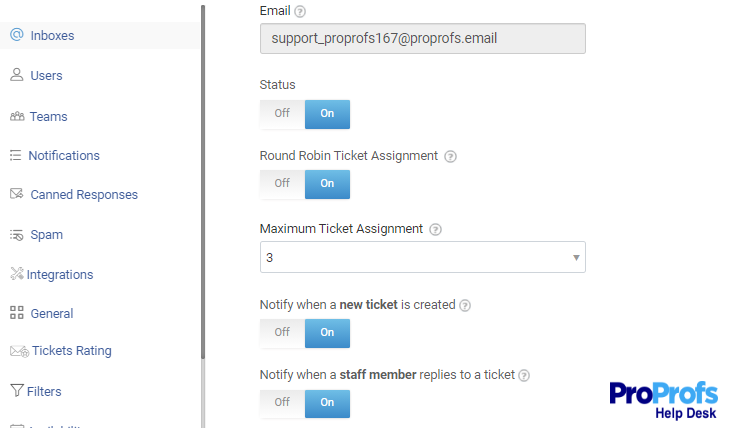
Automation transforms your support process from reactive to efficient. With workflow automation, tickets can be automatically routed to the right team, and prioritized based on urgency without manual intervention.
This means fewer delays, less human error, and more time for your team to focus on high-value tasks. Automation helps maintain consistency, improves SLA compliance, and keeps customer satisfaction high without overloading your agents.
3. AI-Powered Assistance
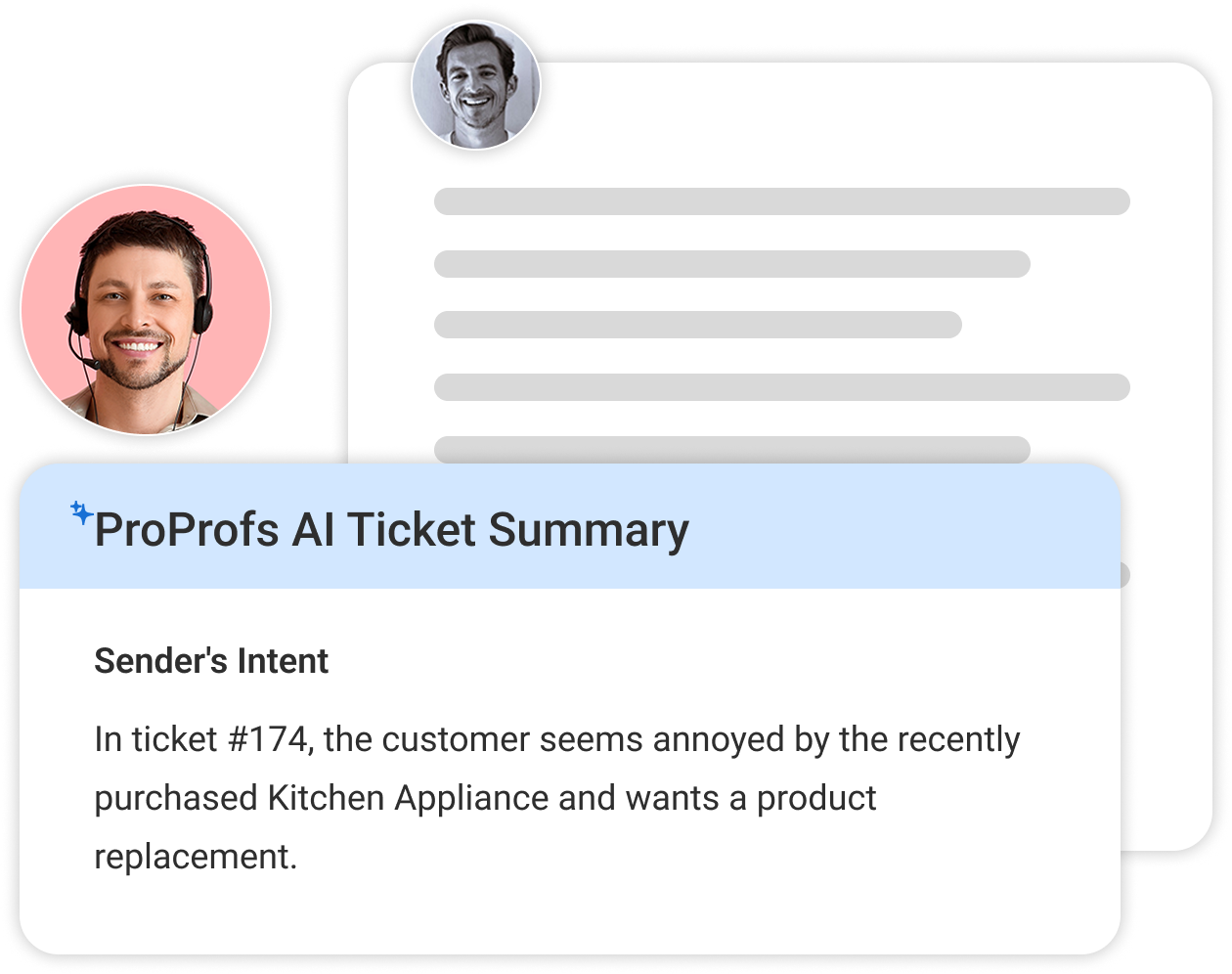
AI is redefining how modern help desks and service desks operate. AI help desk features like response suggestions, chatbots, and ticket summarization make support faster and smarter.
AI chatbots handle repetitive queries instantly, freeing agents for complex tasks, while AI-generated summaries save time when reviewing long email chains. The result? A quicker, more personalized experience for users and a lighter workload for your support teams.
4. Self-Service Knowledge Base
A knowledge base is your 24/7 support assistant. It lets users find answers to common issues on their own through FAQs, guides, and step-by-step articles. This not only reduces ticket volume but also empowers users to troubleshoot independently.
For internal teams, it acts as a centralized resource for documentation and standard procedures, ensuring consistent information sharing and faster problem resolution across the organization.
5. SLA and Performance Tracking
Tracking Service Level Agreements (SLAs) ensures that your team consistently meets deadlines and maintains service quality. With built-in SLA monitoring, managers can easily see which tickets are approaching deadlines and take action before targets are missed. It also enables better resource allocation, accountability, and performance analysis.
Ultimately, SLA tracking isn’t just about metrics — it’s about ensuring users get timely, reliable support every single time.
6. Collaboration Features
Modern service management thrives on teamwork. A shared inbox keeps everyone on the same page by making all incoming requests visible and preventing duplicate responses. Features like internal notes, ticket tagging, and team mentions allow departments to coordinate effortlessly without switching between tools.
This not only replaces messy email chains but also ensures faster, more accurate resolutions—whether it’s IT working with HR, or support teams collaborating with engineering.
7. Customization and Scalability

No two organizations work the same way, and that’s where customization matters. A good help desk or service desk should let you tailor workflows and ticket forms, and include custom canned responses to ensure consistent, time-saving communication.
As your business grows, scalability becomes key — the tool should handle more users, integrations, and service requests without losing performance. Flexible systems adapt to your evolving needs instead of forcing rigid structures.
8. Reporting and Analytics
Data drives improvement. A strong reporting and analytics module helps you understand what’s working and where your support needs fine-tuning. From ticket volume and agent performance to recurring issues and customer satisfaction, insights drawn from reports enable smarter decisions.
Dashboards offer real-time visibility into service quality, helping leaders identify trends, allocate resources effectively, and continually optimize service delivery for better long-term results.
FREE. All Features. FOREVER!
Try our Forever FREE account with all premium features!
Your Go-To Checklist for Choosing a Help Desk or Service Desk Tool
With so many options out there, picking the right help desk or service desk can feel overwhelming. The goal is simple: find a tool that saves time, supports your team, and scales effortlessly.
Here’s a quick checklist to guide your decision.
| Best Practice | Description |
|---|---|
| Identify Your Core Needs | Define what your team handles most — IT, HR, or customer queries — to choose a tool aligned with your workflows. |
| Prioritize Ease of Use | Pick a simple, intuitive platform your team can adopt quickly to boost efficiency and response time. |
| Evaluate AI and Automation | It must offer AI features like chatbots and response suggestions, plus automation for assignments, SLA tracking, etc, to save time and effort. |
| Check Integration Options | Ensure the system connects easily with tools like CRM, HR, or Slack for seamless data sharing. |
| Review Scalability and Customization | Opt for flexible workflows, canned responses, and scalable performance as your organization grows. |
| Measure Reporting and Analytics | Look for real-time dashboards and insights to track SLAs, performance, and customer satisfaction. |
| Consider Support and Onboarding | Pick vendors offering solid onboarding, responsive support, and training for quick setup. |
| Test Before You Commit | Use free trials or demos and involve your team to find the best fit for your needs. |
Simplify Support With the Right Service Management Tool
Understanding the difference between an IT help desk vs IT service desk is key to improving your support operations. While a help desk focuses on resolving immediate issues, a service desk takes a broader approach, aligning IT and business goals for long-term efficiency.
When choosing between the two, focus on automation, scalability, and user experience to ensure smooth service delivery.
If you’re looking for a flexible, easy-to-use platform that combines both functions, ProProfs Help Desk offers everything you need — from AI-driven responses to smart reports and collaboration tools — all designed to make customer and employee support effortless.
FREE. All Features. FOREVER!
Try our Forever FREE account with all premium features!

 We'd love your feedback!
What did you like & how can we make it even better?
 Thanks for your feedback!
 Ask Your Question
Have a question? Get expert help to make your decision easier.