

A vendor asks whether an invoice was paid. An employee asks where their reimbursement is. A budget owner wants to know why travel spending looks high. None of these questions is hard, but together they pull finance staff away from the work they were hired to do. A help desk for finance gives those requests an owner and history.
According to a study by Ardent Partners in 2025, best-in-class accounts payable teams spent 13.4% of their time answering supplier inquiries, compared with 26.9% for other teams.
The difference is usually structure, not effort. This guide compares 10 options to help you choose the best help desk ticketing software for internal finance tickets, using published pricing, product documentation, and independent reviews.
What Is Help Desk Software for Finance?
Help desk software for finance organizes questions from employees, managers, and vendors into tickets with an owner, status, and conversation history. Teams can use it to track invoice inquiries, reimbursements, payroll questions, and budget requests instead of relying on a shared mailbox alone.
An internal help desk coordinates the conversation. Your enterprise resource planning (ERP) system stores accounting records such as invoices, purchase orders, and payments. Answering a payment question does not mean the payment has been made.
This guide focuses on internal finance operations. If your team supports banking or lending customers, financial services help desk software addresses a different set of customer-facing needs.
10 Best Help Desk Software for Finance Teams
An invoice question, a payroll concern, and a budget request need different handling. These 10 tools offer different ways to organize that work, so I focused on how each fits the requests, approvals, and systems a finance team manages every day.
| Tool | Best For | Pricing |
| ProProfs Help Desk | Easiest AI Help Desk for Shared Inboxes, Ticket Workflow Automation, and Scaling Support Teams | Free plan available. Paid plan starts at $19.99/month |
| Hiver | Finance and AP Teams That Work in Gmail or Outlook | Starts at $25/user/month |
| Freshservice | Finance Teams That Need Approvals and a Service Catalog | Starts at $19/agent/month |
| Jira Service Management | Finance Teams Working Alongside Atlassian-Based IT | Starts at $21.50/agent/month |
| Zendesk | Larger Finance Shared Services Teams | Starts at $19/agent/month |
| Zoho Desk | Finance Teams Already on Zoho | Starts at $7/user/month |
| Freshdesk | Small Finance Teams That Want Low-Cost Automation | Starts at $19/agent/month |
| Front | Finance Teams That Work Mostly in Email | Starts at $25/seat/month |
| Datarails Desk | Finance Teams Already Running Datarails FinanceOS | Custom pricing |
| Suptask | Finance Teams That Take Requests in Slack | Starts at $15/agent/month |
Now, here is how each one actually holds up:
1. ProProfs Help Desk – Easiest AI Help Desk for Shared Inboxes, Ticket Workflow Automation, and Scaling Support Teams
ProProfs Help Desk stands out to me for keeping invoice questions, reimbursement requests, payroll inquiries, and budget discussions organized in one place. Its shared inboxes bring app, payroll, and expenses into one dashboard, where assignments, priorities, and alerts keep requests visible.
Approvals are where finance requests get stuck. Its Internal Workflows route tickets through named approvers and retain the decision history. AI summaries and suggested replies help staff pick up long conversations. Sentiment analysis and advanced controls depend on the plan.
The connected ProProfs Knowledge Base gives employees 24/7 access to expense policies, reimbursement steps, and payment calendars, helping them find routine answers without emailing finance. ProProfs Live Chat handles quick questions in real time, with ticket follow-up when further help is needed.
I also look for reporting that shows where requests wait. Surveys, agent reports, and response and resolution tracking support that review. Roles and IP restrictions control access, while eligible higher-tier plans add SSO, sensitive data redaction, and API access for configured connections.
Pros:
- AI ticket summaries, suggested replies, and sentiment analysis help staff understand and respond to finance inquiries.
- Routing rules, triggers, canned responses, SLA alerts, notifications, and internal workflows support consistent handling.
- Shared inboxes organize AP, payroll, expense, and other departmental messages in one dashboard.
- Connected Knowledge Base and Live Chat provide self-service answers and real-time support for routine questions.
- CSAT surveys, agent reports, response and resolution tracking, and team analytics reveal service gaps.
- Documented integrations include Salesforce, Microsoft Dynamics, Slack, Jira, and Shopify; eligible plans add API access.
Cons:
- No on-premises deployment option.
- Advanced AI and security controls require an eligible higher plan.
Pricing:
A free plan is available for growing teams. Paid plan starts at $19.99/month.
Here’s What Acer Shared About Its Experience With ProProfs Help Desk
Acer needed weekly and monthly reports on repair, replacement, and spare-part costs. ProProfs helped set up custom fields so employees could enter costs when closing cases. Acer reported about 2,600 operators using the platform, with multilingual support including Chinese. For finance teams, the transferable lesson is that ticket fields can capture support costs for reporting while accounting records remain in the finance system.

2. Hiver: Best for Finance and AP Teams That Work in Gmail or Outlook
Hiver stood out in my research on teams handling accounts payable (AP) questions via email. Its collaborative inbox approach gave payables and finance conversations an owner without making Gmail users abandon their familiar interface. Hiver Omni offered a separate workspace for other providers, including Outlook.
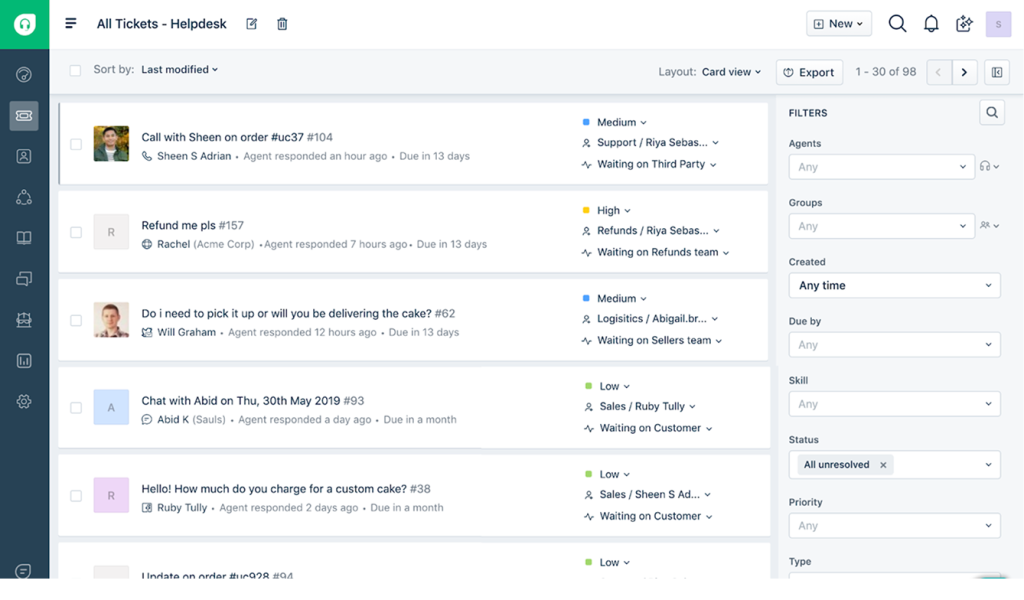
I found useful differences between the packages. Pro added SLAs, advanced reporting, and premium integrations. The documented NetSuite connection could surface vendor and transaction information beside a conversation, with supported syncing and permissions checked during setup.
For a practical automation check, use an invoice query that needs another employee’s input. Confirm that the owner, internal discussion, and next reply stay visible. Test the product your team will actually use: Hiver in Gmail or Hiver Omni.
Pros:
- Gmail-based collaboration lets finance staff manage shared conversations in a familiar workspace.
- Assigned owners and internal discussion help teams coordinate invoice and reimbursement replies.
- Eligible plans add SLAs, advanced reporting, API access, and premium integrations.
- The NetSuite integration can bring relevant vendor and transaction records into conversations.
Cons:
- Paid plans start with a two-seat minimum.
- Advanced reporting and premium integrations require Pro or higher.
Pricing:
Starts at $25/user/month. A 7-day trial is available.
3. Freshservice: Best for Finance Teams That Need Approvals and a Service Catalog
I shortlisted Freshservice for finance requests that needed a defined approval path. Its documentation described multi-stage approvals and email-based decisions, which were useful when a manager had to sign off before staff could act. That structure made it relevant to a broader departmental ticketing setup.
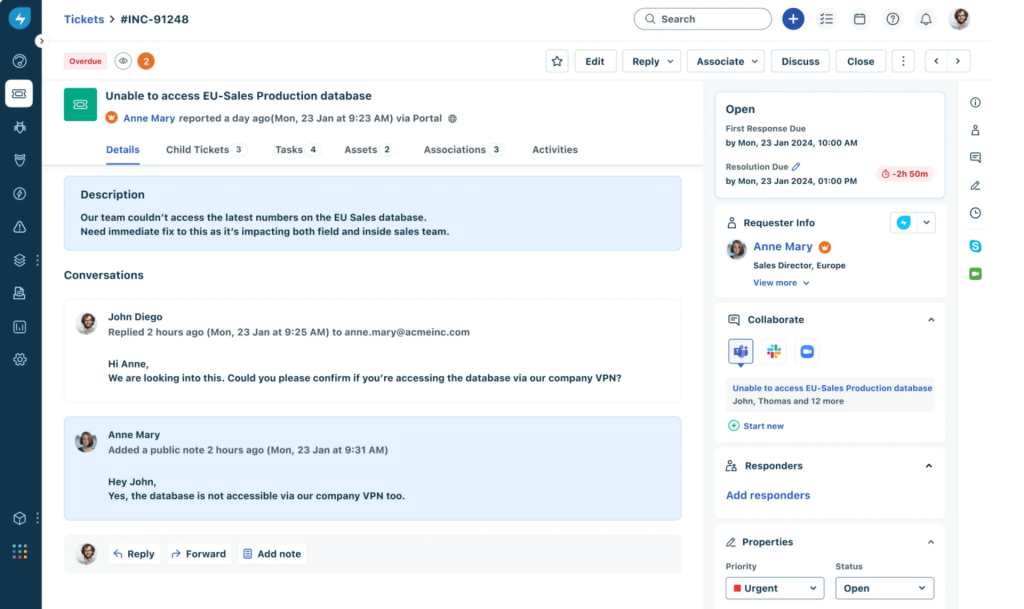
The service catalog provided a place to request help via predefined forms. I would distinguish those workflows from Starter’s basic ticketing: catalog and approval requirements needed the appropriate higher plan. HR, facilities, and finance could share the platform while retaining their own processes.
Test an expense exception from submission to decision. Check who receives it, what the approver sees, and how a rejection returns to the requester. Set service targets for the response and approval steps separately.
Pros:
- Multi-stage approvals support requests that need more than one decision-maker.
- Eligible plans support approval decisions through email notifications.
- A service catalog can organize recurring finance requests through defined forms.
- Departmental workflows support service management beyond the IT team.
Cons:
- Approval and service-catalog requirements can require a higher plan than Starter.
- Freddy AI Copilot is a separate paid add-on on eligible plans.
Pricing:
Starts at $19/agent/month, billed annually. A 14-day trial is available.
4. Jira Service Management: Best for Finance Teams Working Alongside Atlassian-Based IT
Jira Service Management caught my attention for its configurable approval workflows. An approval could sit within a request’s status, with more than one named approver. Approvers did not need an agent license, which mattered when department heads only needed to review decisions.
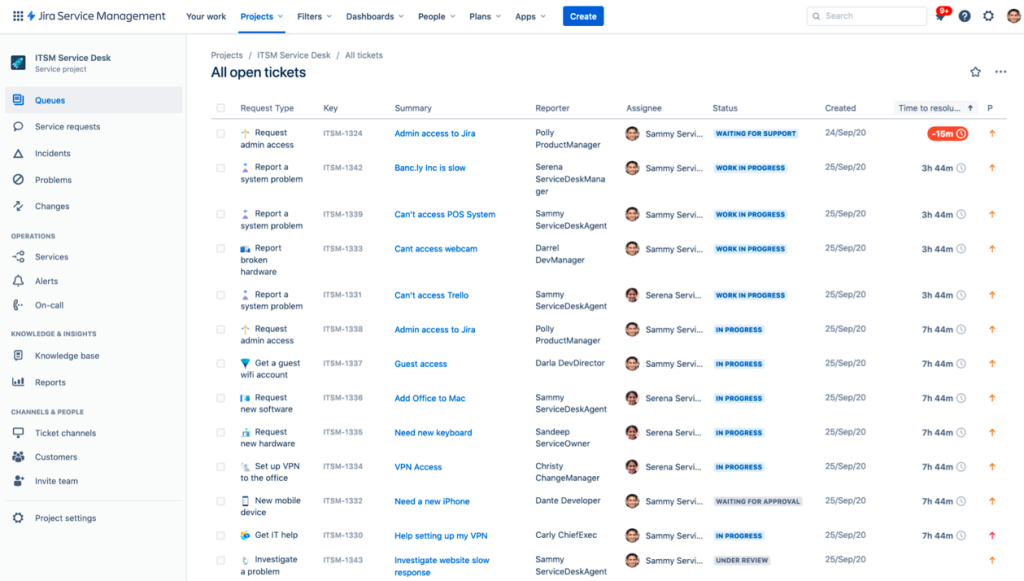
I saw the clearest fit where finance already worked with an Atlassian-based IT team. Forms, queues, and workflow rules could organize requests, while administrators handled setup. More advanced service-management features needed their own plan comparison.
Try a purchase order change that requires a budget owner’s decision. Confirm the approval history, rejection route, and next owner. Use an established change process when finance requests also involve changes to business systems.
Pros:
- Workflow approval steps support one or several named decision-makers.
- Approvers can review requests without holding an agent license.
- Forms and queues organize incoming requests by type and responsibility.
- The free plan supports up to three agents.
Cons:
- Workflow design and administration may require help from the IT team.
- Advanced capabilities and additional usage can increase the configured cost.
Pricing:
Starts at $21.50/agent/month. A 14-day trial is available.
5. Zendesk: Best for Larger Finance Shared Services Teams
In my comparison, Zendesk offered a broader choice of support channels. Support Team covered email ticketing, while Suite plans added messaging, voice, and other capabilities. I kept that package distinction separate from the lowest advertised price.
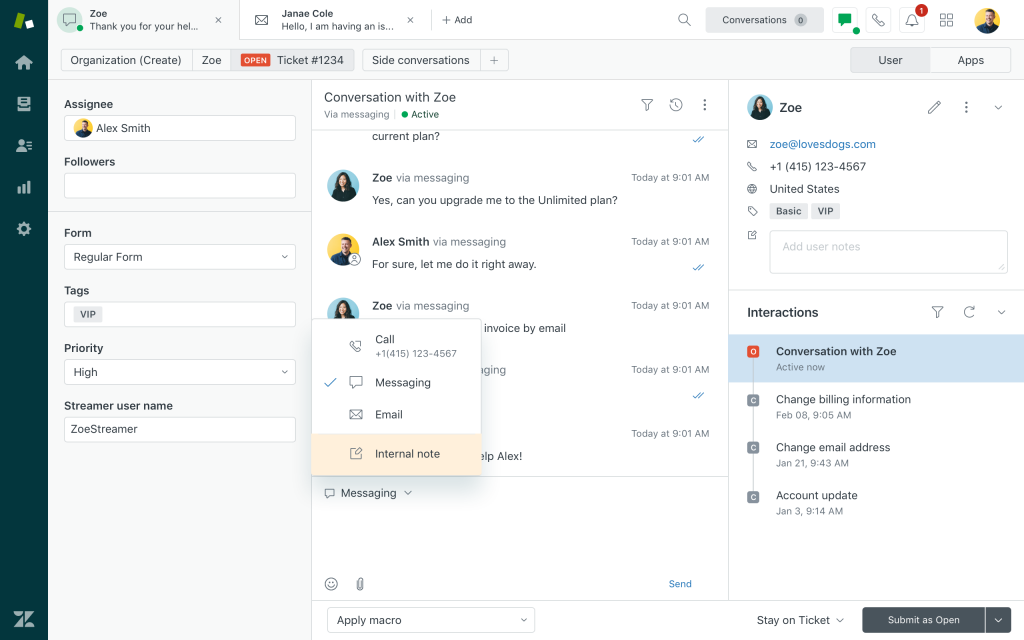
Skills-based routing on higher plans was relevant when invoice, payroll, and benefits questions needed different specialists. I also noted that Copilot and AI-agent usage could add costs beyond the agent subscription.
Run a request through two teams before deciding. The useful test is whether ticket automation preserves the conversation and assigns the next action. Sending a message to another queue should not leave the requester unsure who will reply.
Pros:
- Email ticketing provides a starting point for organizing shared service inquiries.
- Suite plans add channels for teams handling requests beyond email.
- Higher plans offer skills-based routing for specialist finance questions.
- Optional Copilot assistance supports agents during their daily work.
Cons:
- The $19 entry plan does not include the broader Suite channel package.
- AI add-ons and usage charges increase costs beyond agent subscriptions.
Pricing:
Starts at $19/agent/month. A 14-day trial is available.
6. Zoho Desk: Best for Finance Teams Already on Zoho
I considered Zoho Desk for teams that wanted to organize finance inquiries alongside their existing Zoho tools. Its customization options included fields, workflows, and edition-specific controls to structure requests and limit access.
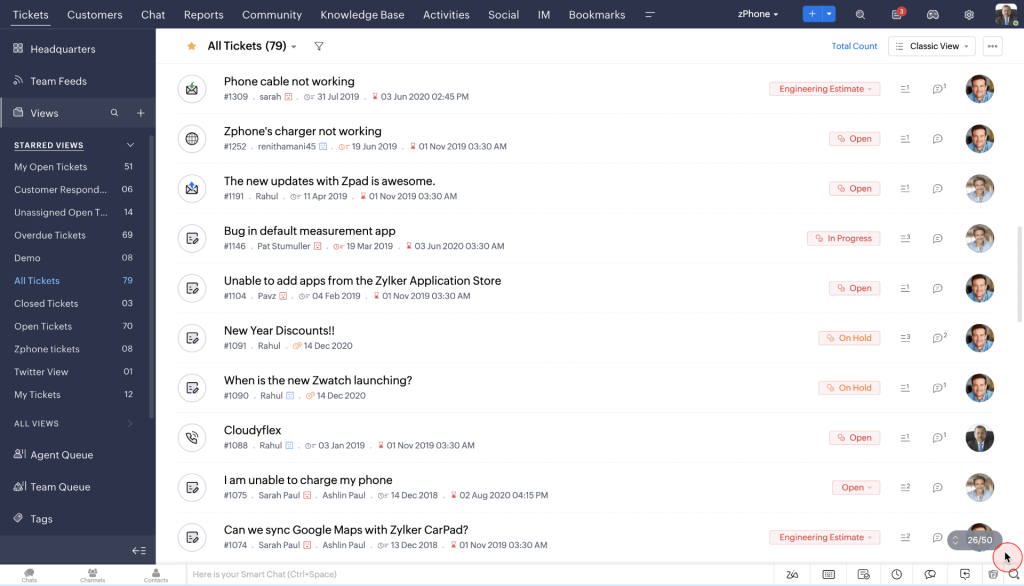
Blueprints offered a defined handling sequence on eligible plans. I also found a useful distinction between full agents and light agents: light agents could contribute private comments, but could not handle tickets like full agents. Enterprise included 50 light agents, subject to the published terms.
Use an invoice question that needs a budget owner’s explanation. Check their access and whether the comment reaches the responsible agent. Review reporting requirements by department before choosing the edition.
Pros:
- Configurable fields and workflows help organize different finance request types.
- Eligible editions add Blueprints, departmental handling, and stronger access controls.
- Light agents can contribute internal comments without becoming full ticket handlers.
- A free edition supports up to three users.
Cons:
- Blueprints and multi-department capabilities require Professional or higher.
- Light-agent access and advanced controls depend on the selected edition.
Pricing:
Starts at $7/user/month. A 15-day trial is available.
7. Freshdesk: Best for Small Finance Teams That Want Low-Cost Automation
Freshdesk stood out to me for combining shared ticket handling with a portal and knowledge base. I saw value in a clear knowledge-management process for answering routine policy questions without another email exchange.
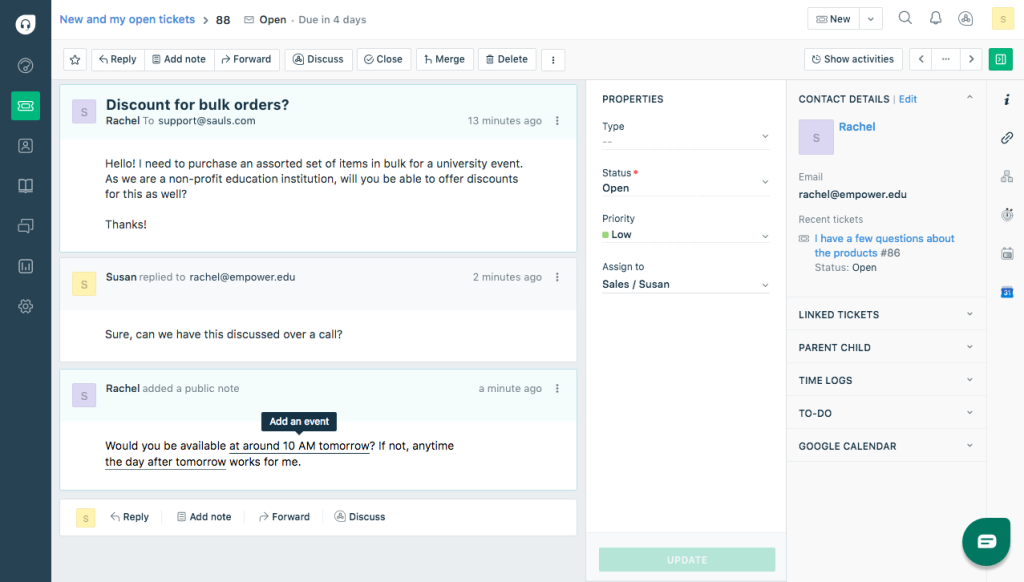
Growth included an initial allowance of 500 Freddy AI Agent sessions. I treated this as a one-time allowance per account, rather than a monthly entitlement. Pro added deeper reporting and routing, while Enterprise added audit logs and a sandbox.
Try an expense-policy question and a reimbursement exception. One may need a published answer; the other needs an owner and a decision. Check whether the available service analytics distinguish those workloads before adding more automation.
Pros:
- Shared inboxes organize incoming finance questions alongside their conversation history.
- A customer portal and knowledge base support routine policy questions.
- Paid plans include an initial 500-session AI Agent allowance per account.
- Higher plans add deeper reporting, routing, audit logs, and testing capabilities.
Cons:
- Additional AI Agent sessions require payment after the initial allowance is used.
- Freddy AI Copilot requires an eligible plan and a separate subscription.
Pricing:
Starts at $19/agent/month, billed annually. A free trial is available.
8. Front: Best for Finance Teams That Work Mostly in Email
I found Front relevant when finance needed better team collaboration around an address such as accounts. Owners, shared drafts, and internal comments helped explain its appeal beyond a normal mailbox. Collision warnings could alert colleagues before they sent overlapping replies.
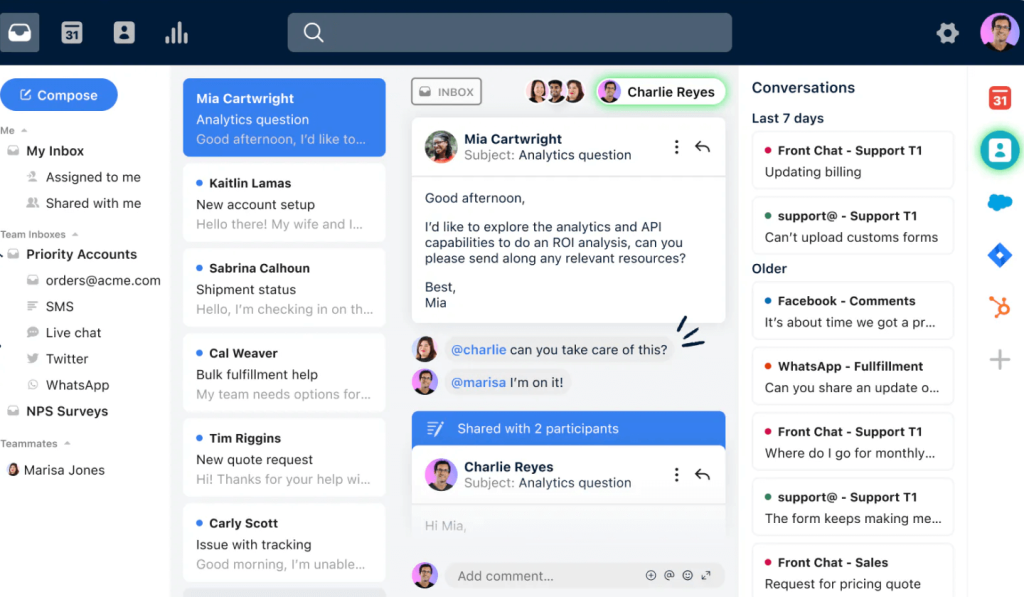
Starter focused on one channel type and supported up to 10 seats. I kept that separate from Professional’s broader channel coverage and stronger automation. AI package requirements also mattered to the final comparison.
For a practical check, have two employees review the same vendor question. Confirm who sends the reply and which notes remain internal. Good agent collaboration should help the next person respond without reconstructing the conversation.
Pros:
- Conversation owners help finance teams coordinate replies from a shared address.
- Shared drafts and internal comments support questions that need several contributors.
- Collision warnings help staff notice when a colleague is already replying.
- Higher plans add broader channels, automation, and administrative controls.
Cons:
- Starter is limited to 10 seats and a single channel type.
- AI capabilities and broader channel coverage can require additional spending.
Pricing:
Starts at $25/seat/month, billed annually. A 14-day trial is available.
9. Datarails Desk: Best for Finance Teams Already Running Datarails FinanceOS
Datarails Desk stood out in my research for connecting finance requests with the records needed to answer them. Through FinanceOS, supported connections could bring invoices, payments, and other documents into the ticket. That context went beyond collecting details through a request form.
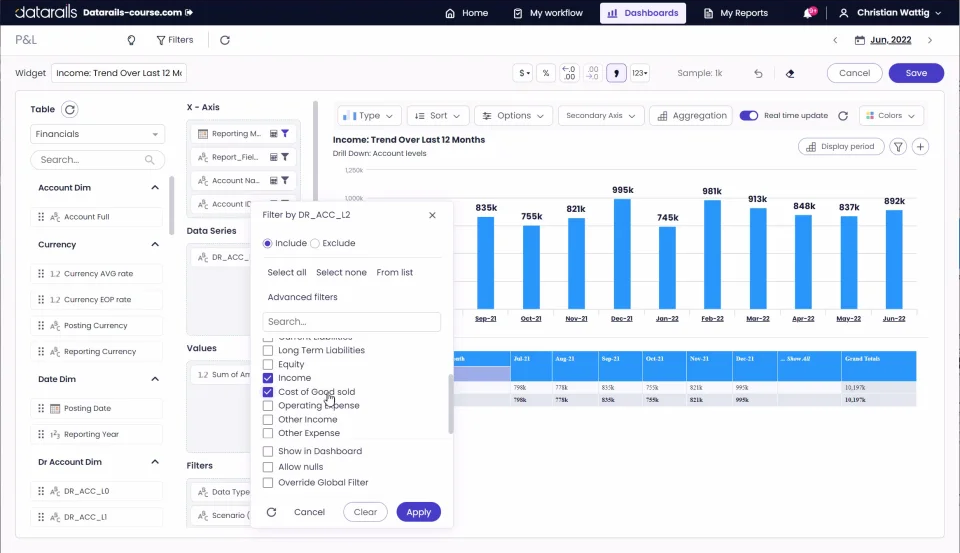
Its AI drafted responses for staff to review. Team-based permissions separated sensitive work, and the product described an activity trail for human and AI actions. I considered it as part of the FinanceOS platform, rather than assuming a standalone help desk subscription.
Demonstrate one invoice query against your actual accounting system. Confirm which records appear, what happens when a match fails, and who can see them. The ticket history should show the conversation while the accounting system retains the official payment record.
Pros:
- Supported connections bring relevant financial records alongside the request.
- AI drafts responses using connected information for staff review.
- Team-based permissions separate work across finance functions.
- Activity records support review of human and AI actions.
Cons:
- The offering depends on the wider FinanceOS platform and configured connections.
- Public pricing does not provide a standalone starting rate for Desk.
Pricing:
Custom Pricing.
10. Suptask: Best for Finance Teams That Take Requests in Slack
I shortlisted Suptask for teams whose employees already asked finance for help in Slack. Its finance workflow put requests into assigned queues, with private handling for payroll questions. That made it possible to maintain consistent ticket-handling practices within the existing conversation channel.
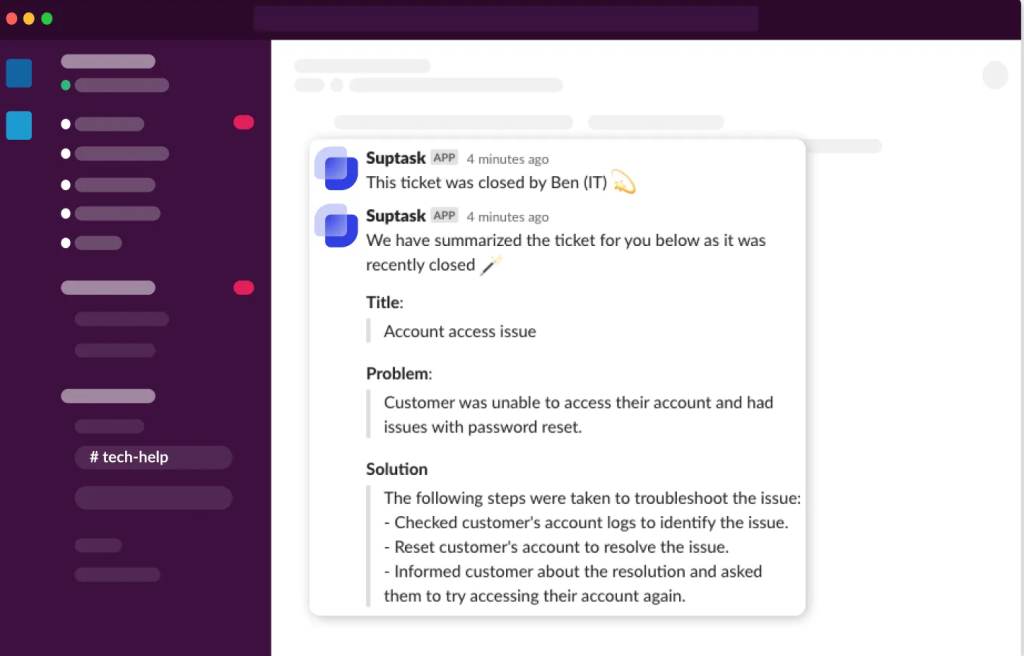
The approval examples were relevant to purchase requests. A manager could approve or reject in Slack, with the decision recorded on the ticket. I distinguished ad hoc approvals from automated approval rules, which required a higher plan.
Test a private payroll inquiry alongside a routine purchase request. Confirm who can open each one and where the approval appears. Check response times separately from time spent waiting for a manager’s decision.
Pros:
- Employees can submit requests in Slack without buying requester seats.
- Private finance queues support restricted handling of payroll inquiries.
- Approval decisions remain recorded with the related request.
- Higher plans support multiple teams, automation, and service targets.
Cons:
- The workflow is centered on Slack, which must fit the team’s working habits.
- Automated approvals, SLA management, and SSO require Growth or higher.
Pricing:
Starts at $15/agent/month, billed annually. A 14-day trial is available.
My Evaluation Criteria
I compared published pricing, product documentation, and independent reviews against the daily work of a finance team. The focus was whether a request could reach the right person, retain its history, and receive a useful answer.
- User Reviews and Ratings: I considered recurring themes on G2 and Capterra, including usability, support, and setup effort. Vendor documentation provided the basis for feature and pricing checks.
- Essential Features and Functionality: I looked at ownership, routing, approvals, private queues, required fields, and policy answers. Practical help desk management mattered more than the longest feature list.
- Ease of Use: I considered how employees submit questions and how agents find unanswered work. An approver, requester, and full agent may need different access.
- Customer Support: I reviewed published help resources and setup options, especially for workflow changes and integrations. I did not assume a vendor response-time guarantee.
- Value for Money: I compared billing units, minimum seats, AI usage, integration work, and the plan needed for finance workflows. A useful cost assessment includes both administrative and subscription costs.
- Industry Analysis & Expert Commentary: I used AP research, payment-fraud findings, and expert guidance to assess approval records, sensitive information, and system connections. These sources informed the questions to ask, rather than proving that any tool delivers a specific outcome.
My Top 3 Picks for Help Desk for Finance
These three options fit different ways of organizing finance support. Start with the requests your team handles most, then compare the people, approvals, and systems involved.
1. ProProfs Help Desk
My first pick when finance needs shared inboxes, internal approvals, and AI assistance around everyday requests. Its combination supports service coordination without making every question a separate email chase. During evaluation, follow one reimbursement inquiry through assignment, approval, and reporting, and then confirm the required package for that workflow.
2. Freshservice
Worth shortlisting when finance needs a service catalog and formal approval steps alongside other departments. Email approvals are useful for managers who do not work in a ticket queue all day. Compare the eligible plan and confirm whether the resulting service reports indicate which requests are awaiting a decision.
3. Hiver
The practical comparison is when Gmail-based work is central to the finance team’s day, or Hiver Omni fits its broader mailbox setup. Shared ownership and internal discussion help explain its appeal for invoice inquiries. Test the chosen product and, where relevant, the NetSuite connection rather than assuming every package provides the same workspace or data access.
FREE. All Features. FOREVER!
Try our Forever FREE account with all premium features!
Which Finance Requests Need an Approval Step and an Audit Trail?
Some finance requests only need an answer. Others need a decision, and a decision needs a record. A useful rule is to require a formal approval whenever a request moves money, changes who gets paid, or overrides a policy.
| Request | Decision to Record |
| Expense above a policy limit | Who approved the exception and why |
| Refund or credit | The authorized amount and approver |
| Vendor or bank-detail change | Independent verification and the required sign-off |
| Payroll adjustment | The authorized change and its approval |
An approval left in an email thread is hard to prove later. Keep the requester, supporting information, approver, decision, and time together. Each step should have a named person responsible, since a ticket that waits on “finance” waits on no one.
ProProfs Internal Workflows, Jira approval steps, Freshservice email approvals, and Suptask’s Slack decisions offer different ways to organize this work. Strong ticket management keeps the owner and next action visible. An approved ticket does not, by itself, release a payment or update the accounting system.
Set response and escalation targets using practical SLA guidelines. Keep “waiting for approval” separate from “ready to process” so reminders reach the person who can act.
How Do You Handle Month-End Close Without Drowning in Tickets?
Finance tickets do not arrive evenly. Request volume spikes in the days around month-end close and quarter-end, exactly when the team has the least time. Planning for the spike is cheaper than surviving it.
- Publish the calendar. An internal help center can explain close dates, expense cutoffs, and payment runs before people need to ask.
- Acknowledge incoming requests. State the expected response time and relevant cutoff. This gives employees a useful update while the team works.
- Separate close work. Use a request type, label, or view so time-sensitive questions remain easy to find.
- Handle repeated requests together. Where supported, merge duplicates and use bulk assignment. Keep separate requests distinct when their details or access differ.
- Give reviewers appropriate access. Confirm what a light agent or viewer can see and do. A view-only Watcher is not an approval role.
After close, review the questions that filled the queue. Turn repeated answers into clearer guidance or better form fields. That is a practical way to reduce repeat tickets before the next close begins.
Choose the Right Help Desk for Finance to Resolve Internal Tickets Faster
A finance team earns trust one answered request at a time. The right help desk for finance makes this easier by assigning an owner to every request, logging approvals, and keeping sensitive tickets private.
For teams dealing with lost emails, stalled approvals, and scattered updates, ProProfs Help Desk brings shared inboxes, workflow automation, AI assistance, and connected self-service into the support process. Teams that need financial records inside each ticket should also compare the required integrations or a FinanceOS-based option.
Pilot one request type, such as expense questions. Follow it from arrival to the final answer, check the approval record, and measure where it waits. Choose the platform that makes the work easier to follow for both finance staff and the people asking for help.
Track Internal Finance Requests From Intake to Resolution
Frequently Asked Questions
How Much Does Help Desk Software for Finance Cost?
Published paid rates in this comparison start at $7/user/month for Zoho Desk and $15/agent/month for Suptask, billed annually. Other tools use agent, user, seat, or custom pricing. Compare the plan needed for approvals, restricted access, integrations, and AI rather than the entry rate alone.
What Information Should a Finance Request Form Collect?
Collect the request type, requester, relevant invoice or expense reference, question, and required date. Ask for supporting documents only when needed. Keep bank and payroll information on an approved restricted route, and ensure the form provides staff with enough context to respond without repeated questions.
Can a Help Desk Replace Our ERP or AP Automation Software?
No. Your ERP or accounts payable software holds invoices, payments, and accounting records. A help desk tracks the related questions, decisions, and follow-up. Use a relevant identifier, such as an invoice number for an invoice inquiry, when connecting the conversation to the financial record.
Can Vendors Submit Requests Without an Agent License?
Many platforms distinguish between requesters and agents, but their access and licensing differ. Check how vendors submit questions, receive updates, and see their own history. Test with an external account to confirm that one vendor cannot view another vendor’s requests or internal notes.
Can AI Answer Finance Questions From Employees and Vendors?
AI can help summarize requests and draft answers from approved guidance. Payment-status answers need authorized access to current information. Staff should review sensitive replies and retain approval over actions that move money or change bank details. Start with low-risk topics and clear AI handling rules.
Is ProProfs Help Desk Suitable for a Finance Team?
It is relevant when finance needs shared inboxes, internal workflows, AI assistance, self-service, and reporting around requests. Match the package to the access and approval process. Check documented integration options for existing systems; an API still requires a supported connection or development work.
FREE. All Features. FOREVER!
Try our Forever FREE account with all premium features!

 We'd love your feedback!
What did you like & how can we make it even better?
 Thanks for your feedback!
 Ask Your Question
Have a question? Get expert help to make your decision easier.