
A resident should not have to contact a city office twice to find out what happened to a request. They want an answer, not another department’s phone number.
According to a study by the American Customer Satisfaction Index in 2026, satisfaction with US federal government services fell to 68.6 out of 100, while complaint handling scored 65. Those federal findings provide context, not a measure of every local office.
A help desk gives residents and employees requests an owner, a deadline, and a history. This guide compares 10 of the best help desk solutions for government agencies, covering security, hosting, public records, accessibility, and procurement. I compared published pricing, vendor documentation, official government guidance, and review sources.
What Is Help Desk Software for Government?
Help desk software for government turns resident and staff inquiries into tickets. Each ticket shows who is responsible, what has been discussed, its status, and what needs to happen next. Available channels and tasks depend on the product and setup.
Residents may ask about permits, benefits, complaints, or records. Employees may need IT, HR, or facilities support. An IT help desk organizes internal requests, while complaint management helps staff track resident concerns.
The help desk coordinates the conversation. A permit, benefits, or records management system may still contain the official decision and underlying records. Closing a ticket should not imply that a permit was approved or a repair was completed.
10 Best Help Desk Software for Government Agencies
A few of these stood out once I looked past the feature page, and a few fit narrower government needs than others. Some focus on resident inquiries, while others suit internal IT support or specific hosting requirements. This breakdown connects those differences to the work your agency needs to get done.
Here is a quick comparison before the full breakdown:
| Tool | Best For | Pricing |
| ProProfs Help Desk | Easiest AI help desk for shared inboxes, ticket workflow automation, and scaling support teams | Free plan available. Paid plan starts at $19.99/month |
| ServiceNow | Large federal agencies evaluating a Class D (High) environment | Custom Pricing |
| Freshservice | Agencies evaluating IT support and its government-cloud roadmap | Custom Pricing |
| Zendesk Suite | Public-information support within the permitted government configuration | Custom Pricing |
| Jira Service Management | Atlassian-based agencies needing a separate government environment | Starts at $54,000/year |
| Salesforce Service Cloud | Agencies evaluating cases on Government Cloud Plus | Custom Pricing |
| ManageEngine ServiceDesk Plus | Agencies evaluating an on-premises IT service desk | Starts at $1,195/year |
| Issuetrak | Agencies evaluating self-hosted request tracking | Starts at $1,091/agent |
| NITRO Help Desk | Agencies working in Microsoft 365 and SharePoint | Starts at $3,588/year |
| Jitbit | Smaller agencies needing purchase-order procurement | Starts at $24.92/month |
Now, here is how each one actually holds up:
1. ProProfs Help Desk: Easiest AI Help Desk for Shared Inboxes, Ticket Workflow Automation, and Scaling Support Teams
ProProfs Help Desk stands out to me for organizing agency-approved resident and staff inquiries. Addresses such as permits and records stays in shared inboxes, where assignments, priorities, and response-time alerts keep requests visible.
AI summaries and suggested replies help staff pick up long conversations. Eligible AI agents can handle approved routine questions, with staff managing escalations. Routing rules and internal approvals move work between responsible teams. Surveys, agent reports, and response and resolution tracking show where requests wait.
The integrated ProProfs Knowledge Base provides public answers and approved internal guidance. ProProfs Live Chat handles routine website questions in real time. Before introducing resident or employee data, have the agency approve the proposed information, access, retention, hosting, and contractual terms. Public-facing requests are not automatically free of sensitive information.
Pros:
- AI ticket summaries, response suggestions, and eligible sentiment features help staff understand and answer requests.
- Auto-routing, triggers, macros, canned replies, SLA alerts, notifications, and approvals support repeatable workflows.
- Shared inboxes organize permit, records, IT, and general inquiries in one dashboard.
- Connected Knowledge Base and Live Chat provide self-service guidance and real-time support.
- CSAT surveys, agent reports, response and resolution tracking, and team analytics reveal delays.
- Integrations with Salesforce, Microsoft Dynamics, Slack, and Jira support approved connections.
Cons:
- No on-premises deployment option
- Dark user interface option not available
Pricing:
A free plan is available for growing teams. Paid plan starts at $19.99/month.
Here’s how Acer described their experience with ProProfs Help Desk.
Acer used ProProfs Help Desk to capture service costs in custom fields and generate weekly and monthly reports on repairs, replacements, and spare parts. For an agency evaluating internal IT support, the transferable lesson is making completed work and its costs easier to review. This is a technology-support example, not evidence of a government deployment or security authorization.

2. ServiceNow: Best for Large Federal Agencies Evaluating a Class D Environment
ServiceNow stood out to me for its named Government Community Cloud offering. Its current FedRAMP Marketplace record showed a Certified Class D (High) rating, providing a specific environment to evaluate rather than a broad company-level security claim.
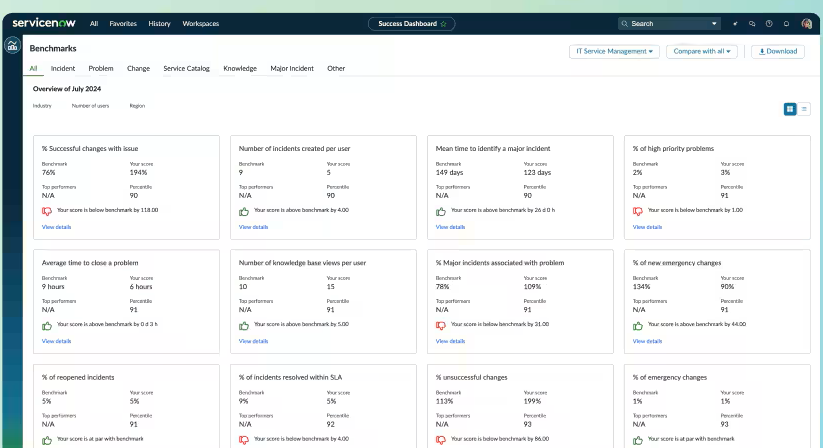
The platform covered IT, customer, and employee workflows. That breadth suited agencies coordinating several services, but also made the implementation scope, administration, and licensing important parts of the decision.
I would follow one request between departments during an evaluation. The useful check is whether responsibility, access, and the next action remain visible inside the approved environment. Defense requirements need their own offering and scope review.
Pros:
- Government Community Cloud has a published FedRAMP certification record.
- The platform supports IT, customer, and employee workflows.
- Requests can follow configured workflows across departments.
- A named government environment supports a more specific security review.
Cons:
- Pricing requires a quote covering the selected products and deployment.
- A broad implementation can require substantial configuration and administration.
Pricing:
Custom Pricing.
3. Freshservice: Best for Agencies Evaluating IT Support and a Government-Cloud Roadmap
Freshservice interested me for staff-facing IT requests, approvals, and asset-related work. Its commercial pricing separated Starter’s incident and knowledge management from Growth’s service catalog and SLA management.
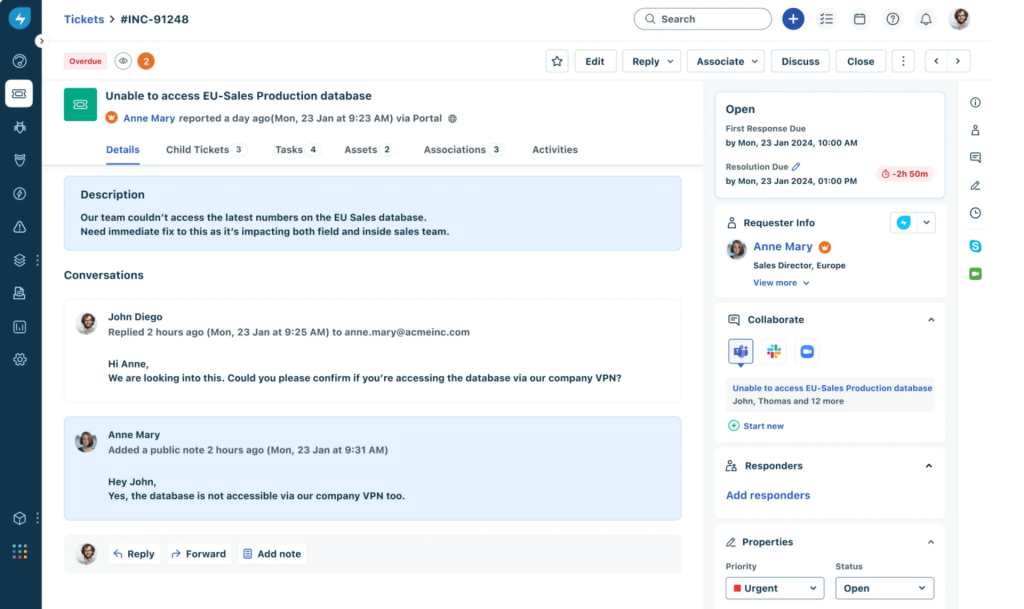
Freshworks’ August 2026 announcement described its government offering as FedRAMP In Process for Class C (Moderate). That announcement showed progress, not completed certification or proof that a commercial account provided the same environment.
I would compare the proposed government setup with a routine access request and an equipment issue. Confirm the current Marketplace status, available features, and evaluation environment before using a commercial trial to judge the government offering.
Pros:
- Published documentation distinguishes the government initiative from commercial plans.
- Incident and knowledge management support staff IT requests.
- Higher plans add service catalogs and broader workflow capabilities.
- Approvals and asset-related workflows support internal service coordination.
Cons:
- The In Process announcement does not establish completed FedRAMP certification.
- Commercial prices and trials do not establish government-offering terms.
Pricing:
Starts at $19/agent/month, billed annually.
4. Zendesk Suite: Best for Public-Information Support Within the Permitted Government Configuration
Zendesk Suite appealed to me for coordinating support channels, but its government conditions changed the shortlist decision. The current compliance page listed Li-SaaS Tailored scope alongside specific configuration and data restrictions.
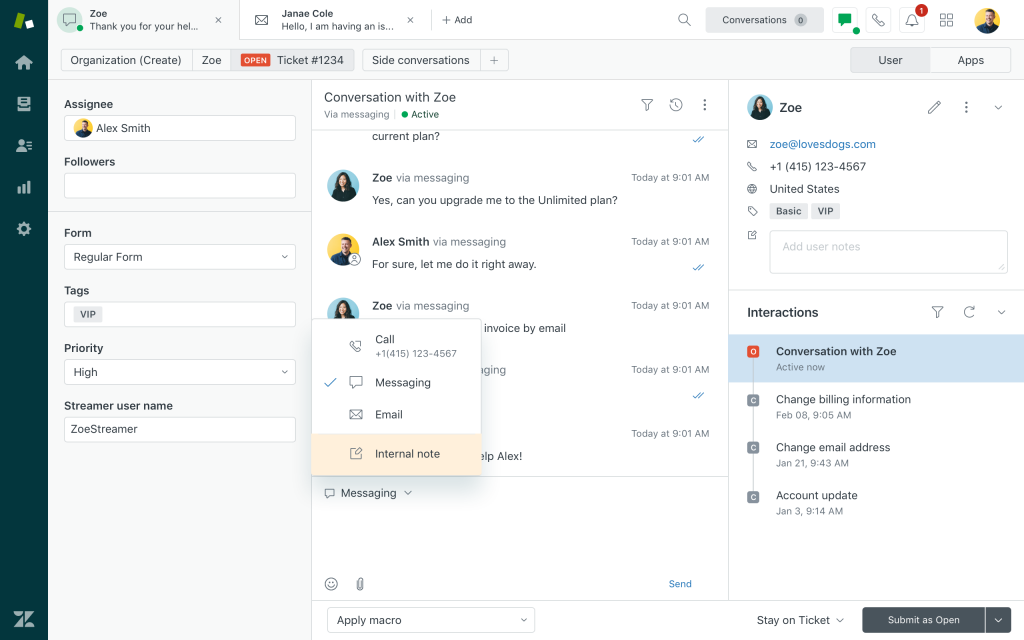
Those conditions included US data locality, US-based voice numbers, and restrictions on storing personal, cardholder, or business-sensitive information. A general resident inbox should not be assumed to fit that scope simply because the product supports ticketing.
I would have the security team review the current supplemental terms before testing a proposed workflow. Compare the actual channels, permitted information, and plan features, especially when a request could include personal details.
Pros:
- Published documentation identifies products within the stated compliance scope.
- Suite plans combine ticketing with additional support channels.
- Higher plans offer skills-based routing for specialized teams.
- Detailed configuration conditions support a focused security review.
Cons:
- The Tailored configuration’s data restrictions can exclude intended resident workflows.
- AI, advanced routing, and optional add-ons can increase costs.
Pricing:
Starts at $55/agent/month, billed annually.
5. Jira Service Management: Best for Atlassian-Based Agencies Needing a Government Environment
Jira Service Management stood out in my comparison for agencies already working with Atlassian. Government Cloud was a separate FedRAMP Moderate environment, with its own eligibility, available applications, and migration requirements.
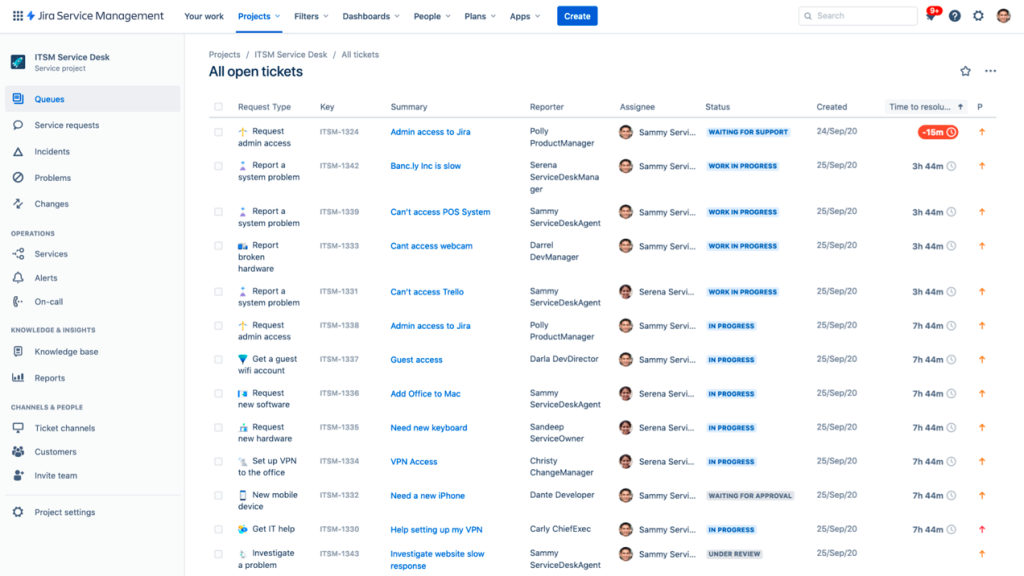
Its pricing also needed a separate comparison. Atlassian published annual Government Cloud tiers, including $54,000 for the 50-agent JSM tier. Its eligibility guidance said JSM tiers began at 26 or more agents.
I would test a request, approval, and connection to another application in the actual government environment. Commercial-cloud functionality and marketplace apps should not be assumed to transfer unchanged.
Pros:
- Jira Service Management is available in a separate Government Cloud.
- Published guidance explains eligibility and migration considerations.
- Approval steps can be configured within request workflows.
- Annual government-tier pricing supports a defined budget comparison.
Cons:
- The published tier structure can be too large for small support teams.
- Applications and integrations require government-environment availability checks.
Pricing:
Starts at $8.48/user/month.
6. Salesforce Service Cloud: Best for Agencies Evaluating Cases on Government Cloud Plus
Salesforce Service Cloud interested me for agencies treating resident requests as cases tied to a person, program, or service. Government Cloud Plus provided a separate evaluation environment, rather than an assurance attached to any commercial subscription.
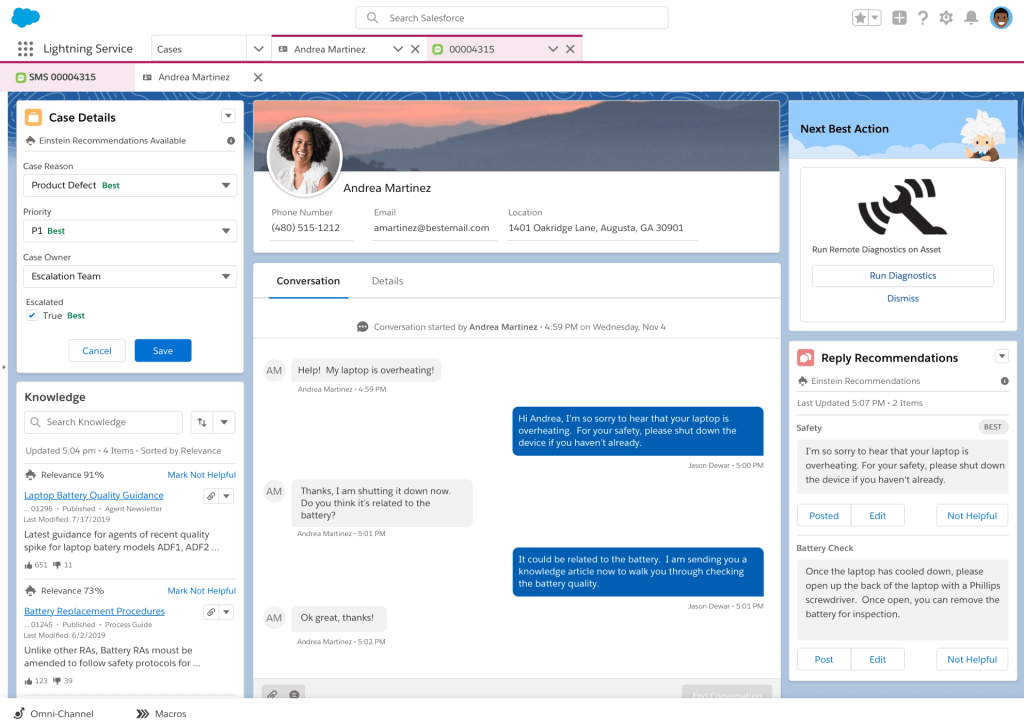
Salesforce listed Class D, formerly High, for Government Cloud Plus. Its published government pricing added 15% to applicable net spend, while the Defense option used a different uplift and scope.
I would test how a case connects to the agency’s existing program records. A linked contact is useful, but it does not establish that permit decisions, benefit updates, or supporting records synchronize correctly.
Pros:
- Case management supports structured resident-service workflows.
- A named government environment has published security information.
- Government pricing identifies the applicable percentage-based uplift.
- Configured workflows can connect cases with related records.
Cons:
- Compatible licenses, the government uplift, and implementation increase total cost.
- Connections to agency systems need configuration and scope checks.
Pricing:
Custom Pricing.
7. ManageEngine ServiceDesk Plus: Best for Agencies Evaluating an On-Premises IT Service Desk
ManageEngine ServiceDesk Plus appealed to me for agencies needing an IT service desk on their own servers. Its cloud and on-premises offerings required separate pricing and operational comparisons.
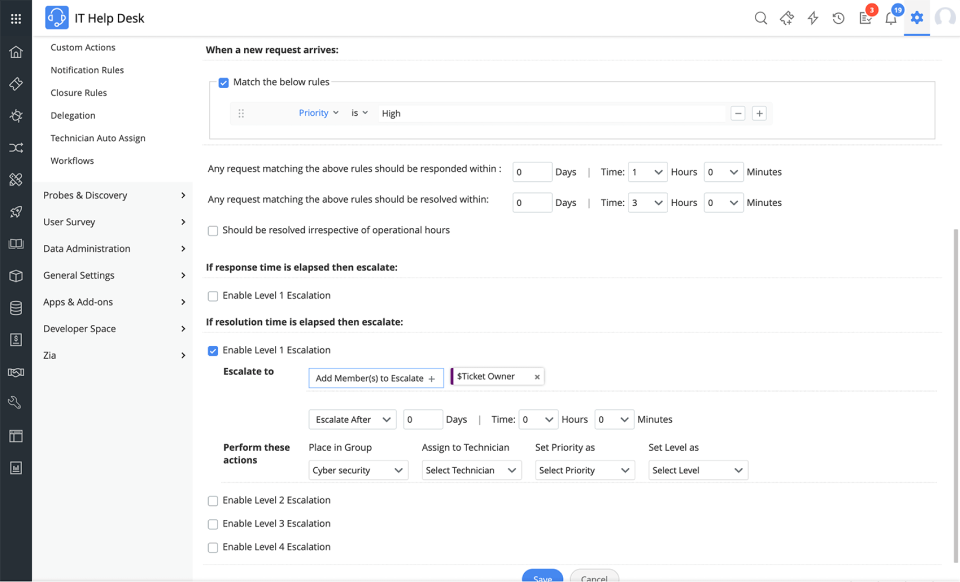
Standard covered help desk work, while Professional added asset management, and Enterprise added broader IT service management capabilities. The free Standard edition supported up to five technicians, making the paid tier’s capacity important to the comparison.
I would test a staff request and the backup-and-recovery process together. Self-hosting gives the agency deployment control, but the team still needs to manage updates, availability, access, and the approved security configuration.
Pros:
- Cloud and on-premises deployment options support different operational needs.
- Standard is free for up to five technicians.
- Professional adds IT asset-management capabilities.
- Enterprise extends the service-management feature set.
Cons:
- Self-hosting places maintenance and recovery responsibilities on the agency.
- Required modules, edition features, and asset allowances affect the total cost.
Pricing:
Starts at $13/technician/month. A trial is available.
8. Issuetrak: Best for Agencies Evaluating Self-Hosted Request Tracking
Issuetrak caught my attention for separating paid agents from free end users. People submitting, commenting on, or following requests did not require the same license as staff assigning and managing the work.
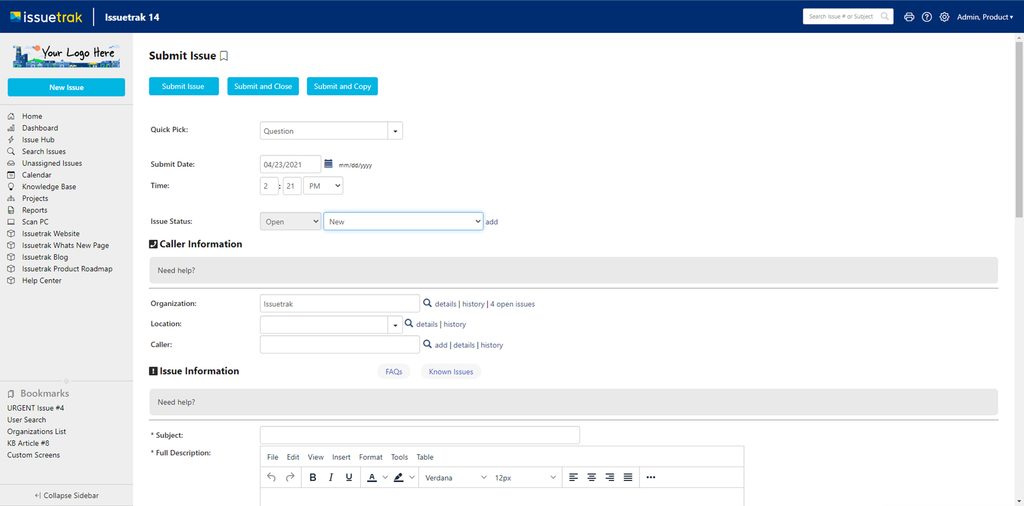
The vendor offered cloud and on-premises models with core workflows, reporting, and an audit trail. Self-hosted or isolated-network requirements still needed confirmation against the proposed deployment and any optional modules.
I would test a resident complaint transferred between two departments. Check that the owner, history, and promised update survive the handoff, then confirm which employees need paid agent access.
Pros:
- Unlimited free end-user support for large requester populations.
- On-premises deployment supports agency-managed hosting.
- Core plans include multiple SLA policies and an audit trail.
- Configurable workflows organize assignments and recurring work.
Cons:
- Both deployment models require a minimum of three agents.
- Optional modules and deployment services require separate cost checks.
Pricing:
Starts at $75/agent/month.
9. NITRO Help Desk: Best for Agencies Working in Microsoft 365 and SharePoint
NITRO Help Desk interested me for agencies wanting ticket workflows within Microsoft 365, Teams, and SharePoint. Crow Canyon’s government material described support for GCC, GCC High, and SharePoint on-premises environments.
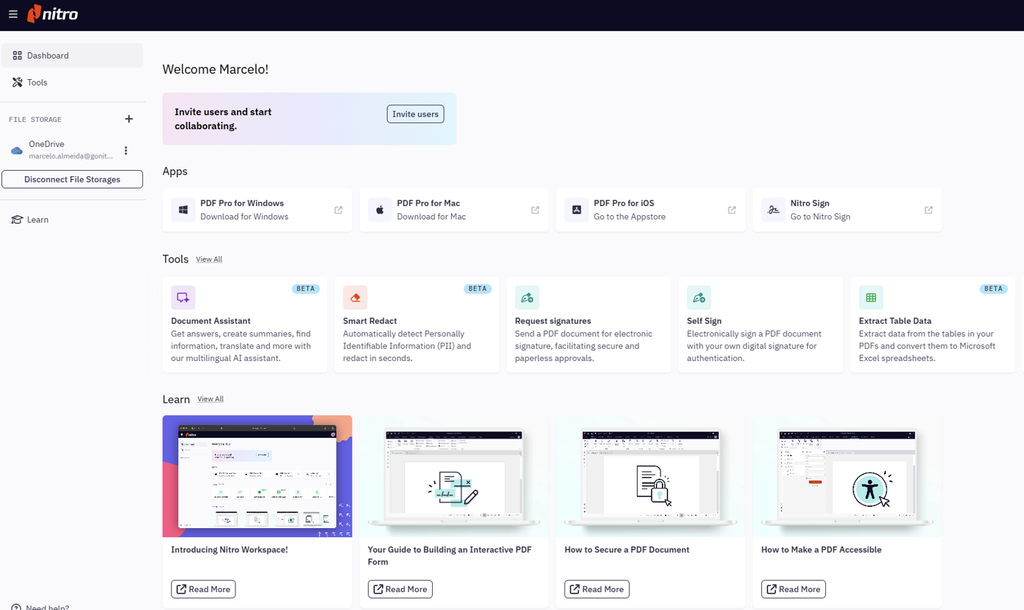
Its Standard pricing was flat rather than per agent. Advanced added AI capabilities, but the pricing page limited that tier to Microsoft 365 and Teams. General tenant compatibility did not establish that every AI feature was available in every government environment.
I would ask for a demonstration in the proposed tenant. Check identity, permissions, email processing, external connections, and where any AI service processes information before comparing feature lists.
Pros:
- Flat software pricing includes unlimited users.
- Government material describes GCC and GCC High compatibility.
- Standard supports Microsoft 365 or SharePoint on-premises.
- Ticketing, knowledge management, SLAs, and reports sit within the Microsoft-oriented setup.
Cons:
- Microsoft licenses and implementation add to the software subscription.
- Advanced AI availability requires deployment-specific confirmation.
Pricing:
Starts at $3,588/year.
10. Jitbit: Best for Smaller Agencies Needing Purchase-Order Procurement
Jitbit appealed to me for making purchasing conditions visible. Its SaaS pricing page accepted purchase orders and wire payments on annual plans, with official quotes available for procurement.
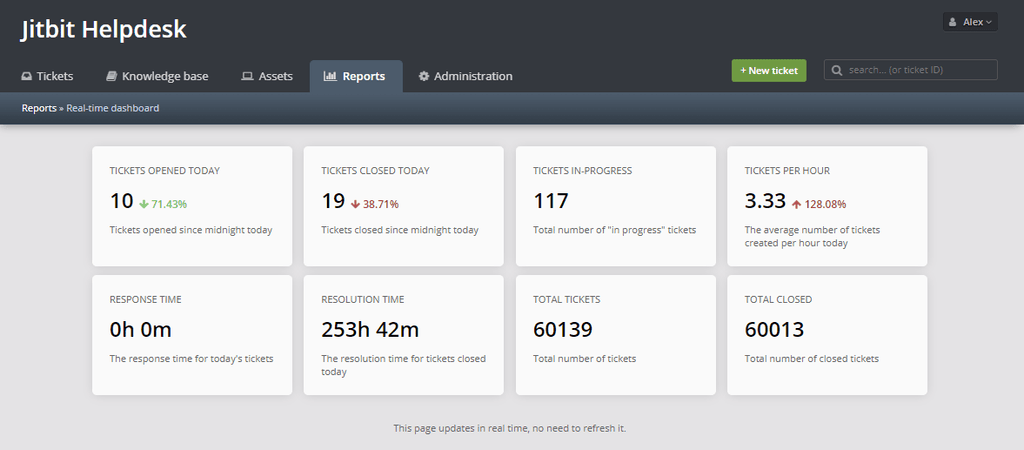
The cloud offer used packages with specified agent counts. A separate self-hosted product offered an alternative deployment route, but it entailed different licensing and maintenance responsibilities.
I would test a staff request, an internal note, and an export before choosing the package. Ask for the exact procurement documents and deployment terms rather than assuming the lowest monthly plan includes every purchasing option.
Pros:
- Annual SaaS plans support purchase orders and wire payments.
- Published packages specify included agent capacity.
- End users can submit requests without agent licenses.
- A separate self-hosted product supports agency-managed deployment.
Cons:
- Purchase-order terms require an annual-plan check.
- Self-hosting requires separate licensing and ongoing administration.
Pricing:
Starts at $24.92/user/month.
My Evaluation Criteria
I compared published product information, government documentation, pricing, and review sources. These criteria focus on the work an agency needs to complete and the conditions attached to the proposed setup.
- User Reviews and Ratings: I used Capterra and G2 for experience-related context. Product scope, security status, and current pricing came from official sources.
- Essential Features and Functionality: I considered resident and staff requests, ownership, routing, approvals, access, and record usability.
- Ease of Use: I looked for straightforward intake, handoffs, and visible next steps. Accessibility and actual task completion belong in the evaluation.
- Customer Support: I considered setup guidance, support routes, migration needs, and responsibilities when the service is unavailable.
- Value for Money: I compared licenses, government environments, hosting, add-ons, and implementation. A useful help desk ROI calculation includes recurring administration.
- Industry Analysis and Expert Commentary: I used official guidance on cloud security, records, accessibility, and procurement. An implementation checklist should turn those requirements into named checks before rollout.
My Top 3 Picks for the Best Help Desk Solutions for Government Agencies
These picks address different agency needs. Start with the work and approved data, then compare the deployment and cost.
1. ProProfs Help Desk
My pick for agencies evaluating shared inboxes, AI-assisted ticket handling, and repeatable resident or staff workflows. Begin with an agency-approved request type and expand after checking access, records, hosting, and contractual requirements.
2. ServiceNow
Worth shortlisting for large federal agencies evaluating a named Class D (High) environment and workflows spanning several departments. Its breadth makes a scoped rollout and implementation budget important.
3. Issuetrak
A practical comparison when agency-managed hosting and free requester access matter. Test departmental handoffs and license needs against the actual workload, including internal help desk requests.
FREE. All Features. FOREVER!
Try our Forever FREE account with all premium features!
Improve Government Support With the Right Help Desk
Residents judge an agency by how quickly someone answers and how clearly they are told what happens next. Start with the request your team most often loses. Follow it through the handoff, the official action, and the final update.
Choose the deployment and agreements that fit the data involved. Then check that staff can retrieve the history, recover from a failed transfer, and confirm the work is complete.
ProProfs Help Desk is a practical option to evaluate when shared inboxes, automation, AI assistance, and connected self-service match an agency-approved workflow. Pilot one request type and have security, records, procurement, and service owners review the setup before expanding.
Track Public Requests From Intake to Resolution
Frequently Asked Questions
Do Residents Need Paid Accounts to Submit Requests?
Many tools distinguish paid agents from free requesters, but the rules vary. Check whether residents can submit, reply, attach files, and track progress without a paid license. Also confirm the access and cost for employees who only approve work or add internal notes.
Can Residents Submit Requests Without Creating an Account?
Some setups allow email or public-form submissions without a portal account. Confirm the product’s options and the agency’s identity requirements. Anonymous reporting, routine information requests, and access to personal case details may need different processes. Test what the requester can see after submission.
Can We Connect the Help Desk to an Existing Government System?
Only when a supported integration or configured connection meets the requirement. Confirm which records and fields move, what triggers an update, and who handles failures. An API or commercial connector does not establish that the same connection is available in the proposed government environment.
What Happens to Older Tickets When We Change Systems?
Plan exports and historical access before retiring the old tool. Test messages, attachments, private notes, dates, and relationships between records. A help desk migration should follow approved retention and access requirements, including any records that must remain on hold.
How Do We Stop AI From Giving Outdated Application Instructions?
Assign an owner to approved source material and define how changes reach the AI. Test revised fees, office hours, forms, and application steps. Review unanswered or incorrect conversations, and provide a human route. AI help desk management should include ongoing content checks.
Is ProProfs Help Desk Suitable for a Government Agency?
It is relevant for evaluating shared inboxes, automation, staff workflows, and routine resident support. Suitability depends on agency approval of data hosting, access, retention, and agreements, as well as required security evidence. Confirm the specific product scope before using it for regulated or sensitive information.
FREE. All Features. FOREVER!
Try our Forever FREE account with all premium features!

 We'd love your feedback!
What did you like & how can we make it even better?
 Thanks for your feedback!
 Ask Your Question
Have a question? Get expert help to make your decision easier.