
Front can feel like a smart move at first: one shared inbox, internal comments, assignments, and fewer “who replied?” pings. But when weekly volume jumps, and you’re handling billing, onboarding, and urgent issues in parallel, I’ve seen teams start searching for Front alternatives.
From a support agent’s lens, the friction shows up fast. Ticket ownership gets messy when threads bounce between people, issues are scattered because communication channels are limited, and repeat questions keep landing in the queue because customers don’t have a solid self-service path.
In this guide, I’ll break down 13 best Front app alternatives & competitors that fix these exact bottlenecks. For each tool, I explain what it does better than Front, the specific workflow it improves (routing, self-service, AI, omnichannel, or internal requests), and the type of team it’s built for.
Why Look Beyond Front
Front works well when your support is mostly email-based, and collaboration is the primary issue. However, if you’re managing support with SLAs, multiple channels, and a steady stream of repeat questions, the tool you choose must reduce ticket volume and enforce ownership automatically.
Here are some common reasons support teams move beyond Front:
1. Inbox Collaboration Isn’t the Same as Ticket Operations
Growing teams need queues, priorities, SLAs, escalations, and rule-based routing that stays consistent when volume spikes.
2. You Need Self-Service That Reduces Inbound Volume
A knowledge base, help center, and customer portal cut repeat tickets by letting customers resolve common issues before they contact support.
3. Support Is No Longer Email-Only
If requests come through live chat, web forms, social, and messaging apps, switching tools slows agents down. An omnichannel platform keeps every conversation in one workspace.
4. Automation Must Remove Work, Not Just Sort It
Teams look for AI ticket summaries, suggested replies, auto-tagging, and bot-led resolution to handle repetitive questions and shrink backlog.
5. Costs Rise as Headcount Grows
Per-seat pricing adds up quickly when you scale agents or involve other teams in customer communication.
6. Reporting Must Show Bottlenecks Clearly
You need visibility into response time, resolution time, backlog trends, top contact reasons, and workload distribution to run weekly improvements.
List of Top 13 Alternatives to Front
Even though Front appears to be a feature-rich and powerful tool, not everything that shines is gold. As soon as I learned that many entrepreneurs and support reps are actively searching for Front alternatives, I decided to use my experience.
Let me share some remarkable alternatives I have tried and tested over the years.
| Tool Name | Best For | Pricing |
|---|---|---|
| ProProfs Help Desk | Easiest AI Help Desk for Shared Inboxes, Ticket Workflow Automation, and Scaling Support Teams | A free plan is available for growing teams. Paid plan starts at $19.99/user/month. |
| Zendesk | Self-service (help center + community forums) | Starts at $19/month. |
| Freshdesk | Omnichannel customer service | Starts at $15/user/month. |
| Intercom | AI-powered chatbots | Starts at $29/month. |
| HubSpot Service Hub | Customer portal | Starts at $15/month (a free plan is available with limited features). |
| Hiver | Email ticketing (Gmail-based help desk) | Starts at $25/user/month (a free plan is available with limited features). |
| Drag | Team collaboration (Gmail workflow management) | Starts at $12/user/month. |
| Missive | Live chat support | Starts at $14/user/month. |
| Gorgias | E-commerce businesses | Starts at $10/month. |
| Help Scout | 24/7 service | Starts at $25/user/month. |
| Kustomer | Built-in CRM | Starts at $89/user/month. |
| SolarWinds Service Desk | Asset management | Starts at $39/user/month. |
1. ProProfs Help Desk – Easiest AI Help Desk for Shared Inboxes, Ticket Workflow Automation, and Scaling Support Teams
As a support professional, I am responsible for managing multiple team inboxes, such as support@, returns@, info@, etc. Thanks to ProProfs Help Desk’s shared inbox feature, I can manage all these team inboxes in one place, so I don’t have to switch between multiple accounts.
Another impressive aspect is that our support heroes can interact with visitors and existing customers on multiple channels, such as ProProfs Chat, email, web form, and ProProfs Knowledge Base, and a fair number of the simplest, most repetitive queries never even need a person to step in.
Unlike Front, ProProfs Help Desk enables me to develop powerful chatbots to automate our customer service process. Even when my team isn’t available to chat, bots can engage with customers and hold human-like conversations.
What’s even better? ProProfs AI automatically shares a quick summary of a customer complaint or inquiry, helping you better understand the customer’s intent. You can even save time and delight customers with AI-generated responses.
Pros:
- Online knowledge base to encourage self-service and reduce ticket volume
- Automated CSAT surveys to allow customers to rate their support experience
- A dedicated account manager and onboarding support are offered to all customers
- IP restrictions let you restrict help desk access to specific IP addresses only
Cons:
- No dark mode option
- Lacks an on-premise version
How ProProfs Help Desk Compares to Front:
ProProfs Help Desk wins when you need a complete help desk, not just a shared inbox. Along with shared inboxes, you get live chat, web forms, a built-in knowledge base, and chabots. Plus, AI help desk features like ticket summaries and response suggestions help you reduce ticket volume and speed up resolutions.
User Rating: 4.9 (Capterra)
Pricing: A free plan is available for growing teams. Paid plan starts at $19.99/user/month.
2. ProProfs Chat – Best for 24/7 Delightful Customer Support with AI Chatbots
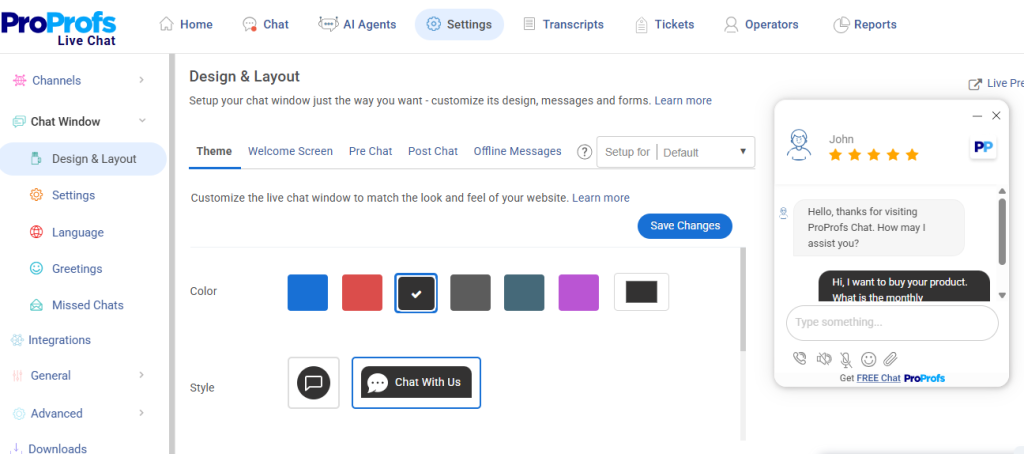
Front works well as a shared inbox, but it struggles where it matters most, no native AI chatbot, weak pre-built integrations on lower plans, and expensive pricing that forces too many compromises.
ProProfs Chat solves all of that. Its AI chatbot trains on your website or help center content to handle queries 24/7, no human required. Real-time visitor tracking, smart routing, canned responses, and omnichannel support across chat, WhatsApp, and Facebook keep every conversation organized.
The native helpdesk integration automatically converts unresolved chats into support tickets with full context attached, eliminating the follow-up gaps Front users routinely face.
With a forever-free plan and same-day setup, ProProfs Chat is the faster, leaner switch
Pros:
- Proactive chat invitations to boost interaction and conversion.
- Train AI chatbots using your website or help center data for highly accurate responses
- Real-time visitor tracking for timely engagement
- Offer 360-degree support with the Customer Delight Suite (Live Chat + Help Desk + Knowledge Base + Survey + Qualaroo)
Cons:
- Cloud-only – no offline access
- No dark theme
How ProProfs Chat Compares to Front:
Front focuses on shared inboxes, but growing teams need more. ProProfs Chat gives you live chat, AI chatbot automation, omnichannel messaging, and proactive engagement tools out of the box. It also connects natively with ProProfs Help Desk, turning unresolved chats into support tickets automatically. If you want to capture leads and support customers faster, ProProfs Chat is the stronger choice.
User Rating: 4.8 (Capterra)
Pricing: A free plan is available for growing teams. Paid plan starts at $19.99/user/month.
3. Zendesk – Best for Self-Service
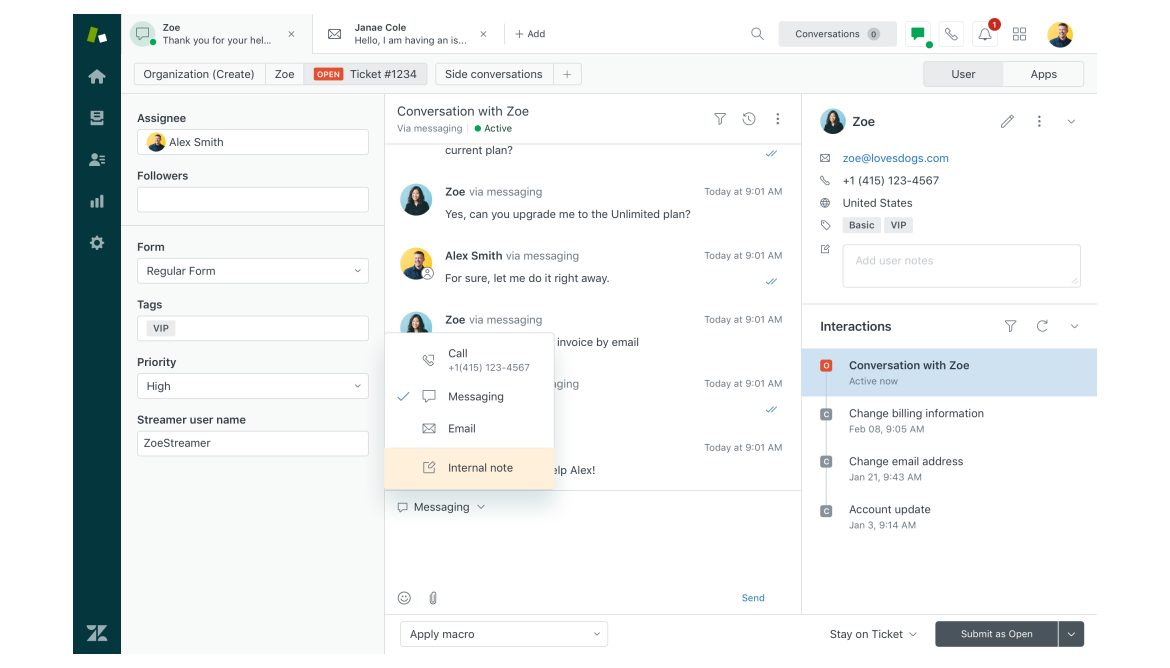
Image source: Getvoip.com
Whenever I encounter an issue with a product, I search for a solution on the brand’s help center. I won’t be surprised if your customers do the same.
I have put Zendesk in the second position as it does a great job of helping businesses promote self-service through help centers and online community forums.
Zendesk can help you publish a vast community forum, allowing customers to interact with each other, raise questions, and share solutions. I recommend you use this tool to automate mundane tasks, empower customers, and add a personal touch to every service interaction.
Pros:
- AI-powered bots to automate your customer service process
- Agents can monitor customer conversations across messaging and live chat
- Intelligent ticket routing for faster and fair distribution of work
- CRM integration to access in-depth customer information and provide personalized solutions
Cons:
- Zendesk is a high-priced tool, which makes it an unsuitable option for small businesses
- The tool comes with a steep learning curve
How Zendesk Compares to Front:
Zendesk comes out ahead when support needs structure and scale. It offers stronger ticketing workflows, SLAs, advanced automation, and a robust self-service setup, so requests don’t get lost and routing stays consistent. Front collaborates well, but Zendesk delivers deeper control, visibility, and reporting for growing support ops.
User Rating: 4.4 (Capterra)
Pricing: Starts at $19/month
4. Freshdesk – Best for Omnichannel Customer Service
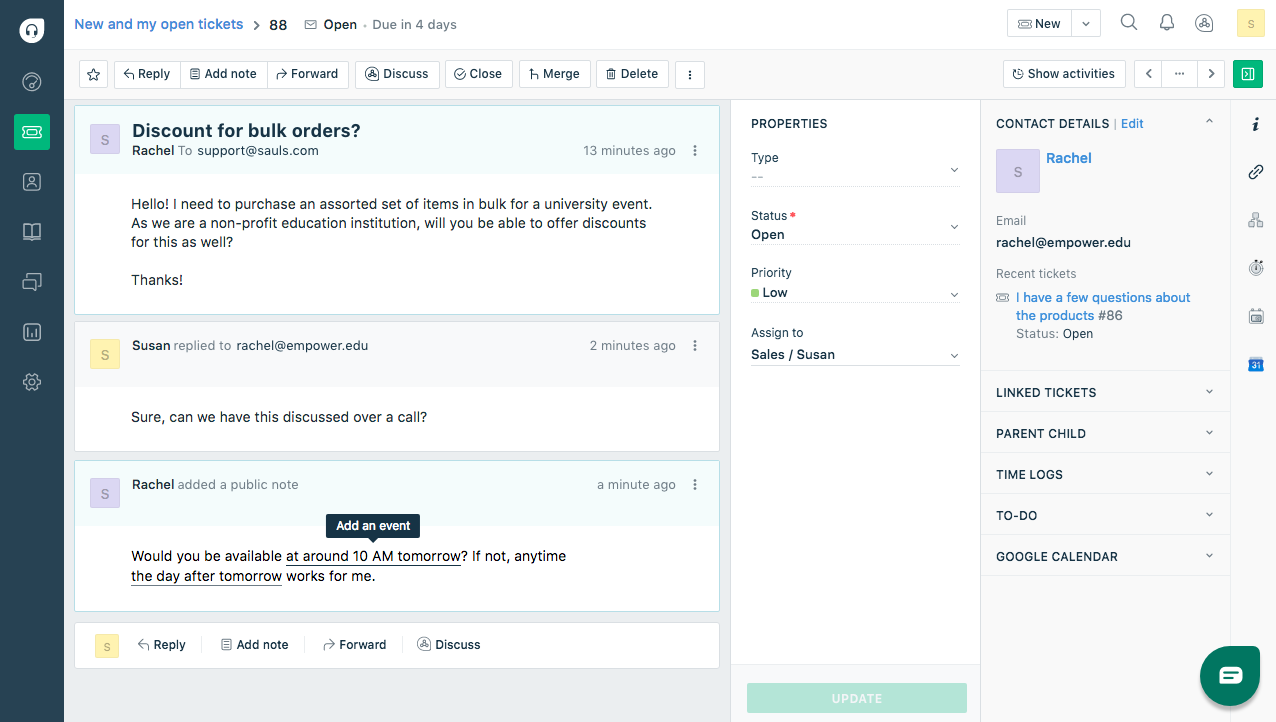
Image source: Freshdesk
Freshdesk is a free Front alternative designed for omnichannel ticketing, help desk automation, and team collaboration.
I like how the tool enables users to provide intuitive customer service across all channels, such as email, live chat, phone, social media, and more. With the Team Inbox feature, agents can adopt an omnichannel approach and track all conversations in one inbox.
When it comes to team collaboration, Freshdesk doesn’t disappoint. You can easily collaborate with team members or experts within the organization using private notes.
Pros:
- Related tickets can be linked together for faster issue resolution
- Custom ticket statuses for enhanced ticket organization
- Canned responses to share consistent replies with customers
- Time tracking to monitor agent efficiency and calculate billable hours
Cons:
- Freshdesk’s mobile app is slow at times
- Too many features can be overwhelming for some users
How Freshdesk Compares to Front:
Freshdesk is the better alternative when you want true omnichannel support in one system. It brings email, live chat, phone, and social into a help desk workflow, backed by automation and a knowledge base. Front feels more inbox-first, while Freshdesk offers more comprehensive ticket management and queue-level organization.
User Rating: 4.5 (Capterra)
Pricing: Starts at $15/user/month.
5. Intercom – Best for AI-Powered Chatbots
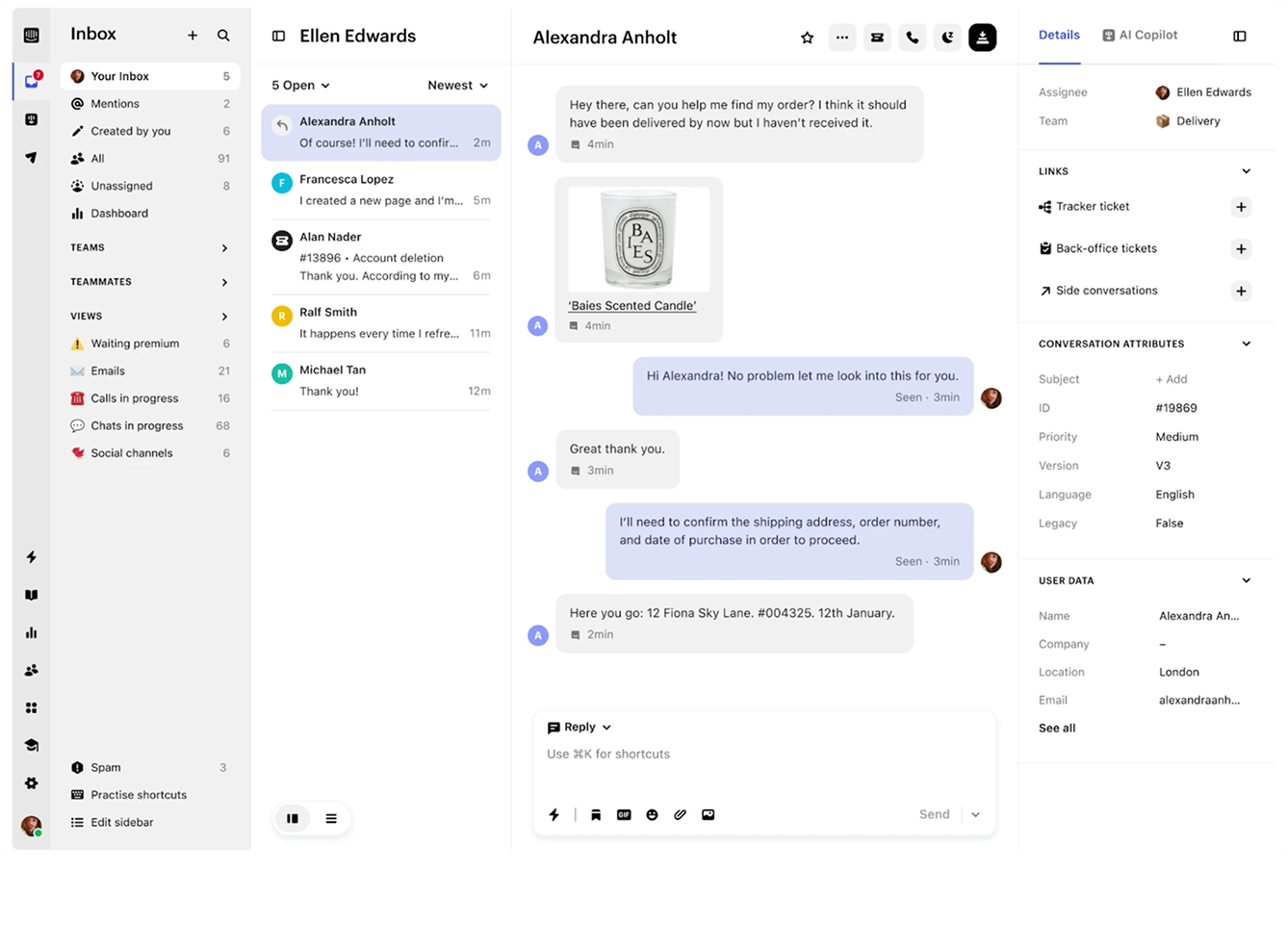
Image source: Intercom
I was looking for a solid solution that combined the best of both worlds—automated customer service and lead generation. Just then, one of my colleagues introduced me to Intercom.
As soon as I open Intercom, I’m impressed by its chatbot development capabilities. The AI bot, called Fin, is powered by OpenAI. This means that you can trust your bot to deliver safe and accurate answers while reducing your team’s ticket volume instantly.
The platform also enables you to share proactive messages with customers. This will help you avoid unnecessary contacts during service outages or website downtimes.
Pros:
- Customers can choose between self-serve or live human assistance
- Intercom seamlessly connects with Instagram and WhatsApp for enhanced social media support
- Insightful product tours to help customers make the most of your products
- In-context surveys to capture valuable customer feedback
Cons:
- The Starter plan does not offer automated ticket routing and advanced reporting features
- The SMS feature is offered as an add-on, meaning users will have to pay extra for it
How Intercom Compares to Front:
Intercom wins if your priority is automation and chat-led support. It’s built for conversational service with AI chatbots, in-app messaging, and proactive outreach that reduces repetitive tickets. Front can centralize conversations, but Intercom’s AI and messaging experience is stronger when you want to deflect and resolve faster.
User Rating: 4.5 (Capterra)
Pricing: Starts at $29/month.
6. HubSpot Service Hub – Best for Customer Portal
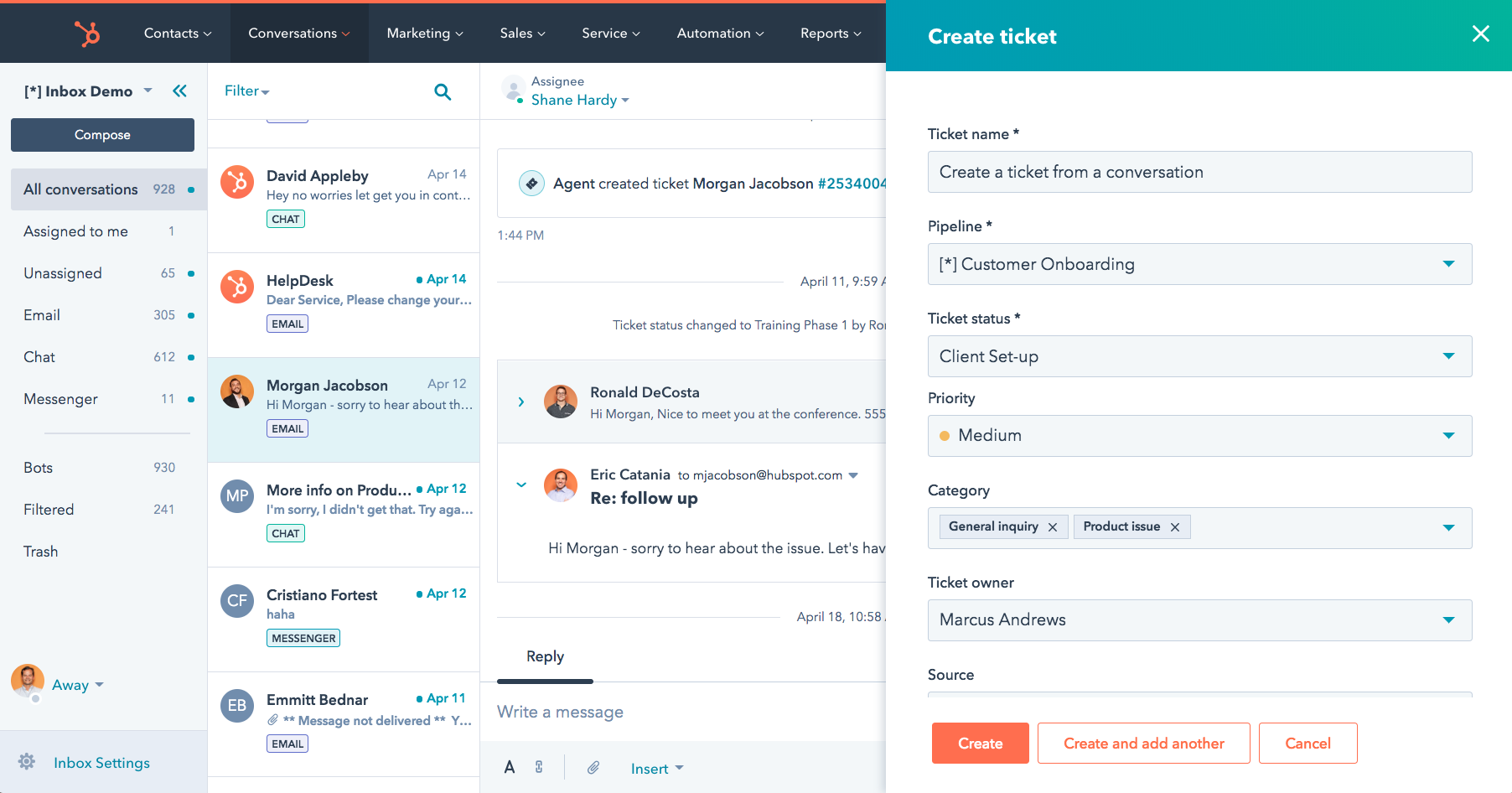
Image source: Hubspot Service Hub
I think every business needs to offer a customer portal for increased engagement and transparency.
HubSpot Service Hub is built around the same idea, as it helps users quickly set up an online knowledge base and customer portal. Customers can access the portal to track the progress of their tickets or register new ones.
I’m sure you will also love HubSpot’s shared inbox feature. Instead of switching between multiple channels, your agents can bring email, chat, and Facebook Messenger to one universal inbox.
Pros:
- Customers can access the knowledge base from within the customer portal
- HubSpot Service Hub seamlessly integrates with HubSpot CRM, giving your team all the context they need
- Agent roles and permissions to control their access to the help desk platform
- Frequently asked questions can be converted into help articles
Cons:
- SLA configuration and management can be complicated for new users
- Lacks an automated ticket-generation feature for live chat messages
How HubSpot Service Hub Compares to Front:
HubSpot Service Hub outperforms Front when support must integrate closely with CRM data. It gives agents a customer portal, shared inbox, knowledge base, and automation inside a single system tied to contact records. Front relies more on integrations for that depth, while HubSpot keeps context and support workflows together.
User Rating: 4.9 (Capterra)
Pricing: Starts at $15/month (a free plan is available with limited features)
7. Hiver – Best for Email Ticketing
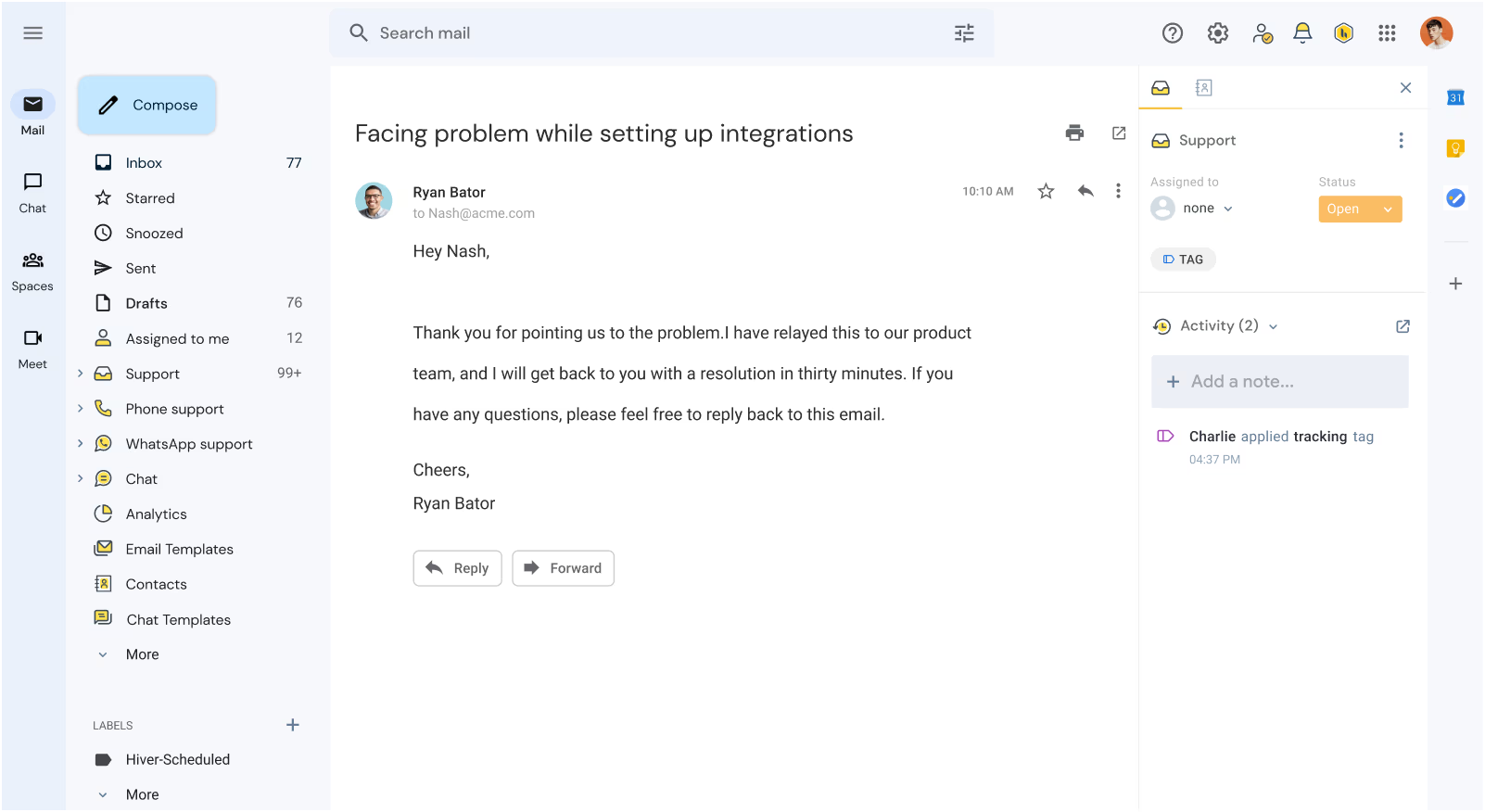
Image source: Hiver
Are endless customer service emails flooding your inbox? Don’t worry! I suggest you use Hiver to turn this chaos into calm.
As a Gmail-based help desk, Hiver lets you operate from inside your inbox. At a single glance, agents can see which emails are open, closed, or pending and categorize incoming emails using Tags.
The best part about this platform is that your team will work with an interface they are already familiar with. So, no more wasting time training team members for days or weeks.
Pros:
- Agents can access email and chat conversations right inside Gmail
- Automated email assignments for greater work accountability
- Live chat widget for instant customer support
- Insightful reports to track customer satisfaction ratings and overall team performance
Cons:
- The platform is designed solely for Gmail users
- The pricing is expensive, considering Hiver’s limited features
How Hiver Compares to Front:
Hiver is a better Front alternative for Gmail-first teams who want structure without switching tools. It adds shared inboxes, ownership, tags, and reporting directly inside Gmail, which speeds adoption and keeps workflows familiar. Front is powerful, but Hiver reduces change management and keeps the team operating in one place.
User Rating: 4.7 (Capterra)
Pricing: Starts at $25/user/month (a free plan is available with limited features)
8. Drag – Best for Team Collaboration
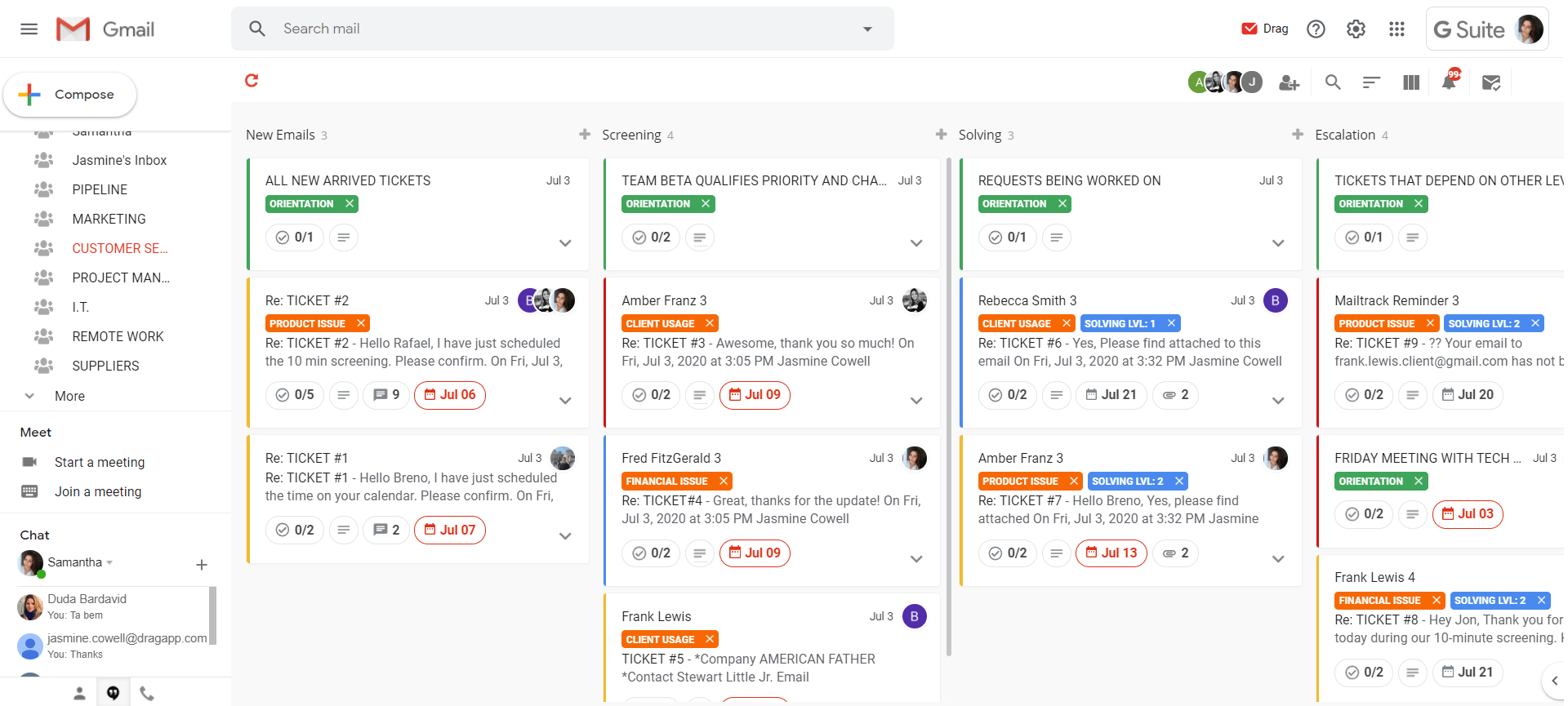
Image source: Drag
Drag is a popular Front competitor that helps your team work like a well-oiled machine. Let me explain how.
After using Drag for around 6 months, I was impressed by its internal collaboration features, such as chat and @mentions. I could easily work with my team members behind the scenes — sharing files related to an issue and discussing solutions with the help of internal notes.
Overall, this platform offers a robust set of productivity, collaboration, and workflow features to help your team manage customer service operations right inside Gmail.
Pros:
- Automated email follow-ups to confirm whether an issue is entirely fixed or not
- Collision alerts to avoid sharing duplicate responses with customers
- Email templates to quickly answer common questions
- Agents can share email drafts to compose the most appropriate reply
Cons:
- Chat and email assistance are only available in the top-tier plans
- Drag does not offer any features to develop custom chatbots
How Drag Compares to Front:
Drag wins for teams that want collaboration and workflow management inside Gmail at a simpler price point. It turns email into a shared workspace with boards, assignments, shared drafts, and collision alerts, making teamwork feel natural. While Front is polished, Drag can be a smoother fit for Gmail-heavy teams.
User Rating: 4.4 (Capterra)
Pricing:
Starts at $12/user/month.
9. Missive – Best for Live Chat Support
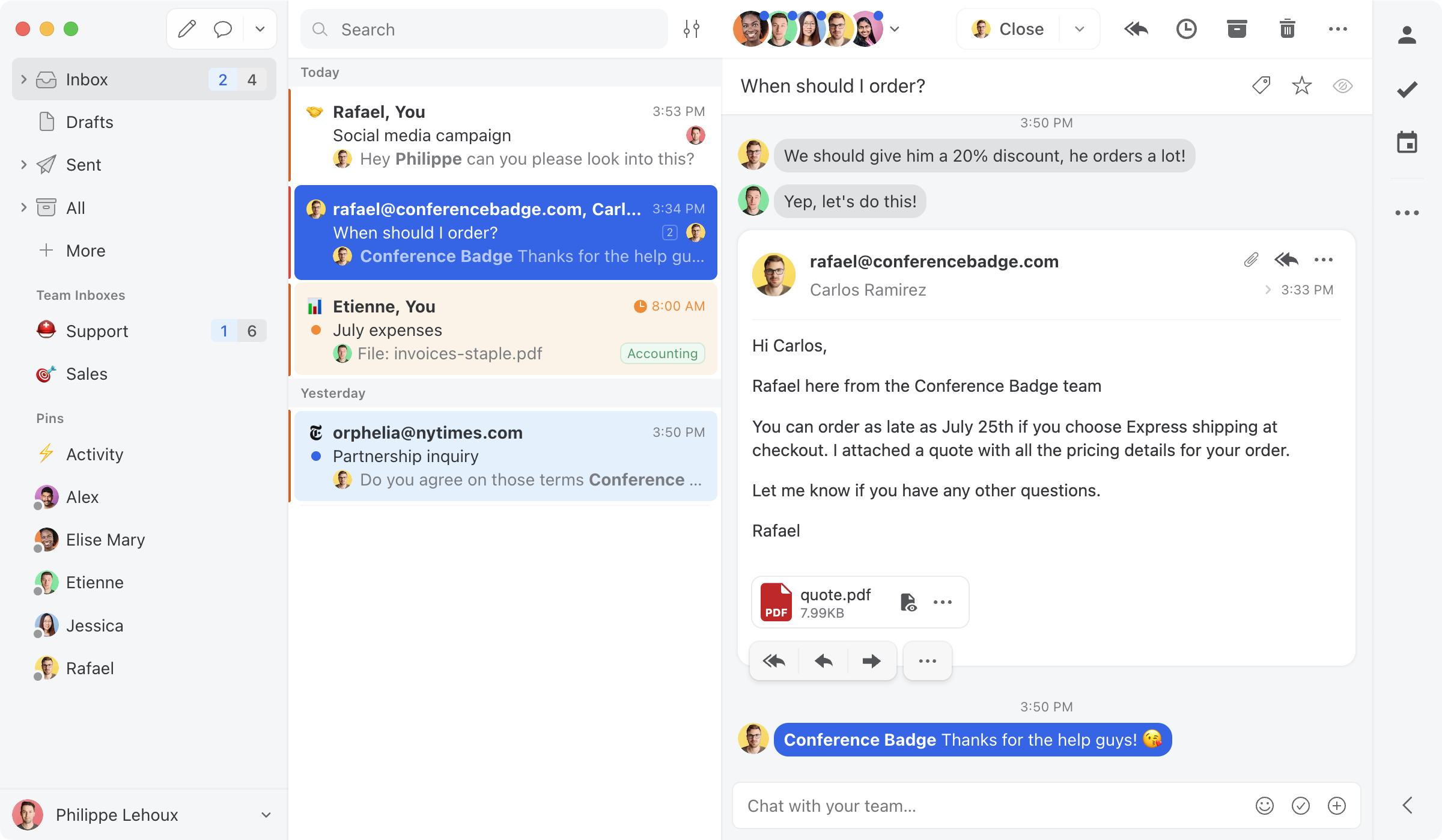
Image source: Missive
While email is great, I think every business needs to offer live chat assistance to tackle problems as and when they appear. In fact, customers love it too—around 41% of customers say they prefer customer service via live chat.
Missive has been quick to adapt to changing trends, and this is evident in its live chat feature. I like how the chat widget is fully customizable. You can easily modify it to match the look and feel of your business website.
You can allow website visitors to either chat anonymously or require identification. Also, I suggest you set up automated reminders on conversations to keep your inbox clutter-free.
Pros:
- Chat auto-responses to update customers of your team’s availability
- Missive seamlessly integrates with Google Drive, Aircall, Grammarly, and other tools
- Agents can track WhatsApp and Instagram conversations in one place
- Single Sign-On (SSO) to save your team members’ valuable time
Cons:
- Missive misses out on some important integrations like Calendly
- Security features, such as IP restrictions and SSO, are only available in the top-tier plan
How Missive Compares to Front:
Missive comes out ahead when you want an inbox-style tool with real-time teamwork baked in. It blends shared inboxes with internal chat, plus channels like WhatsApp and Instagram, and includes website chat to handle customer questions faster. Front collaborates well, but Missive often feels lighter and quicker.
User Rating: 4.9 (Capterra)
Pricing:
Starts at $14/user/month.
10. Gorgias – Best for E-Commerce Businesses
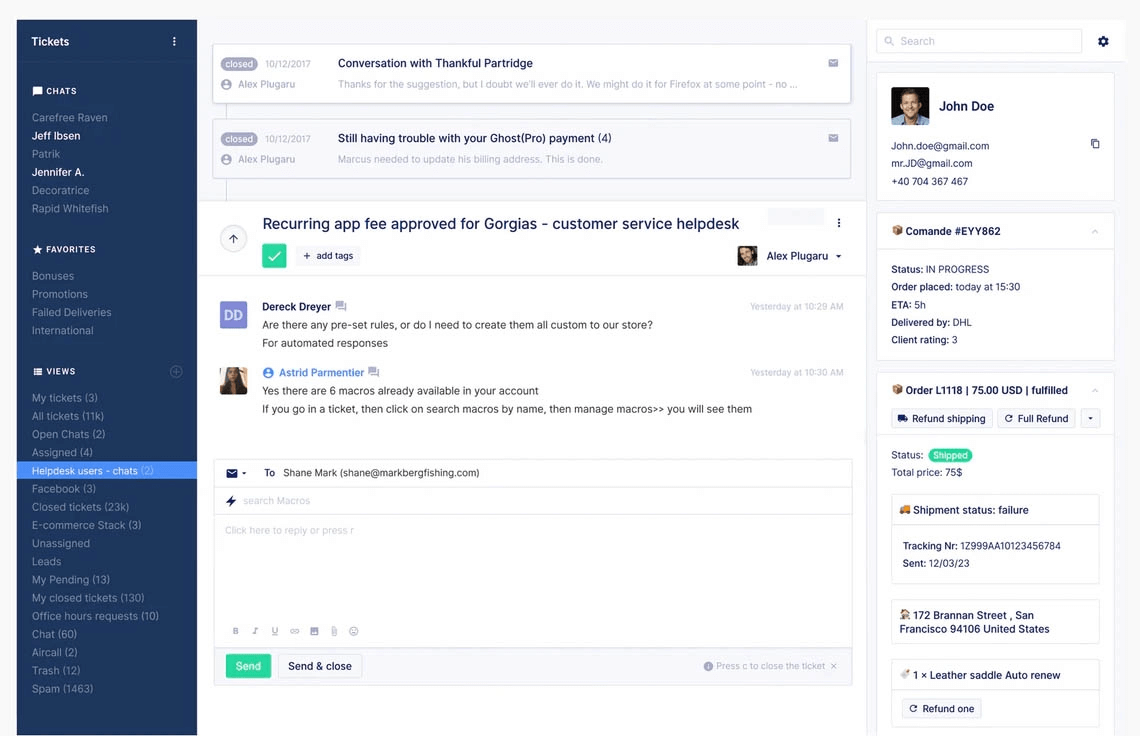
Image source: Ecomsutra.com
Gogrias claims to be the new “e-commerce help desk” in town.
If you have an online store, I’m positive Gorgias will help you support customers while boosting revenue. Your team can easily manage common requests related to cancellations, returns, or defective items through a vast self-service portal.
Another thing I like about Gorgias is that it allows agents to access all crucial customer information while they are talking to them. For example, they can view past conversations, edit orders, initiate refunds, upgrade subscriptions, and much more.
Pros:
- You can monitor customer inquiries on social media advertisements and posts
- Gorgias seamlessly integrates with Aircall, Pipedream, Omnisend, and other tools
- Fast-loading chat widget to enhance service quality and lead generation
- Pre-made responses to share consistent replies with customers
Cons:
- All the features are heavily designed around e-commerce businesses. So, if you run an offline business, Gorgias does not have much to offer
- The Basic plan is limited to just 300 tickets per month
How Gorgias Compares to Front:
Gorgias beats Front for e-commerce support because it connects customer conversations to store operations. Agents can work from the ticket while viewing orders and handling returns or refunds through deep integrations, which speeds resolution and improves revenue impact. Front handles messages, but Gorgias is built for commerce workflows.
User Rating: 4.6 (Capterra)
Pricing:
Starts at $10/month.
11. Help Scout – Best for 24/7 Service
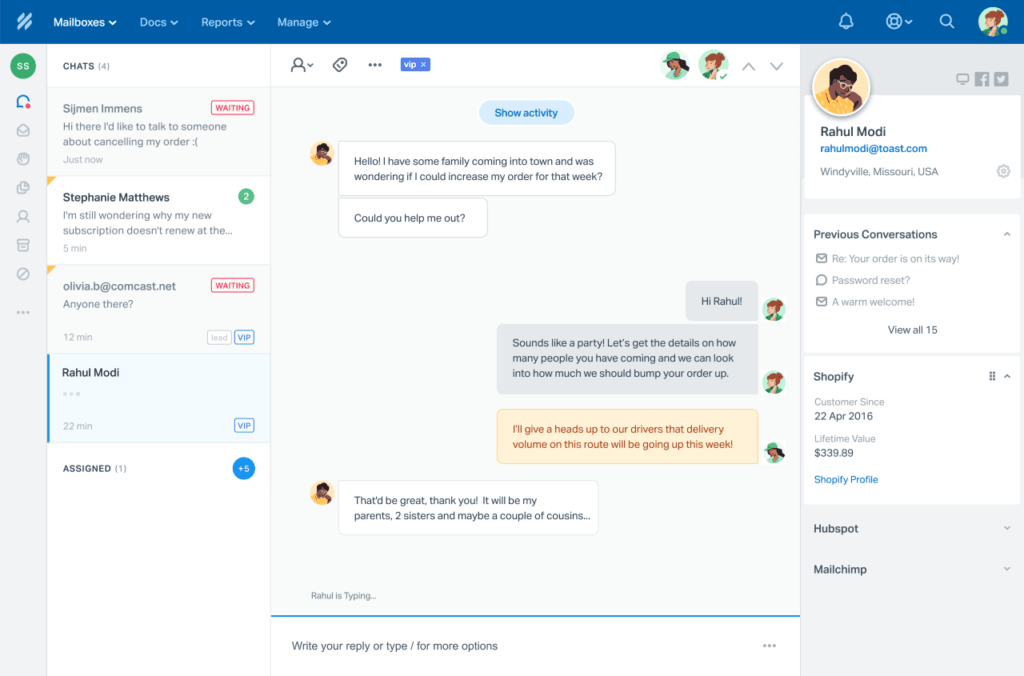
Image source: Help Scout
Help Scout helped me stay on top of all my customer communications. Whether customers contacted my team via email, live chat, or knowledge base, we could interact with them 24×7.
In my opinion, Help Scout is designed for 24×7 service. Anyone can use the tool to create a knowledge base in simple steps. Agents can easily add text, images, videos, tables, and hyperlinks without coding skills to help center articles.
I’m sure you will also love the shared inbox feature that combines multiple group inboxes (help@, billing@, info@, etc.) into one platform.
Pros:
- Android and iOS apps to assist customers even when on the move
- Ticket tags to organize customer requests and issues
- Support managers can track total conversations, happiness scores, and other help desk metrics
- Private notes to collaborate on solutions with teammates
Cons:
- The Standard Plan is limited to just two shared inboxes
- Does not offer the ability to build your own chatbot
How Help Scout Compares to Front:
Help Scout wins for teams that want a simple help desk with self-service built in. Its knowledge base and support widget help deflect repetitive questions and keep customer support running smoothly without heavy setup. Front is strong for collaboration, but Help Scout provides a more support-first experience.
User Rating: 4.6 (Capterra)
Pricing:
Starts at $25/user/month.
12. Kustomer – Best for Built-In CRM
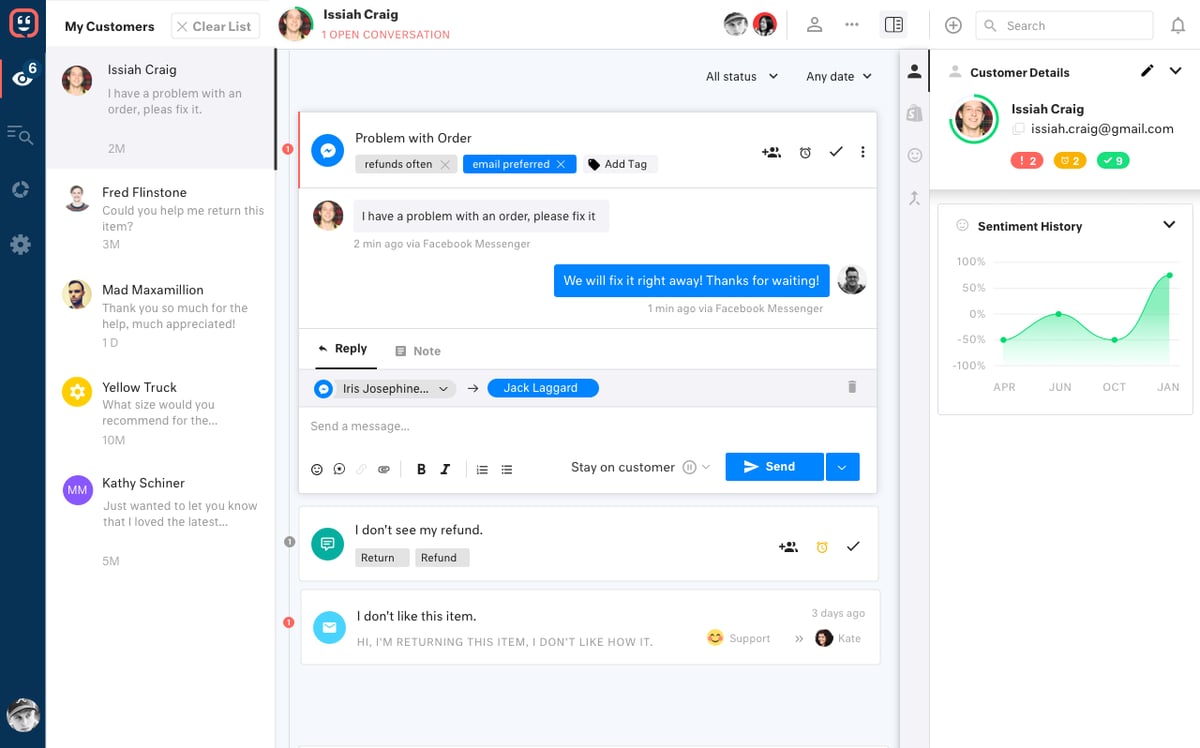
Image source: G2.com
Kustomer is a comprehensive customer service platform that seamlessly integrates CRM functionalities, making it an excellent choice for businesses seeking a unified approach to managing customer interactions.
Its robust CRM capabilities allow agents to access a customer’s complete purchase and interaction history, enabling personalized and efficient support.
Also, I like how Kustomer consolidates all customer data into a single timeline, providing a holistic view of interactions across various channels like email, chat, phone, and social media. This ensures that agents have the context they need to resolve issues quickly and effectively.
Pros:
- Unified customer timeline lets you view all customer interactions in one place
- Automated workflows to streamline repetitive tasks and enhance agent productivity
- Auto translation lets you speak to customers in over 70 languages
- Multiple help centers can be created for different brands
Cons:
- The extensive features might require time to learn and adapt
- Pricing can be expensive for smaller businesses or startups
How Kustomer Compares to Front:
Kustomer is the better Front alternative when you need CRM-level context and a unified customer view. It brings conversations across channels into one timeline so agents can act with full history and context. Front can integrate with CRMs, but Kustomer delivers deeper profiles and workflow automation natively.
User Rating: 4.6 (Capterra)
Pricing:
Starts at $89/user/month.
13. SolarWinds Service Desk – Best for Asset Management
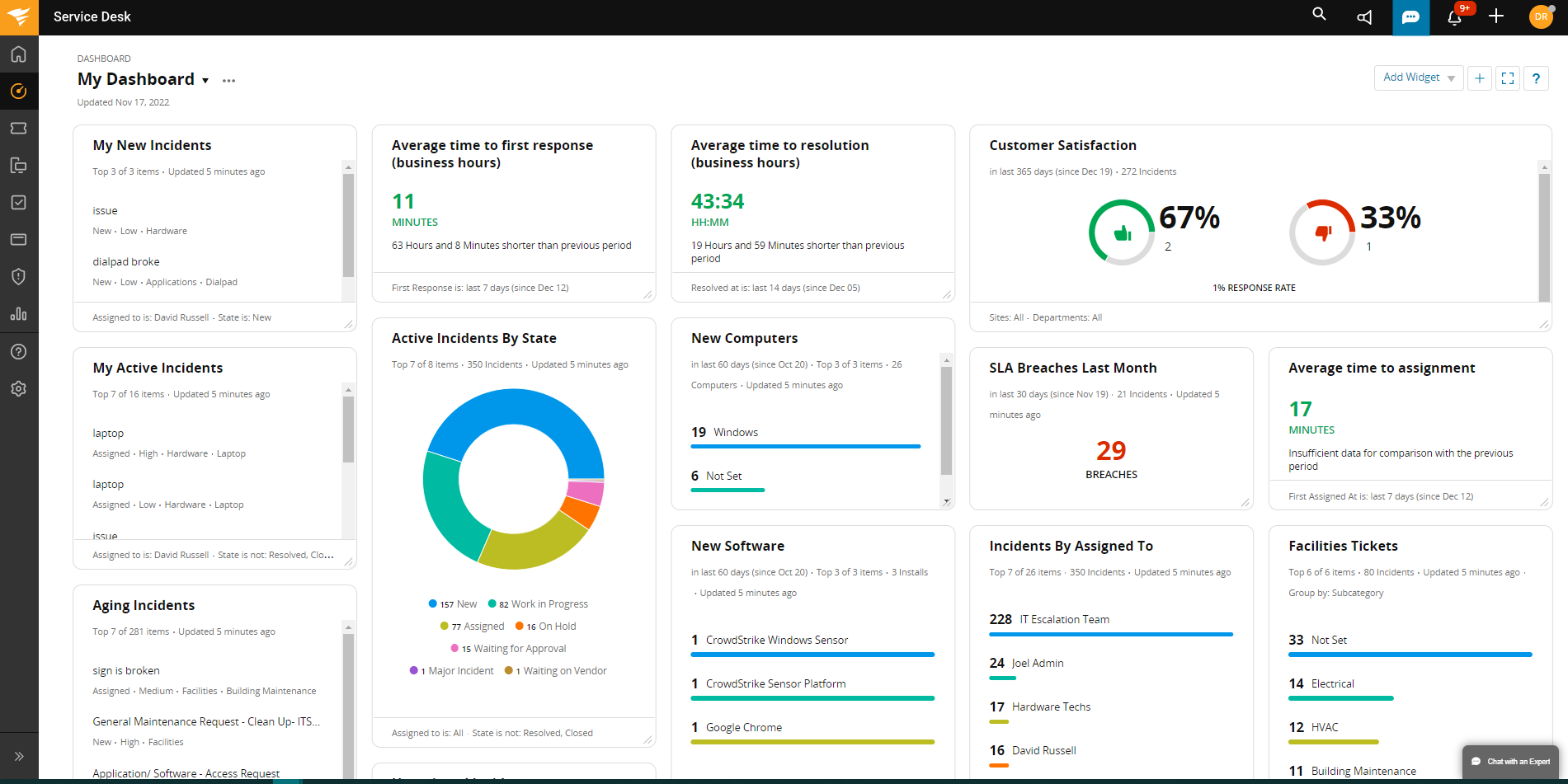
Image source: Software Advice
SolarWinds Service Desk excels in IT asset management, making it ideal for organizations that need to track and manage their IT assets effectively.
Besides asset management, this cloud-based help desk solution offers a comprehensive suite of features for incident management and service request fulfillment.
I find SolarWinds Service Desk particularly useful for automatically discovering and tracking IT assets, ensuring accurate inventory management and streamlined operations. Its integration capabilities further enhance asset visibility and control.
Pros:
- Automatic asset discovery to keep track of all important IT hardware or software assets
- Combine asset management with incident, problem, and change management for holistic IT support
- Customizable workflows to tailor workflows to fit your organization’s processes
- Comprehensive reports can be generated on asset utilization and service performance
Cons:
- The initial setup and configuration can be time-consuming
- Some users may find the interface less intuitive compared to other platforms
How SolarWinds Service Desk Compares to Front:
SolarWinds Service Desk wins when support is internal and IT-driven, rather than relying on inbox collaboration. It adds asset management, along with ITSM workflows such as incident, problem, and change management, which are essential for service teams managing infrastructure. Front isn’t designed for this depth, while SolarWinds is.
User Rating: 4.6 (Capterra)
Pricing:
Starts at $39/user/month.
How to Choose the Best Alternative to Front
Let me share some factors and points you can keep in mind to find your ideal tool.
1. Define Your Requirements
Start by identifying your organization’s specific needs and goals for customer service software. Consider factors like the volume of customer inquiries, communication channels (email, chat, social media), automation requirements, reporting, and scalability.
2. User-Friendliness
Evaluate the ease of use and user interface of the alternative. A user-friendly platform can help your support team quickly adopt the new software and improve their efficiency.
3. Budget Considerations
Determine your budget for a customer service solution. Be clear about your financial constraints, as this will help you shortlist options that fit within your budget.
4. Scalability and Flexibility
Consider your organization’s growth prospects. Choose a solution that can scale with your business and adapt to changing needs. Flexibility in terms of customization and workflow automation is also essential.
5. Customer Support and Training
Research the customer support and training options provided by the vendor. Ensure they offer adequate training resources, documentation, and responsive customer support to help your team get started and resolve issues promptly.
My Top 3 Picks for Best Front Alternatives
So this brings us to the question of the hour – “Which is the best alternative to Front?”
Well, I don’t think there is any one tool that can be the best for every business. Each team is unique, and so are their needs. But don’t worry; I won’t leave you without a direction.
Here are my top 3 picks that you can consider for your team this year:
1. ProProfs Help Desk
Without a doubt, I think ProProfs Help Desk is the best Front alternative available in the market. With a simple interface, your team can get started with this tool in no time and manage multiple shared inboxes like info@ or support@ in one place. Unlike Front, ProProfs Help Desk lets you manage customer conversations via email, live chat, chatbots, web forms, help center, and other channels.
2. Intercom
For those looking to build custom chatbots, I think Intercom is the best pick. Its AI bot, powered by OpenAI, will help you deliver accurate and smart answers to inquiries shared by customers and website visitors. While bots handle common queries, human agents get more time to deal with high-priority issues.
3. Gorgias
If you run an online business, I think Gorgias can be a great addition to your customer service team. Agents can easily manage complaints and requests related to product returns, cancellations, or defective items through a dedicated self-service portal.
FREE. All Features. FOREVER!
Try our Forever FREE account with all premium features!
Automate & Scale Support With the Best Front Alternative
While Front is a feature-rich and popular customer service platform, it’s not the only option available. Depending on your team’s budget, specific needs, and business goals, there are several Front help desk alternatives worth considering.
If you ask me, I would recommend ProProfs Help Desk as the top alternative that deserves your undivided attention. The tool comes loaded with features, such as shared inboxes, AI-powered automation capabilities, multichannel communication, smart reports, and a lot more.
No matter which tool you choose, I suggest you take a free trial and explore the nitty-gritty of the software on your own.
Frequently Asked Questions

What industries benefit the most from using Front alternatives?
Industries such as e-commerce, customer service, IT support, healthcare, finance, and marketing benefit the most from using Front alternatives. These sectors rely heavily on efficient communication, ticket management, and multi-channel support to handle customer inquiries, streamline operations, and enhance overall productivity.
How important are integrations when choosing a Front alternative?
Integrations are crucial when choosing a Front alternative as they enable seamless connectivity with other tools and platforms used by your organization. Effective help desk integrations enhance workflows, ensure data consistency, and provide a unified view of customer interactions, thereby improving overall service quality and operational effectiveness.
How do these alternatives ensure data security and compliance?
Front alternatives ensure data security and compliance through robust encryption protocols, IP restrictions, Single Sign-On (SSO), and adherence to industry standards such as GDPR.
FREE. All Features. FOREVER!
Try our Forever FREE account with all premium features!

 We'd love your feedback!
What did you like & how can we make it even better?
 Thanks for your feedback!
 Ask Your Question
Have a question? Get expert help to make your decision easier.